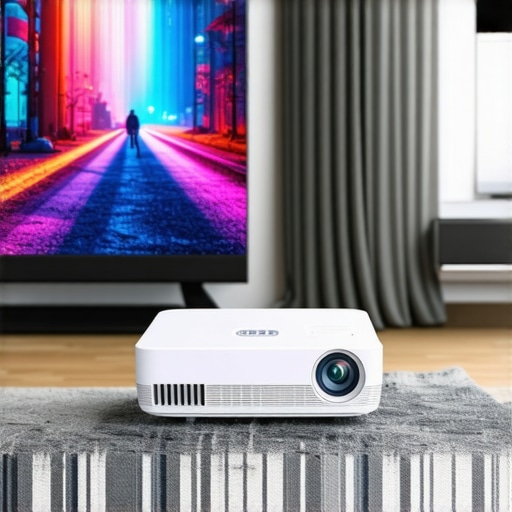
Ever set up a movie night only to realize your living room’s awkward corner or tiny apartment corner isn’t quite suitable for the bulky projector you dreamed of? That frustrating moment of realizing your home cinema dreams are just out of reach because of space constraints hit me hard. I remember thinking, “There has to be a better way,” when I was cramped into a small apartment with limited room for a traditional projector. That lightbulb moment led me down a path to discover the magic of portable laser and ultra short throw (UST) projectors specifically designed for small spaces.
Why Small Spaces Need a Special Solution for Projection
In 2024, more of us are living in compact homes, apartments, or even dorm rooms. The challenge? How to enjoy a cinematic experience without dedicating an entire wall or room to a bulky projector system. Conventional projectors often require a significant distance from the screen to produce a sizable image, which isn’t feasible in tight quarters. That’s where ultra short throw (UST) projectors and portable laser projectors come into play, offering a compact solution that fits seamlessly into small spaces while delivering stunning visuals.
According to recent industry insights, the global projector market is shifting significantly toward portable and UST models because of their adaptability and convenience. These projectors can turn even the most modest corner into your personal cinema, without sacrificing picture quality or brightness. But navigating the multitude of options can be overwhelming, especially with the rapid advancement of technology and increasing competition. I’ve been in your shoes—confused by technical jargon and unsure if a tiny, portable device could truly replace the traditional setup. Early on, I made the mistake of choosing a projector based solely on price, only to find it lacked the brightness and clarity needed for a comfortable viewing experience. That lesson taught me the importance of understanding what features truly matter for small spaces and how to select the right device for your needs.
Are Portable Laser & UST Projectors Actually Worth the Hype?
Many skeptics wonder if these compact projectors can really match the quality of larger, traditional models. The truth? They can—and in many cases, surpass expectations. The key is choosing the right model with the proper brightness, resolution, and throw distance. For a detailed comparison, check out this insightful guide on laser vs. traditional projectors. It’s a game-changer for small-space setups.
If you’re tired of feeling limited by your tiny space or frustrated with the complexity of traditional home theaters, stay tuned. I’ll walk you through the best portable laser and UST projectors for small spaces in 2024, helping you make an informed choice to elevate your viewing experience without clutter or compromise.
Choose the Right Projector for Your Space
Start by assessing your available space. Measure the distance from where you’ll place the projector to the wall or screen. For tiny rooms or corners, opt for a UST projector that can project a large image from just inches away. During my own setup, I initially bought a traditional projector, but it was too bulky and required a long throw distance, making it impractical. Switching to a UST model transformed my space into a mini home theater without clutter.
Position Your Projector Correctly
Step 1: Find the Optimal Spot
Place the projector as close to the wall as possible—usually within a few inches—if you’re using a UST projector. Think of it like placing a camera lens close to a subject for a dramatic close-up. In my case, I positioned my projector on a sturdy shelf right next to the wall, which kept everything neat and minimized cable clutter.
Step 2: Level the Device
Ensure the projector is perfectly level. Use a small bubble level or adjust the feet to avoid keystone distortion. I once overlooked this step, and the image tilted slightly, which was distracting during movie night. After leveling, the picture was sharp and aligned perfectly.
Connect and Calibrate for Clarity
Step 1: Connect Your Devices
Use HDMI or wireless streaming options to connect your laptop, game console, or streaming device. For my setup, I connected a portable streaming stick directly into the projector’s HDMI port, simplifying the process and avoiding messy cables.
Step 2: Adjust Focus and Keystone
Fine-tune the focus using the projector’s focus wheel. Adjust keystone correction if the image appears trapezoidal. I learned this the hard way when I initially set up my projector on an uneven surface, causing a distorted image. Correcting keystone made the picture crystal clear and rectangular.
Optimize the Environment
Reduce ambient light by closing curtains or turning off lights to enhance picture quality. For small spaces, consider adding a dedicated screen or even a simple white wall painted with matte paint for better contrast. I painted a section of my wall matte white, which significantly improved brightness and color accuracy compared to the bare wall.
Test and Fine-Tune
Play a familiar movie or video to test brightness, contrast, and color. Make minor adjustments to the projector’s settings or placement as needed. During my first test, I noticed shadows on the screen, so I moved the projector slightly to avoid obstructions. The result was a vibrant, immersive viewing experience.
By following these concrete steps, you can successfully set up a portable laser or UST projector in your small space, turning even the tiniest corner into your personal cinema. For more detailed comparisons and model recommendations, check out this ultimate guide to portable ultra short throw projectors.
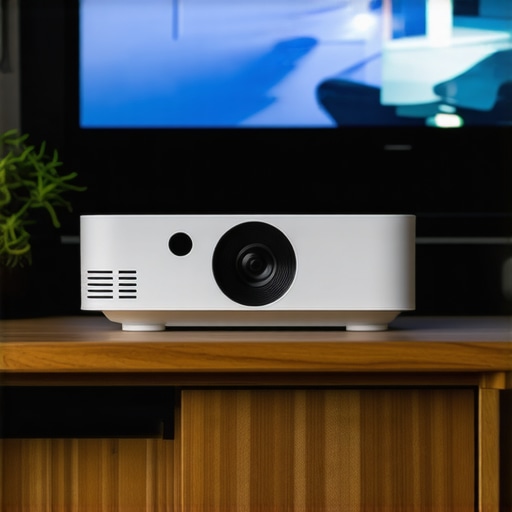
Let’s dig deeper into the nuances that many enthusiasts overlook when choosing portable laser or ultra short throw (UST) projectors for small spaces. While it’s tempting to believe that these compact devices are foolproof, the reality is more complex. Many users fall into traps that compromise their viewing experience without even realizing it. Here’s what most people get wrong about these innovative projectors, and some advanced tips to avoid common pitfalls.
Myth: Brightness Alone Guarantees a Good Picture
One of the most widespread misconceptions is equating higher lumen ratings with superior image quality, especially in small rooms. Many assume that a projector with 3000 lumens or more will automatically produce vibrant, clear images, but this isn’t always true. In small, controlled environments, excessive brightness can cause glare and wash out colors, particularly if ambient lighting isn’t managed properly. Conversely, a projector with lower lumens, around 1500-2000, can deliver stunning visuals if paired with a matte wall or screen and optimized settings. The key is balancing brightness with contrast and color accuracy.
Oops! Don’t Overlook the Importance of Resolution and HDR
Many buyers focus heavily on resolution—thinking 4K is always better than 1080p—but neglect that HDR (High Dynamic Range) support and color processing significantly impact picture realism. An ultra short throw projector with 4K resolution but poor HDR support may fall short in delivering lifelike images, especially in scenes with high contrast. Advanced users should prioritize projectors with good HDR capabilities and color management features, which elevate small space viewing from good to cinematic. For detailed comparisons, check out this guide on the best 4K home theater projectors.
Important: The Keystone Correction Trap
Adjusting keystone correction is often a quick fix for crooked images, but overusing digital keystone can degrade overall picture quality. Excessive correction introduces artifacts and reduces sharpness. The smarter approach is to set up your projector physically so that keystone correction is minimal or unnecessary. This might involve repositioning the projector or using a dedicated mount. Remember, physical alignment always beats digital correction in image clarity and fidelity.
Have you ever fallen into this trap? Let me know in the comments. For more tips on optimizing small space setups, explore this ultimate guide to portable ultra short throw projectors or reach out through our contact page.
Keeping your small space projector in top shape requires more than just initial setup; it’s about ongoing maintenance and using the right tools to ensure longevity and optimal performance. Over time, dust, heat buildup, and improper handling can degrade image quality and device lifespan. As an enthusiast who has invested in ultra short throw (UST) and portable laser projectors, I’ve learned that a proactive approach makes all the difference.
How do I maintain my small space projector over time?
My go-to method involves a combination of regular cleaning, proper cooling, and firmware updates. For cleaning, I recommend using a compressed air canister to remove dust from vents and lenses. Personally, I use a small, soft-bristled brush to gently wipe the lens surface, avoiding any abrasive materials that could scratch the delicate coating. Ensuring proper ventilation is crucial, especially in enclosed small spaces. I’ve found that placing my projector on a ventilated shelf and avoiding obstructing air intake vents helps prevent overheating, which can shorten the device’s lifespan.
Firmware updates are another critical aspect of maintenance. Manufacturers frequently release updates that improve image stability, introduce new features, or fix bugs. I subscribe to the manufacturer’s newsletter and regularly check their support site—this simple habit keeps my projector running smoothly and adds new functionalities that enhance my viewing experience.
Tools I recommend for projector upkeep
Beyond basic cleaning supplies, I rely on a few specific tools. A high-quality microfiber cloth is essential for wiping the lens without leaving streaks or scratches. I prefer using a microfiber cloth specifically designed for optics, which I purchase from trusted electronics suppliers. Additionally, a small, portable vacuum designed for electronics helps remove dust from vents and internal components without risking damage. For firmware updates, a reliable USB flash drive or a stable Wi-Fi connection ensures seamless downloads and installations.
Looking ahead, I predict that maintenance tools will become increasingly integrated with smart features—like auto-cleaning sensors or predictive diagnostics that alert you when service is needed. This evolution will make upkeep even more effortless, especially for those with small, space-efficient setups.
Take action now
If you want to extend your projector’s life and ensure consistent performance, start by regularly cleaning the lens and vents. Use a microfiber cloth and compressed air, and check for firmware updates monthly. These small, consistent steps can dramatically improve your viewing experience and save you money in the long run.
For more detailed guidance on maintaining your projector, check out this review of laser 4K UST projectors or contact experts to tailor a maintenance plan suited to your setup by visiting our contact page.
The Hardest Lesson I Learned About Small Space Projectors
One of the most valuable insights I gained was that higher brightness isn’t always better in tiny rooms. I once bought a 3000-lumen projector, expecting vibrant images, but instead faced glare and washed-out colors because I underestimated how ambient light interacts with high lumens. Now, I focus on balancing brightness with contrast and environment control to achieve the perfect picture.
3 Myths About Portable Laser & UST Projectors That Held Me Back
Myth 1: Resolution is everything. I used to believe 4K was always superior, but I overlooked HDR support and color processing, which truly elevate picture quality in small spaces. Myth 2: Keystone correction can fix poor setup. Overusing digital keystone correction degrades image clarity; physical alignment always wins. Myth 3: Size doesn’t matter. Smaller projectors are less capable, but with the right features, they outperform traditional models in tight spaces.
What Industry Experts Won’t Tell You About Small Space Projectors
Many overlook the importance of proper maintenance. Regular cleaning of lenses and vents, firmware updates, and correct placement can extend your projector’s lifespan and improve image quality. Also, smart features like auto-cleaning sensors are emerging, making upkeep easier for small space setups.