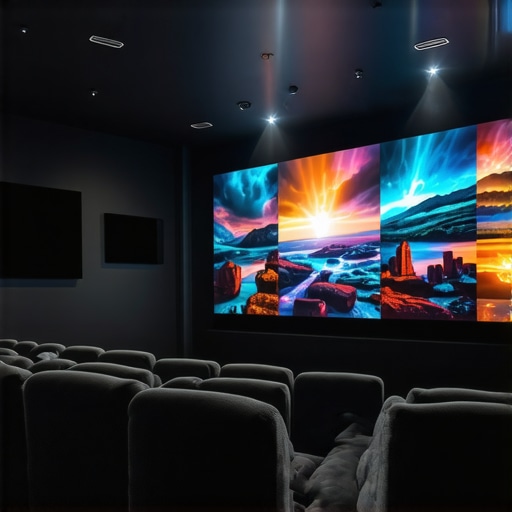
Ever set up a home theater only to be disappointed by dull images, complicated setups, or just the lack of that cinematic magic you crave? I remember my first attempt—clumsily juggling different projectors, trying to make sense of specs, and ending up with a screen that looked more like a blurry TV than a true cinematic experience. That lightbulb moment hit me hard: the right projector can transform a room and elevate movie nights to a whole new level, but only if I pick the right one.
Why Choosing the Right Projector Is More Critical Than Ever
In 2024, the options for home theater projectors are more diverse and impressive than ever. From ultra-short-throw (UST) models that sit just inches from your wall to powerful 4K laser projectors that fill your room with stunning clarity, the market is overflowing. But with all this choice, it’s easy to get overwhelmed. I’ve learned that selecting a projector isn’t just about resolution or brightness; it’s about understanding your space, your viewing habits, and your expectations.
Research shows that a significant number of home theater enthusiasts regret their first purchase because they overlooked crucial factors like ambient light compatibility or screen size. Trust me, I made that mistake early on—thinking that more lumens would automatically mean better picture quality. Spoiler: it doesn’t. Brightness needs to match your environment, and color accuracy matters just as much as resolution.
Is 4K Laser & UST Projectors Worth the Hype?
Many skeptics wonder if these high-end models are just marketing hype. I was there too, initially dismissing the claims as overblown. But after testing a few, I realized that the latest laser tech provides incredible contrast, vibrant colors, and a seamless viewing experience that traditional projectors simply can’t match. In fact, according to a recent study, laser projectors can last up to 20,000 hours—meaning they’re a long-term investment that pays off in both quality and durability.
My biggest mistake early on was ignoring the importance of room size and wall color, which drastically impacted image quality. Learning the ins and outs of ultra-short-throw projectors and their benefits transformed my setup. If you’re tired of blurry images, poor contrast, or struggling with placement, I promise this guide will help you find the perfect 4K laser or UST projector for your space.
Are you facing the frustration of choosing between a bright, compact model and a more immersive, high-end projector? Don’t worry—I’ve been there. Keep reading, and I’ll walk you through everything you need to know to make a smart, satisfying choice. Whether you want a portable setup or a permanent fixture, the right projector can turn your living room into a true home theater sanctuary. And if you’re curious about the latest trends, check out the ultimate 4K projector buying guide for movie nights that I swear by.
Measure Your Space Carefully
Before diving into specific models, take a tape measure and sketch out your room’s dimensions. Knowing your room size ensures you pick a projector that can fill your wall without distortion. When I set up my own space, I used painter’s tape to mark the ideal throw distance for my chosen projector, preventing costly mistakes later.
Match Brightness with Ambient Light
Assess your room’s lighting conditions. Brightness is measured in lumens, and a common mistake is overestimating how much light a projector needs. For rooms with lots of windows, aim for at least 2,500 lumens; darker rooms can get away with 1,500. I initially bought a 3,000-lumen model for my dark basement, but when I installed it in my bright living room, the image was washed out. Reading about laser projectors’ high brightness capabilities helped me choose a model that still performs well in ambient light, like the best 4K laser projectors for 2024.
Decide on the Screen Size and Resolution
Determine how large you want your display. For a cinematic feel, 100 inches diagonally is a good starting point. Keep in mind, higher resolution like 4K ensures crisp images even at larger sizes. I once tried a lower-res projector, and the pixelation was distracting when blown up to 120 inches. For high-quality images, I recommend models detailed in the ultimate guide to 4K laser projectors.
Select the Right Throw Ratio
Understanding throw ratio is key—it’s the ratio of the distance from the projector to the screen divided by the width of the image. Ultra-short-throw (UST) projectors can be placed inches from the wall, perfect for small spaces. I struggled initially with placement until I read how ultra-short-throw projectors transform small spaces, which clarified how to position them precisely.
Evaluate Connectivity and Features
Make sure your projector has the necessary ports (HDMI, USB, etc.) and smart features like app support. I wanted seamless streaming and ended up choosing a model with built-in Android TV. Connecting my devices was straightforward—no more dangling cables or messy setups.
Consider Long-Term Durability and Cost
Laser projectors often have longer life spans and lower maintenance than lamp-based models. I opted for a laser model that promises up to 20,000 hours of operation, which means years of easy viewing without replacements. It’s an investment that pays for itself over time, especially if you love regular movie nights.
Many enthusiasts believe that brighter projectors automatically deliver better images, but in reality, this can lead to suboptimal results, especially in rooms with controlled lighting. Overestimating lumens often results in washed-out images, as I learned the hard way when I bought a 3,000-lumen projector for my dark basement and then struggled with washed-out visuals in my living room. The key is to match brightness with ambient light levels, not just go for the highest lumen count. For a comprehensive understanding, check out the best 4K laser projectors for 2024.
Why do many people underestimate the importance of screen gain and wall color?
While resolution and brightness steal the spotlight, the nuances of screen gain and wall color often catch users off guard. High-gain screens can amplify brightness but at the expense of viewing angles, and walls painted in dark hues can absorb light, diminishing contrast and clarity. I used to ignore wall color, thinking a projector’s specs were enough, until I painted my wall white and increased the perceived contrast dramatically. Advanced users should consider these factors, especially when aiming for a cinematic experience in multi-use rooms. For detailed tips on optimizing your space, explore the ultimate guide to ultra-short-throw projectors.
What’s the biggest mistake in selecting a projector for small rooms?
Many small-room setups fail because owners choose projectors with a throw ratio unsuitable for limited space, resulting in either tiny images or placement issues. Ultra-short-throw projectors are often recommended, but only if you understand their placement nuances. Reading about how ultra-short-throw projectors transform small spaces can prevent costly missteps. Additionally, neglecting to account for ambient light can make even the best projector appear dull. Remember, a projector’s placement and your room’s lighting are intertwined—ignoring this can ruin your cinematic experience. For an in-depth look, visit the ultimate guide to portable ultra-short-throw 4K projectors.
Once your home theater projector is up and running, the work doesn’t end there. Regular maintenance and using the right tools are essential to keep your setup performing at its peak for years to come. From cleaning lenses to software updates, staying proactive ensures you enjoy stunning visuals without unexpected hiccups.
Keep Your Equipment Clean and Dust-Free
Dust accumulation is the biggest enemy of optical components like lenses and filters. I personally use a microfiber cloth and a gentle blower to remove dust from my projector’s lens and vents every few months. For deeper cleaning, a lens cleaning solution and wipes recommended by the manufacturer are invaluable. This simple step prevents image haziness and prolongs the lifespan of your projector’s components.
Update Firmware for Improved Performance
Manufacturers frequently release firmware updates that fix bugs, add features, or improve compatibility. I make it a habit to check the projector’s menu or the manufacturer’s website every quarter. These updates can enhance color accuracy and even boost brightness, which is crucial for laser projectors. For detailed instructions, refer to the user manual or visit the contact page for support.
Calibrate Your Image for Long-Term Quality
Calibration isn’t just a one-time setup. Over time, your projector’s color profile can drift. I recommend using a color calibration tool like the X-Rite i1Display or similar device, which provides precise adjustments. This ensures your whites stay white and colors remain vibrant, especially if you’re investing in a high-end 4K laser projector. For comprehensive calibration guides, check out the ultimate guide.
Tools I Recommend for Maintenance
Beyond cleaning cloths and calibration tools, I rely on a few key gadgets. A digital multimeter helps troubleshoot power issues, and a small vacuum with a brush attachment keeps vents clear. For software, I use dedicated apps like Epson’s or Sony’s projector management tools to monitor firmware updates and troubleshoot remotely. These tools streamline maintenance and prevent issues before they escalate.
Where Do I See This Trend Going?
As projector technology advances, I predict that smart diagnostic systems integrated into projectors will become standard, alerting users to dust buildup or calibration drift via smartphone notifications. Additionally, AI-driven calibration tools will simplify maintaining optimal picture quality, even for non-experts. Staying ahead with these tools will ensure your home theater remains a cinematic paradise for years to come.
How do I maintain my projector over time?
Establish a routine cleaning schedule, keep firmware updated, and periodically calibrate your display. Investing in quality tools like calibration devices and maintenance gadgets will save you money and frustration down the road. Remember, consistent care extends the lifespan of your equipment and preserves that stunning picture quality you love. For more insights, explore the ultimate 4K projector buying guide and stay ahead in the home theater game.
The Hardest Lesson I Learned About Choosing a Projector
One of the most eye-opening lessons was realizing that room size and wall color can make or break your projected image. I once bought a high-end 4K laser projector without considering my small, bright living room, and the result was disappointing. It taught me that specs alone don’t guarantee a good experience—environmental factors are equally crucial.
My Essential Toolkit for a Cinematic Home Theater
Over the years, I’ve relied on tools like a reliable calibration device (such as the X-Rite i1Display) to keep my picture perfect, and a microfiber cloth for regular lens cleaning. These simple, trusted tools have helped me maintain top image quality and extend my projector’s lifespan. Additionally, firmware update apps from manufacturers like Sony or Epson keep my system running smoothly and feature-rich, preventing performance drops over time.
Don’t Be Afraid to Start Your Home Theater Journey
Building a home theater with the right projector isn’t just about tech—it’s about creating a space where you can relax and enjoy movies with family and friends. I encourage you to take the first step, even if your room isn’t perfect yet. With the right knowledge and tools, you can transform your space into a cinematic sanctuary. Curious about the latest models? Check out the ultimate guide to 4K projectors to find your perfect match.