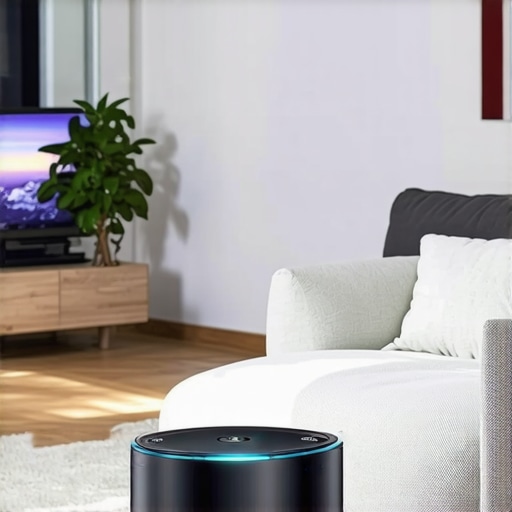
Have you ever tried setting up a home theater in a tiny apartment or a cluttered room, only to find your projector won’t fit or the image is disappointingly dim? I’ve been there—frustrated, wasting time and money on bulky gadgets that just don’t work in limited spaces. That lightbulb moment hit me hard: what if I could find a projector small enough to tuck away but powerful enough to deliver stunning visuals? Today, I want to share how I cracked the code on portable laser and ultra-short-throw (UST) projectors, transforming my cramped living area into a mini cinema without sacrificing quality or convenience.
Why Small Spaces Need Smarter Projectors
In 2024, more of us are living in compact homes, apartments, or just prefer a clutter-free environment. Traditional projectors, with their long setups and big footprints, often feel like a hassle. The good news? Technology has caught up, and now we have options like portable laser projectors and UST models that are designed specifically for small spaces. These compact marvels pack a punch, offering crisp 4K resolution, high brightness levels, and easy portability—so you can enjoy movie nights without rearranging your furniture or sacrificing your space. But, with so many options flooding the market, it’s easy to feel overwhelmed, wondering if these tiny projectors are truly worth the hype. Believe me, I’ve made some rookie mistakes early on, like rushing into a purchase without understanding brightness needs or connectivity options. That’s why I’m here—to help you avoid those pitfalls and choose the perfect projector for your small space.
Is the Hype Around Mini Projectors Justified?
When I first started exploring portable projectors, I was skeptical. I thought, “Can something so small really deliver cinema-quality images?” Turns out, yes—but only if you pick wisely. Early on, I bought a budget model that looked promising but lacked the brightness for a dimly lit room, making the picture fuzzy and dull. That mistake taught me a vital lesson: don’t prioritize price over performance. Instead, focus on key specs like brightness, resolution, and throw distance. For more insights on how laser projectors compare to traditional ones, check out this detailed comparison guide. Now, I’m confident that with the right choice, small spaces can host big-screen experiences that rival cinemas. Ready to discover how? Let’s dive into the practical steps that will help you turn your cramped quarters into your personal theater.
Pick the Right Hardware for Your Space
Start by choosing a projector that matches your room’s dimensions and lighting conditions. I remember rushing into a purchase without checking the brightness, only to find the image too dim at night. For small rooms, look for models with at least 2000 lumens, which can handle ambient light and still deliver vibrant images. Check out this list of top projectors to find options with stellar specs suitable for compact spaces.
Assess Your Throw Distance
Understanding throw distance—the space between the projector and the wall—is crucial. Ultra-short-throw projectors can sit just inches from your screen, making them perfect for tight setups. I once experimented with a standard projector placed on a bookshelf, but the image was distorted. Switching to a UST model fixed that instantly, giving me a large image from just a few inches away. Use this guide on throw distances to pick the right projector for your space.
Optimize Your Room for Best Results
Lighting control is key. I blacked out my windows and dimmed the lights, transforming my cluttered living room into a cozy theater. Consider adding blackout curtains or using a dedicated projector screen—nothing beats a smooth, matte surface for clarity. For a DIY upgrade, check out this small space setup tips. Keep reflective surfaces away from the projection area to avoid glare, and position your projector on a stable surface or mount it securely.
Manage Cables and Power
Cluttered cables can ruin the aesthetic. Use cable organizers or wireless streaming devices to keep things tidy. I also invested in a surge protector to avoid power disruptions during movie marathons. For seamless connectivity, opt for projectors with multiple input options—HDMI, USB, and wireless—so you can connect your devices effortlessly. Check out this portable projector buying guide for more tips.
Fine-Tune Your Viewing Experience
Adjust settings like keystone correction and focus for a sharp image. Modern projectors often have auto-adjust features that save time. During my first setup, I spent hours manually aligning the image until I discovered auto-keystone correction—game changer. Play with contrast and brightness settings to match your room’s ambiance. For detailed calibration steps, see this calibration guide. Remember, small tweaks can significantly improve image quality. Finally, use a dedicated remote or app to control your projector comfortably from your sofa, making movie nights effortless.
While many enthusiasts focus on specs like brightness and resolution when selecting a small projector, there’s a sneaky misconception that often leads to costly mistakes: the belief that a high lumen count guarantees a vibrant, clear image in any room. In reality, this is only part of the story. Many assume that a 3000-lumen projector will perform flawlessly in a dimly lit room, but without understanding how ambient light, screen surfaces, and color accuracy play crucial roles, you might end up with washed-out visuals despite impressive specs. Myth Busting: It’s not just about lumens. For small, ambient-lit spaces, factors like contrast ratio and color fidelity are just as vital. For example, laser projectors tend to offer better color accuracy and contrast than traditional lamp-based models, which can make a noticeable difference in image quality—especially in compact environments where every detail counts. Check out this comparison guide to see how laser tech outperforms traditional options in small spaces.
Advanced Mistake: Overlooking Room Calibration
Many users buy the perfect hardware but forget that room calibration can make or break the viewing experience. Auto keystone correction and focus features are helpful, but they’re not foolproof. Small changes in projector placement, surface reflectivity, and lighting conditions require fine-tuning. Skipping this step can leave you with distorted images or uneven brightness, undermining the high-tech investment. Experts recommend investing time in manual calibration or professional setup, especially for ultra-short-throw models that sit close to the wall. Proper calibration ensures your image is sharp, correctly proportioned, and vibrant—making your space feel truly cinematic. For detailed calibration tips, see this setup guide.
Why Bigger Isn’t Always Better in Small Spaces
It’s tempting to go for the largest possible image, but more size isn’t always better in confined areas. The key is matching your projector’s throw ratio to your room dimensions. Ultra-short-throw models are designed for tight quarters, enabling you to project a large image from just inches away. However, many overlook the importance of understanding their room’s exact measurements, leading to frustration or subpar results. Measure your space carefully and choose a projector with an appropriate throw distance. Check this throw distance guide to avoid this common mistake.
In conclusion, smarter decisions in projector selection go beyond surface specs. Focus on room calibration, understanding light behavior, and matching throw ratios to your environment. These nuances can elevate your small-space cinema from decent to stunning. Have you ever fallen into this trap? Let me know in the comments. For more expert tips, visit our contact page.
Keeping your small-space projector in top shape requires more than just initial setup; it demands regular maintenance and the right tools. Over time, dust accumulation, bulb degradation, and software glitches can diminish image quality and device longevity. To prevent these issues, I recommend investing in specific equipment and adopting a disciplined maintenance routine that ensures your projector continues to deliver stunning visuals for years to come.
Cleaning Tools That Make a Difference
One of the simplest yet most effective tools I use is a compressed air canister. Regularly blowing out dust from vents and air filters prevents overheating and maintains optimal performance. I also keep a microfiber cloth on hand to gently wipe the lens and exterior surfaces, avoiding scratches and smudges that can impair image clarity. For lenses, I prefer a dedicated optical cleaning solution and a lens cleaning brush, which remove stubborn dirt without damaging the delicate coating. These tools are affordable but invaluable in preserving sharpness and brightness over time.
Software and Calibration Software
Beyond physical maintenance, software updates play a crucial role. Manufacturers frequently release firmware updates that fix bugs, improve image processing, and enhance compatibility with streaming devices. I recommend subscribing to your projector’s update notifications and routinely checking the manufacturer’s website—for example, this guide provides tips on firmware management. Additionally, calibration software like CalMAN or ColorMunki can fine-tune color accuracy and contrast, especially if you’ve moved or changed room conditions. Proper calibration ensures the image remains vibrant and true to life, making every movie night magical.
Long-Term Maintenance Strategies
To extend your projector’s lifespan, I recommend establishing a maintenance schedule. Every three to six months, perform a thorough cleaning, check for firmware updates, and recalibrate if necessary. Keep the device in a dust-free environment—cover it when not in use—and avoid exposing it to extreme temperatures or humidity. For ultra-short-throw models, ensure the mounting is secure and the lens is properly aligned. Regularly inspecting and maintaining your projector not only preserves image quality but also prevents costly repairs down the line.
Predicting the Future of Small-Space Projector Maintenance
Looking ahead, I predict that AI-driven diagnostic tools will become standard in projectors, providing real-time alerts about dust buildup, bulb health, or calibration drift. Smart maintenance apps could even automate firmware updates and calibration routines, making upkeep effortless. As technology advances, staying proactive with tools and routine checks will be key to enjoying a seamless, cinematic experience in small spaces for years to come.
Don’t wait until your projector performance declines—start using these maintenance tips today. Regular care will keep your device performing at its best, ensuring your small-space cinema remains a source of joy and entertainment. If you want to explore more advanced calibration methods, check out this detailed guide and try out the calibration software recommended there. Your home theater deserves it!
The Hardest Lesson I Learned About Small Space Projectors
One of my biggest mistakes was assuming that the brightest projector automatically meant the best image quality in small rooms. I learned that contrast ratio and color accuracy are just as vital, especially when ambient light is hard to control. This revelation saved me from endless frustration and improved my setup dramatically.
3 Myths About Compact Projectors That Held Me Back
I used to believe that larger images always meant better viewing experiences. Turns out, in tight spaces, the throw ratio is king. Ultra-short-throw models can project large, stunning images from inches away, making them perfect for small rooms. Breaking this myth opened my eyes to the potential of these clever devices.
What Experts Won’t Tell You About Maintaining Small Space Projectors
Most people overlook routine calibration and cleaning, but these are crucial for maintaining image sharpness and color fidelity over time. Investing in simple tools like microfiber cloths and keeping firmware updated can extend your projector’s lifespan and keep your cinematic experience flawless.
My Essential Toolkit for Small Space Projectors
- Compressed Air Canister: Keeps dust out of vents and filters, preventing overheating.
- Microfiber Cleaning Cloth: Gently removes smudges from lenses and surfaces without scratches.
- Calibration Software: Tools like CalMAN or ColorMunki help fine-tune color accuracy and contrast for optimal image quality.
- Surge Protector: Protects your investment during power surges, ensuring longevity.
Your Turn to Try
Transforming your small space into a cinematic haven is more achievable than ever with the right knowledge and tools. Don’t let misconceptions or overlooked details hold you back from enjoying breathtaking visuals in your home. Start experimenting today, and share your successes or questions in the comments below — I’d love to hear about your small-space cinema journey!