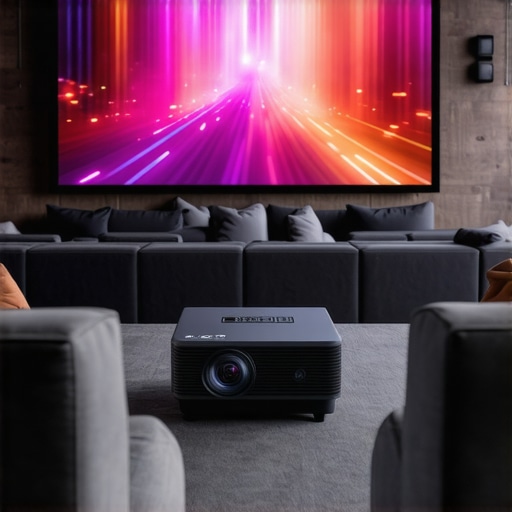
Ever tried to set up a home theater only to realize the wall is too far or the room too awkwardly shaped for a decent projector image? That was me a few months ago, frustrated because my dream of a cinema-like experience kept slipping away. Then I stumbled on something that changed everything: ultra short throw and laser projectors. These little marvels promised big things but also came with their own set of mysteries and pitfalls.
Why You Need to Rethink Your Home Theater Setup
Let’s be honest. Most of us want that big, immersive screen without sacrificing our precious space or dealing with complex installations. Traditional projectors often mean drilling holes, running long cables, and sacrificing wall space. I made the mistake early on of ignoring the importance of placement and lighting conditions, which led to blurry images and a lot of frustration. I learned the hard way that not all projectors are created equal, and that choosing the right one can make or break your home cinema experience. That’s why I’m here to guide you through the ins and outs of ultra short throw and laser projectors, so you can avoid my rookie mistakes and enjoy cinema-quality viewing right in your living room.
Is the Hype About Ultra Short Throw & Laser Projectors Justified?
Honestly, I was skeptical at first. I thought, “Can these tiny projectors really replace my bulky TV?” My early mistake was believing all the ads without digging deeper. I got burned by a model that promised 4K but delivered washed-out images because I overlooked the importance of brightness and contrast. That’s why I want to emphasize the need for thorough research and realistic expectations. Trust me, with the right information—like what you’ll find in our comprehensive guide—you’ll see why these projectors are transforming how small spaces can deliver big entertainment. If you’re tired of the same old TV setup or worried about the wall space, keep reading. I’ll help you navigate the options, so you end up with a setup that’s perfect for your room and your budget.
Curious if this technology is truly worth the investment? Or worried you’ll end up with a device that’s more hassle than it’s worth? I’ve been there, and I’ve learned that the secret lies in understanding the specs and features that truly matter, like brightness, resolution, and throw ratio. For instance, did you know that laser projectors tend to last much longer and require less maintenance than traditional lamps? That’s a game-changer, especially for busy households. If you want to dive deeper into what makes these projectors tick and how they can fit into your life, check out our Ultimate Guide to Laser Ultra Short Throw 4K Projectors.
Now that I’ve shared my story and the initial hurdles I faced, let’s get into how you can pick the perfect projector for your space. From understanding throw ratios to choosing the right brightness levels, I’ll walk you through everything you need to know to create your own home cinema paradise—without the headaches.
Position Your Projector Carefully for the Best Image
When I first tried setting up my ultra short throw projector, I mistakenly placed it too close to the wall, resulting in a blurry, distorted image. To avoid this, measure your room’s available space and choose a projector with an appropriate throw ratio. For example, if your wall is only 4 feet from where you want the projector, pick models with a throw ratio that matches this distance. Use a tape measure and a level to ensure the projector is aligned perfectly perpendicular to the wall. This precision prevents keystone distortion and ensures a sharp picture. Check the manufacturer’s guidelines for optimal placement, and don’t be afraid to experiment with minor adjustments—sometimes a half-inch shift makes a big difference.
Level and Align Your Projector Correctly
Once you’ve positioned the projector, make sure it’s perfectly level. I once ignored this step and ended up with a skewed image, which was frustrating during movie night. Use a bubble level app or a physical level to confirm the projector is straight. Adjust the mounting bracket or the projector’s feet as needed. Proper alignment ensures the image is rectangular and fills the screen uniformly, avoiding the need for digital keystone correction, which can reduce picture quality. Remember, a well-aligned projector not only improves picture clarity but also reduces strain on your eyes during long viewing sessions.
Optimize Room Lighting for Brightness and Contrast
Lighting plays a crucial role in achieving a cinema-like experience. I learned this the hard way when my living room’s ambient light washed out the image, making it look dull. To fix this, dim or turn off lights that directly hit the screen. Use blackout curtains or blinds to block sunlight during daytime viewing. If you must have ambient lighting, opt for dimmable LED fixtures that can be adjusted to create a cozy atmosphere without washing out the picture. Consider installing bias lighting behind your screen to reduce eye strain and enhance contrast perception. These small tweaks dramatically improve image clarity, especially with laser projectors that excel in high brightness conditions.
Control Reflections and Glare
Reflections from shiny surfaces can ruin your viewing experience. I once positioned my projector in a room with glossy picture frames and a shiny coffee table, which caused distracting glares. To avoid this, choose a matte screen or paint a wall with a matte finish. Keep reflective objects away from the projection path. Use curtains or blinds to block glare from windows. When adjusting your projector’s placement, ensure that bright reflections are minimized, and the image remains crisp and vibrant—especially important for high dynamic range content on 4K laser projectors.
Test and Fine-Tune Your Setup
After installation, run a test movie or a test pattern to evaluate image quality. I once spent hours tweaking settings based on a blurry calibration image, only to realize I hadn’t calibrated my projector’s keystone correction properly. Use built-in calibration tools or dedicated test images to adjust focus, keystone, and zoom. Pay attention to color accuracy and brightness uniformity across the screen. If your projector offers adjustable settings for contrast and gamma, tweak these for optimal picture depth. Remember, small incremental changes often yield the best results, so take your time during this phase to get everything just right.
Leverage Expert Resources for Better Calibration
Sometimes, DIY adjustments aren’t enough. I found that consulting detailed guides like the Ultimate 4K Projector Buying Guide helped me understand advanced calibration techniques. If you want to get professional-level results, consider investing in calibration tools or hiring a specialist. Proper calibration ensures your laser projector performs at its peak, delivering stunning images with rich colors and deep blacks, even in small spaces. Remember, a well-calibrated setup transforms your room into a true home theater, making every movie night a special event.
Many enthusiasts and first-time buyers alike fall into certain traps when selecting and setting up ultra short throw (UST) and laser projectors. Let’s dig deeper into what most people get wrong and how to avoid these pitfalls to maximize your home cinema experience.
Why Bigger Isn’t Always Better When It Comes to Brightness
A widespread myth is that higher lumen ratings automatically mean better picture quality, especially in bright rooms. While brightness is essential, especially for daytime viewing, overshooting the necessary lumens can lead to washed-out images and unnecessary energy consumption. For example, a laser projector with 3000 lumens might be ideal for a well-lit room, but pushing beyond that doesn’t improve clarity and can even degrade contrast. Experts like those at Home Cinema Essentials suggest matching lumen output to your room’s ambient light rather than chasing the highest number.
Furthermore, many people overlook the importance of contrast ratio and color accuracy, which are equally vital for a cinematic experience. A projector with high brightness but poor contrast will often produce a flat, lifeless image. This nuance is often missed in marketing hype, leading buyers to focus solely on lumen count.
Beware the Illusion of Easy Installation
Another common mistake is assuming that ultra short throw projectors are foolproof to set up. In reality, positioning, alignment, and calibration are just as critical as with traditional projectors. A slight misalignment can cause keystone distortion or uneven focus, ruining the viewing experience. The myth that UST projectors are “plug and play” can trap unwary users into hours of troubleshooting. To save yourself this hassle, consult detailed guides like our Ultimate Guide to Laser Ultra Short Throw 4K Projectors and take precise measurements before installation.
Remember, achieving a perfect image requires patience and fine-tuning, especially if you want to avoid digital keystone correction, which often reduces picture quality.
Is Resolution Everything or Is There More to It?
Many assume that 4K resolution guarantees a stunning picture, but this isn’t always the case. The real secret lies in the synergy between resolution, contrast, color depth, and processing capabilities. A high-resolution projector with poor contrast or inadequate color calibration will underperform compared to a slightly lower resolution model with better calibration and contrast ratios. As highlighted by industry experts, focusing solely on resolution can lead to disappointment, especially if other factors are neglected. Consider exploring our best 4K home theater projectors for 2024 to get a balanced perspective.
In conclusion, avoiding these common misconceptions—like overemphasizing brightness, underestimating setup complexity, or ignoring contrast—will help you select a projector that truly elevates your viewing experience. Have you ever fallen into this trap? Let me know in the comments and share your lessons learned!
Maintaining your ultra short throw and laser projector isn’t just about occasional cleaning; it’s a comprehensive process that ensures long-term performance and picture quality. Over time, dust, fingerprints, and even small technical issues can degrade the image or cause operational hiccups. That’s why I rely on a combination of specialized tools, routine checks, and a bit of know-how to keep my setup in top shape.
How do I maintain my projector over time?
First, regular cleaning of the lens and ventilation openings is essential. I use a microfiber cloth and a gentle blower brush to remove dust from the lens, avoiding scratches or smudges that can impair clarity. For ventilation, compressed air cans are my go-to, as they dislodge accumulated dust without risking damage to internal components. It’s a good idea to schedule these cleanings monthly, especially if your room tends to be dusty or pet-friendly.
Beyond physical maintenance, keeping the firmware up to date is crucial. Manufacturers often release updates that improve image processing, add features, or fix bugs. I subscribe to notifications from my projector brand’s official website and check periodically via their dedicated app or support page. This ensures my device benefits from the latest optimizations, which can even enhance brightness and contrast performance.
Investing in a good calibration tool is another smart move. Personally, I use the Ultimate 4K Projector Buying Guide recommendation for calibration devices. These tools allow me to fine-tune color accuracy, contrast, and gamma settings, ensuring the picture remains vibrant and true to life. Proper calibration not only improves visual quality but also extends the lifespan of your projector by preventing unnecessary strain on internal components.
Tools I recommend for long-term projector health
For cleaning, a microfiber cloth, compressed air, and lens cleaning solution are indispensable. I avoid harsh chemicals that can damage sensitive coatings on the lens. To keep the device running smoothly, I also use a UPS (Uninterruptible Power Supply) to protect against power surges and outages, which can harm electronic components. Additionally, a universal remote with macro capabilities helps me quickly access maintenance functions or switch between input sources without hassle.
Looking ahead, I predict that smart diagnostics integrated into projectors will become standard. These systems will automatically alert you to dust buildup, temperature issues, or calibration needs, simplifying maintenance further. Until then, developing a routine with these tools and practices will be your best bet to keep your projector performing at its peak for years to come.
Ready to get serious about your setup? Try implementing a monthly cleaning schedule with compressed air and a microfiber cloth, and see how much clearer your images look. For more detailed calibration tips, check out our ultimate guide—your future self will thank you!
The Hardest Lessons I Learned About Laser Projectors in Small Rooms
- One of my biggest mistakes was underestimating room lighting. Even the best projector struggles in bright environments. I learned to control ambient light with blackout curtains and strategic lighting placement, which dramatically improved picture quality.
- Positioning is everything. I initially placed my ultra short throw projector too close to the wall, causing distortion. Accurate measurements and understanding throw ratios saved me from hours of frustration and blurry images.
- Calibration isn’t optional. I thought I could just plug and play, but proper calibration of color, contrast, and keystone correction transformed my viewing experience from decent to stunning.
- Brightness ratings can be misleading. I once bought a high-lumen projector that washed out the image because I overlooked contrast ratios. Matching lumen output to room conditions is crucial for vibrant images.
- Maintenance matters. Regular cleaning of the lens and firmware updates keep my projector performing at its best. Investing in calibration tools made a noticeable difference in picture accuracy.
My Essential Toolkit for Small Space Home Cinema
- Microfiber Cloths and Compressed Air: For dust-free lenses and vents, ensuring clear images and proper airflow.
- Calibration Devices: Such as colorimeters, to fine-tune picture quality with professional precision.
- Smart Lighting Control: Dimmable LEDs and blackout curtains to optimize room conditions for daytime or nighttime viewing.
- Firmware and Software Updates: Regularly checking manufacturer sites keeps the projector running smoothly and enhances features.
- Reliable Power Protection: UPS units to guard against surges and outages that could damage your device.
Your Turn to Create Cinematic Magic
With the right setup, your small space can become a stunning home theater oasis. Don’t let room size or initial setup challenges hold you back—embrace the learning curve and enjoy every movie night. Ready to turn your living room into a cinematic paradise? Share your biggest challenge or success story below, and let’s inspire each other to achieve perfect picture quality!
http://Megan%20Carter
Reading through this guide really resonated with my own experience transitioning to a laser ultra short throw projector. I initially underestimated how critical proper placement and room lighting are, especially with the risk of distortion if the projector is too close or misaligned. I found that even slight adjustments in the projector’s angle or position can significantly improve image clarity and eliminate the need for digital keystone correction. What’s been your most effective tip for achieving perfect alignment without spending hours tinkering? I also agree that maintenance routines like regular cleaning and firmware updates have made a big difference in preserving image quality over time—especially in a busy household with pets and kids. Overall, the advice on calibrating for color and contrast is spot-on; DIY calibration tools have been a game-changer for me. Do you have any recommendations for beginner calibration devices or apps that won’t break the bank but still deliver professional results?