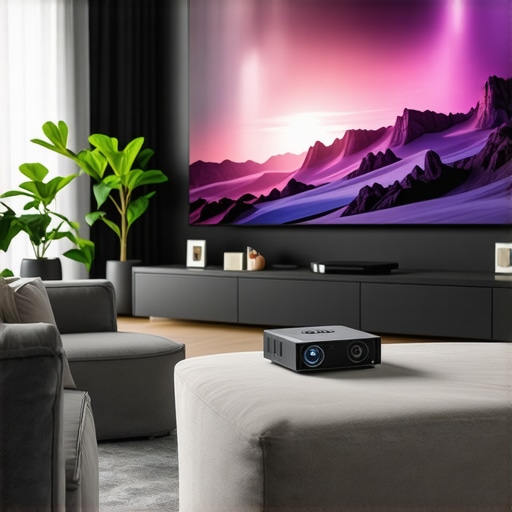
I remember the exact moment I realized my home movie nights were falling flat. It was a Friday evening, and I had meticulously set up my projector — only to be greeted with a dull, blurry image that looked like it belonged to a different era. Frustration bubbled up as I watched the image flicker and fade, wondering why I spent so much on tech that couldn’t deliver the clarity I craved. That night, I promised myself I’d find a solution that actually made movies and games pop like they do in the theaters, without breaking the bank or sacrificing portability.
Why You Need a 4K Home Theater Projector in 2024
In 2024, the difference between a good projector and a great one is astonishing. With advancements in laser tech and ultra-short throw designs, these devices now offer cinema-quality images right in your living room or on the go. If you’re tired of squinting at tiny screens or dealing with the limitations of traditional projectors, it’s time to think bigger. The best portable and 4K projectors today deliver not just high resolution but also impressive brightness, contrast, and color accuracy — making every viewing experience feel like an event.
But here’s the thing: choosing the right projector isn’t just about specs. It’s about matching your space, your needs, and your budget. Trust me, I’ve made the mistake early on of chasing after the latest tech without considering whether it fit my environment. That led to wasted money and disappointment. Now, I focus on practical, real-world solutions that work for *me* and, hopefully, for you too.
Have You Faced This Problem?
Are you overwhelmed by the sheer number of options, unsure if a portable projector can truly match a dedicated home theater system? Or worried that 4K might be overkill for your space? Believe me, I’ve been there. The good news is, with a little guidance, you can avoid the pitfalls and find a setup that’s perfect for your lifestyle. Curious to see how I navigated this maze? Let’s dive into the essentials that will turn your home or portable setup into a stunning cinema experience.
For a comprehensive comparison of laser versus traditional projectors, check out this detailed guide. Ready to discover the best options for 2024? Let’s go!
Pick the Right Projector for Your Space
Start by evaluating your environment. Is your room bright or dark? Do you have ample space or a cozy corner? For small spaces with lots of ambient light, consider a laser ultra-short throw projector that can produce bright images without requiring a large setup. If portability is your priority, a compact portable 4K projector can deliver impressive clarity on the go. Remember, matching your projector’s specs to your space ensures you get vibrant images without frustration.
Assess Brightness and Contrast
Brightness, measured in lumens, determines how well your projector performs in various lighting conditions. For well-lit rooms, aim for at least 2,500 lumens; for darker rooms, 1,500 might suffice. Contrast ratio, which measures the difference between the darkest black and brightest white, influences picture depth. High contrast ratios make images pop, especially in dark scenes. I once tested a projector in my living room during daytime, and a model with 2,800 lumens kept the image clear, proving the importance of brightness. Use this guide to compare laser and traditional options for brightness performance.
Prioritize Resolution and Color Accuracy
4K resolution is essential for sharp images, especially on larger screens. But resolution alone isn’t enough; color accuracy makes the experience immersive. Look for projectors with HDR support and wide color gamuts. I once upgraded my setup with a 4K HDR laser projector, and the difference was night and day — vibrant skies, deep blacks, and crisp details. For detailed buying advice, see this ultimate guide.
Ensure Compatibility and Connectivity
Check the inputs — HDMI 2.1, USB, or wireless options — to connect your devices seamlessly. I recommend a projector with multiple HDMI ports and Wi-Fi, which allowed me to stream directly from my phone without fuss. Also, consider built-in speakers or external audio options for immersive sound. Some models support Bluetooth and even have smart TV features, streamlining your setup. Find the best models for 2024 in this review.
Set Up for Optimal Viewing
Proper positioning and calibration are key. Use a tripod or ceiling mount for stability. Aim for a throw distance that fills your screen without distortion — ultra-short throw projectors can be placed just inches from the wall. I once spent an afternoon adjusting keystone correction and focus to get a perfectly rectangular image. For small spaces, ultra-short throw projectors are game-changers, allowing flexible placement. Also, dim the lights and use blackout curtains for the best experience.
Fine-Tune for Clarity and Color
After setup, tweak picture settings. Adjust contrast, brightness, and color temperature to suit your preferences. Many projectors have preset modes — choose the one that enhances your content. I spent a few minutes on calibration, and the difference was striking — sharper images and richer colors. For detailed calibration tips, see this guide. Proper calibration ensures that every movie night feels like a real cinema.
Many enthusiasts assume that simply buying a 4K projector guarantees a cinema-quality experience. However, this misconception can lead to costly mistakes. In reality, factors like contrast ratio, color accuracy, and proper calibration often have a bigger impact on picture quality than resolution alone. For example, a high-end 4K projector with poor contrast will struggle to produce deep blacks and vibrant colors, making the image appear flat and dull. This is why I always emphasize the importance of evaluating contrast ratios and HDR support alongside resolution.
Another common myth is that brighter is always better. While brightness (lumens) is crucial, especially in well-lit rooms, excessive lumens can sometimes wash out colors and reduce contrast. For instance, a projector rated at 3,500 lumens in a dark room might produce a dim image, whereas a 2,500-lumen model with better contrast can deliver a more vivid picture. It’s essential to match the projector’s brightness to your space, avoiding the trap of overestimating your needs based solely on lumens. For detailed guidance, check out how brightness compares in laser versus traditional projectors.
Are Ultra-Short Throw Projectors Truly the Best for Small Spaces?
Many believe ultra-short throw (UST) projectors are a one-size-fits-all solution for compact rooms. While UST models are excellent for limited spaces, they often come with compromises like lower contrast or less accurate colors compared to traditional or laser models. Additionally, some cheaper UST projectors suffer from image distortion or visible pixelation if not carefully calibrated. For small spaces, the key is to focus on models with high contrast ratios and good color support rather than just their throw distance. Discover how ultra-short throw projectors can transform small rooms with the right setup.
Have you ever fallen into this trap? Let me know in the comments. Remember, the devil is in the details when it comes to choosing the perfect projector for your needs. For an in-depth comparison of laser and traditional options, visit the full guide here. Keep questioning common beliefs and optimize your home theater setup for the best experience.
Keeping your high-quality projector running smoothly over the years requires more than just occasional cleaning. I’ve found that investing in the right tools and adopting a regular maintenance routine can significantly extend your device’s lifespan and preserve image quality. One of my go-to tools is a microfiber cloth combined with a gentle, lens-safe cleaning solution. I personally use a dedicated lens cleaner because it prevents scratches and removes dust or smudges without damaging sensitive surfaces. Regularly wiping the lens every few months ensures that dust and fingerprints don’t degrade your picture clarity, especially when you’re projecting in high resolutions like 4K.
For internal components, compressed air is indispensable. I use a quality air blower—never canned air from a pressurized can, as it can introduce moisture or cause damage—to clear out vents and fans. Dust buildup can cause overheating, which not only shortens the projector’s lifespan but also impacts performance. A thorough internal cleaning every 6 to 12 months, depending on your environment, keeps everything running efficiently. When I first started doing this, I noticed a marked improvement in brightness and color vibrancy, confirming how dust and debris can silently sabotage your setup.
Another critical aspect is firmware updates. Manufacturers often release updates that improve performance, fix bugs, or enhance compatibility with new devices. I set a reminder to check for updates monthly. Most projectors support automatic updates via their connected apps, but for models that don’t, visiting the manufacturer’s support site is essential. Staying current with firmware can solve issues like lag, connectivity problems, or inconsistent color calibration, ensuring your projector always performs at its best.
Looking ahead, I predict that smart maintenance features will become more integrated into projectors. Imagine firmware that automatically detects dust buildup, alerts you, and even guides you through cleaning procedures through an app. Additionally, AI-driven calibration tools could automatically optimize focus, keystone correction, and color settings based on your room’s environment. These advancements will make long-term maintenance simpler and more effective, allowing enthusiasts and casual users to enjoy pristine images without hassle.
How do I maintain my projector over time?
The key is consistency. Set a schedule for cleaning lenses and vents, keep firmware up to date, and handle physical components gently. Using tools like a microfiber cloth and compressed air will prevent damage while keeping your device in top shape. Regular calibration and software updates ensure your images stay sharp and vibrant as new content and formats emerge. Don’t forget to read your user manual for specific maintenance instructions—some projectors have unique needs. For detailed guidance, check out the ultimate buying guide and incorporate these practices into your routine. By doing so, you’ll enjoy stunning entertainment for years to come. If you haven’t already, try setting up automatic firmware alerts or scheduling monthly cleanings to keep your setup hassle-free and consistently excellent.
The Hardest Lesson I Learned About Projector Setup
One of my biggest surprises was how crucial proper calibration is. I initially thought that buying a high-end 4K projector would automatically give me a cinema-quality picture. Turns out, without fine-tuning brightness, contrast, and color settings, even the most advanced projector can fall flat. The lightbulb moment was realizing that setup is an art—taking the time to calibrate made all the difference in immersiveness.
Why Brightness and Contrast Matter More Than You Think
I used to believe that more lumens always meant better images. Wrong. For bright rooms, a projector with at least 2,500 lumens is necessary, but in darker spaces, excessive brightness can wash out colors. Contrast ratio, however, is where the magic happens—deep blacks and vibrant whites transform a flat image into a dynamic, cinematic experience. My tip? Look past just specs and test the actual picture quality in your environment.
The Myth of Ultra-Short Throw for Small Spaces
Many assume UST projectors are a no-brainer for compact rooms. While they save space, I discovered that some UST models can suffer from lower contrast or color accuracy if not selected carefully. The key is choosing models with high contrast ratios and good HDR support, rather than just their throw distance. It’s all about balancing placement flexibility with picture quality.
My Essential Toolkit for Maintaining Your Projector
Keeping your projector in top shape is easier than you think. I swear by a microfiber cloth with a lens-safe cleaner and a quality air blower—never canned air—to remove dust from vents and lenses. Regular cleaning every 6-12 months prevents overheating and dust buildup, which can sap brightness and vibrancy. Firmware updates are also vital; they improve performance and fix bugs, so I check for updates monthly to keep everything running smoothly.
The Future of Home Theater Projectors Looks Bright
As technology advances, I believe we’ll see smarter, auto-calibrating projectors with AI-driven features that simplify maintenance and optimize image quality. Imagine a device that detects dust, recommends cleaning, and automatically adjusts settings for perfect picture quality every time. The journey to a stunning home cinema is becoming more accessible and less technical—exciting times ahead!