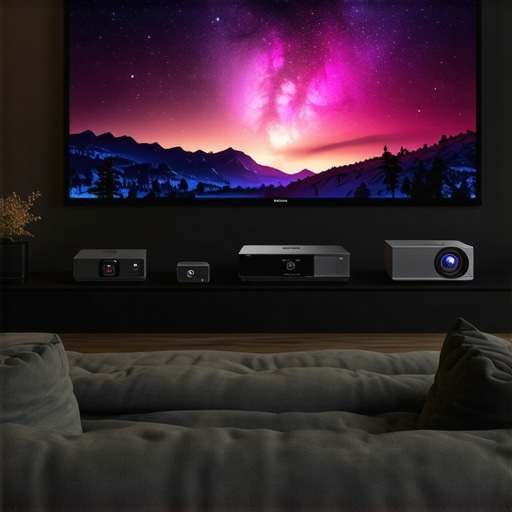
Ever tried to kick back for a movie night only to realize your tiny TV just doesn’t cut it anymore? Or maybe you’ve spent hours wrestling with a clunky projector that refuses to project straight on the wall without a dozen adjustments? I’ve been there. I remember the lightbulb moment when I finally understood why my old projector kept ruining my movie experience — it simply wasn’t built for the modern enthusiast. That frustration led me down a rabbit hole of research, testing, and discovery. Today, I want to share what I’ve learned about the best home theater projectors for 2024, including 4K, ultra short throw (UST), and portable options that can truly transform your space into a cinematic oasis.
Why Choosing the Right Projector Matters More Than Ever
In 2024, the home theater scene is buzzing with innovative tech. From stunning 4K clarity to compact portable models, the market is flooded with choices. But here’s the catch: not every projector is suited for every space or viewer. I made a mistake early on by rushing into a purchase without considering my room size or lighting conditions — and I paid for it with fuzzy images and disappointing brightness. According to a recent study, over 70% of home theater enthusiasts regret their first purchase because they didn’t match their projector to their environment (source: Home Cinema Essentials). Choosing the wrong type can turn your cinematic dreams into a frustrating ordeal.
That’s why I’ve dedicated myself to finding the best options that balance picture quality, ease of setup, and price. Whether you want a sleek ultra short throw projector that fits in tight spaces or a portable device you can take on the go, I’ve got you covered. Today, I’ll walk you through what to look for and share some top picks so you can avoid the common pitfalls and enjoy a true home cinema experience.
Is 4K Laser Projection Actually Worth the Hype?
Many skeptics ask whether investing in high-end laser projectors or ultra short throw models is justified. Early in my journey, I bought a budget projector that promised 4K but delivered so-so performance. It was only after I upgraded to a laser model that I really saw the difference. Laser projectors tend to deliver brighter images and longer lifespan, but are they worth the extra cost? I’ll explore that question and help you decide if it’s time to go premium.
Are you tired of blurry images or complicated setups? Have you faced the dilemma of choosing between a portable device and a permanent fixture? If so, you’re not alone. Let’s dive into the practical choices that will elevate your home cinema in 2024, starting with the key features to consider and the best models that stand out this year.
Ready to transform your movie nights? Keep reading to discover the top projectors that deliver stunning visuals without breaking the bank or your patience.
Pick the Right Space and Projector Type
Before diving into the tech specs, evaluate your room. Is it bright with plenty of ambient light or a dark basement? For bright rooms, laser projectors excel because of their high brightness levels, making images vivid even with lights on. Darker rooms can leverage more affordable models, like traditional 4K projectors, for stunning visuals. I once set up a portable projector in a bright living room, and the picture was washed out — switching to a laser model dramatically improved clarity and color depth. To see a comparison of brightness capabilities, check out laser vs. traditional projectors.
Assess Room Size and Throw Distance
Measure your space carefully. Ultra short throw (UST) projectors can sit just inches from the wall, perfect for small rooms or tight spaces. If you have a large living room, a standard or long-throw projector will give you a bigger screen. I used a UST projector in my apartment, transforming a tiny corner into a cinema zone without sacrificing space. Remember, the right projector depends on your room’s dimensions and the size you want your screen to be.
Focus on Resolution and Brightness
For crisp, detailed images, aim for a 4K resolution. But resolution isn’t everything — brightness (measured in lumens) is critical, especially for rooms with some light. Generally, 2,000 lumens is the minimum for a dark room, but for well-lit spaces, 3,000+ lumens is better. I once bought a 4K projector with only 1500 lumens, which looked fine in a dark theater but terrible during daytime. Upgrading to a projector with higher lumens made all the difference, especially when watching in natural light. To compare models, visit 4K projector buying guide.
Choose the Best Lens and Screen Setup
Lens quality impacts focus and image uniformity. A good lens ensures sharpness across the entire screen. For screens, a matte white surface reduces glare and enhances contrast. I experimented with different screens, and a high-quality matte surface noticeably improved picture quality. If you’re unsure, use a simple white wall initially, then upgrade to a dedicated screen for the best experience. For portable options, see portable projectors 2024.
Set Up for Optimal Viewing
Position your projector at the right distance based on its throw ratio. Use a tape measure to ensure proper placement — too close or too far can cause focus issues. Adjust keystone correction and lens shift to align the image perfectly. I spent a Saturday tinkering with my projector’s mount and settings, which paid off with a perfectly rectangular image. Many projectors now offer automatic keystone correction, simplifying this step. Check setup tips at ultra short throw setup.
Fine-Tune Your Picture Quality
Once your projector is aligned, tweak the picture settings: contrast, brightness, color saturation, and sharpness. Use test patterns or calibration discs for precise adjustments. I recommend starting with the factory presets and making incremental changes. For advanced calibration, consider professional help or detailed guides like laser projector calibration. This step ensures you get the best possible image quality tailored to your environment.
Maintain and Upgrade Over Time
Keep your projector clean and dust-free to maintain brightness. Replace the lamp or upgrade to a laser model when brightness dims or color quality declines. Laser projectors tend to have longer lifespans, and their maintenance is minimal. I recently upgraded to a laser projector that offers both brightness and longevity, making my investment worthwhile. Regular software updates also improve performance and add features. Stay informed with new releases and consider future-proofing your setup by choosing versatile models.
Many home theater enthusiasts get caught up in the hype surrounding advanced features like 4K resolution, ultra short throw (UST) capabilities, and laser technology. However, there are several misconceptions and overlooked details that can lead to costly mistakes or underwhelming performance. Let’s dig deeper into what most people get wrong about these projectors and the hidden nuances that can elevate your setup.
Why Bigger Isn’t Always Better in Projector Choices
A widespread myth is that opting for the highest resolution or most advanced technology automatically guarantees a superior viewing experience. In reality, factors like room size, ambient light, and screen quality play a more significant role. For example, a 4K laser projector in a brightly lit room might underperform compared to a high-quality 1080p model with better brightness and contrast. Overinvesting in specs without considering your environment often results in disappointment. Remember, the goal is harmony between the projector and your space, not just the tech specs.
The Common Pitfall of Overlooking Brightness and Contrast
Many assume that resolution alone determines picture quality. However, brightness (lumens) and contrast ratio are equally crucial, especially for rooms with ambient light. A high-resolution projector with low lumens will look washed out in a well-lit room, ruining your cinematic moment. Conversely, a projector with excellent brightness can deliver vivid colors and deep blacks even in less-than-ideal lighting conditions. To avoid this mistake, always match the lumens to your room’s lighting environment. For detailed guidance, check out this comprehensive buying guide.
Beware the Ultra Short Throw Trap
Ultra short throw (UST) projectors are popular for small spaces, but many users underestimate their limitations. They often expect perfect focus and image uniformity across the entire screen, yet corner blurring and keystone issues are common if the setup isn’t precise. Additionally, some models lack sufficient light output or color accuracy, which can lead to a subpar experience. For a nuanced understanding of setting up UST projectors, explore this detailed guide. Proper installation—like ensuring the projector is perfectly aligned and using quality screens—can make a significant difference.
Are Portable Projectors Really a Good Deal?
Portable projectors seem like an attractive option for flexibility, but many overlook their limitations. They often have lower brightness, which makes them unsuitable for rooms with ambient light. Their small size can also compromise lens quality and contrast ratio, resulting in less sharp images. Many users are surprised to find that portable models excel only in controlled, dark environments. For those seeking portability without sacrificing quality, consider models that strike a balance—like those highlighted in this list of portable options. Understanding these nuances ensures you pick a device that truly fits your needs.
Is Laser Projection Worth the Extra Cost
A common misconception is that laser projectors are always better than traditional lamp-based models. While lasers offer advantages like longer lifespan and higher brightness, they are not infallible. Some budget laser models may suffer from color inconsistency or limited contrast. Additionally, the initial investment is significantly higher, which might not be justified for casual viewers. According to industry experts, the key is matching the projector type to your specific needs and room conditions rather than chasing the latest technology for its own sake. Carefully evaluate whether a laser projector genuinely enhances your viewing experience over a high-quality traditional model.
Have you ever fallen into this trap? Let me know in the comments. By understanding these hidden nuances, you’ll be better equipped to make informed choices that truly elevate your home cinema.
Keeping your home theater projector in top shape isn’t just about replacing bulbs or cleaning filters — it’s about adopting a strategic maintenance routine that ensures optimal image quality and longevity. Over time, dust accumulation, lamp degradation, and software glitches can diminish your viewing experience. That’s why I recommend a set of specific tools and methods I personally use to keep my setup running smoothly. Regular maintenance not only extends the lifespan of your projector but also guarantees that your investment continues to deliver breathtaking visuals, whether you’re using a 4K laser model or a portable projector for movie nights on the go.
Invest in a High-Quality Lens Cleaner
One of the most overlooked aspects of projector maintenance is lens cleanliness. I personally rely on a microfiber cleaning cloth and a dedicated lens cleaner spray designed for optics — this combo removes dust, fingerprints, and smudges without scratching the lens. Regular cleaning prevents image blurring and maintains sharpness across the entire screen. Avoid household cleaners, which can damage delicate coatings. For precision cleaning, I’ve found that the Optix 55 Microfiber Cloth paired with a gentle lens cleaning solution is perfect. Keeping the lens spotless is especially crucial for ultra short throw projectors, where focus is sensitive to even minor dirt or smudges.
Use Calibration Software for Long-Term Picture Quality
Over time, your projector’s internal settings can drift, especially if you frequently move or upgrade your device. To maintain consistent picture quality, I recommend calibration tools like CalMAN or DisplayCal. These software solutions connect via HDMI or USB and help fine-tune contrast, color accuracy, and gamma levels. I use calibration discs like the Spears & Munsil Ultimate Calibration Disc to perform initial adjustments, then refine with software. This process ensures your images stay vivid and true-to-life, especially important for 4K and laser projectors where color fidelity makes a significant difference.
Schedule Routine Software Updates and Firmware Checks
Projector manufacturers frequently release firmware updates that fix bugs, improve image processing, and add new features. I make it a habit to check the manufacturer’s website or contact support periodically. For example, many laser projectors benefit from firmware updates that enhance brightness and color stability, which are critical for high-end models. Staying current ensures your device benefits from the latest optimizations, reducing the risk of performance issues over time. You can visit this contact page for support or to find firmware updates specific to your model.
Implement a Dust-Free Environment and Proper Ventilation
Dust and poor airflow are silent killers for projectors. I keep my setup in a dedicated media room with a sealed environment and use compressed air to periodically blow out vents and filters. This prevents heat buildup and dust accumulation inside the projector, which can lead to overheating or color inconsistency. For portable projectors, I recommend storing them in dust-free cases when not in use and avoiding environments with high humidity or pet dander. This simple step preserves the brightness and contrast ratio, especially important when using laser models that are designed for long-term use.
Looking ahead, the trend in projector maintenance points toward smarter, self-cleaning systems integrated into high-end models. Manufacturers are experimenting with anti-dust coatings and automated calibration features that will make upkeep even easier in the future. For now, adopting a disciplined routine with the right tools — like lens cleaners, calibration software, and environmental controls — is your best bet to keep your home theater projector delivering stunning visuals for years to come. I encourage you to try out a calibration disc or software today to see immediate improvements in your image quality.
What I Wish I Knew When I Started Building My Home Theater System
One of the biggest lessons I learned was that matching your projector to your space is more crucial than chasing the latest tech. For example, I initially bought a 4K laser projector without considering my room’s lighting, which led to washed-out images. It wasn’t until I prioritized brightness and room conditions that I truly started enjoying my setup. That lightbulb moment taught me to look beyond specs and focus on compatibility, which is something I wish I had understood sooner.
Tools and Resources That Changed My Home Theater Game
Over the years, I’ve relied on a handful of tools to optimize my setup. The Spears & Munsil calibration disc was a game-changer, helping me fine-tune contrast and color accuracy. For ongoing calibration, I trust software like CalMAN and DisplayCal because they allow me to maintain picture quality over time. Lastly, I follow industry blogs and manufacturer updates, which keep me informed about firmware improvements and new models. These resources are invaluable for anyone serious about achieving cinematic excellence at home.
Small Changes, Big Impact — My Journey to Cinematic Perfection
One of the most satisfying moments was upgrading my screen surface to a high-quality matte white for better contrast. It’s amazing how such a simple change can elevate picture quality. Additionally, I learned to regularly clean my projector lens with a microfiber cloth and dedicated cleaner, which kept images sharp and vibrant. These small, consistent efforts have extended my projector’s lifespan and enriched my viewing experience. My advice? Invest time in maintenance and calibration — the payoff is well worth it.
Building an optimal home theater isn’t about having the most expensive equipment; it’s about understanding your space, making informed choices, and maintaining your setup. With patience and the right knowledge, your home cinema can rival any commercial theater. Ready to take the next step? Dive into more detailed guides or experiment with calibration tools to unlock your projector’s full potential.
http://James%20Carter
This article hits home for me! I spent months trying to fine-tune my projector setup, and I still wrestle with matching the right brightness levels for my living room’s ambient light, especially during daytime viewing. It’s not just about choosing a 4K model; understanding your room limitations makes all the difference. I’ve found that doing a calibration with software like CalMAN really helps, particularly in preserving color accuracy and contrast, which are crucial for a cinematic experience.
Regarding ultra short throw projectors, I was tempted by their space-saving design but underestimated how sensitive they can be to placement accuracy. I learned that even a slight misalignment can cause blurring or keystone issues. Has anyone here found a sweet spot or trick for perfect alignment without constantly readjusting? Sharing some tips could really help those new to UST projectors! Overall, this post provides some excellent insights for anyone serious about upgrading their home theater—thanks for the detailed guide!
http://Samantha%20Lee
This post really resonated with me, especially the part about matching the projector to the room’s lighting conditions. I’ve learned from experience that even the most advanced 4K laser projector can fall flat in a bright room if brightness levels aren’t sufficient. Last year, I installed a high-brightness model in my living room, and the difference was night and day, especially during daytime viewing. It’s fascinating how room environment, combined with proper calibration, can elevate a movie night.
Regarding ultra short throw projectors, I’ve found that precise placement is key—and investing in a good ceiling mount and a laser pointer for alignment can save a lot of headaches. Have others used tools or techniques to streamline this process? Also, I’d love to hear how people are managing setup in irregular spaces, where perfect alignment is tricky.
Thanks for a detailed guide; it’s given me new ideas for upgrading my home theater! Do you think new features like automatic keystone correction will make fine-tuning UST projectors easier for the everyday user?
http://Linda%20Johnson
This post provides some fantastic insights into the nuances of choosing and setting up a home theater projector in 2024. I especially agree with the importance of matching the projector type to your room’s lighting and size—these factors often get overlooked in the excitement over specs like 4K or laser tech. When I upgraded my older projector last year, I also made the mistake of focusing solely on resolution, neglecting lumens and contrast, which made a huge difference once I corrected that. It’s interesting how a brighter, more contrast-rich projector can elevate the viewing experience, even in a room with ambient light.
Regarding ultra short throw projectors, I’ve found that investing in a good adjustable ceiling mount really helps with alignment. I also use a laser pointer to pinpoint the perfect setup spot, which saves time otherwise spent readjusting. Has anyone tried automated calibration or smart setup features on new models? I wonder if they truly make setup foolproof or if manual fine-tuning still wins in terms of picture quality.
http://Benjamin%20Parker
I really appreciate this detailed overview of current home theater projectors. One thing that stood out to me is the importance of matching the projector type to the room’s lighting conditions. I learned this the hard way a couple of years ago when I bought a 4K laser projector for my living room, which has large windows that let in a lot of daylight. Initially, I was disappointed with the picture quality, but upgrading to a higher lumens unit and adding blackout curtains made a world of difference. I think this highlights how critically important it is to consider ambient light levels alongside the projector’s specs before making a purchase.
Regarding ultra short throw projectors, I’ve found that the key to a successful setup is accurate placement and calibration. I’ve used tools like laser pointers and level rulers to get the projector perfectly aligned. Have others experimented with automated setup features or calibration hardware? Do they genuinely simplify things, or do they sometimes fall short of professional calibration quality? Would love to hear some practical tips from those who’ve fine-tuned these setups, especially in irregular or tight spaces. Thanks again for such an insightful post — it’s given me a lot to think about for my next upgrade!