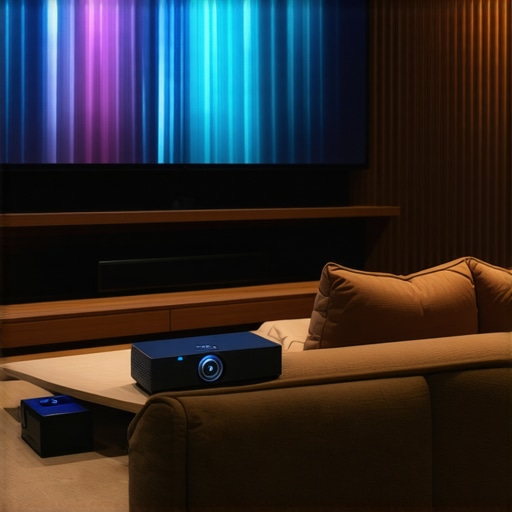
Last weekend, I set up what I thought would be my dream home theater but ended up with a flickering, washed-out image that made me want to throw the whole projector out the window. After hours of troubleshooting, I realized I’d chosen the wrong type for my space and needs. That lightbulb moment made me dive deep into the world of projectors, and let me tell you—there’s a lot to choose from, especially when you’re aiming for 2024’s top models. If you’ve ever felt overwhelmed by the endless options — be it a 4K projector, ultra short throw (UST), or portable device — you’re not alone. I’ve been there, and I know how frustrating it can be to pick the right one that actually delivers on quality, ease of use, and value. So, today, I promise to cut through the noise and help you find your perfect home theater projector so you can finally enjoy cinema-quality movies right in your living room or even in tight spaces. Whether you’re after jaw-dropping clarity, a space-saving UST, or something portable for movie nights on the go, I’ve got you covered. Ready to transform your viewing experience? Let’s dive in.
Set Your Space for Success
Before diving into specific models, evaluate your space. Measure the room dimensions and decide if you need a projector that excels in small spaces or one that can fill a large living room. Think of it like furniture shopping—size and layout dictate what fits best. I once tried setting up a portable projector in my cramped apartment, only to realize I needed a compact, high-brightness device. This initial mistake taught me the importance of matching projector specs to your environment.
Define Your Priorities for Picture Quality and Brightness
Choose between 4K resolution and 1080p based on your viewing habits. If cinematic clarity is your goal, a 4K projector like those detailed in this guide is essential. Brightness matters too; a laser projector often offers higher lumens and better contrast, making it suitable for well-lit rooms. Consider how ambient light affects your setup—more light means you need a brighter projector. I once replaced a standard lamp with a smart bulb, which surprisingly washed out my image, emphasizing the need for a brighter projector in a lit room.
Match the Projector Type to Your Space and Lifestyle
Ultra Short Throw for Small Spaces
If you’re limited on space but want a big screen, an ultra short throw (UST) projector is your best bet. It can sit just inches from the wall and still produce a large image. I experimented with a laser UST projector, which transformed my tiny living room into a cinema in minutes. These projectors are perfect for apartments or rooms where traditional setups wouldn’t fit.
Portable Projectors for Flexibility
For those who want cinema on the go, a portable projector is a game-changer. Look for models highlighted in this guide. I took mine to a friend’s backyard, and the ease of setup made it feel like I had a mobile theater. Keep in mind, portable doesn’t mean sacrificing quality—many now feature 4K resolution and excellent brightness.
Laser vs Traditional Lamp Projectors
Laser projectors offer longer lifespan and more vibrant, consistent images. Check out this comparison to understand their advantages. I switched to a laser model after my bulb kept burning out, and the maintenance-free operation saved me time and money.
Calibrate for the Best Image
Once you have your projector, calibrate it properly. Adjust focus, keystone, and color settings. My first attempt was messy—I spent hours tinkering, but following a simple calibration tutorial drastically improved my picture. Proper calibration is like tuning a musical instrument; it ensures you get the clearest, most vibrant image possible.
Connect and Enjoy
Finally, connect your projector to your media sources—streamers, gaming consoles, or Blu-ray players. Use high-quality HDMI cables for minimal signal loss. I learned that investing in good cables prevented lag and image degradation, making my movie nights smoother. For more detailed setup tips, visit this resource.
Many enthusiasts believe that simply choosing the latest 4K projector or a flashy laser model guarantees cinema-quality results at home. However, there’s a common misconception that more advanced tech automatically means better viewing experiences. In reality, understanding the nuanced differences and potential pitfalls can save you from costly mistakes and disappointment.
For instance, a frequent myth is that ultra short throw (UST) projectors are always ideal for small spaces. While they do offer impressive space-saving benefits, they often compromise on brightness and contrast, especially in well-lit rooms. The key is to match the projector’s capabilities with your specific environment. This guide explains how to optimize UST setups effectively.
Similarly, many assume that 4K resolution is the ultimate standard for home cinema. But in practice, resolution is just one piece of the puzzle. Factors like contrast ratio, HDR support, and color accuracy significantly influence picture quality. For instance, a well-calibrated 1080p projector with high contrast can outperform a poorly calibrated 4K model. This buying guide dives into what truly matters beyond just resolution.
When it comes to portable projectors, many overlook the importance of lumens. A common mistake is to buy a portable device with insufficient brightness, resulting in washed-out images in ambient light. The myth that portability compromises quality is outdated; many top portable models now offer high lumens, 4K resolution, and solid color performance.
Laser projectors are often heralded as the superior choice, but they come with hidden nuances. While they do boast longer lifespan and vibrant images, they can be more expensive and sometimes overkill for casual viewing. Moreover, not all laser projectors perform equally in terms of brightness or color accuracy, especially in small or brightly lit rooms. This comparison uncovers what to consider before investing in a laser model.
What Advanced Users Often Overlook in Projector Selection
One advanced mistake is neglecting the importance of proper calibration. Even the most expensive projector can fall flat if not calibrated correctly. Calibration involves adjusting focus, keystone, color balance, and gamma to match your room’s lighting and screen surface. This resource provides expert tips to fine-tune your setup for maximum image quality.
Finally, the connectivity options and compatibility with your media sources often get overlooked. Investing in a high-end projector makes little sense if you’re stuck with incompatible cables or limited input options. Make sure to check the specifications and plan your wiring accordingly. For detailed setup advice, visit our contact page.
Have you ever fallen into this trap? Let me know in the comments!
Keep Your Home Theater Projector Running Smoothly with the Right Tools
Maintaining your home theater projector, whether it’s a 4K model, ultra short throw, or laser projector, is crucial for preserving image quality and extending the device’s lifespan. Over the years, I’ve found that investing in specific tools and adopting disciplined maintenance routines can make all the difference. One of my essential tools is a compressed air canister. I use it regularly to blow out dust from vents and filters, preventing overheating and ensuring consistent brightness. Dust buildup not only degrades image quality but can also cause components to wear prematurely. For my laser projector, I also rely on a microfiber cloth to gently clean the lens, avoiding scratches that could distort the image. Regular cleaning of these delicate parts is a simple yet effective way to keep your projector performing at its best.
Another vital tool is a calibration disc or software. After setting up your projector, fine-tuning the image through calibration ensures you get the most vibrant colors and sharp details. I personally prefer using a calibration disc like the Spears & Munsil HD Benchmark, which provides test patterns and color charts. It’s especially helpful for high-end 4K projectors, where precise adjustments make a noticeable difference. For ongoing calibration, software like CalMAN or DisplayCal can help you tweak your setup as your environment changes over time, such as when lighting conditions shift or bulbs dim.
Additionally, I recommend investing in a quality HDMI cable tester if you frequently switch sources or upgrade components. A reliable tester ensures your connections are solid, preventing signal loss or lag issues. This is particularly important with high-bandwidth 4K or HDR signals, where even minor disruptions can impact viewing quality. When it comes to long-term support, a dedicated maintenance kit containing lens cleaning solution and microfiber cloths is indispensable. Properly maintaining your projector’s optical components guarantees crisp images and vibrant colors for years to come.
How do I maintain my projector over time?
Consistent upkeep not only preserves your projector’s performance but also saves money in the long run. Schedule regular cleanings, check and replace filters when needed, and keep firmware updated from the manufacturer’s website. Modern projectors often include firmware updates that fix bugs or improve image processing, which I highly recommend installing. Additionally, monitor the lamp or laser module’s lifespan—most models provide usage counters or alerts. Replacing lamps before they burn out unexpectedly keeps your setup seamless and prevents damage to other components.
Looking ahead, I predict that future projectors will incorporate self-cleaning mechanisms and smarter calibration features, making maintenance even easier. As technology advances, expect more devices to sync with smartphone apps, allowing remote diagnostics and adjustments. For now, integrating these tools and routines into your maintenance schedule will ensure your home theater projector remains a reliable centerpiece for years of cinematic enjoyment. If you’re unsure about specific maintenance procedures or need personalized advice, don’t hesitate to reach out. Remember, a well-maintained projector not only delivers stunning images but also offers peace of mind during your movie nights.
The Hardest Lesson I Learned About Home Theater Projectors
One of the most valuable lessons I discovered was that choosing a projector based solely on resolution or brightness can lead to disappointment. I initially bought a high-lumen, 4K laser projector, convinced it would transform my space. However, without proper calibration and matching it to my room’s lighting, the picture fell flat. It taught me that understanding your environment and calibration tools is crucial for true cinematic quality.
Beware the Myths That Can Hold You Back
I used to believe that ultra short throw projectors were always the best for small spaces, but I found out the hard way that they often sacrifice contrast and brightness in well-lit rooms. This myth made me overspend on a UST model that underperformed in my bright living room. The lesson? Match the projector type to your actual space and lighting conditions, not just hype.
What Experts Keep Quiet About Home Theater Tech
Many overlook the importance of proper setup and calibration, thinking the latest tech will automatically deliver cinema-quality images. I learned that even the most advanced projector needs careful tweaking—adjusting focus, keystone, and color balance—to truly shine. Don’t underestimate the power of good calibration; it’s the secret to making your investment pay off.
Curated Resources That Elevated My Setup
Spears & Munsil HD Benchmark — This calibration disc changed my approach to image tuning, helping me achieve vibrant colors and sharp details.
CalMAN Software — For ongoing calibration adjustments, this tool is a game-changer.
High-Quality HDMI Cables — Investing in reliable cables prevented signal issues, especially with 4K HDR content.
Consulting Experts — When in doubt, reaching out through this contact page saved me from costly mistakes and frustration.
You’re the Next Cinematic Pioneer
Don’t let confusion or myths hold you back from creating your perfect home theater experience. With the right knowledge, tools, and patience, you can turn your space into a cinematic haven that rivals the theaters. Technology is advancing rapidly, and now is the perfect time to start or upgrade your home projector journey—embrace it and enjoy the show!
http://Matthew%20Johnson
Reading through this post really resonated with my own experience of setting up a home theater. I vividly remember the frustration of flickering images and washed-out colors when I first tried to install my projector without considering room brightness and size. It’s so true how easy it is to get caught up in the latest tech specs like 4K or laser brightness without matching them to your actual space. I learned the hard way that calibration is an often-overlooked step but makes a huge difference in picture quality. I also found that investing in good quality cables and dust-proofing my projector helped maintain consistent performance over time.
One thing I’d add is the importance of testing your setup during different lighting conditions. Does anyone have tips on how to easily recalibrate or adjust settings when the lighting in your room changes, say, during daytime versus evening? I’d love to hear strategies from others who have mastered this.”,
http://Sarah%20Collins
I really appreciated this detailed post because it highlights how crucial environment considerations are when choosing a home theater projector. I faced a similar challenge with my space—initially picking a projector that was too bright for my small living room, which led to washed-out images during the day. It’s a reminder that ambient lighting drastically affects the viewing experience, and sometimes people overlook it in favor of higher lumen ratings. I started experimenting with blackout curtains and adjusting the projector’s iris and picture settings to mitigate ambient light issues. Also, calibrating the projector during different times of the day really made a difference in my picture quality.
From your experience, what are some practical tips for dynamically adjusting picture settings throughout the day without having to redo all calibrations from scratch? Do you recommend specific calibration tools or apps that help streamline this process? I’d love to hear how other enthusiasts manage lighting variability in real-world setups.
http://Emily%20Carter
This post really hits home for me, especially about matching projector specs to your actual space and lighting conditions. I remember purchasing a top-tier projector with amazing specs, only to be disappointed because I didn’t account for my room’s ambient light and size. Calibration was a game-changer; it transformed my viewing experience completely. What I’ve found helpful is regularly recalibrating depending on the time of day—using tools like the ISF calibration disk or even user-friendly apps that adjust brightness and contrast on the fly. Has anyone here experimented with automated calibration tools or scene modes that adapt settings based on room lighting? I’d love to gather some tips on simplifying this process for those of us who enjoy movies in different lighting conditions.