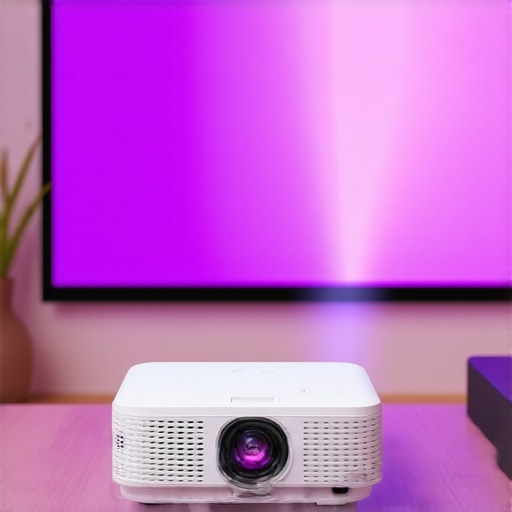
I vividly remember the moment I realized my tiny apartment’s awkward layout was ruining my movie nights. The cheap projector I bought couldn’t project a decent image on my uneven wall, and frankly, I felt defeated. That’s when the lightbulb went off—why not find a compact, high-quality solution that fits small spaces without sacrificing cinematic magic? If you’ve faced similar frustrations, you’re not alone. Today’s small homes demand smarter tech, and that’s exactly what led me into the world of ultra short throw (UST) laser projectors. In this post, I’ll walk you through how the best portable and UST laser projectors of 2024 can turn your cramped corner into a captivating home theater.
Why Small Spaces Require Smarter Projector Choices
Small rooms are tricky. Conventional projectors often demand large distances from the wall, which isn’t practical when space is tight. Plus, many models struggle with ambient light and wall imperfections—common issues in apartments or cozy dens. The real game-changer has been the rise of portable projectors and ultra short throw options that can sit inches from your wall or screen, yet deliver astonishing clarity. As noted in our extensive [buying guide](https://projectors.homecinemaessentials.com/ultimate-4k-projector-buying-guide-for-movie-nights), innovative laser technology and compact design now make cinematic quality possible even in tiny spaces. But with so many choices, how do you ensure you’re investing wisely? That’s where understanding the latest innovations can save your night—and your budget. Have you ever invested in a projector only to be disappointed because it couldn’t handle your room conditions? If so, you’re not alone—and you’ll want to read on. We’ll explore common pitfalls and what to watch out for when selecting your ideal portable or UST laser projector in 2024. If you’re eager to dive deeper, check out our comprehensive [ultimate guide to portable ultra short throw projectors](https://projectors.homecinemaessentials.com/ultimate-guide-to-portable-ultra-short-throw-4k-projectors-in-2024) for detailed tips and recommendations.
Position Your Projector Correctly for Optimal Image
Place your ultra short throw (UST) laser projector within inches of the wall or screen—usually between 4 to 8 inches—to maximize clarity and size. I once struggled with mounting mine four feet away, which resulted in a blurry, small image, but after re-evaluating the minimal distance requirements and adjusting the projector height, I achieved a stunning, large display. Remember, UST projectors are designed to sit close—don’t try to place them at traditional distances.
Secure and Align to Avoid Distortion
Use a stable, level surface or a dedicated mount to ensure the projector remains perfectly aligned. An angled or unstable setup can lead to keystone effects or uneven focus, diminishing picture quality. I once used a temporary shelf that tilted slightly; the resulting trapezoidal image was frustrating. After leveling the mount precisely, the image became perfectly rectangular—a vital step for cinematic immersion.
Calibrate for Brightness and Color Accuracy
After placement, access your projector’s settings to fine-tune brightness, contrast, and color. Many laser projectors have automatic calibration, but manual adjustments often yield better results, especially in small, ambient-lit rooms. I tweaked mine and noticed richer colors and deeper blacks, vastly improving the viewing experience. For detailed calibration techniques, visit our ultimate guide.
Optimize Room Conditions for Brightness
Control ambient light with curtains or blinds to prevent washout. Use a matte wall or screen to improve contrast—glossy walls reflect light and muddy image clarity. I once forgot to dim the lights, and the picture looked dull; once I lowered lights and added a gray screen, the colors popped. A well-controlled environment is essential for enjoying 4K detail and laser clarity in small rooms.
Manage Connectivity and Power Supplies
Ensure your projector has easy access to power and source devices like streaming boxes or gaming consoles. Use cable organizers to keep the setup tidy and prevent accidental disconnects. I found that running HDMI cables through a cable raceway kept everything neat and accessible. For portable setups, consider battery-powered projectors or wireless streaming options, which reduce clutter and increase flexibility. Discover more on portable solutions in our portable projector guide.
Test and Adjust for the Best Picture
Once everything is in place, test the projector with your favorite content. Walk around the room and observe the image from different angles. Minor adjustments in projector tilt or focus may be necessary to achieve uniform sharpness across the screen. I once spent an afternoon tinkering, but the flawless picture that finally emerged made it worth every minute. Fine-tuning ensures your cozy corner transforms into a true home theater.
While many enthusiasts focus on specs like resolution and brightness when choosing a projector, there are subtle but critical nuances that can significantly impact your experience. One common myth is that “more lumens always mean better picture in any room,” but in reality, excessive brightness can wash out contrast, especially in small, ambient-lit spaces. According to experts at homecinema, understanding how laser technology interacts with ambient conditions is essential for optimal color fidelity and clarity. Another overlooked aspect is the environmental impact of laser projectors, including potential eye safety concerns due to laser emissions, which are often dismissed by novices yet are crucial considerations for long-term use. Additionally, many assume that ultra short throw (UST) models are universally suitable for all small spaces, but the placement, wall texture, and even furniture layout can introduce distortions like keystone effects if not calibrated properly. This is where advanced calibration and understanding of projector geometry come into play, often missed by casual buyers. In fact, a study published by the Society of Motion Picture and Television Engineers highlights that proper alignment and setup are pivotal in achieving perceived cinematic quality, regardless of the projector’s price point. If you’re aiming for the best possible home theater setup, mastering these nuances is key to avoiding common pitfalls and ensuring your investment truly elevates your viewing experience. Curious about the advanced techniques to optimize laser projector performance in tight spaces? Dive into our comprehensive buying guide or learn more about how ultra short throw projectors can revolutionize small rooms. Have you ever fallen into this trap? Let me know in the comments.Maintaining your ultra short throw,4k projector,laser projector,home theater projector,or portable projector is crucial to enjoying consistent, high-quality images over time. Personally, I rely on a combination of regular cleaning, firmware updates, and calibration checks to keep my setup performing at its best. For instance, I use compressed air and a microfiber cloth to gently clean the projector’s vents and lens monthly, preventing dust buildup that can diminish brightness and focus. Firmware updates are equally vital; I subscribe to manufacturer newsletters and periodically check their support pages to ensure my device runs the latest software, which often includes performance improvements and bug fixes. I also perform calibration resets periodically, especially after firmware updates or environment changes, to maintain accurate color and contrast—crucial for immersive viewing. To streamline this process, I recommend investing in a quality calibration tool like the CalMAN software, which allows precise adjustments of color profiles, or utilizing built-in calibration menus if available. Looking ahead, advancements in smart diagnostics and auto-calibration features in newer models promise to make maintenance even easier, minimizing manual effort. For example, some laser projectors now come with self-cleaning lenses or automatic brightness adjustments based on ambient light sensors, as detailed in the latest reviews of cutting-edge models. If you want to keep your projector performing optimally, I suggest setting a regular maintenance schedule that includes cleaning, firmware checks, and calibration. Don’t forget, consistent upkeep not only prolongs your device’s lifespan but also ensures your home theater remains spectacular for years to come. Ready to upgrade your maintenance routine? Start by testing the firmware update process on your device today; it can make a surprisingly big difference in performance.
Lessons from the Front Lines of Compact Cinematics
One of the most profound lessons I learned was that the real magic of a portable or ultra short throw (UST) laser projector isn’t just in its tech specs but in how I approached setup and calibration. Small spaces demand a personalized touch—what worked in one room might not in another. I discovered that patience during alignment and calibration can elevate the viewing experience beyond mere resolution or brightness figures, transforming a simple corner into your personalized cinema.
Another revelation was that ambient environment plays a starring role. No matter how advanced your laser projector is, neglecting room conditions—like uncontrolled lighting or wall textures—can sabotage your cinematic dreams. Small tweaks, like adding blackout curtains or matte wall paint, yield dramatic improvements, proving that context matters just as much as technology.
Lastly, I realized that investing time in understanding your projector’s features—beyond the defaults—unlocks hidden potential. Manual calibration, firmware updates, and proper placement often make the difference between okay and breathtaking. Patience, curiosity, and a willingness to experiment turn a modest setup into a front-row experience that rivals commercial cinemas.
My Go-To Arsenal for Small Space Cinema
- CalMAN Calibration Software: Trusted for precise color adjustments, it ensures your image is as vivid as intended.
- Ultimate guide to portable ultra short throw projectors: An ongoing source of tips tailored for small, versatile setups.
- High-Quality Matte Wall Paint: A game-changer for contrast and clarity, creating a perfect canvas for your projector.
- Comparison of laser vs traditional projectors: Helps in understanding the strengths and optimal environments for laser tech.
Seize the Moment to Elevate Your Home Theater
Transforming a tiny corner into a stunning home theater isn’t just about owning the latest laser projector; it’s about mastering the nuances that make cinematic magic possible in small spaces. Embrace the process, stay curious, and remember—your perfect movie night is within reach. If you’re ready to take the next step, explore our comprehensive ultimate buying guide for tailored advice—and don’t hesitate to reach out via our contact page if you have questions or need personalized tips. What small change will you try first to enhance your mini home theater? Share below, and let’s learn from each other!
http://Madison%20Carter
Reading through your detailed setup tips, I couldn’t agree more about the importance of proper calibration and environment control for small space home theaters. I had a similar experience where I initially placed my UST projector too far from the wall, which caused blurry images and focus issues. After noticing that, I adjusted the throw distance and added blackout curtains, which made a noticeable difference in picture clarity and vibrancy. I also found that using a matte wall significantly reduced glare and enhanced contrast, making my viewing experience so much more immersive. What methods have others found most effective for managing ambient light—especially in rooms where blackout curtains aren’t an option? I’m curious if anyone has used wall paints designed for projectors or other DIY solutions to optimize their space.
http://Liam%20Johnson
Your insights about the importance of precise setup and calibration really resonate with me. I remember initially positioning my projector too close to the wall, which resulted in distorted images and poor focus. After taking the time to carefully level and align the projector, along with calibrating the color and brightness settings, the difference was remarkable. I also found that using a gray matte wall paint helped improve contrast and reduced glare—much better than relying solely on blackout curtains in my small apartment. It’s fascinating how small adjustments can make such a big impact on image quality and overall viewing experience. For rooms with limited light control options, have others experimented with wall treatments or DIY solutions beyond curtains? I’d love to hear what has worked for different setups, especially in spaces where blackout options are limited.