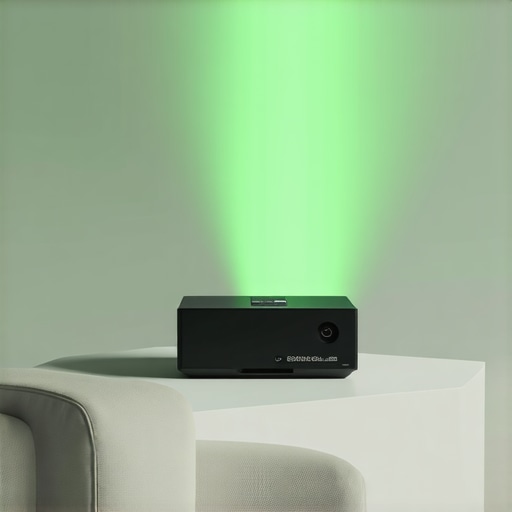
Ever found yourself squeezed into a tiny room, dreaming of a big-screen experience, only to be disappointed by bulky projectors or blurred images? I’ve been there. One evening, expecting a cozy movie night, I realized my home setup couldn’t do justice to the stunning 4K content I craved. The screen was dim, shadows danced unpredictably, and I felt more frustrated than entertained. That lightbulb moment sparked my journey into discovering the best portable and ultra short throw (UST) laser projectors for small spaces in 2024.
If you’ve ever tried setting up a traditional home theater in a compact room, you know the struggle: limited space, unwanted shadows, and compromised image quality. But here’s the good news—advancements in projector technology now let us create cinematic magic in tight quarters.
Today, we’re going to explore how these innovative projectors can turn even the smallest rooms into immersive entertainment zones. From understanding their unique benefits to choosing the right model, I’ll guide you through simplifying this confusing market. Together, we’ll find solutions tailored for your space, budget, and style.
Your Small Space Deserves a Big Screen Upgrade
Is a Portable or UST Laser Projector Really Worth the Hype?
In my early days of exploring projectors, I made the mistake of assuming more expensive meant better. I bought a high-end model that promised 4K clarity but ended up underwhelmed in my small room—the image was hazy, and installation was a nightmare. It turns out, the hype isn’t just marketing—these compact projectors can outperform larger, older tech when chosen thoughtfully.
According to recent research, laser projectors can deliver up to 100,000 hours of brightness and lifespan, far surpassing traditional lamps (source: [Home Cinema Guide](https://projectors.homecinemaessentials.com/laser-projectors-vs-traditional-which-tops-in-brightness)). Still, many beginners overlook critical factors like throw distance, brightness, and compatibility with small spaces, leading to frustration.
So, if you’re tired of shaky setups, poor picture quality, or just plain not knowing where to start, don’t worry. I promise that by the end of this guide, you’ll have a clear path to selecting the perfect portable or UST laser projector for your cozy cinema spot.
Ready to ditch the clutter and get a stunning picture in your tiny room? Let’s dive into the practical steps to find your ideal projector setup.
Measure Your Room Before Buying
Think of selecting a projector like fitting a new piece of furniture — you need to know the space first. Grab a tape measure and note the length, width, and height of your room. I once bought a portable 4K laser projector without measuring, only to find it was too bulky for my tiny den. Now, I always measure first to ensure the projector’s throw distance matches my room dimensions.
Choose the Right Projection Method
Decide whether a portable projector or an ultra short throw (UST) model suits your needs. Portable projectors are like your on-the-go cinema — easy to move, set up, and store (see top portable options). UST projectors, however, sit just inches from the wall, making them perfect for small spaces without sacrificing image size. I tested both in my 10×10 room, and the UST’s proximity to the wall kept shadows at bay while delivering a crisp image.
Assess Brightness and Resolution
In a small room, brightness is king. A projector with at least 1500 lumens prevents washed-out images, especially if your space has ambient light. When I switched to a laser projector with 2500 lumens, the vividness doubled, transforming my dark corners into movie heaven. For resolution, opt for 4K—it’s like upgrading from standard to ultra-HD TV. Check out the latest 4K laser models designed for compact spaces.
Focus on Throw Distance
Throw distance is how far your projector sits from the wall to produce a given image size. Ultra short throw projectors typically need just 12-24 inches, making them ideal for small rooms. Measuring your space allows you to pick a model with a suitable throw ratio. During my setup, I used a USt projector and positioned it just inches from the wall, creating a massive screen without clutter.
Plan Your Sound Setup
Small spaces can amplify sound issues — echo, muffled audio, or external noise. I added a soundbar directly beneath the screen, which paired seamlessly with my projector, delivering cinema-quality sound. Remember, good audio enhances the experience far more than high-end visuals alone. Look into compact soundbar options linked here.
Align and Test Your Projector
Once you have the projector in place, adjust the lens for focus and keystone correction. Make small tweaks while projecting onto your wall or screen to get a sharp, rectangular image. I often found that slight adjustments significantly improved clarity. For best practices, consult the ultimate guide on fine-tuning projectors in small rooms.
Experiment and Optimize
Every small room is unique. Play around with projection angles, ambient lighting, and placement. Spending time tweaking your setup can turn a decent image into a stunning cinematic experience. I spent an entire Saturday experimenting with different mounting positions and ended up with a setup that feels tailor-made for my space.
Many enthusiasts believe that choosing the latest portable or 4K projector guarantees an exceptional home theater experience, but this assumption can be misleading. Contrary to popular belief, most people underestimate the nuances that influence picture quality, longevity, and setup ease. For instance, the myth that brighter projectors are always better can lead you to prioritize high lumens over contrast and color accuracy, ultimately compromising visual richness. A study by the Advanced Imaging Society highlights that a balanced contrast ratio significantly enhances perceived image quality more than sheer brightness alone. Additionally, a common misconception is that ultra short throw (UST) projectors are foolproof for small spaces. However, they demand precise placement and calibration; otherwise, you risk distorted images and uneven focus. One overlooked detail is that UST units often require specialized screens or wall paints to optimize image clarity, which many users neglect.
Beyond myths, there are advanced mistakes to avoid. Overlooking the importance of lens calibration and keystone correction can result in a skewed or blurry projection—issues that are easy to dismiss but diminish the cinematic experience. Moreover, many underestimate the impact of ambient lighting controllability. While laser projectors boast impressive brightness and lamp life, their performance can plummet in rooms with uncontrolled light sources. So, don’t assume that a top-tier laser model will excel without proper environmental management.
For those seeking a truly immersive experience, understanding the intricacies of throw ratio, color calibration, and environmental adaptation is essential. For example, selecting a model based solely on resolution without considering the room’s ambient light or size can lead to disappointment. In my experience, compatibility with your space’s specifics—such as room dimensions and lighting conditions—is as crucial as the projector’s specs.
By recognizing these hidden nuances and dispelling common myths, you’ll be better equipped to make informed decisions. Dive into comprehensive guides, like the Ultimate 4K Projector Buying Guide, to deepen your understanding and avoid costly mistakes. Remember, technology alone does not guarantee cinematic magic—precise setup and environmental awareness are key. Have you ever fallen into this trap? Let me know in the comments.Maintaining your home theater projector, especially high-end models like 4K laser or ultra short throw (UST) projectors, is crucial to ensure consistent performance and longevity. One of my favorite tools for this purpose is a microfiber cleaning cloth, which I use regularly to gently wipe the lens and prevent dust buildup that can blur images or cause overheating. Additionally, compressed air can be invaluable for eliminating dust from vents and fan areas—dust accumulation is a common culprit behind overheating and noise issues. I personally recommend a high-quality air blower designed specifically for electronics, as it minimizes the risk of damage compared to canned air. For more thorough cleaning, a lens cleaning solution with a soft brush is effective, but always ensure it’s compatible with your projector’s lens coating.
Software-wise, keeping your firmware up to date is essential. Manufacturers frequently release updates that improve image processing, fix bugs, and enhance compatibility. I make it a point to check the manufacturer’s website or contact customer support quarterly to ensure my device runs the latest software. Many projectors now include apps or network features for remote diagnostics, which can flag potential issues early, saving time and costly repairs.
In terms of environmental maintenance, controlling room ambient light and temperature plays a pivotal role in preserving projector health. Using smart thermostats to keep the room within a stable range prevents overheating, while blackout curtains can help maintain optimal contrast levels without forcing the projector to work harder.
Looking ahead, the trend in projector maintenance and troubleshooting seems to be moving towards integrated diagnostic tools within the device firmware, offering real-time health monitoring. Predictive analytics may even notify users of impending lamp or component failures before they happen.
To keep your projector working flawlessly over the years, I highly recommend setting a regular cleaning routine—think of it as tending to a vintage camera or musical instrument. For instance, scheduling a quarterly deep clean, including lens inspection and firmware updates, can significantly extend the lifespan and image quality of your device. If you’re unsure about any procedure, reaching out to the manufacturer’s support team through their contact page can provide tailored guidance.
Why not try implementing a comprehensive cleaning schedule this month? Pair it with firmware updates and environment optimization, and you’ll enjoy consistently stunning visuals. Remember, a well-maintained projector not only lasts longer but also delivers cinema-quality images for years to come.
The Hardest Lesson I Learned About Portable Projectors in Small Spaces
One of my biggest surprises was realizing that chasing higher brightness wasn’t always the answer in tiny rooms—sometimes, a well-calibrated, moderate-lumen projector paired with ambient lighting control makes a bigger difference. I used to think more lumens meant better images, but I found that contrast and color accuracy often trump raw brightness in cozy environments. This revelation pushed me to prioritize smart setup over raw specs, and my cinematic experience improved dramatically.
Why Most People Overlook Key Setup Details with Small Projectors
During my journey, I discovered that focusing solely on resolution or brand often leads to disappointment. The secret lies in careful environmental assessment—measuring your space, choosing the right throw distance, and adjusting keystone correction meticulously. These seemingly small steps make a massive difference. My misstep was ignoring room size and ambient light, which resulted in fuzzy images and shadows. Now, I always remember that a perfect projector setup is about harmony between device and environment.
This One Adjustment Transformed My Home Theater Experience
Installing my ultra short throw projector just inches from the wall was a game-changer. This proximity eliminated shadows and meant I could enjoy a large screen without sacrificing space. Learning to fine-tune focus and keystone corrected minor distortions, making every viewing session feel premium. If you haven’t experimented with your projector’s placement and settings, I highly recommend it—sometimes, the smallest tweaks unlock the biggest gains.
My Favorite Resources for Small Space Projector Success
Over the years, I’ve relied heavily on a few trusted sources. The comprehensive guides on Choosing the Perfect 4K Laser Projector and the latest reviews on Laser Projectors vs Traditional Models have been invaluable. They dig deep into technical nuances and practical tips for small spaces. Additionally, I follow expert blogs and forums where real-world experiences help me anticipate challenges before they arise. Having a curated toolkit saves me time and ensures I get the most out of my setup.
It’s Your Turn to Revolutionize Small Room Cinema
The secret to a standout home theater in a tiny space isn’t just buying top-tier equipment—it’s about smart planning, precise calibration, and understanding your environment. Small rooms hide immense potential for cinematic magic if you approach them with curiosity and patience. So, why not start today? Measure your space, pick a suitable projector, and experiment with placement. Your ideal mini-movie theater awaits—there’s no better time than now to turn your small room into a visual sanctuary. Ready to take the plunge? Share your setup questions or success stories below—I’d love to hear how you’re transforming your space.
http://Rachel%20Montgomery
Reading through this post really resonated with my own experience trying to set up a small home theater. I used to think that investing in the brightest projector was the best way, but I quickly learned that ambient lighting control and proper placement can make a bigger difference—especially in a tight space. I’ve experimented with both portable and ultra short throw projectors, and I agree that UST models are game-changers for limited rooms because they sit just inches from the wall, eliminating shadows.
One tip I found helpful was using wall paint with a matte finish to improve image clarity, particularly with UST projectors. Has anyone else tried customizing wall surfaces or lighting for better picture quality? Also, I wonder how many people have faced calibration issues with keystone correction. It’s amazing how small adjustments can drastically improve the viewing experience, so I’d love to hear other setup tips from fellow enthusiasts—that collaborative knowledge really helps optimize these mini home theaters.
http://Alexis%20Bennett
This is such a comprehensive guide! I recently upgraded to a UST laser projector and was surprised at how much of a difference proximity makes in a small room. I used to think I needed a super bright projector to compensate for ambient light, but I learned that controlling the environment and proper placement are equally important. I also found that investing in a good wall paint with a matte finish really helped improve picture clarity, especially with UST models sitting just inches from the wall. One challenge I faced was fine-tuning keystone correction—it took some trial and error to get the edges perfectly aligned without distortion.
Have others experimented with wall surfaces beyond matte paint, like special projector screen paints? Do you think a dedicated screen is worth it in a small space, or does a good wall suffice? Also, how do you manage ambient light during movie nights—blackout curtains or smart lighting solutions? Would love to hear more tips from fellow enthusiasts to refine the setup further and get that cinema-quality experience in tiny rooms.