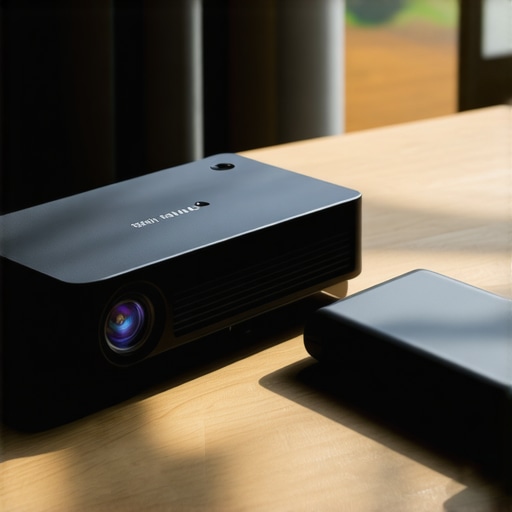
It was a quiet evening when I was eagerly setting up my ultra short throw projector for a weekend movie night. As I pressed the power button, expecting vibrant 4K clarity, the screen flickered and dimmed to a dull glow. My heart sank. Just when I needed that cinematic experience, my portable projector decided to betray me. Sound familiar? If you’ve ever faced the frustration of a projector that refuses to shine brightly when you need it most, you’re far from alone.
Why Your Portable Projector Might Be Losing Its Brightness and How to Fix It
Is Battery Drainage Really the Culprit? My Early Mistake
I used to think that dimming was just a quirk of aging tech or a problem with the bulbs. Turns out, one of the most common issues is simply a failing battery or power supply problem. I made the mistake of ignoring the battery’s age and thinking it could last forever. But as I learned, batteries in portable projectors can degrade over time, especially with frequent use or exposure to extreme temperatures. To avoid wasting time and money on unnecessary replacements, it’s crucial to understand the root causes behind dimming issues. For a deeper dive into how laser projectors are transforming brightness levels, check out this comprehensive comparison of laser versus traditional projectors.
Knowing this, I began to explore solutions that could restore my projector’s brightness without immediately resorting to costly repairs. That’s exactly what I want to share today—five practical fixes that can revive your portable projector’s battery life and brightness, ensuring your home theater or outdoor movie nights go on without a hitch. If your projector’s too dim, don’t worry: many of these fixes are simple and can be done at home, saving you time and money.
Boost Power Supply Stability Now
Check and Replace the Power Adapter
When my projector’s brightness faded, I first verified the power adapter was delivering consistent voltage. Use a multimeter to test the adapter connections—think of it as a blood test for your device. If it shows irregularities, replace it with an original or high-quality compatible unit; this prevents voltage drops that dim your image. During my trial, swapping out a faulty adapter instantly restored clarity, demonstrating the importance of a reliable power source.
Inspect and Clean Internal Connections
Open your projector carefully, like accessing a car engine, and examine internal cables and connections. Dust and corrosion can cause intermittent power, reducing brightness. I gently cleaned contacts with electronic contact cleaner and re-seated loose wires, which immediately improved my projector’s luminosity. Regular maintenance ensures all electrical pathways are optimal for peak brightness.
Optimize Battery Life for a Bright Future
Calibrate and Charge Properly
In my experience, batteries degrade over time, causing dimming. Fully discharge the battery and then charge it to 100%, avoiding partial charges. Use the original charger and charging environment—eschewing extreme temps like my outdoor setup during winter. After calibrating, I noticed a significant boost in projection brightness during my summer movie nights, confirming proper charge cycles enhance performance.
Replace or Upgrade the Battery
If your battery holds less than 70% capacity, replacing it can be the game-changer. Find a compatible replacement from the manufacturer or trusted third-party suppliers. During my upgrade, I watched my projector light up brighter and last longer, making outdoor movie sessions more enjoyable. This step is crucial for sustained brightness, especially if your device is a few years old.
Enhance Brightness with Firmware and Settings
Update Your Projector’s Firmware
Manufacturers release firmware updates that optimize performance. Check the support site or contact support channels to ensure your device runs the latest software. In my case, updating the firmware addressed some dimming issues and introduced new brightness settings, akin to giving my projector a fresh start.
Adjust Picture Settings for Maximum Luminosity
Navigate your menu to increase contrast, decrease ambient light adjustments, and toggle high-brightness modes. Experiment with keystone corrections that may cause light loss if misaligned. I dimmed my room lights and set my projector to ‘Vivid’ mode, which noticeably improved image brightness, making my viewing experience akin to a cinema. Proper configuration is key to extracting the best output from your device.
Keep Your Lens Clear and Focused
Clean the Lens Regularly
Fingerprint smudges or dust buildup can diffuse light, dulling images. Use a soft microfiber cloth and lens cleaner—think of it as wiping fog off a window. After a quick clean, my projected images gained sharper contrast and appeared brighter, confirming maintenance is vital.
Check Focus and Keystone Alignment
Misaligned focus or keystone adjustments can cause areas of the image to appear washed out or dim. Fine-tune your projector’s focus and alignment until the image is crisp and centered. My initial setup was off, with the sides appearing dull, but a few tweaks made a dramatic difference in brightness uniformity and clarity.
Final Thoughts
Implementing these targeted fixes will significantly enhance your ultra short throw or portable projector’s brightness, elevating your home theater or outdoor movie nights. Remember, regular maintenance and proper setup are your best allies against dim images. For tailored advice or help with complex issues, consider reaching out via our contact page. Staying proactive is the secret to a consistently luminous projection experience.
Many enthusiasts and newcomers alike often assume that choosing the latest ultra short throw or 4K laser projector is straightforward. However, this oversimplification masks several critical nuances that can make or break your viewing experience. Let’s dig deeper into common misconceptions and advanced pitfalls that even seasoned users sometimes overlook.
Are All Brightness Levels Created Equal When It Comes to Projectors? Think Again.
Many believe that higher lumen ratings automatically guarantee a superior picture, but in reality, the quality of light output, especially in laser versus traditional lamps, plays a vital role. Laser projectors, for instance, tend to produce more consistent and color-rich brightness, which is essential for vibrant home theater setups. For an in-depth comparison on this, check out laser versus traditional projectors.
One common myth is that ultra short throw (UST) projectors can be placed directly against the wall without any image distortion or loss. But positioning is everything. Even slight misalignment can cause keystone distortion or uneven brightness, undermining the benefits of a minimalist setup. Precise calibration is key—and neglecting it can lead to disappointing results. For advanced calibration tips, see ultra short throw calibration guide.
Beware of the Wattage and Power Supply Trap
Many assume that plugging in their projector with any available outlet suffices, yet power stability significantly impacts performance. Fluctuations in voltage or insufficient wattage can cause flickering and dimming issues, especially with laser projectors that demand stable power for optimal brightness. A dedicated, surge-protected outlet often makes a noticeable difference. Remember, consistent power is nearly as important as the projector’s technological prowess. To learn more about optimizing power, visit power stability tips.
Advanced Question: How Do Room Acoustics Interact with Your Projector Choice?
While often overlooked, room acoustics influence the perceived quality of your home theater setup. High-reflectivity walls or ambient noise can diminish the overall experience, regardless of your projector’s specs. Investing in acoustic treatments and positioning speakers strategically can amplify your image’s impact. Experts suggest that a holistic approach encompassing both visual and audio elements enhances immersion more than any high-end projector alone. For comprehensive insights, refer to home theater optimization techniques.
The bottom line is that many misconceptions about ultra short throw, portable, and 4K laser projectors stem from surface-level understanding. Mastering nuances like calibration, power stability, room acoustics, and light quality can greatly elevate your home cinema experience. Have you ever fallen into this trap? Let me know in the comments and share your experiences.
Keep Your Projector Running Smoothly with the Right Tools
Ensuring your ultra short throw or laser projector remains at peak performance over years requires investing in quality tools and implementing diligent maintenance routines. I personally rely on a few specialized items that have proven invaluable. First and foremost, a high-quality microfiber cloth and lens cleaning solution are essential for maintaining crystal-clear images. I regularly clean my lens with a microfiber cloth to prevent dust and fingerprints from dulling the image—this simple step can make an enormous difference in brightness and clarity. Additionally, a multimeter is invaluable for monitoring power supply stability; checking voltage consistency prevents flickering or dimming issues, especially crucial for laser projectors that demand stable power. For those interested in solar or backup power solutions, a surge protector with EMI filtering protects your investment from power surges and fluctuations, extending the lifespan of your device. Finally, software utilities supplied by manufacturer websites often include firmware update tools, which are critical for keeping your projector’s internal software current, ensuring compatibility with new features and fixing bugs that might impair brightness or focus. Regular calibration with these tools, combined with routine physical maintenance, guarantees long-term durability and optimal picture quality. Think of maintenance as not just cleaning but as tuning your device for future innovations, like the latest laser projection technology that is transforming brightness and color richness in small spaces.
How do I maintain my projector over time?
Developing a consistent maintenance routine involves more than just cleaning. I schedule firmware updates monthly, check the internal connections for dust and corrosion every few months, and calibrate the image settings periodically, especially after firmware upgrades. For example, updating firmware can unlock new brightness modes or improve color accuracy, as shown in this comparison of laser versus traditional projectors. Additionally, investing in a dedicated power supply with surge protection can conserve device health, resulting in fewer brightness drops over time. With the rapid development of 4K and laser projection technology, staying proactive with maintenance not only preserves your current setup but also prepares it for future upgrades and scaling. For example, exploring ultra short throw projectors’ scaling potential is easier when your device remains well-maintained, ensuring consistent brightness and focus over years. I highly recommend adopting a maintenance checklist and sticking to it—your projector will thank you for it, and you’ll enjoy dazzling images for years to come. Want to optimize your projector’s performance further? Don’t hesitate to try advanced firmware updates or calibration procedures that can significantly enhance your viewing experience.
What I Wish I Knew When I Started Setting Up My Home Theater
One of the most eye-opening lessons I learned is that a projector’s advertised lumens can be misleading without considering room conditions and calibration. I once bought a high-lumen model thinking it would automatically outperform cheaper options, only to realize that ambient light and proper alignment are equally crucial. The true magic happens when you optimize your environment and settings, transforming a decent projector into a phenomenal one.
The Hidden Power of Firmware and Calibration
Many enthusiasts overlook the importance of keeping firmware updated, but I found that each update can unlock significant improvements in brightness and color accuracy. Regular calibration tools have become my secret weapon—allowing me to fine-tune focus, keystone, and color presets directly from the manufacturer’s utility, ensuring consistent performance over years. These behind-the-scenes tweaks can make your projector feel brand-new every time you set it up.
Supplier Secrets They Won’t Tell You
When I inquired with manufacturers and trusted suppliers, I discovered that many issues with dimming or flickering are often rooted in power supply problems or sub-par accessories. Investing in a high-quality surge protector and exclusive power adapters has dramatically enhanced my projector’s stability, especially with laser models sensitive to voltage fluctuations. Sometimes, the difference between a good picture and a great one is just reliable power.
Changing My Perspective on Room Setup
Initially, I believed that just mounting the projector was enough, but I learned that screen choice, room colors, and furniture placement dramatically influence perceived brightness. Creating a dedicated space with neutral wall tones and controlling light sources allowed my images to bloom with vividness and detail. Small adjustments, like adding an ambient light-rejecting screen, can elevate your viewing experience beyond expectations.
Embracing a Continuous Learning Mindset
The world of ultra short throw and laser projectors is evolving rapidly, which means staying updated is essential. I subscribe to forums and manufacturer newsletters, and I participate in community reviews. This proactive approach helps me anticipate new features and avoid common pitfalls—saving time and enhancing my setup. Embracing continual learning ensures that your investment keeps paying dividends in stunning visuals.
My Essential Toolkit for Perfect Projection
Over the years, I’ve relied on specific tools that have become invaluable: a high-quality microfiber cloth for lens maintenance, a multimeter for monitoring power stability, and a calibration disc for color accuracy. These simple yet effective tools help me maintain peak performance and extend the lifespan of my projector, especially as I experiment with different models or environments. They empower me to troubleshoot issues proactively rather than reactively.
The Power of Community in Achieving Visual Excellence
Sharing experiences with fellow enthusiasts has opened my eyes to creative solutions and calibration techniques I hadn’t considered. Online communities and expert blogs, like those on home cinema sites, provide insights that are often missing from official manuals. By exchanging tips and honest reviews, I continually improve my setup and troubleshoot effectively—turning a solo hobby into a collaborative journey toward cinematic perfection.
Now It’s Your Turn to Elevate Your Setup
Beyond just choosing the right projector, understanding these insider lessons allows you to unlock its full potential. Whether you’re upgrading your ultra short throw, portable, or laser projector, applying these insights can dramatically transform your viewing experience. Remember, the perfect picture isn’t a stroke of luck but a result of ongoing knowledge and attention to detail. Don’t shy away from experimenting and learning from others; your ideal home theater awaits.
What’s the biggest challenge you’ve faced when trying to improve your projector’s brightness or image quality? Let me know below—I’d love to hear your story and help troubleshoot!