![3 Ways to Prevent Dust Blobs in Your 4K Projector [2026 Tips]](https://projectors.homecinemaessentials.com/wp-content/uploads/2026/02/3-Ways-to-Prevent-Dust-Blobs-in-Your-4K-Projector-2026-Tips.jpeg)
Imagine this: you’re settling in for the perfect movie night, projector ready, lights dimmed, popcorn in hand. Suddenly, a distracting dust blob appears right in the middle of your screen. Frustrating, isn’t it? I remember the first time I encountered this issue with my home theater projector. I thought a quick clean would do the trick, but dust blobs kept popping back, ruining my viewing experience. That lightbulb moment made me realize how critical it is to prevent dust from sneaking into our high-end projectors, especially as they become more advanced in 2026.
Why Dust Blobs Are the Silent Killer of 4K Image Quality
Dust accumulation inside your projector isn’t just a minor nuisance; it can significantly degrade your picture quality over time. Dust particles land on optical components, scattering light and creating those infamous blobs or clouded spots. This issue is particularly problematic with ultra short throw and laser projectors, which often operate in close proximity to dust and debris. As projectors evolve to deliver crisp 4K visuals, even tiny dust contaminations stand out like a sore thumb.
Will Dust Blobs Ruin My Investment?
Absolutely, if left unchecked. Dust isn’t just an aesthetic bother; it affects contrast, color accuracy, and overall sharpness. Early on, I made the mistake of ignoring regular maintenance, assuming a quick cleaning was sufficient. But dust kept creeping back, and my image suffered. Proper preventive measures can save you from costly repairs and ensure your 4K projector continues to impress, whether you’re into home theaters, portable setups, or gaming. To understand the latest advancements, check out our ultimate guide to 4K ultra short throw projectors.
Now, let’s explore three tried-and-true methods to keep dust at bay and keep your projector performing at its best.
Seal and Protect Your Projector
Start by installing a dedicated dust cover over your projector when not in use. Use a custom-fit dust cover or even a simple breathable fabric to prevent airborne particles from settling on optics. When I first did this, I realized how much dust was lurking even in my cozy media closet, and sealing the projector saved me from frequent cleanings. Think of it like protecting a camera lens from scratches; a cover keeps the dust from settling into sensitive parts.
Perform Regular Maintenance with Precision
Gather the Right Tools
Always use a soft, lint-free microfiber cloth and compressed air canisters designed for electronics. Avoid harsh cleaners or abrasive cloths that could damage delicate optical components. When I cleaned my projector last, I used a gentle blower and spot-cleaned dust around the lens edges, which restored clarity without risking damage. Regular maintenance is like giving your device a spa treatment—refreshing and prolonging its performance.
Follow Step-by-Step Cleaning Procedures
Power down the projector and unplug it. Use compressed air to gently blow dust from vents and around the lens housing, keeping the nozzle at a safe distance. If dust particles are stubborn, lightly dampen a microfiber cloth with lens cleaning solution and carefully wipe around the lens rim. I once neglected to turn off my laser projector during cleaning, and a small static shock caused a temporary image wobble—so ensure safety by powering down first. Consistency here prevents buildup that leads to blurry images or dust blobs.
Maintain the Environment for Optimal Performance
Position your projector away from high-traffic areas and sources of dust, like open windows or crowded shelves. Use air purifiers in the room if necessary, especially in dusty climates. I added an air purifier near my home theater setup, and noticed a significant reduction in dust particles floating around, which kept my ultra short throw projector spotless. Managing the environment is like maintaining a clean room; it’s a simple step that makes a big difference in preserving image clarity.
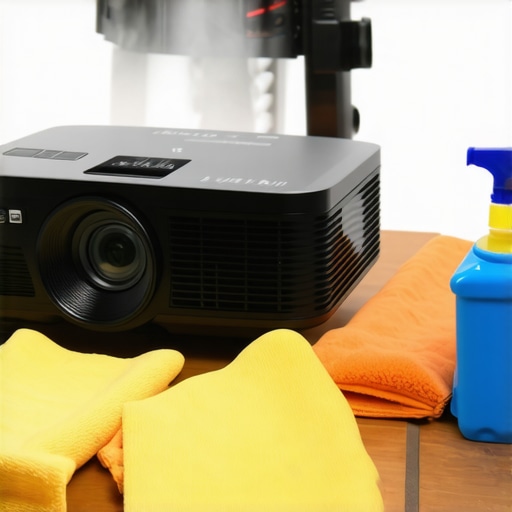
Consider installing an ultra short throw projector in a dedicated, dust-free space. This setup minimizes dust ingress and maintains optimal picture quality, especially in small rooms where dust tends to settle quickly.
Many enthusiasts believe that simply having a high lumen count or ultra-high resolution guarantees stunning visuals, but in reality, the world of 4K, portable, laser, and ultra short throw projectors is riddled with misconceptions. One widespread myth is that brighter is always better; however, excessively high lumen ratings can lead to washed-out images in well-lit rooms, diminishing contrast and detail. For small spaces, an overly bright projector may cause eye strain and oversaturation, especially when paired with reflective surfaces. Instead, understanding the precise lumen needs, tailored to your environment, is crucial—consult our ultimate guide to 4K projectors for small rooms for expert recommendations.
Another often overlooked nuance is the misconception that laser projectors automatically outperform traditional lamp-based models across all metrics. While lasers boast longer lifespans and more vivid colors, they can be susceptible to color wheel artifacts or uneven brightness in some setups. Moreover, some users assume ultra short throw projectors are foolproof for small spaces; in reality, they require meticulous placement and correct screen setups to prevent image distortion and geometric distortions, such as waviness or keystoning. For advanced advice on correct UST setup, check out this detailed article.
The trap of assuming all projectors are equally suitable for gaming is another common pitfall. Many buyers overlook the importance of input lag, which can drastically affect gameplay quality. Contrary to popular belief, high-resolution and high-brightness models don’t necessarily excel at fast-paced gaming unless they also feature low latency. The latest models from 2026 highlight that performance and visual quality must go hand-in-hand—see this guide on gaming-specific projectors for insights.
Making sense of these intricacies allows you to select a projector that not only meets your space and visual needs but also avoids unnecessary expenses or performance frustrations. Remember, a high lumen rating or 4K resolution is just part of the story. The true secret lies in understanding how these specs translate into your real-world environment and usage scenarios. For a comprehensive overview, our ultimate buying guide offers the depth you need.
Have you ever fallen into this trap? Let me know in the comments. Improving your projector setup starts with recognizing these subtle details—because in the world of home cinema, the devil is in the details.Maintaining your 4K projector, whether it’s a portable, laser, or ultra short throw model, requires a combination of specialized tools, disciplined routines, and a proactive approach. Investing in the right equipment makes a significant difference in ensuring long-term performance and image quality. One of my favorite tools is a high-quality dust blower, such as the Giottos Rocket Blower, which allows for gentle, effective removal of dust from optical components without risking scratches. It’s a game-changer in preventing dust blobs that can ruin your pristine 4K visuals. Regularly inspecting and cleaning filters and vents is equally vital; compressed air cans like the Can-Do Compressors are ideal for this purpose. These tools help prevent overheating and maintain airflow, especially crucial for laser projectors that generate more heat and require proper dissipation.
How do I maintain my projector over time?
Consistent cleaning is key. I schedule a quarterly deep clean, which involves carefully removing and replacing filters, cleaning the lens with a microfiber cloth and lens cleaner, and inspecting internal components. For delicate lenses, I prefer using a lens cleaning pen that effectively removes smudges without introducing new scratches, as recommended in technical guides like those from projector manufacturers. Additionally, software maintenance plays a role—I regularly update firmware using the manufacturer’s dedicated utility software, ensuring optimal functionality and compatibility with new features or fixes. Regular calibration with a professional service or using built-in calibration tools helps maintain color accuracy and contrast, essential for high-quality 4K viewing. As technology advances, expect more intelligent cleaning systems integrated into projectors, such as auto-cleaning filters or AI-assisted diagnostics, which will simplify maintenance further. To stay ahead, follow updates from brands like Sony or Epson, or explore detailed maintenance routines in our ultimate guide on projector care. Don’t hesitate to try an advanced tip like upgrading your air filters or setting a custom maintenance schedule, which can extend your projector’s lifespan significantly. Remember, investing in proper tools and routines not only safeguards your investment but also ensures your home cinema experience remains stunning and immersive for years to come.
What I Wish I Knew About Dust and 4K Projector Longevity
One of the most valuable lessons I learned was that even tiny dust particles can cause significant image degradation over time. Regular, meticulous cleaning and environmental control became my secret weapons against disappointing visuals. I realized early that neglecting these steps would turn my high-end setup into a blurry, dust-blotted mess, diminishing my cinematic experience. This insight transformed my maintenance routine and vastly improved my projector’s lifespan and image clarity.
My Favorite Tools That Keep My 4K Content Crisp
Investing in quality equipment like a high-grade microfiber cloth and a reliable compressed air canister revolutionized my cleaning game. These simple tools, paired with a dedicated lens cleaning pen, made a noticeable difference, preventing dust blobs from ruining my movies. Trusting brands like Giottos for blowers or LensPen for delicate cleaning has been a game-changer, ensuring my optics stay pristine without damage. These investments are well worth it for anyone serious about image perfection.
Why Room Environment Matters More Than I Thought
Positioning my projector in a dust-free, climate-controlled space significantly reduced maintenance frequency. Adding an air purifier nearby was a revelation; it kept airborne particles to a minimum, keeping my ultra short throw projector spotless. I learned that a humble environment tweak can extend the intervals between deep cleans and preserve picture sharpness. This ‘less is more’ approach highlights the importance of creating the perfect microclimate for your home cinema.
The Hardest Lesson I Learned About Projector Setup and Dust Prevention
Realizing that improper placement or unsealed environments invite dust was a tough but vital lesson. Sealing off my projector when not in use and avoiding placement near open windows or dusty shelves kept my optics clearer. Early mistakes cost me in image quality, but now I see that proper environment management is an investment in consistent, stunning visuals. It’s a reminder that no matter how advanced your projector is, a dusty space can undermine its potential.
Curated Resources To Keep You Ahead in 2026
If you want to take your projector maintenance seriously, I recommend exploring tools like this comprehensive guide on ultra short throw and portable projectors. It covers essential setup and care tips beneficial for any model, especially with upcoming innovations. For in-depth cleaning routines, brands like LensPen and Giottos are trustworthy sources, while forums and communities offer real-world advice. Staying informed with trusted sources ensures your home cinema remains exceptional rather than letting dust decide the picture quality.
Your Journey Toward Pristine Visuals Continues
Remember, maintaining a 4K projector isn’t just about cleaning—it’s a mindset of proactive care and environmental awareness. The leap from a blurry screen to immersive clarity is within your reach if you embrace these habits now. Don’t let dust or neglect hold back your home theater ambitions. With patience and the right tools, your projector’s stunning visuals will be a joy for years to come.
Have you ever struggled with internal dust buildup that affected your viewing quality? Share your experience below and let’s learn together how to keep those images sharp!
,
http://Laura%20Bennett
This article hits home for me because I’ve been battling dust build-up in my ultra short throw projector, especially during the winter months when the air tends to be drier and dust seems to linger more. I started sealing my setup with a custom dust cover and noticed a real difference in the clarity of my images. I also invested in a high-quality lens cleaning pen and always use compressed air cans to keep vents clear, which has helped maintain optimal brightness and contrast. I do wonder, though, about the long-term effects of frequent compressed air use—does anyone have tips on safely blow-drying electronic components without risking damage? It’s clear that environmental factors play a big role, too; I’ve recently added an air purifier in my media room, which seems to have reduced dust significantly. Has anyone else found that improving room air quality makes a noticeable difference in reducing cleaning frequency? Would love to hear more personal tips or experiences on keeping projectors dust-free over time.