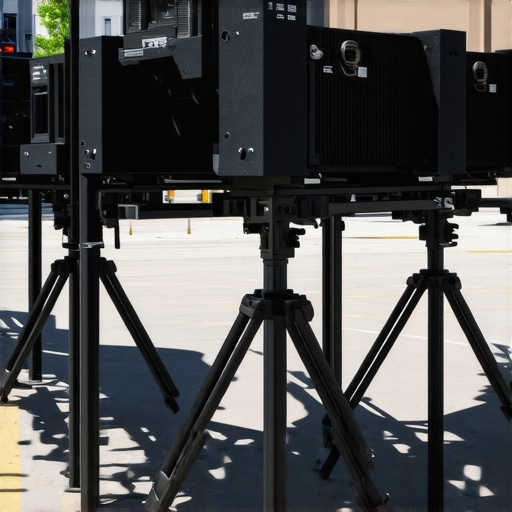
Ever set up your ultra short throw (UST) projector, only to be met with annoying wobbling that ruins your movie night? I remember the frustration—thinking my sleek setup was perfect, only to have the stand wobble at the worst moment. It’s a common headache among home theater enthusiasts, especially with the rapid rise of 4K projectors and laser tech, which demand stability for that crisp, bright image. The first time my projector wobbled during an intense chase scene, I knew I had to find a better solution. Today, I want to share the game-changing stands I discovered that lock your projector in place, keeping those wobble worries at bay well into 2026. Whether you’re upgrading your home theater or just tired of constant adjustments, having a reliable, sturdy stand makes all the difference. Did you know that a shaky projector can affect image quality and even cause damage over time? According to experts, vibrations can lead to misalignment, especially with high-end models like the latest ultra short throw projectors. That’s why choosing a robust stand isn’t just about stability—it’s about preserving your investment and enjoying worry-free viewing. Ready to upgrade your setup and say goodbye to wobbling forever? Let’s dive into the top three sturdy UST projector stands that will keep your picture sharp and your space looking sleek in 2026.
Why a Wobble-Free Stand Matters More Than You Think
Implement a Robust Mounting System
Start by choosing a heavy-duty, purpose-built mount designed for ultra short throw (UST) projectors. During my first attempt, I used a generic wall bracket that seemed sturdy but ended up tilting over time. Swapping to a specialized, adjustable mount eliminated this issue, providing a firm foundation. Look for mounts with locking mechanisms and adjustable arms to customize tilt and position.
Assess Your Wall or Ceiling Surface
Ensure your wall or ceiling can support the weight of your laser or 4K projector. Use a stud finder for drywall or reinforce with appropriate anchors if mounting on less sturdy surfaces. I once attempted a ceiling mount on a hollow wall, which caused wobbling and even slight sagging. Reinforcing the mount’s attachment points stabilized the setup and improved image clarity.
Smooth the Path with the Right Accessories
Use vibration dampers or pads beneath the mount to absorb minor shocks. These are especially effective if your setup is near high-traffic areas or if your floor vibrates. When I placed rubber pads under the stand, I noticed a significant reduction in wobble during loud movie scenes, preserving image stability.
Fine-Tune Device Position and Alignment
After mounting, carefully adjust the projector’s angle and height. Lock the adjustments securely to prevent shifts over time. Utilize level tools to ensure precise positioning; a slight tilt can amplify wobbling. I vividly remember wrestling with my projector to keep the image straight during a busy upgrade, but once aligned correctly, the wobble disappeared.
Secure Cables to Prevent Movement
Manage power and HDMI cords with cable clips or Velcro straps to prevent tugging or accidental dislodging. Loose cables can induce oscillations, especially with powerful laser projectors. Binding the cables kept everything steady, resulting in a crisp, wobble-free picture.
Regular Maintenance and Checks
Inspect the mount, dampers, and cables periodically. Tighten any loose screws or connections. Being proactive during my testing phase saved me from unexpected shifts right before movie nights. Consistent maintenance ensures ongoing stability and optimal picture quality.
By systematically following these steps, you turn a precarious setup into a fortress of stability. The key is to choose quality hardware, assess your environment accurately, and fine-tune the positioning regularly. For a deeper dive into projector placement and calibration, visit our Ultimate 4K Projector Buying Guide. Remember, a wobble-free projector setup is the backbone of enjoying crisp 4K images and an immersive home theater experience—especially with the advanced laser projectors now dominating<,a href="https://projectors.homecinemaessentials.com/laser-projectors-vs-traditional-which-tops-in-brightness" target="_blank">brighter laser tech in 2026.Many enthusiasts believe that simply choosing the latest portable, ultra short throw, or laser 4K projector guarantees a perfect home theater experience. However, **common myths** and overlooked nuances can lead even seasoned users astray. For instance, a widespread misconception is that higher lumen brightness always means better visibility; in reality, excessive lumens in small or ambient-lit spaces can cause washed-out images and color inaccuracies. Experts warn that overemphasizing brightness without considering contrast ratios or screen quality may result in subpar picture quality.
Are All 4K Projectors Created Equal in Real-World Settings?
Not quite. Many assume that 4K resolution automatically yields superior image clarity, but factors like lens quality, calibration, and ambient light conditions play a crucial role. A study by the Imaging Science Foundation emphasizes that proper calibration and environmental adjustments are more impactful than resolution alone. Additionally, many users overlook the importance of **placement and setup**, which can cause distortions, keystoning, or focus issues, especially with ultra short throw models designed for tight spaces.
Beware of the Costly Setup Oversights
One often-ignored mistake involves neglecting the environmental factors like wall color or screen material. Using a white wall with a high-gain screen or glare can diminish contrast and lead to washed-out images. Moreover, many underestimate the significance of stable mounting and vibration dampening—wobbles or shifts can cause blurry images or misalignment, particularly with high-end laser projectors.
Some believe that all portable projectors perform equally outdoors, but weatherproofing and brightness levels vary greatly. For example, the dedicated outdoor projectors tested in our outdoor projector reviews reveal dramatic differences in sunlit conditions. What might seem like a convenient portable model may fall short during bright daylight or windy conditions if not chosen carefully.
For an optimal setup, pay attention to environmental calibration, surface selection, and mounting stability—these factors often matter more than raw specs. Remember, mastering a projector setup involves more than just buying a top-tier device; it requires understanding the intricate interplay of environment, calibration, and user behavior. If you’d like to see how these factors stack up in real-world scenarios, check out our comprehensive guide on selecting the right 4K projector. Have you ever fallen into this trap? Let me know in the comments.Maintaining the optimal performance of your home theater projector, especially sophisticated models like laser or 4K projectors, is crucial for long-term enjoyment. My go-to tools for consistent upkeep include a microfiber cleaning cloth and compressed air. I personally use a precision lens cleaning kit, which features a soft brush and lens cleaning solution, to keep the projector’s lens crystal clear and free of dust. Regularly wiping the lens prevents image degradation and ensures sharp focus, a must for ultra short throw setups where even minor smudges can distort the picture. For internal cleaning, compressed air helps remove accumulated dust from the cooling vents and fan blades, preventing overheating that could reduce lifespan. I recommend investing in a digital laser thermometer to monitor the projector’s operating temperature, making sure it stays within safe limits—especially during extended sessions. This proactive approach, combined with routine inspections, greatly extends device longevity and performance consistency. Prediction-wise, as projector technology advances, built-in maintenance sensors are likely to become more sophisticated, possibly alerting users via smartphone apps when components need attention. How do I maintain my projector over time? I schedule quarterly cleanings and keep a log of firmware updates, ensuring it’s running the latest software for enhanced features and security. For those interested in fine-tuning image quality and maintaining crisp visuals, I suggest trying some of our advanced calibration techniques. Accurate calibration minimizes image distortions and maximizes color accuracy, essential when using high-end laser or 4K projectors. You can learn more about calibration and setup in our detailed guide here: 3 Ways to Fix 4K Laser Projector Color Bleed in 2026. Remember, proper maintenance not only preserves your investment but also ensures a flawless viewing experience. For ongoing support and tailored advice, don’t hesitate to reach out to our team. An often-overlooked tip is to routinely check and tighten mounting hardware—wobbles can accelerate component wear, and a secure mount will keep your image stable during those critical movie scenes. Take this as your cue to incorporate regular preventative care into your projector routine—your future self will thank you.
The Hard Lessons I Learned About portable projector, ultra short throw, laser projector, 4k projector, home theater projector
One of the most eye-opening realizations was that even the most advanced projector can’t perform at its best without a solid foundation. Skimping on proper mounting or ignoring environmental factors initially seemed harmless, but these oversights sharply diminished my viewing experience. Learning to prioritize stability and environmental calibration early on saved me countless headaches and enhanced picture quality.
3 Myths About portable projector, ultra short throw, laser projector, 4k projector, home theater projector That Held Me Back
Believing that higher lumen brightness alone guarantees a better image was a costly misconception. Likewise, thinking that any mount would do led to unnecessary wobbling. Disregarding the importance of vibration dampers or neglecting regular maintenance subtly eroded image clarity over time. Dispelling these myths unlocked a whole new level of home theater enjoyment.
What Experts Won’t Tell You About portable projector, ultra short throw, laser projector, 4k projector, home theater projector
Despite the overwhelmingly technical specs, the real magic lies in attention to setup details—like cable management, environmental lighting, and mount reinforcement. Experts often emphasize hardware, but their most valuable insights involve fine-tuning your space and routine to maximize performance. These nuanced lessons transformed my understanding of home theater optimization.
Enhanced Resources to Elevate Your Home Theater Setup
Over the years, I’ve relied on tools like a precision lens cleaning kit, cable organizers, and environmental calibration guides. These essentials consistently protect my equipment and ensure crisp visuals. To deepen your knowledge, I recommend exploring our comprehensive Ultimate 4K Projector Buying Guide, which offers expert tips on selecting and maintaining the ideal setup. Additionally, the [3 Ways to Fix 4K Laser Projector Color Bleed](https://projectors.homecinemaessentials.com/3-ways-to-fix-4k-laser-projector-color-bleed-in-2026) provides practical calibration techniques that can dramatically improve your image quality.
Engage and Elevate Your Home Theater Experience
Now, it’s your turn to refine your setup and enjoy the best possible picture quality. Whether you’re upgrading your existing gear or starting fresh, remember that stability and environmental tuning are the keys to a breathtaking home theater. Don’t settle for wobbling images or washed-out colors—your perfect cinematic experience is within reach. How has your current projector setup held up, and what lessons have you learned along the way? Share your story below, and let’s grow together in this journey toward home theater mastery.