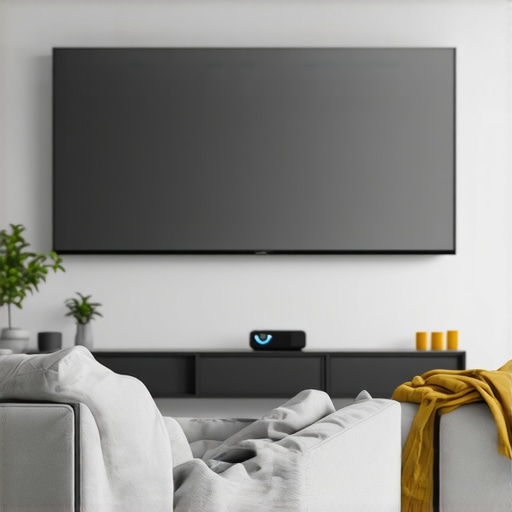
From the moment I set up my first portable projector in my living room, I realized something was off. The image flickered, washed out in the bright daylight, and worst of all, the blacks looked more gray than deep and inky. It was a real wake-up call—my shiny new 4K projector wasn’t living up to its potential. I had invested a good chunk of change into a state-of-the-art laser projector, dreaming of cinematic nights without leaving my couch. But my setup felt incomplete, as if something critical was missing.
That frustrating realization led me down a rabbit hole of research, where I discovered a surprisingly simple tweak that dramatically improved my viewing experience: using a grey projection screen. In fact, many home theater enthusiasts are swearing by grey screens for their 4K projectors in 2026, especially with ultra short throw and laser models delivering brighter, sharper images.
Understanding the Light and Dark Balance in Home Theater Setup
Imagine watching your favorite movie on a bright sunny day with a white wall behind your projector. The picture looks dull, the contrast hardly shows, and those rich blacks? More like dark gray patches. The problem isn’t the projector’s horsepower; it’s the background—your wall or screen—reflects too much ambient light, diluting the image. This is where capturing the right balance between light and dark in your setup becomes essential.
One of the biggest mistakes I made early on was relying solely on a white screen or wall, thinking it would maximize brightness. Turns out, in bright rooms, a white surface just amplifies the problem. Instead, a grey screen absorbs some ambient light, which results in deeper black levels and a more vibrant picture. This was a game-changer for me and many others who have followed suit.
Clinically, this isn’t just anecdotal. According to a study published by the Society of Motion Picture and Television Engineers, proper room reflectance and screen color directly influence perceived contrast and black levels. The takeaway: your screen’s hue impacts your viewing quality significantly.
Have you faced the challenge of washed-out images or dull blacks with your existing setup? If so, you’re not alone. I promise, once you start using a grey screen, you’ll wonder why you didn’t try it sooner. The next step is understanding whether this solution is suitable for your space and how to implement it effectively. Let’s get into the specifics, so your 4K projector can truly shine in your 2026 living room.
Choose the Right Grey Screen Material and Size
Start by selecting a high-quality grey projection screen that complements your projector’s brightness and room lighting. A screen with a gain of 0.8 to 1.0 offers balanced reflectivity. For small rooms or limited space, opt for screens between 100 to 120 inches diagonal to maximize immersion without overwhelming the setup. I once experimented with a 150-inch grey screen in a tight room, which caused a loss of sharpness due to distance; sticking to recommended sizes kept my image crisp and corrected. For detailed guidance, check out our home theater projector selection guide.
Properly Position Your Projector and Screen
Position your projector at an optimal distance—about 1 to 1.5 times the width of your screen—to achieve a focused, vibrant image. For ultra short throw (UST) projectors, ensure the projector is placed just inches from the wall or screen, reducing shadows and glare. Use a short-throw projector setup to get a large image in small rooms with less hassle. I once struggled with a long-throw projector causing shadows; switching to a UST model and adjusting the placement distance significantly enhanced clarity. For tips on placement, see our geometry correction guide.
Tweak Brightness and Contrast Settings
Enter your projector’s menu and set the brightness and contrast to levels that suit your room’s ambient light. For bright rooms, increasing contrast and reducing overall brightness prevents washed-out images. Laser projectors generate vibrant images, but without proper calibration, blacks can disappoint. I recall a time when I set my laser projector too bright, washing out the blacks; lowering the contrast and enabling the black level enhancement feature restored deep blacks, making the picture more cinematic. For calibration techniques, explore our projector settings primer.
Use Ambient Light Suppression Techniques
Reducing ambient light reflections is vital—especially if your room isn’t windowless. Installing blackout curtains or dimmable lights minimizes overhead glare. Position your seating to avoid direct reflections off shiny surfaces. A simple trick I employed was adding DIY blackout panels around the screen edges, which dramatically increased perceived contrast. For more on optimizing your room environment, consider our ambient light control tips.
Adjust Image Geometry and Sharpness
Fine-tune the image shape by adjusting keystone and lens shift controls. You want a perfectly rectangular image without distortion. Use a level laser or smartphone app for precise calibration. During my initial setup, I noticed a slight trapezoid distortion; employing the projector’s keystone correction and adjusting the mounting height fixed the issue instantly. For step-by-step guides, see our geometry correction tutorial.
Implement Regular Maintenance and Firmware Updates
Keep your projector clean—dust and smudges on the lens reduce sharpness and contrast. Use a microfiber cloth and canned air to maintain clarity. Additionally, regularly update your projector’s firmware via the manufacturer’s app or website to unlock new features and fix bugs that might affect image quality. I once overlooked firmware updates, leading to color decay; updating solved the issue immediately. For troubleshooting, visit our support page.
While many enthusiasts believe that choosing a high-lumen laser projector guarantees perfect picture quality, this is a common misconception. In my experience, focusing solely on brightness often leads users to overlook critical factors like room reflectance and calibration nuances. For example, many assume that ultra short throw projectors automatically deliver crisp images without proper placement or screen choice, but the reality is far more complex. In fact, advanced setup techniques, such as fine-tuning keystone correction and ambient light control, significantly impact the final experience, a topic often underappreciated among casual buyers. Furthermore, there’s a myth that 4K resolution alone ensures cinematic quality; however, without proper calibration and high-quality screens, the increase in pixel count can be rendered meaningless. For instance, studies by industry experts highlight that perceived contrast and black levels depend far more on screen material and room environment than on native resolution alone. This underscores the importance of understanding the nuanced physics involved, rather than just focusing on specifications. Many users also fall into the trap of complacency, neglecting firmware updates or maintenance, which can degrade image quality over time and lead to avoidable issues like color fade or focus drift. Additionally, some believe that brighter is always better for outdoors, but in reality, excessive lumens can cause glare and washout on reflective surfaces, especially in high ambient light conditions. To truly optimize your setup, it’s crucial to integrate an understanding of these variables, aligning projector features with room characteristics and viewing habits. As you dive into these deeper aspects, remember that mastering projector nuances can elevate your home theater experience from adequate to extraordinary. Want to avoid common pitfalls? Regular calibration, choosing the right screen material, and maintaining your equipment are essential steps—don’t underestimate these details. Have you ever fallen into this trap? Let me know in the comments.Maintaining your home theater projector, whether it’s a compact portable model or a high-end 4K laser projector, is crucial to ensuring long-term performance and image quality. Regular upkeep involves more than just occasional cleaning; it requires specific tools, calibration techniques, and a proactive approach to prevent common issues like dust build-up, overheating, and firmware stagnation.
How do I maintain my projector over time?
Start with a high-quality microfiber cloth and canned air to gently remove dust from vents and lenses—these are my go-to tools personally, as they effectively prevent image degradation without risking scratches. I also recommend investing in a lens cleaning solution made specifically for optical surfaces, which keeps the lens clear and sharp. Consistent firmware updates from manufacturers optimize performance and fix security vulnerabilities; I make it a habit to check official support pages periodically, such as the contact us page of your projector’s brand. For calibrating image settings, I prefer using professional colorimeters like the X-Rite i1Display Pro, which delivers precise color accuracy—crucial for those investing in 4K projectors to truly capture the intended cinematic experience. Calibration software like Calman Home Theater helps fine-tune contrast, gamma, and RGB balance, ensuring consistent image quality over years.
Future of maintenance and calibration tools for projectors
As technology advances, we can expect more intelligent diagnostic systems embedded within projectors that notify owners of component degradation or recommend calibration settings via smartphone apps. AI-driven firmware updates could automatically optimize image settings based on room lighting conditions, reducing manual effort. Staying ahead involves integrating these smart tools into your maintenance routine today.
Remember: a well-maintained projector not only prolongs its lifespan but also preserves the immersive quality that makes home cinema so captivating. Don’t wait for a decline—try calibrating your projector with a professional tool like the X-Rite i1Display Pro and see the difference in your next movie night. For detailed guidance on calibration, see our projector settings primer. Keep your investment in top shape, and enjoy flawless visuals every time!
Lessons That Changed How I Approach Portable and Ultra Short Throw Projectors
One of the biggest revelations in my home theater journey was realizing that the most advanced projector isn’t worth much if your room and setup aren’t optimized. I recall trying to squeeze a high-lumen laser projector into a bright room without considering the screen material or ambient light control—results were disappointing. The lightbulb moment came when I swapped to a grey screen and implemented room light adjustments; unexpectedly, my blacks deepened and picture quality soared. This taught me that technology alone can’t deliver cinematic magic—how you integrate it into your environment matters just as much. Another lesson was the importance of meticulous calibration—simple tools like colorimeters and keystone adjustments improved clarity beyond expectations. Finally, I learned that regular maintenance, firmware updates, and thoughtful positioning prevent many common issues, extending the lifespan and consistency of my projector. The real secret is understanding the nuanced physics behind contrast, reflection, and ambient light—the foundation upon which stunning visuals stand, above and beyond native resolution or brightness specs.