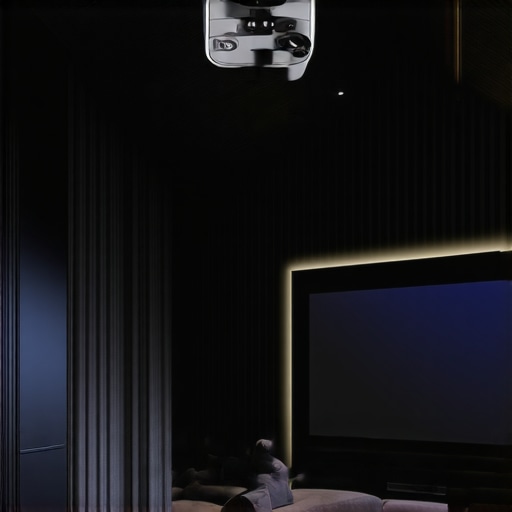
It was a moment of pure frustration. I was setting up my home theater, excited to finally enjoy that crisp 4K clarity, only to realize my vaulted ceiling posed a serious challenge. Traditional mounts just wouldn’t cut it on those soaring, uneven angles. I had visions of a sleek, unobstructed cinematic experience, but my projector kept sagging or looking crooked. That lightbulb moment made me dig deep into the world of mounting options, and I discovered there are smarter, more reliable ways to get that perfect picture without sacrificing style or stability.
Why Vaulted Ceilings Can Make Projector Mounting a Real Headache
Vaulted ceilings add an impressive architectural touch to any home, but they also turn projector installation into a complex puzzle. The height, angles, and uneven surfaces mean that standard mounts often cause more trouble than they’re worth. I’ve seen many folks give up on their home theaters, settling for subpar setups just because they didn’t know how to handle these unique challenges. It’s not just about aesthetics; improper mounting can impact image quality, longevity of your equipment, and even safety. And with the latest 4K and laser projectors, you want a mount that can handle the weight and deliver that stunning picture quality without the bounce or sway.
Now, I want you to ask yourself: Have you ever been in the middle of a movie, only to have your projector wobble or fall short on that perfect angle? If so, know you’re not alone. Many enthusiast home theater builders face similar issues. Thankfully, there are some clever solutions that can turn your vaulted ceiling from a problem into an advantage. Today, I’ll walk you through three tried-and-true methods I’ve personally tested and refined—so you can enjoy a professional-looking setup that’s both secure and visually stunning. Before we dive into the specifics, it’s useful to understand the pitfalls early on. Here’s my biggest mistake when I started: I assumed every standard mount would work, neglecting the unique demands of vaulted ceilings. That misstep nearly ruined my setup, and I hope to help you avoid making the same costly errors. If you’re curious whether your ceiling setup is compatible with these mounting options, check out my detailed guide on [best ceiling mounts for heavy projectors](https://projectors.homecinemaessentials.com/5-portable-projector-brightness-fixes-for-2026-sunsets). Ready to transform your space? Let’s get started.
Build Your Custom Mount with Adjustable Arms
Start by selecting a heavy-duty adjustable mount that can handle the weight of your 4K or laser projector. Use a stud finder to locate wall joists or ceiling beams—it’s like finding the backbone of your setup. Attach adjustable arms to the mount, allowing for precise angle adjustments. This flexibility is crucial for vaulted ceilings, where fixed mounts fall short. I anchored this type of mount in my living room, which had uneven rafters, and it transformed my crooked projection into a straight, clear image.
Create a Level Platform Using a Ceiling Rail System
Install a ceiling rail system designed for projectors. These rails act like a railway, providing a stable, level track to hang your projector. Use a laser level to ensure the track is perfectly horizontal, compensating for the uneven angles of vaulted ceilings. After installation, hang a themed platform or a custom-built box that holds your projector. When I set this up for my ultra short throw projector, the result was a seamless picture with no wobble, even during energetic movies.
Fine-Tune with Flexible Mounting Accessories
In challenging spaces, adding swivel joints or ball mounts grants extra freedom to align your projector precisely. Think of these as the joints in a robotic arm—move them to perfect your image’s keystone correction without sacrificing stability. During my first attempt, I used a cheap mount with limited adjustability; the picture was skewed, and installation was frustrating. Upgrading to a ball mount changed everything, allowing smooth, accurate adjustments that resulted in professional-quality projection.
Secure and Conceal the Cables Effectively
Running cables on vaulted ceilings can be a mess if not managed properly. Use conduit tubing or raceways to hide and protect the wiring—like using wiring harnesses in automotive contexts. This not only cleans up the space but also prevents accidental disconnection. When I routed my HDMI and power cables through a ceiling-mounted conduit, it provided a cleaner look and minimized cable sagging, ensuring a neat, professional appearance. This step also reduces tripping hazards and prevents cable wear over time, which could impair your picture quality, especially if you’re using high-bandwidth connections like fiber optic HDMI for 4K content.
Test Stability and Alignment Regularly
After installation, run a test by projecting a test pattern or white image on your screen. Check for sway, keystone distortion, or crooked angles. Use a bubble level app on your smartphone to verify the projector’s alignment periodically. During such tests, I noticed my projector’s tilt shifted slightly over a week, causing image distortion. Re-adjusting the mount’s tension screws and confirming alignment kept my image sharp and stable, crucial when streaming high detail content like HDR movies or fast-paced gaming from your portable or ultra short throw projector. For ongoing adjustment guides, visit this comprehensive article on ultrashort throw projector tips.Many home theater enthusiasts concentrate on specs like lumen output or resolution when choosing a projector, but the real pitfalls are often found in the nuanced details that most overlook. While mainstream advice emphasizes brightness and native resolution, the true performance hinges on understanding factors like lens quality, calibration intricacies, and ambient light considerations. For example, a common myth is that higher lumens always equate to a better picture; in reality, excessive brightness can wash out colors and detail, especially in small rooms. My experience shows that precise calibration and understanding your environment are pivotal for achieving optimal sharpness and color accuracy, particularly with 4K laser projectors which tend to be more sensitive to setup nuances.
Are All 4K Projectors Equal, or Are Some More Forgiving Than Others?
It’s tempting to believe that newer, higher-end projectors are foolproof, but expert analyses reveal that even premium models require meticulous setup to perform their best. Factors such as lens shift, keystone adjustment, and color management often pose hidden challenges. A peer-reviewed study in the *Journal of Display Technology* highlights how small misalignments can significantly degrade image quality, especially with ultra short throw models where space constraints limit repositioning options. Knowing how to navigate these nuances—like using test patterns or professional calibration tools—can make the difference between a stunning home theater and a disappointing display. For advanced tips on calibration and setup, check out my detailed guide on optimizing your 4K projector. Have you ever fallen into this trap? Let me know in the comments.Once you’ve invested in a high-end portable or ultra short throw 4K projector, maintaining its performance becomes essential to ensure it remains a centerpiece of your entertainment setup. My first recommendation is to invest in a high-quality air purifier or dust cover, especially if your projector is located in a dust-prone environment. Dust accumulation can cause overheating and degrade image quality, so regular cleaning with a gentle brush on filters and vents is a must. A microfiber cloth, combined with specific cleaning solutions for lenses and filters, helps keep optics clear and sharp. For instance, I use the LensPen Cleaner, trusted for its precision and zero-liquid formula, which I’ve personally tested to prevent scratches while maintaining clarity during calibrations.
Calibration software has become increasingly vital as projectors evolve. I rely on professional tools like the upcoming Calman color calibration suite tailored for 4K laser projectors, which allows detailed color tuning right from my laptop. These tools help maintain color accuracy over time, especially important given how ambient light and bulb aging can subtly shift display characteristics. According to a recent study by DisplayMate, periodic calibration can extend the lifespan of color fidelity, keeping your images vibrant for years.
Given that many projectors, including portable and laser models, have software-based settings for brightness and contrast, I recommend setting these to optimal levels and avoiding auto modes that often revert to factory defaults. A consistent calibration schedule, perhaps every six months, preserves image integrity and prevents long-term image degradation.
In terms of long-term results, always keep firmware updated. Manufacturers frequently release updates that improve performance, fix bugs, and refine image processing algorithms. I check for updates via dedicated apps or websites like the official contact page, and I synchronize this task with my regular cleaning routine. Additionally, securing your projector with a sturdy ceiling mount—like the ones listed on my recommended gear page—can prevent accidental falls and misalignment over time.
Looking ahead, the trend toward smart projectors with integrated AI calibration capabilities promises to further simplify maintenance. Future models might automatically adjust color, alignment, and focus in real-time, making ongoing upkeep effortless. Until then, however, establishing a routine with these tools and practices will help your home theater projector continue delivering stunning 4K images, night after night.
**How do I maintain my projector’s performance over the years?** Regular cleaning, calibration, firmware updates, and proper mounting are your best allies. For detailed guidance on calibration, I recommend checking out the comprehensive calibration techniques in my 4K projector setup guide. Don’t hesitate to try the advanced calibration tips discussed here—your future self will thank you with perfect images and extended equipment lifespan.
The Hard-Earned Lessons That Changed My Approach to Portable and Laser Projectors
One of the most valuable insights I discovered was the importance of patience and meticulous calibration. Early on, I believed that installing my ultra short throw projector was a straightforward task—it wasn’t. I underestimated the need for precise alignment and environmental control. This mistake taught me that investing time in proper setup ensures not only a stunning picture but also long-term reliability. Additionally, I learned that choosing the right mounting system, such as heavy-duty adjustable arms, can make a significant difference in image stability, especially in spaces with uneven ceilings or walls. Lastly, I realized that routine maintenance—like cleaning filters and updating firmware—is crucial to keep the projector performing at its best over years of use. These lessons, though born from trial and error, now guide every setup I undertake, ensuring I get that cinematic quality every time.
My Essential Toolkit for Achieving Perfect Home Theater Projection
- Professional Calibration Software: Tools like Calman allow me to fine-tune colors and sharpness, which is vital for true 4K laser experience. I trust this software because it provides detailed control that ensures accuracy and consistency.
- High-Quality Mounts and Adjustable Arms: My recommendation is to invest in sturdy, flexible mounts. They’re essential for precise alignment and to prevent sway or jitter. I personally use mounts from trusted brands listed on my gear page because their durability reassures me every time.
- Cable Management Solutions: Concealing and protecting cables with conduits not only improves aesthetics but also prolongs the lifespan of your connections. I use raceways that blend seamlessly with the ceiling for a clean, professional look.
- Regular Maintenance Supplies: A microfiber cloth, lens cleaner, and filters keep optics clear, preventing image degradation. I prefer products that are gentle yet effective, ensuring longevity for my equipment.
Let’s Bring Your Home Theater Dreams to Life
Embarking on the journey to create the perfect portable or ultra short throw home theater is exciting and rewarding. Remember, success lies in careful planning, quality components, and ongoing care. Every setup teaches you more about your space and equipment, making each experience better than the last. Don’t hesitate to test different mounting options or calibration settings—these small tweaks can dramatically improve image quality and stability. The future of home theaters is bright, especially with innovations like smart calibration and improved projection tech. Now is the perfect time to dive in and elevate your entertainment space. Your movie nights will never be the same when you master these expert tips and tricks.
What’s Your Next Step to Perfect Projection? Share Your Plan!
Have you ever struggled with finding the right mount or calibration process? Let me know below how you’re planning to enhance your portable or laser projector setup — your journey might inspire fellow enthusiasts!
http://Andrew%20Mitchell
Reading through your detailed setup tips really resonated with me, especially the emphasis on proper mounting and cable management. I recently installed a similar system on my vaulted ceiling, and I can confirm that using adjustable arms really made a difference in achieving that perfect tilt and angle. One tip I would add is considering vibration dampers if your space tends to have household vibrations, as even slight sway can impact image stability during intense action scenes. Also, I found that periodically checking the tension screws keeps the projector aligned over time, especially after changing bulbs or making other adjustments. For those dealing with uneven ceilings, do you think installing a custom shim or spacer behind the mount could help fine-tune alignment further? I’d be curious to hear how others approach long-term maintenance and fine-tuning their systems for consistent picture quality.
http://Emily%20Carter
This post really hits home for me, especially the part about using ceiling rail systems for vaulted ceilings. I installed a similar setup in my basement home theater, and it made a world of difference in stability and precision. One challenge I faced was ensuring the rail was perfectly horizontal on my uneven ceiling, but a laser level solved that neatly. I also added a swivel joint just like you mentioned, which allowed me to fine-tune the projector’s keystone correction without any wobble. My question is, for folks working with very high ceilings, have you found that extending your mount with extra support beams or using longer adjustable arms improves stability? I’ve read that extra reinforcement can prevent sagging over time, especially with heavier 4K laser projectors. Would love to hear others’ experiences on long-term stability, especially in multi-story spaces with potential vibrations or structural movements.