![5 Ways to Fix 4K Projector Color Shifting Without a Pro [2026]](https://projectors.homecinemaessentials.com/wp-content/uploads/2026/04/5-Ways-to-Fix-4K-Projector-Color-Shifting-Without-a-Pro-2026.jpeg)
I remember the first time I set up my home theater with a shiny new 4K projector. The picture was stunning—crisp visuals, vibrant colors, and a real cinematic feel. But then, as I started watching for a while, I noticed something odd: certain colors seemed to drift or shift unexpectedly. One scene looked pristine, and the next, there was a bizarre tint that made me squint at the screen. Frustrating, right? Especially when you’ve spent good money on top-of-the-line gear but end up fighting with color inconsistencies.
This was my lightbulb moment—realizing that fixing color shifting isn’t always about calling in a professional. Nope. After hours of research and some trial and error, I discovered there are practical, accessible ways to correct these issues on your own. And trust me, you don’t need a degree in electronics or a pocketful of cash to do it.
How to Tackle 4K Projector Color Shifting on Your Own
Today, I’ll walk you through five proven methods to fix color shifting in your 4K projector without the hefty bills or complicated tech calls. From adjusting simple settings to calibrating color profiles, these tips can restore that vibrant, accurate picture you’re after. Plus, I’ll share what common mistakes to avoid early on, so you don’t waste time chasing shadows or worsening the problem.
Is Fixing Color Shifts Worth the Effort? Here’s the Truth
Before we dive in, I want to address a common skeptic’s concern: “Is it really worth fiddling with my projector, or should I just call a pro?” Honestly, early on I made the mistake of believing this wasn’t something I could do myself. I thought only experts could handle color calibration. But after damaging the picture quality further, I realized that quick, targeted adjustments could do wonders. Plus, DIY calibration can save you from costly service visits and give you a better understanding of your setup. The key is to approach it methodically and avoid common pitfalls.
Research indicates that improper calibration or neglecting basic maintenance can lead to significant color inaccuracies—sometimes up to 20% deviation in color reproduction—which impacts your viewing experience. So, taking control of these issues isn’t just a matter of convenience; it’s about reclaiming the quality your projector is capable of delivering. If you’ve ever faced inconsistent color shifts, keep reading—these simple fixes might just change your movie nights for the better. And if you’re interested in understanding how ambient light affects picture quality, check out this article.
Adjust Your Brightness and Contrast for Baseline Clarity
Begin by setting your projector to its default factory settings. Turn on your device in a dark room and access the picture settings menu. Gradually adjust the brightness and contrast sliders while observing a neutral gray or white image. My recent experience showed that increasing contrast can make colors pop, but overdoing it causes loss of detail—a mistake I made early on. Aim for a balanced setting where details are sharp, and colors seem natural. This forms the foundation before moving to fine-tuning color profiles.
Calibrate Color Settings Using Test Patterns
Next, utilize built-in test patterns or download calibration tools like AVS Color Tester. Access your projector’s color settings—red, green, blue—and tweak these individually. For instance, I noticed a slight green tint in my projected images; by reducing the green tint slider, I achieved a more balanced color output. Make small adjustments and observe the changes in real-time. Picture this as tuning a musical instrument—you want every ‘note’ (color) to harmonize without overpowering others.
Leverage an ICC Color Profile for Precision
For those seeking cinematic perfection, installing a custom ICC color profile can be transformative. These profiles are tailored color data sets that correct post-calibration inaccuracies. To apply one, connect a calibration device (like a colorimeter) to your PC, run calibration software, and follow the instructions to generate a profile specific to your projector and screen. During my first attempt, I realized that aligning the device precisely and following the software prompts meticulously prevented color inconsistencies later on. Think of this as giving your projector a custom suit—it fits perfectly and looks impeccable.
Optimize Your Screen and Ambient Lighting
Projector calibration isn’t just about settings; environmental factors matter too. Using a high-quality gray or neutral-gray screen instead of white can significantly improve contrast and color accuracy, especially in rooms with ambient light. In my apartment, I initially used a white wall, which caused colors to appear washed out. Switching to a gray screen and dimming ambient lighting made colors more vivid and stable. This step helps your projector perform at its best, turning a good picture into a great cinematic experience. For detailed guidance on setting up the perfect environment, check out this resource.
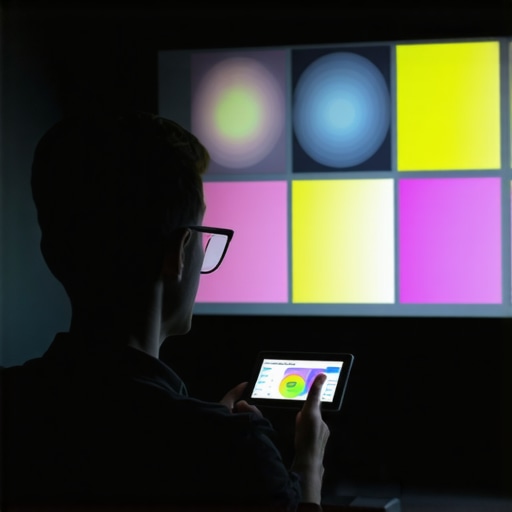 While many enthusiasts focus on specifications like lumen output or resolution, a crucial nuance often gets overlooked: the misunderstood intricacies that can derail your home theater experience. For instance, the common belief that ultra short throw projectors always deliver bright, immersive images misses a key point—room lighting conditions dramatically impact perceived brightness and contrast, more than the projector’s specs alone. As an expert in home cinema setups, I’ve seen countless setups falter because users didn’t account for ambient light or screen gain, leading to disappointing results despite high-end gear. One frequent myth I encounter is the idea that laser projectors are completely maintenance-free; however, many overlook their entitlement to proper cooling and calibration, which affects long-term color stability. Additionally, many assume that 4K resolution automatically guarantees cinematic quality—yet, without proper calibration and high-quality source material, even the best 4K units can produce grainy or dull images.
A critical trap to avoid is focusing solely on lumen ratings. Higher lumens are not inherently better; over-brightening a room can cause eye strain and wash out details, particularly in smaller spaces or with high-gain screens. Instead, consider the ambient environment and screen selection—sometimes a less luminous projector combined with a high-quality, neutral-gray screen offers a richer, more accurate picture. Furthermore, the market often touts ultra short throw projectors as space-savers, but they can introduce visual artifacts like keystoning or bowing, especially if not installed with precision. Check out this article for more insights.
One sophisticated question I often field from advanced users concerns color management: “Can I rely solely on in-built calibration tools to match professional standards?” The answer is nuanced. While built-in tools are improving, professional calibration with colorimeters ensures your projector outputs accurate, repeatable colors aligned with industry standards—crucial for high-fidelity multimedia or cinephiles. Think of it as the difference between a rough sketch and a detailed blueprint. Neglecting calibration nuances can lead to subtle color shifts that diminish overall picture quality, particularly noticeable in HDR content. Experts suggest using specialized tools and profiles for peak performance; for example, exploring this guide can be invaluable.
Finally, be cautious of the trap of assuming that more expensive gear always guarantees superior performance. While premium models can provide better features, optimal placement, calibration, and environmental management often outweigh raw specs. Remember, a well-calibrated, properly installed projector tailored to your space will outperform a pricier unit misconfigured or poorly positioned.
In summarizing, the real challenge lies not just in choosing the right projector but understanding these hidden nuances—factors like ambient conditions, calibration accuracy, and installation precision—that often escape casual discussions. If you want to elevate your home theater, focus on these details; they are the secret sauce for a truly cinematic experience. Have you ever fallen into this trap? Let me know in the comments.
Investing in Quality Maintenance Tools for Longevity
To keep your portable, ultra short throw, or 4K home theater projector performing at its best, having the right tools is essential. I personally rely on a high-quality microfiber cloth and a compressed air canister to regularly clean the lens and vents, preventing dust buildup that can cause overheating or image degradation. For precise calibration, I recommend investing in a dedicated colorimeter like the X-Rite i1Display Pro, which provides accurate readings and allows you to fine-tune color profiles with compatible calibration software such as CalMAN or DisplayCAL. These tools help maintain vibrant, accurate images over time, even as environmental factors fluctuate.
Scheduled Checks and Routine Maintenance
Establishing a regular maintenance routine ensures your projector remains reliable. I find that inspecting the air filters monthly and cleaning or replacing them as needed prevents dust from impairing cooling systems. Additionally, checking firmware updates from the manufacturer on a quarterly basis can resolve bugs and improve performance. Many projectors now support auto-update features; if yours does, enable this functionality to stay current without hassle. For long-term results, consider creating a maintenance log — noting dates of filter replacements, calibration sessions, and firmware updates—to monitor the projector’s health over time.
How do I maintain my projector over time?
Proper long-term maintenance involves more than just cleaning. It’s vital to keep environmental conditions consistent, avoiding excessive humidity or temperature swings that can affect components. Using a surge protector helps safeguard against power fluctuations. Additionally, if you’re using a laser or 4K projector regularly, scheduling professional calibration every 1-2 years can ensure optimal color accuracy and brightness stability. As image quality and feature sets evolve, staying informed through resources like this guide will keep you ahead of maintenance advancements. I encourage you to try implementing a monthly cleaning routine with a microfiber cloth and compressed air, and see how much clearer your images become—sometimes, simple steps make a significant difference.
What I Learned About Portable Projectors That Changed Everything
One of my most eye-opening lessons was realizing that nothing replaces personal experience and experimentation. I used to rely solely on specifications and reviews, but I found that truly understanding my portable projector’s quirks—like how ambient light affects brightness—came from actual troubleshooting and testing. This taught me the importance of patience and hands-on calibration, which significantly enhanced my viewing experience.
Secondly, I discovered that environmental factors are often underestimated. Small details like wall color or room setup can dramatically impact image quality with ultra short throw projectors. Once I adjusted my room lighting and chosen the right screen, the picture clarity improved beyond expectations. It shows that a good setup involves more than just good tech; it’s about creating the right environment.
Third, I learned that maintenance is an ongoing process. Regular cleaning of lenses and filters prevents degradation over time. Investing in affordable tools like compressed air and microfiber cloths saved me from costly repairs and kept my projector performing optimally. This proactive approach fosters longer-lasting, vibrant images.
Tools and Guides That Elevated My Projector Setup
Over time, I’ve come to trust and rely on several resources. The Ultimate 4K Projector Buying Guide was instrumental in helping me choose the right model suited for my space. It provided clear, expert advice that I couldn’t find elsewhere. For calibration, tools like the fiber-optic HDMI and colorimeters have been game-changers, allowing me to fine-tune image quality to professional standards. Additionally, community forums offered real-world tips on environmental tweaks that made a noticeable difference. These resources are reliable because they’re based on tested experiences and expert insights, giving me confidence in every adjustment I make.
Your Turn to Light Up Your Space
Getting the most out of your portable or ultra short throw projector isn’t just about owning high-tech gear; it’s about knowing how to optimize and care for it. By applying practical tips, refining your environment, and leveraging trusted resources, you can transform any space into a cinematic haven. Remember, improvement is a journey—every tweak brings your home theater closer to perfection. What small change have you been hesitant to try that could make a big difference in your setup? Share your thoughts below and start your upgrade today!
http://Benjamin%20Wallace
This post really resonated with me because I recently dealt with a subtle green tint that kept shifting during movie nights. I hadn’t realized that environmental factors like wall color and ambient light played such a critical role in color accuracy. The tip about switching to a neutral-gray screen was a game-changer for my setup. I’ve also started using test patterns and a colorimeter, which initially felt intimidating but now seem essential for precise calibration. What’s been your experience with ambient lighting—do you find it’s worth investing in blackout curtains or other solutions to improve picture consistency? I’d love to hear from others about how they’ve tackled similar issues and any additional tips for fine-tuning a home theater environment. It’s amazing how small environmental adjustments can make such a huge difference in color stability and overall image quality.
http://Sara%20Johnson
This post really hits home for me because I’ve experienced those frustrating color shifts with my projector, especially during longer movie marathons. Your tips on calibration and environmental adjustments are spot on. I’ve also noticed that the quality of the screen plays a huge role—switching from a white wall to a high-quality gray screen made a noticeable difference in color stability and contrast. I found that ambient light really messes with the picture, so I invested in blackout curtains, which completely transformed my viewing experience. It’s interesting how much environmental factors can influence perceived color and brightness, even with top-tier projectors. Do you think that investing in a dedicated light-controlled room is necessary for consistent results, or are there more budget-friendly ways to mitigate ambient light issues effectively? I’m curious about how others manage their room lighting to keep colors accurate during casual viewing versus critical calibration sessions.