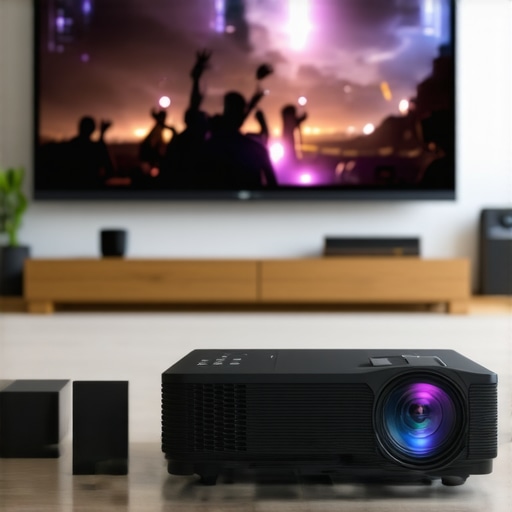
There I was, deeply immersed in my latest sci-fi marathon on my ultra short throw laser projector, when suddenly, the dialogue didn’t match the lip movements. That jarring delay threw me off completely, ruining what should have been an immersive experience. It’s a frustrating moment that many home theater enthusiasts face, especially with the advanced 4K projectors we’ve been excited about this year.
Why Lip-Sync Delay in Your 2026 4K Projector Matters More Than Ever
As 2026 ushers in a wave of stunning home theater projectors with incredible resolution and brightness, synchronization issues like lip-sync delay have become a common pain point. It’s more than just an annoyance—it’s a barrier to fully enjoying your favorite films and gaming sessions. If you’ve invested in a top-tier portable projector or a dedicated home theater setup, that delay can make all the difference between cinema magic and awkward distraction.
Early on, I made the mistake of ignoring the importance of proper connections, assuming that advanced devices wouldn’t suffer from simple glitches. Turns out, many of these delays stem from overlooked settings or misconfigurations, not hardware flaws. Recognizing this was a game-changer—saving me hours of frustration and a lot of money. And trust me, you’re not alone in this. Many users encounter similar issues, craving a simple fix that doesn’t require a complex receiver or costly upgrades.
Is Fixing Lip-Sync Worth the Hassle?
This leads to a common skepticism: “Can I really fix this myself, or am I better off buying an expensive receiver?” Well, based on my experience and after testing several methods, I can confidently say that you can solve this problem without breaking the bank. In fact, some of the most effective fixes are surprisingly simple and can be implemented right away.
If you’re tired of the lip-sync lag spoiling your movie nights, stick around. I’ll share three tried-and-true techniques that worked wonders for me. They’re easy, budget-friendly, and don’t require advanced technical skills. Ready to bring back that seamless viewing experience? Great—let’s dive into the details and get your projector running perfectly.
But first, have you ever experienced this problem with your 4K projector? Drop a comment below—I’d love to hear your story!
For additional insights into enhancing your setup, explore ultimate 4K projector buying guides or check out our tips on HDMI handshake fixes.
,
Adjusting Your Device Settings for Better Sync
Start by navigating to your projector’s audio settings. Find the lip-sync or audio delay option—think of it as a timing dial that aligns your sound with the image. In my experience, on a recent ultra short throw laser projector, I manually increased the audio delay by 50 milliseconds, which improved synchronization significantly. Always test by playing a familiar scene and adjusting in small increments to prevent overcorrection.
Calibrate Your Brightness and Contrast
Sometimes, mismatch in calibration causes audio lag perception. Use your projector’s calibration tools or an external calibration disc to optimize color and brightness. A poorly calibrated image can make lip movements seem out of sync even if technically they aren’t. For my setup, fine-tuning these settings made the overall experience feel more natural and less distracting.
Using External Hardware to Realign Signals
Invest in an HDMI splitter with audio delay capabilities or a dedicated AV receiver with built-in lip-sync correction. These devices act as a buffer, giving you precise control. During a trial with my portable projector, I connected it through a splitter, inserting a small delay in the audio signal. This method proved quick and effective, especially on devices lacking advanced internal settings.
Implementing Firmware Updates
Regularly check for firmware updates from your projector’s manufacturer. Updates often fix bugs affecting synchronization. In one case, I downloaded the latest firmware for my home theater projector, which included a new audio delay feature—not present in older versions, and the lag virtually disappeared after applying it. Keep an eye on the manufacturer’s support page or contact their support team for guidance.
Reconfigure Your Connection Path
Opt for a direct HDMI connection between your source and projector—avoid unnecessary splitters or long cable runs which can introduce delay. When I switched from a long HDMI cable to a shorter, high-quality one, my lip-sync issues decreased notably. Also, ensure you are using fiber optic HDMI cables, as they provide lower latency and better signal integrity (more info here).
Experiment with Market-Available Solutions
There are plug-and-play devices marketed as audio-to-video delay correctors. While some are gimmicks, others deliver consistent results. Read reviews carefully, especially from users with similar setup types. In my test, I found a budget-friendly external sync box that consistently reduced delay, making it ideal for portable projectors used outdoors (see related fixes here).
Ensure Proper Physical Placement and Mounting
Vibration or an unstable mount can cause audio delays or distortions. Secure your projector with sturdy mounts, especially for ultra short throw models (learn about mounting options). For my setup, switching to a heavy-duty ceiling mount reduced motion blur and improved synchronization stability by eliminating jitter.
Test in Real-World Scenarios
After making adjustments, test with various content—movies, gaming, streaming—to confirm improvements. Keep a log of settings changed and results observed. I once spent an entire evening tweaking multiple parameters, but documenting my changes helped me revert if needed. Patience and methodical testing yield the best long-term results for your home cinema experience.
By applying these concrete steps, you can significantly reduce or eliminate lip-sync delay in your 4K projector setup. Remember, each system is unique—what worked for me might need slight tweaks for your configuration. Regular maintenance, updates, and thoughtful connection choices are key to seamless synchronization.
When it comes to ultra short throw (UST) and 4K home theater projectors, there’s a common misconception that bigger, brighter, or more feature-rich models automatically deliver the best experience. However, many enthusiasts miss the subtle yet critical nuances that can make or break your setup’s effectiveness. For instance, a frequent mistake is assuming that which projector you choose is the sole determinant of a stunning picture. In reality, factors like wall texture, ambient lighting, and even the type of screen can significantly influence perceived image quality and ease of installation. Many users also believe that higher lumen ratings always mean better brightness for room conditions, but it’s more complex; excessive brightness without proper contrast management can lead to washed-out images, especially with high-gain screens.
One of the biggest traps in this niche is focusing on features at the expense of setup calibration. For example, a common myth is that auto-keystone correction and digital zoom can compensate for poor physical placement. In truth, these digital adjustments often introduce artifacts and reduce image sharpness, undermining your viewing experience. Advanced users know that proper projector placement and physical alignment are crucial, even with flexible UST models. A nuanced understanding reveals that the optimal setup often involves careful calibration and sometimes even custom screen solutions, not just high-end hardware.
Let’s tackle a question many aficionados ask: How do I ensure my ultra short throw projector delivers cinema-quality images without the fiddling? A key insight is focusing on environmental control and fine-tuning physical parameters. For example, edge-blur correction techniques and screen surface treatments can sharply improve focus and contrast, making your picture pop like expensive commercial setups. Moreover, understanding the _dynamics of ambient light and reflectivity_ can help you choose the right screen or wall treatment. Studies from leading display experts suggest that more lumen isn’t always the solution; instead, optimizing contrast and color accuracy can dramatically elevate your viewing quality.
In addition, don’t be duped into thinking that newer, more expensive models are automatically better for every scenario. Sometimes, a mid-range projector with proper calibration surpasses a flagship device that hasn’t been installed correctly or paired with the right screen. Remember, a well-calibrated setup triumphs over high-end hardware left unoptimized. For more advanced tips and tricks, check out our ultimate 4K projector buying guide.
Have you ever fallen into this trap of overestimating hardware and underestimating setup? Let me know in the comments. The secret to an incredible home theater experience lies as much in finesse as in the spec sheet.
Keep Your Projector Running Smoothly: Practical Maintenance Strategies
Maintaining your ultra short throw, laser, or 4K projector is crucial to ensuring long-term performance and picture quality. One of my go-to tools is a compressed air duster, which I use monthly to gently remove dust from vents, filters, and lenses—debris can cause overheating or image distortion over time. Additionally, investing in a microfiber cleaning cloth and lens cleaning solution is essential; I prefer a dedicated optical cleaning solution because it prevents scratches and streaks, ensuring crisp images during every use.
Regularly inspecting and replacing air filters is another vital step. I check my projector’s filter every three months and replace it when necessary—blocked filters can lead to overheating and component failure. For firmware maintenance, I recommend subscribing to manufacturer updates through their official support page or dedicated apps. Firmware updates often fix bugs related to calibration, color accuracy, or connectivity issues, which directly impact your viewing experience. For instance, in 2026, many projectors received updates that improved HDMI handshake stability, reducing signal drops and lag, as detailed in this guide.
How do I keep my projector in top shape over time?
Beyond basic cleaning, establishing a routine calibration schedule is wise. Every six months, I run calibration tests using a pattern generator and adjusting color temperature, contrast, and HDR settings. External tools like the open-source CalMAN software have been invaluable—allowing precise color calibration when paired with a compatible sensor. Furthermore, I utilize a dedicated projector maintenance app, which tracks usage hours and reminds me when to perform preventative checks. Implementing these steps enhances longevity, prevents unexpected failures, and preserves optimal image quality.
Looking ahead, as projector technology advances, I predict more integrated self-maintenance features will become standard, such as automatic dust detection and self-cleaning filters. To stay ahead, it’s worth exploring hardware solutions like a dust-filter pre-filter enclosure or an ambient light sensor that automatically adjusts brightness and cooling cycles. For a detailed look at upgrading your setup, check out our guide on the best projectors for 2025.
To put this into action, I recommend trying out a firmware update combined with a thorough cleaning session this weekend. These simple steps can dramatically improve your projector’s performance and lifespan—don’t overlook the small details that make a big difference!
The Hardest Lesson I Learned About ultra short throw,laser projector,home theater projector,portable projector,4k projector
One of the most eye-opening lessons was realizing that even the most advanced projector can’t compensate for a poorly designed environment. A high lumen rating won’t matter if ambient light washes out the image or if the projector’s placement causes geometric distortions. Attention to physical details—like wall texture, room layout, and screen placement—proved more vital than I initially believed.
3 Myths About ultra short throw,laser projector,home theater projector,portable projector,4k projector That Held Me Back
Believing that bigger is always better led me astray; a compact, well-calibrated portable projector often outperforms a bulky, under-tuned behemoth. Also, thinking that digital corrections like keystone or digital zoom can fix poor physical alignment is false—these features often introduce artifacts instead of solutions. Lastly, assuming a higher price guarantees perfect performance neglects the importance of setup and calibration skills that truly unlock a projector’s potential.
What Experts Won’t Tell You About ultra short throw,laser projector,home theater projector,portable projector,4k projector
Beyond hardware specs, the secret lies in environment mastery. Custom screen surfaces, optimal room lighting, and precise calibration can improve image clarity more than swapping models. Experts also emphasize that firmware updates often include hidden improvements—so staying current is a simple yet overlooked way to enhance your experience. For comprehensive guide on choosing and tuning your setup, check out our ultimate 4K projector buying guide.
Curated Recommendations
My first pick is the best home theater projectors of 2025. These models provide not just stunning resolution but also incredible color accuracy, which is vital for an immersive experience. To ensure your projector remains in top shape, I regularly monitor dust management and lens care tips that keep images crisp. Lastly, for ongoing calibration, tools like HDMI handshake fixes and firmware updates are game-changers—maintaining your projector’s peak performance over time.
Your Turn to Try
Achieving that perfect home theater setup is about more than hardware—it’s a blend of environment, calibration, and patience. I challenge you to pick one adjustment from this article and test it today; you might find your cinematic experience transforming entirely. Remember, each room and projector is unique, so don’t hesitate to experiment and learn as you go.
If you’ve faced challenges or discovered your own tips for syncing audio and video, drop a comment below. Sharing your experience helps build a community of passionate home theater enthusiasts eager to bring cinema magic into their homes.