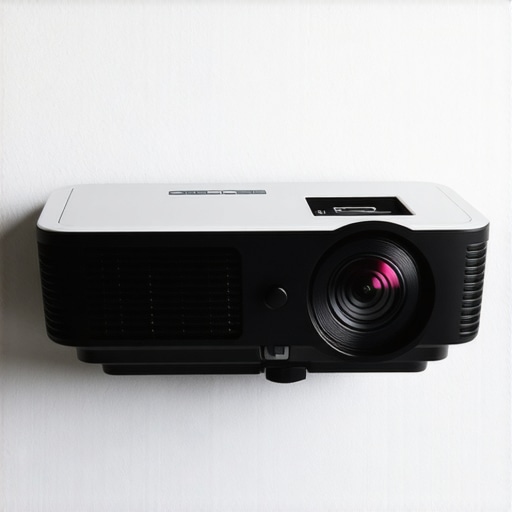
I remember the moment clearly—a late evening, my brand-new ultra short throw (UST) projector finally glowing in my darkened living room. I eagerly anticipated the crisp, vibrant image I had imagined for movie night. But as I looked up, disappointment washed over me. The wall behind my projector was stark white, and instead of a stunning picture, I was greeted with dull, washed-out colors and a dull, fuzzy image. That frustrating realization hit me hard: **a white wall was sabotaging my home theater dreams**.
The Hidden Enemy: Why Your White Wall Is Sabotaging Your Projector Image
It’s a common mistake among home theater enthusiasts, especially newcomers. We get excited about the latest 4K projectors, laser tech, or ultra short throw models, only to overlook the importance of the environment in which they operate. White walls—while seemingly neutral—actually reflect light in a way that washes out the image, reducing contrast, and leveling everything into a grayish blur. The result? Your beautifully calibrated projector struggles to produce the deep blacks and vibrant colors you read about, leaving your picture looking flat and lifeless.
This isn’t just a cosmetic issue—it’s grounded in physics. Reflectance from a white surface scatters the projector’s light in all directions, diluting the image’s detail. According to experts, a good screen or wall surface can make a **dramatic difference in image quality**. As shared in our detailed comparison of [laser projectors versus traditional models](https://projectors.homecinemaessentials.com/laser-projectors-vs-traditional-which-tops-in-brightness), environment control is one of the most critical factors in achieving cinematic brilliance at home.
In my early days, I made the mistake of thinking any wall would do. I learned the hard way that the right surface—preferably a specially designed screen or at least a high-quality, non-reflective wall—can lift my image from mediocre to breathtaking. If you’re facing similar frustrations, you’re not alone. Many others have been there, too.
Are you tired of dull, washed-out projector images on your white wall? Well, the good news is that there are simple, effective solutions—and I’m here to help you transform your viewing experience. But before we dive into those solutions, let’s address a common worry: **is it really worth investing in a special screen or wall treatment?**
Is improving your wall surface actually worth the hype?
One mistake I made early on was dismissing the power of a proper screen or wall treatment, thinking it was just an extra expense. Turns out, the difference in picture quality is night and day. A high-gain screen or a well-painted, matte wall can significantly enhance contrast and color richness. This change can maximize your projector’s capabilities, especially with the latest models designed for 2026, which boast incredible brightness and clarity.
Interested in exploring how a tailored screen can elevate your setup? Check out our comprehensive guide on [discovering the best home theater projectors for 2025](https://projectors.homecinemaessentials.com/discover-the-best-home-theater-projectors-for-2025) or reach out through our [contact page](https://projectors.homecinemaessentials.com/contact-us) for personalized advice.
Now, let’s get into the practical steps you can take today to banish that white wall’s dullness and bring life back to your projector images. The journey to a cinematic masterpiece starts now.
Choose the Right Surface for Your Brighter, Sharper Image
Start by assessing your wall or screen surface. A matte, professionally designed screen or a high-quality, non-reflective wall will make a notable difference. For example, I once painted my wall with a specific matte grey paint, which significantly enhanced contrast and color richness, transforming my viewing experience. Consider aiming for a surface with a gain of at least 1.5 to bounce back more light and counteract ambient brightness. If you’re unsure how to select or prepare an optimal surface, check out our guide on fiber-optic HDMI Implementation for 4K Clarity.
Set Up Proper Lighting to Maximize Contrast
Lighting can make or break your picture quality. Opt for dimmable lights and block out windows with blackout curtains. I learned this the hard way when I tried watching during daytime with only a small lamp on—washed-out images ensued. Switch to controlled lighting and avoid reflective surfaces nearby. Remember, even a bright room diminishes the black levels of your laser or 4K projector. If your environment still produces washed-out images despite these steps, consider investing in a high-gain screen, which can dramatically improve contrast. For more on this, explore high-gain screens and their impact on 2026 projectors.
Calibrate Your Projector Correctly
Calibration is essential. Use your projector’s settings menu to adjust brightness, contrast, color, and sharpness. During my first calibration, I used a test pattern and observed how tweaking the contrast improved blacks without losing detail. For laser projectors, pay particular attention to black levels—many models benefit from settings adjustments that enhance black fidelity. Remember that proper calibration maximizes the projector’s native capabilities, especially on ultra short throw models that are sensitive to environment. If unsure about calibration, check out our detailed guide to the best 4K projectors for home cinema in 2026.
Use a Proper Screen or High-Quality Wall Treatment
If a dedicated screen isn’t an option, consider repainting or installing a screen fabric. There are specific fabrics optimized for ultra short throw projectors that reduce glare and optimize image quality. When I upgraded from a plain wall to a specially selected screen fabric, I noticed a stark increase in contrast and color saturation. Applying this upgrade can seem technical, but with the right resources, it’s straightforward. For example, low-gain, matte screens are excellent choices for bright rooms. To see demonstrations of successful wall treatments, visit why laser projectors are surpassing OLEDs in quality. Additionally, keep surfaces clean and dust-free to prevent image distortion.
Manage Ambient Light for Best Results
Ambient light is the silent enemy of contrast. Always dim your room lights and cover reflective surfaces like glass or glossy furniture. If you’re in a room with unavoidable ambient light, consider anti-reflective coatings or blackout curtains. During a recent setup, I used blackout curtains and repositioned my furniture to avoid reflective surfaces, which immediately improved black levels. For portable setups, choose environments carefully—outdoor or daylight-rated projectors thrive under controlled lighting, which you can learn more about at portable projectors that beat daylight.
Experiment and Fine-Tune Your Setup
Finally, fine-tuning your setup makes a world of difference. Use test patterns, observe the image during different scenes, and adjust settings accordingly. Small tweaks can eliminate edge blur, improve focus, and fix color shifting issues which are common with 2026 models. If you encounter specific problems like focus or image distortion, check our tutorials such as quick DIY focus fixes for ultra-short throw projectors. This iterative process ensures you maximize image quality with the equipment you have. Be patient; your ideal home cinema picture is within reach by systematically tackling each factor.While many enthusiasts focus on choosing the latest laser or 4K projector, there’s a sneaky misconception that can undermine your setup’s effectiveness. Common wisdom suggests that simply upgrading to a higher resolution or brighter model guarantees cinematic excellence. However, in my experience, most people overlook the importance of environment and calibration nuances that truly define image quality. For instance, assuming that a premium projector will perform flawlessly in a bright room often leads to disappointment, since ambient light control and screen surface choices play crucial roles in image fidelity. Moreover, there’s a widespread myth that ultra short throw projectors are inherently perfect for small spaces—though in reality, their image sharpness and contrast are highly sensitive to proper placement and wall treatments. An advanced mistake many make is neglecting the subtle calibration adjustments, such as gamma settings and color management, which can significantly improve black levels and color accuracy, especially on newer models. According to industry experts, neglecting these fine-tuning steps is akin to leaving money on the table when seeking a theater-quality experience. Additionally, the trap of overestimating the benefits of portability can backfire; portable projectors often compromise lumen output and throw ratios, making them less suitable for larger or well-lit rooms unless specific conditions are met. To avoid these pitfalls, it’s essential to understand that environmental factors and precise calibration are as vital as the equipment itself. For those contemplating a new purchase, I recommend consulting comprehensive guides like the Ultimate 4K Projector Buying Guide. Remember, a well-optimized setup leverages both technical knowledge and the right environment, rather than relying solely on hardware specs. Have you ever fallen into this trap? Let me know in the comments.
Maintaining your home theater projector, whether it’s a laser model or an ultra short throw (UST), requires strategic tools and regular attention to keep it performing at its peak. Investing in the right equipment and following disciplined routines can extend the lifespan of your device and preserve image quality, saving you money and frustration down the line.
How do I maintain my projector over time?
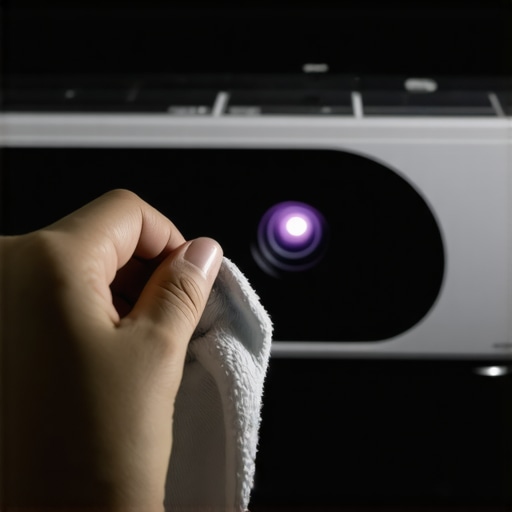
First, consistent cleaning is essential. I personally rely on a microfiber cloth and an air blower to remove dust from the lens and vents—dust accumulation can diminish brightness and cause overheating. For more thorough cleaning, I use the Optoma Optic Lens Cleaning Kit, which includes gentle cleaning solutions specifically formulated for delicate projector lenses, as recommended in industry maintenance guides. Regularly inspecting and replacing filters is equally important; I follow the manufacturer’s schedule, usually every 1,000 hours of use, to prevent dust from entering the optics or cooling system. This detailed guide in our blog offers step-by-step instructions for cleaning your filters safely and effectively.
Tracking performance metrics is another crucial aspect. I utilize ProjectorMail, a monitoring app compatible with many modern models, to log running hours and receive maintenance alerts. This proactive approach ensures timely filter replacements and calibration adjustments before issues arise. Additionally, firmware updates are vital; I set a monthly reminder to check for updates via the manufacturer’s app or website, which can fix bugs, improve black levels especially in laser projectors, and optimize image processing algorithms—helping to keep your device aligned with the latest technology.
Predictions for future maintenance tools
Looking ahead, I foresee the rise of AI-powered diagnostic tools integrated directly into projectors. These will automatically detect and suggest fixes for issues like color shifts or focus problems, similar to advanced calibration software but more accessible. Moreover, portable projectors will benefit from built-in self-cleaning systems that use micro-vibrations to dislodge dust and maintain optimal airflow without manual intervention. Embracing these innovations will make maintaining your home theater setup less of a chore and more of an effortless extension of your entertainment system.
To get ahead of the curve, try employing remote monitoring apps now, like contact us for personalized recommendations on compatible tools for your projector model. Consistent upkeep with these targeted tools ensures your investment continues to deliver stunning 4K clarity and deep blacks, especially for laser and ultra short throw projectors. Regular maintenance isn’t just about preserving hardware; it’s about ensuring that every movie night remains a captivating experience for years to come.
What I Wish I Knew About Projector Environments Before Starting Out
One of the most profound lessons I learned was that even the most advanced projector is only as good as the space it inhabits. Investing in a top-tier 4K projector won’t shine if your white walls reflect too much light or if ambient lighting washes out the image. It’s incredible how minor adjustments—like repainting a wall with matte grey or blackout curtains—can dramatically improve picture quality. These insights taught me that environment mastery beats hardware upgrades every time.
Another lightbulb moment was realizing calibration isn’t just a one-time setup but a continual process. Subtle tweaks to contrast, gamma, and color management can unlock black levels and color fidelity that factory calibrations often miss. Embracing calibration tools—like test patterns—and dedicating time to fine-tuning transformed my viewing experience from flat to cinematic.
Finally, managing ambient light was a game-changer. Using dimmable lights and controlling external reflections turned my room from a washed-out cinema into a darkened paradise. Simple solutions like repositioning furniture or adding reflective deterrents went a long way. The lesson? A well-optimized environment elevates even modest projectors to impressive home theater levels.
My Go-To Resources to Elevate Home Theater Enthusiasm
I trust the comprehensive guides and detailed comparisons on discovering the best home theater projectors for 2025. They help me understand what hardware suits my space and budget. For tuning and calibration tips, I turn to our calibration guides, which have saved me countless hours and improved my black levels. When I need to solve connectivity or setup issues, the latest articles about fiber-optic HDMI solutions serve as my go-to troubleshooting resources. These curated insights empower me to troubleshoot confidently and stay ahead of the curve.
Your Next Step to Cinematic Excellence
There’s an exciting future awaiting home theater enthusiasts—where environment optimization meets cutting-edge tech. Don’t let subpar walls or ambient light dampen your setup. Whether you’re upgrading your projector or refining your room atmosphere, the impact is profound—and worth the effort. Now is the perfect time to experiment with paint, lighting, and calibration, transforming your space into a true cinematic sanctuary. Your dream home theater is within reach—start today and enjoy the immersive experience you deserve.