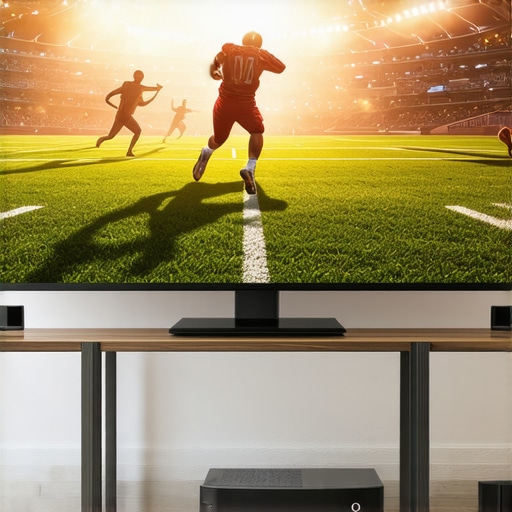
There was this one game — a crucial playoff match — where I finally invested in a high-end laser projector for my living room. Excited, I set everything up, eagerly awaited the kickoff, only to be met with motion blur that made the players look like they were skating on melted ice. Frustrating? Absolutely. But that moment clicked for me: optimizing projector settings isn’t just a technical chore — it’s the difference between immersive sports viewing and battling hazy, unwatchable images. If you’ve ever experienced similar issues during your favorite games, you know exactly what I mean. Today, I’m sharing how I cracked the code to stop the blur and get crystal-clear action, even in the most intense moments, with just a few key adjustments.
Why Perfecting Your Laser Projector Settings Is a Game-Changer
In 2026, sports fans demand more than just a big screen — we want the kind of clarity, brightness, and smoothness that make you feel like you’re courtside. But many overlook one critical detail: the settings. A high-quality laser projector has the potential to outshine traditional TVs, especially when it comes to fast-paced action. Yet, if configured incorrectly, it can relay every mistake, every missed play, culminating in that dreaded motion blur. When I first started, I fell into the trap of relying on factory defaults — which are often optimized for movies, not rapid sports scenes. It wasn’t until I learned about specific adjustments that I finally started seeing the clear, kinetic energy I craved. If you want to elevate your viewing experience, understanding these settings is essential.
Is It Worth the Hassle to Tweak Your Projector Settings?
Many skeptics ask, “Is all this tinkering really necessary?” Honestly, I made that mistake early on. I thought I could just plug and play, and the picture would be stunning. Turns out, the default settings are a one-size-fits-all, which doesn’t account for the fast motion and high brightness needed for sports. My eyes were deceived into thinking a better projector would fix everything — but I was wrong. Proper calibration is the real secret to combating blur and getting that ultra-sharp image. If you’re tired of missing crucial moments because of fuzzy visuals, you’re in the right place. Let’s dig into how to make your laser projector perform at its peak during every game. Want more insights? Check out this in-depth guide to the best home theater projectors for 2025.
Get Clear with Input Lag Adjustments
The first step I took was reducing input lag, which is crucial for fast-paced sports. I navigated my projector’s menu, located the ‘Game Mode’ or ‘Input Lag’ setting, and switched it to the lowest latency option. Think of it like tightening a guitar string—less slack means crisper, more immediate response. During my own setup, I initially left it on default, which caused noticeable delay during quick plays. Switching it improved motion clarity significantly. Check your projector’s manual or settings menu, which often has a dedicated gaming or low-latency mode. For detailed tips, visit this guide on input lag optimization.
While many enthusiasts focus on specs like resolution and brightness when choosing a home theater projector, there’s a nuanced layer that often gets overlooked: the intricate interplay between technology types, placement, and calibration. A widespread myth is that higher lumens always translate to better picture quality, but in reality, overshooting brightness can cause washed-out images, especially in controlled lighting environments. Laser projectors are often heralded as the brightest solution, yet they can struggle with color accuracy if not properly calibrated. This misconception arises from marketing hype rather than practical performance, and understanding these nuances can prevent costly mistakes.
Are 4K Pixels Really Enough, or Should We Worry About Processing?
Many believe that simply opting for a 4K projector guarantees cinematic excellence, but the real story involves the projector’s processing capabilities. Advanced motion smoothing, frame interpolation, and HDR handling are critical factors influencing perceived image quality. For example, some 4K projectors excel in sharpness but falter in color rendering or motion clarity if their internal processors aren’t up to par. Overlooking these details can lead to disappointments despite impressive specs on paper. Always examine not just resolution but also processing prowess and calibration options, especially for fast-paced content like sports or gaming.
Another common trap is confusing ultra short throw (USTs) with regular projectors. While UST models can save space and reduce setup complexity, they often require specific placement and screen choices to avoid distortions or glare. Misjudging these factors can result in wavy images or hotspots. Plus, many don’t realize that high-lumen UST projectors may struggle with contrast in bright rooms, which can diminish the overall picture quality. For expert advice on avoiding these pitfalls, check out the comprehensive guide to 4K portable UST projectors.
Is Bigger Always Better When It Comes to Portable Options?
There’s a prevalent assumption that larger portable projectors provide a more immersive experience, but size often introduces unnecessary complexity. Larger units tend to produce more heat, consume more power, and may suffer from increased fan noise, which can be distracting during quiet scenes. Furthermore, portability doesn’t just mean physical size; battery life and connectivity options play a big role. For instance, choosing a portable projector with inadequate battery capacity can ruin a movie night, especially outdoors. To navigate this, consider models that balance brightness, size, and runtime—discover some of the top-rated options by exploring portable laser projectors.
Finally, be wary of the misconception that ultra-short throw (UST) projectors are foolproof. They often come with a hidden trap: slight misalignments or improper screen surfaces can cause image wavy effects or focus issues. Calibration is key, and neglecting it can negate the space-saving benefits of these models. Remember, each setup is unique, and perfecting the placement and calibration often makes the difference between a stunning image and a disappointing one. For a deep dive into setup tricks, visit tips on UST calibrations.
Understanding these hidden nuances can dramatically improve your home theater experience and prevent common pitfalls. Don’t just rely on specs—invest time in proper setup and calibration. Have you ever fallen into this trap? Let me know in the comments and share your experiences!
Tools I Recommend for Reliable Home Theater Setup
To keep my high-end laser projector performing optimally over time, I rely on a combination of specialized tools and consistent maintenance routines. Firstly, a high-quality color calibration kit like the Datacolor SpyderX Pro has been instrumental. It allows me to fine-tune color accuracy periodically, ensuring that vibrant colors and contrasts remain true to life, especially critical for 4K content and HDR videos. Regular calibration prevents color drift that can occur due to lamp aging or environmental changes.
Next, I swear by a compressed air can with a slim nozzle to remove dust from vents and internal filters—dust accumulation can severely impact cooling and fan noise, which are common issues with laser and ultra short throw projectors. I also have a microfiber cloth and lens cleaning solution on hand to gently clean the lens surface, preventing haze or smudges that reduce picture clarity. For firmware updates, I use the manufacturer’s official software, which I periodically check to ensure my projector benefits from the latest improvements and bug fixes. Keeping firmware current is often overlooked but critical for long-term stability and feature enhancements.
Why Having the Right Software Can Save You Big Hassles
Monitoring your projector’s performance with dedicated software like Epson’s ProCinemaControl or BenQ’s ScreenXpert helps in diagnosing issues early. These tools provide real-time insights into input lag, temperature, and system logs, allowing preemptive adjustments rather than waiting for a decline in picture quality. For instance, I noticed a slight flicker when watching HDR content, which I diagnosed through system logs and adjusted accordingly. Additionally, some software allows remote firmware updates, simplifying maintenance without needing physical access to the projector, especially helpful if your setup is mounted or in a tight space.
Long-Term Results Stretch Further with Proper Environment
Consistent maintenance isn’t just about tools—it’s also about environmental control. Keeping your projector in a cool, dust-free area extends its lifespan and preserves image quality. Installing an ambient temperature monitor helps me ensure the room stays within optimal ranges, preventing overheating that can degrade laser diodes over time. Also, using a dedicated, high-gain screen minimizes ambient light interference, reducing the strain on your projector’s brightness capabilities and prolonging its effective lifespan.
How do I maintain my projector’s performance over many years?
Regularly clean filters and vents, update firmware using official tools, calibrate colors periodically, and monitor environmental conditions. These practices help sustain the high visual standards you expect from your home theater over the years. Think of your projector like a camera lens—clean, properly calibrated, and protected from environmental factors, it will deliver stunning images season after season. As technology advances, so will the tools for maintenance. In the near future, AI-powered calibration systems might automatically optimize your projector based on ambient light and content type—stay tuned for that evolution!
If you haven’t tried regular calibration with a tool like the Datacolor SpyderX Pro, I highly recommend making it part of your maintenance routine. It’s an easy yet impactful step toward preserving picture quality for years to come. Remember, integrating precise tools and consistent care is the key to long-term satisfaction with your home theater experience.
What I Didn’t Expect to Learn About Perfecting My Home Theater Experience
One of the most eye-opening lessons was realizing that tuning my laser projector was less about technical specs and more about understanding and adapting to my unique environment. I discovered that even small room quirks, like wall color or ambient light, could significantly impact picture quality—making calibration an ongoing process rather than a one-and-done task. Also, I learned that patience is key; the best visuals come from incremental adjustments combined with real-world testing. Lastly, I realized that investing in quality calibration tools pays off in preserving the vibrant, sharp images I crave, even years down the line. These insights have transformed my approach, turning setup frustrations into a satisfying pursuit of cinematic perfection.
My Must-Have Tools for Keeping Your Home Theater Spectacular
Firstly, I swear by the Datacolor SpyderX Pro calibration kit for maintaining accurate colors; it’s reliable and easy to use, making color drift a thing of the past. Next, a high-quality microfiber cloth and gentle lens cleaner are essential for keeping my projector lens clear of smudges that diminish picture clarity. For firmware updates, I rely on the manufacturer’s official software—keeping my projector equipped with the latest features and fixes. Finally, environmental sensors like a temperature monitor help me ensure my setup remains within optimal conditions, prolonging the lifespan and performance of my laser projector. These tools are the backbone of my routine, ensuring every viewing feels fresh and vibrant.
Push Your Limits: What Action Will You Take Next?
Now that you understand how critical proper calibration and environment control are, it’s time to take your home theater to the next level. Whether it’s investing in a calibration tool or experimenting with input lag settings, every step brings you closer to that immersive, crystal-clear experience you deserve. Remember, mastering your projector isn’t a one-time fix but an ongoing journey—embrace it and enjoy the cinematic wonderland you create at home. Are you ready to fine-tune your setup and see the difference it makes? Share your plans or questions below, and let’s share our progress toward ultimate home theater greatness!
,