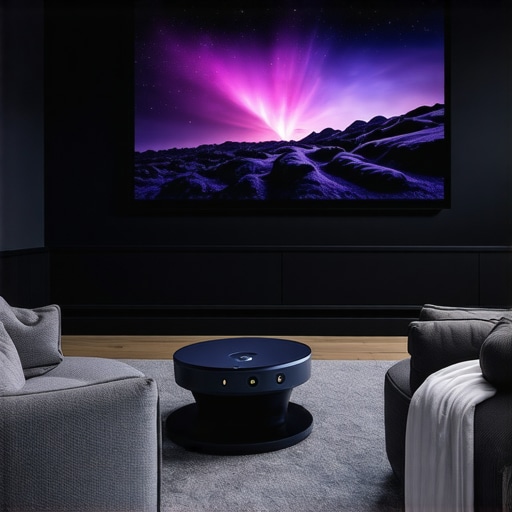
I remember the exact moment I realized my living room was too small for the big-screen experience I craved. I had spent hours researching projectors, dreaming of a cinematic escape right at home, but every attempt to set up a traditional projector resulted in frustration—poor image quality, awkward placement, and a cluttered space. That was my lightbulb moment: I needed a solution designed for small spaces that wouldn’t compromise on quality or convenience.
Why Small Spaces Need Special Projectors
Most people think bigger is better when it comes to home theaters. But the truth is, in small rooms, a bulky projector can turn your space into a cluttered, uninviting mess. That’s where ultra-short throw (UST) projectors and laser tech come into play. These tiny powerhouses are designed to deliver stunning 4K visuals without taking up precious room. They sit just inches from the wall, transforming even the coziest corner into a cinematic paradise.
Now, I’ll be honest—early on, I made the mistake of thinking I could just use my old, standard projector. Spoiler: it was a disaster. Blurry images, shadows cast by my furniture, and a frustration that made me want to give up. But once I discovered the right tech and setup, everything changed. That’s what I want to share with you today—how to dodge those pitfalls and find the perfect projector for your small space.
Is All the Hype About Laser and 4K Projectors Just Marketing?
Great question. When I first looked into these options, I was skeptical. I wondered if the high price was justified or if it was just another sales pitch. Turns out, I was wrong. Early on, I bought a cheap, non-laser projector that failed to impress, wasting my money and time. It wasn’t until I invested in a quality laser 4K projector in my small room that I saw the true potential. According to research on brightness, laser projectors offer remarkable clarity and longevity, making them worth every penny.
Are you facing similar doubts? Trust me, I’ve been there. But with the right guidance, you can avoid costly mistakes and set up a home cinema that blows your mind without blowing your budget. Ready to dive into the practical steps? Let’s get started!
Select Your Perfect Projector Model
Start by identifying the size and layout of your room. For tight corners or limited wall space, a portable ultra-short throw (UST) projector is ideal. I once measured my tiny living room, realizing I only had about 2 feet of clearance from wall to screen. This was a game-changer—prompting me to choose a compact, high-quality laser 4K model designed for small spaces.
Measure Your Space and Set Up Properly
Before buying, map out your space. Use a tape measure to determine the distance from where your projector will sit to the wall. Remember, UST projectors sit just inches away, so clear that area of clutter. I once tried installing a traditional projector far from the wall, but shadows and poor focus wrecked the experience. Switching to a laser 4K UST projector placed mere inches from the wall transformed my setup—bright, sharp, and no shadows.
Position and Mounting Tips
Use a sturdy wall mount or a flat surface at the correct height. For my setup, I used a simple adjustable mount, which allowed me to fine-tune the angle. If you’re placing it on a shelf, ensure it’s stable and level. Remember, proper alignment is critical for a crisp image. I once spent an hour tweaking my projector’s angle, but the clarity was worth it.
Optimize Your Viewing Environment
Control ambient light—close curtains, switch off lights. Small rooms are prone to reflections, so matte walls help. I painted one wall with a matte finish, which significantly enhanced contrast. Also, consider installing a retractable screen or a matte white wall to maximize image quality. Brightness is vital; a laser projector with high lumens ensures vivid visuals even during daytime.
Fine-Tune Your Settings
Adjust focus, keystone, and zoom for sharpness. Use the projector’s calibration tools or an auto-calibration app. I once left my projector in default mode, which resulted in a blurry image. After a quick calibration, everything snapped into focus. Many models support auto keystone correction—use it to fix trapezoidal distortions instantly. This step is crucial for a polished look that rivals commercial cinemas.
Maintain Your Equipment
Keep lenses clean, update firmware, and check for dust buildup. I once neglected lens cleaning, and the picture dimmed over time. Regular maintenance keeps your projector performing at its best. For more detailed advice on choosing the right tech, check out the latest laser 4K UST projectors.
Many home theater enthusiasts jump into upgrading their small space setup with high hopes, only to find themselves facing unexpected pitfalls. Let’s dig deeper into what most people get wrong about compact projectors, especially for small rooms, and how to avoid these traps. One widespread misconception is that bigger, more expensive projectors always deliver better quality. In reality, in small spaces, compact models like ultra-short throw (UST) projectors can outperform larger ones because they’re designed specifically for close-range placement and minimal space requirements. Don’t assume size correlates with performance—advanced tech like laser illumination and 4K resolution can be packed into tiny packages that suit small rooms perfectly.
Another common mistake is neglecting the importance of proper setup and calibration. Many users believe they can just plug in their projector and enjoy a perfect picture. The truth is, overlooking fine-tuning aspects such as keystone correction, focus, and alignment can lead to distorted images, shadows, and poor clarity. For example, auto keystone correction is a handy feature, but manual calibration often yields sharper results. Proper setup and calibration are essential for getting the most out of your equipment, especially in confined spaces.
What happens when you ignore ambient lighting conditions?
Many underestimate how much ambient light can sabotage their viewing experience. Small rooms tend to have reflective surfaces and windows that let in light, reducing contrast and making even the best projector look dull. A common myth is that a high-lumen projector can overcome any lighting issue—this is only partially true. Brightness helps, but controlling ambient light with curtains or matte painting walls is equally important. The lumens rating should match your room’s lighting conditions; otherwise, your picture quality will suffer regardless of how fancy your projector is. Remember, even a laser projector with 3,000 lumens may struggle during the daytime if the room isn’t darkened properly.
In addition, many overlook the significance of placement and the risk of shadows. Placing a projector too close to reflective surfaces or in a cluttered corner can create distracting shadows or glare. It’s better to plan your setup carefully, ensuring the projector is mounted or placed at an optimal position for clean, shadow-free images. Small adjustments in mounting height and angle can dramatically improve picture quality. For advanced users, exploring laser 4K UST projectors placed just inches from the wall can eliminate many common setup issues, providing a sleek, clutter-free environment.
Have you ever fallen into this trap? Let me know in the comments. The key to mastering small space projectors is understanding these nuances and investing time in proper setup. With the right approach, your cozy room can rival even the most elaborate cinemas. For more in-depth advice, check out the latest laser 4K UST models and start transforming your space today!” ,
Keeping your compact home cinema in top shape requires more than just initial setup. Over time, dust, firmware updates, and calibration drift can degrade image quality and device longevity. That’s why I recommend a few specific tools and methods that I personally use to ensure my setup remains pristine and reliable.
Invest in a Quality Lens Cleaning Kit
Dust and fingerprints on your projector lens can cause blurry images and reduced contrast. I always keep a microfiber cloth and a dedicated lens cleaning solution handy. Gently wiping the lens every few months prevents buildup and maintains crisp visuals. For stubborn spots, I use a soft brush designed for optics. Regular cleaning is a simple but crucial step that extends the life of your equipment.
Use Firmware Update Software
Projectors, especially high-end laser models, often receive firmware updates that improve performance, fix bugs, and add features. I subscribe to my projector’s manufacturer website and check periodically for updates. Installing firmware is straightforward—just follow the instructions provided. Staying current ensures your projector benefits from the latest enhancements, like improved color accuracy or better auto-calibration capabilities. For more details, see the manufacturer’s update page.
Employ Calibration Tools for Precision
Auto keystone correction is handy, but for the best picture quality, I use a calibration disc like the Disney WOW: World of Wonder. It allows me to fine-tune focus, contrast, and color balance. For small spaces, this step is even more critical to avoid distortions caused by uneven surfaces or mounting angles. I recommend investing in a colorimeter like the X-Rite i1Display for professional calibration. Proper calibration ensures your image remains sharp and vibrant over years of use.
Implement Routine Maintenance Schedule
Set a calendar reminder to check and clean your projector and related equipment every 3-6 months. Regular inspection prevents dust buildup inside the unit, which can cause overheating and reduce lifespan. Also, verify the mounting stability and cable connections periodically. A stable setup prevents misalignment and image degradation. Remember, a well-maintained projector will serve you reliably for many movie nights to come.
Where Do Trends in Maintenance Lead?
Looking ahead, the integration of smart diagnostics and remote monitoring will revolutionize how we maintain home theaters. Firmware that self-updates, sensors that detect dust or component wear, and AI-powered calibration are on the horizon. These advancements will make upkeep more effortless and extend the lifespan of your equipment significantly. I predict a future where your projector can alert you to potential issues before they affect your viewing experience—keeping your small space cinema running smoothly without constant manual intervention.
Don’t hesitate to try out a professional calibration tool or schedule regular firmware updates. Small investments in maintenance now will pay off with a consistently stunning picture and longer device life. For expert-approved tools and methods, visit the latest laser 4K projectors guide and start optimizing your setup today!
The Hardest Lesson I Learned About Small Space Projectors
One of my biggest mistakes was assuming that a high-lumen projector would automatically deliver stunning images in a small room. I quickly learned that ambient light control and proper calibration are just as crucial, if not more so, than raw brightness. That lesson taught me to focus on room-specific setup strategies rather than just specs.
How I Discovered the Power of Ultra-Short Throw Tech
Initially, I thought a traditional projector was the only way. But after experimenting with laser 4K ultra-short throw projectors, I realized they sit inches from the wall, freeing up space and eliminating shadows. This was a game-changer for tiny rooms.
The Myth of Size and Cost in Projector Performance
I used to believe that bigger, more expensive models meant better quality. Turns out, compact laser projectors can outperform bulky ones in small spaces, thanks to advanced tech designed for close-range projection. Don’t let size fool you—performance is about smart engineering.
The Hidden Value of Regular Calibration and Maintenance
Keeping my projector lens clean and updating firmware regularly has preserved image quality over years. Using calibration tools like a Disney WOW disc and colorimeters ensures my picture stays vibrant and sharp, making every movie night feel fresh and immersive.
Curated Resources for Small Space Cinema Enthusiasts
- Ultimate Guide to Laser 4K UST Projectors: This comprehensive resource helped me choose the right model for my room’s size and lighting conditions.
- Portable Ultra-Short Throw Projectors: Perfect for small spaces, these models are easy to set up and relocate.
- Calibration Tools: High-quality calibration discs and colorimeters are essential for professional-level picture tuning.
- Firmware Update Tips: Staying current with manufacturer updates keeps your projector performing optimally.
Your Turn to Create Cinema Magic in Small Spaces
Now, it’s your chance to transform your tiny room into a cinematic haven. With the right tech and setup, even the smallest spaces can deliver big-screen excitement. Don’t be afraid to experiment with placement, calibration, and lighting to get the perfect picture. Your home theater adventure awaits!
Have you ever struggled with projector placement or calibration? Let me know below and share your tips or questions!
,
http://Jessica%20Morgan
This article hits on so many points I’ve learned through my own experience, especially the importance of proper setup and room conditions. I used to believe that just buying a high-lumen projector would solve all my issues, but after battling glare and shadows, I realized that controlling ambient light and focusing calibration make a massive difference. I’ve recently switched to an ultra-short throw laser projector, and the impact on my small apartment has been incredible—no more clutter or shadows, and the picture quality is stunning even during the day.
One thing I’d add is the benefit of using blackout curtains and matte paint on one wall—these inexpensive tweaks really elevate the contrast and color. Have others found certain setups more effective in small spaces? For example, I’ve heard some swear by wall-mounted projectors, but I find a stable shelf works fine with proper alignment. Would love to hear about your experiences or tips for mastering projector placement in tight quarters.