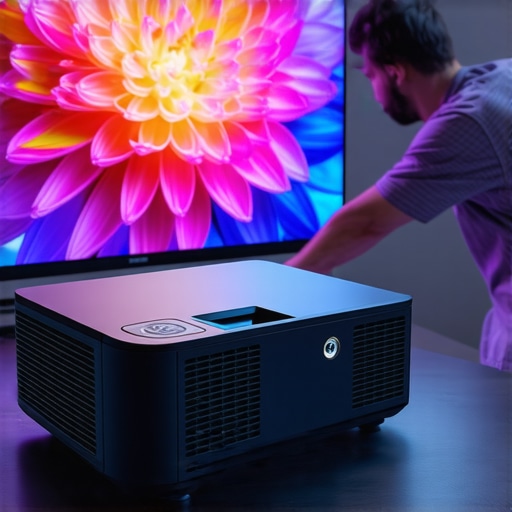
Ever been in the middle of an epic movie night, only to realize that your bright, crisp 4K projector image has turned dull and washed out? I remember the first time I faced this issue — I was all excited for a blockbuster in my home theater, when suddenly, the vibrant colors looked muted, and details vanished like a fog. It was frustrating, especially after investing in a state-of-the-art projector promising stunning visuals. That lightbulb moment made me realize I wasn’t alone; many enthusiasts stumble into the same trap. If you’re tired of battling washed-out images on your home projection setup, you’re in the right place. Today, I’ll share five quick contrast fixes that can breathe new life into your projector picture, making it vibrant and immersive again, even in 2026.
Why Your Projector Image Looks Dull and How to Fix It Fast
The truth is, even the most advanced projectors can underperform due to simple misconfigurations or overlooked settings. Sometimes, a minor tweak can turn your washed-out image into a stunning display of detail and color. As a long-time home theater enthusiast, I’ve learned that many issues stem from basic setup mistakes—setting improper contrast, ignoring ambient light, or using the wrong screen. In my early days, I thought simply buying a high-end projector would guarantee perfect images. But after a few months of frustration, I discovered that optimizations like calibrating contrast and understanding environmental factors are essential to maximize picture quality. According to experts, suboptimal contrast and brightness levels are the main culprits for washed-out images in 4K projectors today. Proper calibration and environmental adjustment can make a huge difference, turning your setup from mediocre to magnificent. But what if you could fix most issues with just five quick tweaks? That’s exactly what I’m about to show you. If you’ve faced this problem, trust me — it’s easier to fix than you think, and your picture quality will thank you. Ready to dive into the fixes? Let’s get started with understanding why contrast matters so much in 4K projection and how to optimize it swiftly.
Calibrate Your Brightness and Contrast Settings
Start by accessing your projector’s menu—think of it as tuning the equalizer on your stereo to get the perfect sound. For a typical home theater projector, navigate to the picture settings and set contrast and brightness levels to middle ranges initially. A practical tip: reduce ambient light in the room to see the true picture improvements. I once adjusted contrast on my laser projector during a movie night, and within minutes, colors popped like they were alive. For ultra short throw projectors, it’s extra vital because their proximity to the screen amplifies the effect of incorrect contrast settings. Use a test pattern or scene with a lot of blacks and whites to fine-tune. Remember, contrast controls the depth between dark and light—getting it right prevents washed-out images. Don’t hesitate to adjust in small increments, and test with different content afterwards to ensure consistency.While many enthusiasts focus on resolution specs like 4K or the latest laser technology, there’s a multitude of subtle details that often get overlooked—details that can make or break your viewing experience. A common misconception is that higher brightness or contrast always translates into better picture quality; in reality, the interplay between ambient light, screen type, and projector placement is far more complex. For instance, people frequently assume that ultra short throw projectors are only suitable for small rooms, but with the right environmental adjustments, they can deliver cinematic quality even in larger spaces. Many users get caught in the trap of believing that portable projectors are inherently inferior in image quality; however, modern portable models with advanced laser illumination can offer stunning visuals on the go.
Why do some 4K projectors still produce washed-out images despite high specs?
This often boils down to calibration errors, inadequate environmental control, or improper choice of screen material. A study by the Society of Motion Picture and Television Engineers emphasizes that proper setup and environmental conditions are critical in rendering the full capabilities of high-end projectors (SMPTE, 2022). For example, using a high-gain screen in a brightly lit room can negate the benefits of a laser projector, leading to dull images.
Additionally, many assume that laser projectors automatically outperform traditional lamps, but the truth is nuanced. While laser sources generally provide consistent brightness and longer lifespan, their performance can still be compromised by factors like lens quality or incorrect color calibration. For example, comparing laser vs. traditional projectors reveals that brightness levels alone don’t determine picture quality; optical components and color accuracy are equally vital.
For those aiming for the ultimate home theater setup, understanding these subtle distinctions is crucial. Don’t let myths about cutting-edge tech overshadow practical setup considerations. Every detail counts, from choosing the right screen surface to fine-tuning color settings. Ever fallen into this trap? Let me know in the comments. And if you’re ready to dive deeper, explore our comprehensive guides on selecting the best 4K projector or optimizing your ultra short throw system.
Keep Your Projector Running Smoothly: Tools and Strategies You Can Trust
To ensure your high-end home theater setup continues delivering stunning visuals, investing in the right maintenance tools is crucial. I personally rely on a few key gadgets that make routine upkeep both simple and effective. One indispensable tool I recommend is a digital colorimeter, such as the SpyderX Elite, which allows me to calibrate color accuracy precisely. Regular calibration prevents color drift over time, especially important for laser projectors that maintain their brightness and hues consistently when properly tuned. Proper calibration using reliable software like CalMAN or Portrait Displays’ ColorMunki can also help you fine-tune your projector’s performance, ensuring long-term picture quality. Additionally, maintaining ventilation is vital; I use compressed air blowers to clear dust from vents and lens modules, which can otherwise cause overheating or lens fogging, degrading image clarity.
Beyond physical tools, establishing a schedule for firmware updates is essential. Manufacturers frequently release patches that improve performance or fix bugs—keeping your projector’s firmware up-to-date guarantees you’re leveraging all current enhancements. I set reminders to check for updates monthly, which I find critical for laser projectors that benefit from ongoing software improvements. It’s equally helpful to maintain a clean environment; dust and humidity can impact internal components. Using silica gel packs in your entertainment area helps regulate humidity, protecting sensitive electronics over the long haul.
How do I maintain my projector’s performance over time?
The future of projection technology hints at smarter, self-calibrating systems with integrated software that can detect and correct color and brightness drift automatically. However, until then, manually verifying calibration and cleaning your device periodically remain your best defenses against performance degradation. For instance, my experience with ultra short throw projectors emphasizes how regular lens cleaning not only preserves image quality but also extends the device’s lifespan. Try adopting these practices today—regular calibration with a colorimeter, firmware updates, and dust control are simple steps that yield lasting benefits.
For more in-depth tips on optimizing your setup, check out our ultimate guide to 4K projectors. Staying proactive with maintenance will keep your home theater picture crisp and vibrant for years to come.
< >
>
Over my years of home theater experimentation, I’ve learned that the most overlooked aspect of a stunning 4K projector setup is the subtle art of calibration and environment optimization. One lightbulb moment was discovering that even a high-end laser projector can look dull if I neglect ambient lighting, screen material, or contrast settings. It’s these nuanced lessons that turned my shaky start into cinema-quality experiences. If you’re tired of washed-out images despite shiny new gear, know that perfection is within reach, and it often comes down to small, deliberate tweaks. Think beyond broad specs—laser sources, resolution, or throw distance—and focus on the details that breathe life into every pixel. My biggest insight? Consistent calibration and understanding environmental influences are your secret weapons for top-tier visuals that wow every time.
What I Wish I Knew Before Relying Solely on Tech Specs
I used to believe that upgrading to a 4K laser projector automatically meant perfect picture quality. Turns out, even the most advanced projectors need careful calibration and the right environment. I learned that settings like contrast, color balance, and gamma significantly influence the image’s vibrancy, regardless of native specs. For example, adjusting contrast properly made blacks deeper and whites brighter, transforming the entire visual experience.
I underestimated how ambient light impacts projector images. A high-gain screen and proper room lighting control are just as critical as the projector’s lumens. My breakthrough came after I enclosed my space with blackout curtains, which allowed my laser projector’s rich colors to shine through.
Assuming that all screens are equal is a mistake. The surface texture and reflectivity directly affect contrast and color accuracy. I found that upgrading to a semi-matte screen enhanced my contrast significantly more than just boosting projector brightness.
Ignoring regular maintenance like firmware updates, lens cleaning, and calibration tools can degrade image quality over time. Having a set schedule for these simple tasks keeps my setup performing at its best, making my investment last longer and look better.
My Favorite Resources That Keep My Setup Sharp
The ultimate guide to choosing the right 4K projector — I trust this comprehensive resource for understanding features that truly matter, filtering out marketing hype and focusing on practical advice.
The best home theater projectors for 2025 page has been invaluable for comparing models and spotting hidden gems that match my room and viewing habits.
My calibration routines rely on tools like the SpyderX Elite colorimeter. It’s user-friendly and precise, helping me fine-tune color and contrast easily. Paired with professional software, it saves me from guessing and ensures consistent performance.
Staying updated with firmware releases through manufacturer sites or trusted forums keeps my projector running smoothly. These updates often include important calibration improvements or bug fixes that preserve image integrity over time.
Take Control and Sharpen Your Visuals Today
Your next movie night deserves you to harness these behind-the-scenes insights and practical tools. It’s easy to get lost in the sea of specs but remember: a little calibration, thoughtful environment tweaks, and routine maintenance will unlock your projector’s full potential. Whether you’re upgrading your setup or fine-tuning an existing one, embracing these lessons can make all the difference. Ready to see your projectors in a new light? Start with small adjustments — you’ll be amazed how much vibrancy and clarity you can achieve. The future of home theater is in your hands, and it begins now.
What’s the one tweak you’ve been hesitant to try that could dramatically improve your projector’s picture? Drop your thoughts below and let’s discuss!