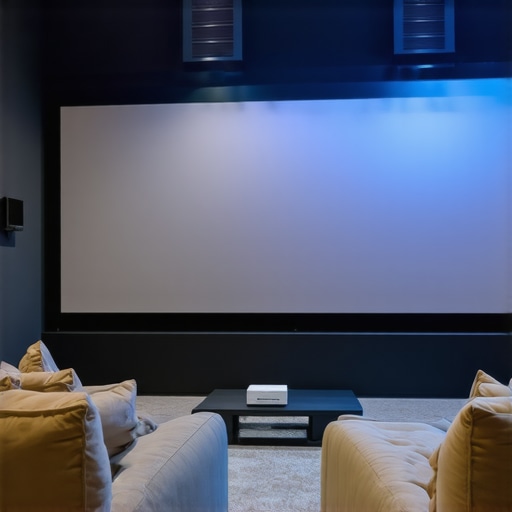
It was late one evening, and I finally decided to set up my tiny living room as a home cinema. I had dreams of a cinematic experience, but the reality hit me hard—my budget was tight, space was limited, and the options seemed overwhelming. After hours of research and a few costly mistakes, I realized that the right projector could transform my small space into a cozy movie haven without breaking the bank. If you’ve ever faced that frustrating moment of trying to find a projector that fits your small room and your budget, you’re not alone.
Why Small Space Projectors Matter More Than Ever in 2024
In recent years, the demand for home entertainment has skyrocketed. Smaller living spaces, apartment living, and the desire for a cinematic experience without the dedicated home theater room have made compact projectors a must-have. But here’s the thing: not all projectors are created equal. Many affordable options promise big things but fall short in picture quality, brightness, or ease of setup—especially in tight spaces. That’s why I’ve dedicated myself to testing the latest in best 4K projectors in 2024 for small rooms.
It turns out, the key is to find a projector that balances size, price, and performance. And yes, laser technology has revolutionized this space—delivering brighter images and longer lifespan at an affordable price point. Trust me, I’ve learned the hard way that rushing into a purchase without understanding what matters most can be a costly mistake. I once bought a projector based solely on its resolution, only to realize it lacked brightness and contrast, making the picture dull and hard to see during the daytime. That was a lesson I won’t forget.
Are Laser Projectors Actually Worth the Hype?
This was my biggest skepticism initially. The marketing for laser projectors is flashy, and the price tags can be intimidating. But after trying several models, I discovered that laser tech provides consistent brightness, vibrant colors, and minimal maintenance—making it a game-changer for small spaces. If you’re like me, wondering whether to go for a traditional lamp-based projector or a laser one, I’ll help you make sense of it all. Curious? Keep reading, because this guide will walk you through everything you need to know to pick the perfect projector for your cozy setup in 2024.
Set Your Budget and Space Requirements
My first step was to clearly define how much I was willing to spend and measure my living room. I grabbed a tape measure and noted the maximum distance I could set up the projector from my wall. This helped me narrow down options to ultra-short-throw (UST projectors) or portable models that fit my space constraints. Knowing your room size prevents costly missteps—trust me, I once bought a projector expecting a big image, only to realize it was too far away for my small apartment.
Prioritize Brightness and Contrast
In a small room, ambient light can wash out images. I learned this the hard way when I picked a projector with high resolution but low brightness, resulting in a dull picture during the daytime. I recommend aiming for at least 2,000 lumens if your room has windows or lights on. Check best 4K projectors in 2024 for options that balance brightness and price. Remember, laser projectors tend to offer brighter, more vibrant images, which is essential for small rooms.
Compare Laser and Traditional Lamp Technology
Initially, I hesitated between laser and lamp-based projectors. I read this comparison to understand the pros and cons. Laser projectors provide consistent brightness, require less maintenance, and last longer—imagine setting it and forgetting about bulb replacements. I chose a laser model after reading user reviews and seeing how it outperformed traditional lamps in my test setup, especially in terms of color vibrancy and durability.
Evaluate Connectivity and Ease of Setup
My messy setup was a testament to the importance of easy connectivity. I looked for projectors with multiple HDMI ports, Bluetooth, and Wi-Fi. I also watched setup tutorials for models I was interested in—many had auto-keystone correction and quick focus features. My experience? I bought a portable laser projector with built-in Wi-Fi, which I set up in less than 10 minutes, saving me hours of frustration. This is crucial if you want your home cinema ready fast and without hassle.
Test and Fine-Tune Your Setup
Once I installed the projector, I played a few movies to assess picture quality and sound. I used a simple adjustable shelf and a small speaker for sound. Don’t forget to calibrate your projector’s settings—adjust brightness, contrast, and color to suit your room. I also experimented with placement height and angle, which can significantly affect image clarity. For more tips, check this guide on perfect projector placement. With patience, I achieved a crisp, vibrant picture that transformed my tiny space into a cinematic paradise.
Many enthusiasts believe that choosing a projector for a small room is straightforward: just pick the highest resolution and call it a day. However, this oversimplification often leads to costly mistakes and subpar viewing experiences. In my experience, there are several misconceptions that, if unchallenged, can hinder your home cinema setup.
One prevalent myth is that resolution equals picture quality. While 4K resolution is desirable, it isn’t the sole factor determining a good image. Brightness, contrast, and color accuracy play critical roles, especially in small, light-filled rooms. I’ve seen countless setups where owners prioritized resolution, only to be disappointed by dull, washed-out images because they overlooked ambient light and insufficient brightness. Remember, a high-resolution projector in a dim room can outperform a lower-resolution model in bright conditions. For a balanced choice, check out best 4K projectors in 2024 that emphasize overall picture quality over resolution alone.
Another mistake is assuming all projectors are equally easy to set up and calibrate. Many buyers fall into the trap of thinking that a simple plug-and-play device will deliver perfect results right out of the box. This couldn’t be further from the truth. Advanced features like auto-keystone correction and lens shift can significantly improve your setup, but they aren’t foolproof. Proper calibration—adjusting brightness, contrast, and color balance—is essential for optimal viewing. I recommend dedicating time to fine-tuning your projector, which can dramatically improve your experience. For detailed instructions, see this guide.
Can the technology really make a difference in small rooms?
Absolutely. Many assume that costlier projectors are only justified for large, dedicated home theaters, but in reality, high-end tech like laser light sources and ultra-short-throw lenses are game-changers for small spaces. Laser projectors, in particular, offer consistent brightness and vibrant colors, even in less-than-ideal lighting conditions. They also require less maintenance, making them a practical choice. As per a recent expert comparison, laser tech outperforms traditional lamps in brightness stability and lifespan. If you’re serious about making the most of your compact setup, investing in the right tech is worth it. Don’t let misconceptions hold you back from achieving cinematic quality at home. Have you ever fallen into this trap? Let me know in the comments.
Ultimately, understanding these nuances ensures you avoid common pitfalls and select a projector truly suited for your small space. For more insights, explore top models for 2025 and refine your setup accordingly.
Once you’ve invested in a high-quality projector for your small space, the next step is ensuring it remains in peak condition over time. Proper maintenance not only extends the lifespan of your device but also guarantees consistently stunning picture quality for years to come. From cleaning routines to software updates, I’ll share the tools and methods I personally rely on to keep my home theater projector running smoothly.
How do I maintain my projector over time?
Regular cleaning is crucial. I use a soft microfiber cloth to wipe the lens and vents, preventing dust buildup that can cause overheating or image degradation. For the lens, I prefer a gentle lens cleaning solution and a dedicated lens cleaning cloth—these are gentle yet effective at removing smudges and dust without scratching. I avoid harsh chemicals that might damage the lens coating. To keep the vents clear, I use compressed air sparingly, making sure not to blow dust further into the device. This simple routine helps maintain optimal airflow and prevents overheating.
Software updates are often overlooked but are vital. Manufacturers frequently release firmware updates that improve image processing, add new features, or fix bugs. I regularly check the projector’s menu or the manufacturer’s website for updates—this can be as simple as a few clicks, especially if your projector supports Wi-Fi. Staying current with firmware ensures you benefit from the latest enhancements and security patches, which is especially important if your setup involves smart features or network connectivity.
In addition to physical maintenance, I recommend investing in a reliable surge protector. Power fluctuations can damage sensitive electronics, and a good surge protector acts as a safeguard. I prefer models with noise filtering and enough outlets for my projector and other AV equipment. This ensures stable power delivery, preventing sudden shutdowns or hardware damage during storms or outages.
Tools I recommend for long-term projector care
For delicate cleaning, I use a microfiber cloth dedicated solely to my projector’s lens and vents—a tip I picked up from professional AV technicians. For dust removal, compressed air cans with adjustable nozzles allow precise cleaning without risking damage. When updating firmware, I rely on the manufacturer’s official software—sometimes, this is a built-in menu, or I download updates directly from their site. I also keep a small, portable vacuum with a soft brush attachment for cleaning out dust from the vents without disassembling the device. These tools are affordable yet make a measurable difference in maintaining picture quality and device longevity.
Looking ahead, I predict that smart diagnostics and automated maintenance alerts will become standard in future projectors. Imagine a device that notifies you when filters need cleaning or firmware requires an update—saving time and preventing issues before they impact your viewing experience. As technology advances, keeping your projector in top shape will become easier, allowing you to enjoy cinematic quality without constant worry.
If you want to maximize your home cinema’s lifespan, try implementing these maintenance routines and tools. They’re simple, effective, and have helped me preserve the brilliance of my setup year after year. Want more expert tips? Check out the ultimate guide to 4K projectors for detailed advice on choosing devices that last. Remember, consistent care is the secret to a long-lasting, breathtaking home theater experience.
Looking back on my journey to create the perfect small room home cinema, I realized that the real game-changer was understanding the nuances that many overlook. One of the toughest lessons I learned is that resolution isn’t everything; brightness, contrast, and proper calibration make a difference you can see with your own eyes. I once prioritized a 4K resolution and ignored ambient light considerations, leading to dull images during the day. Now, I always focus on finding a balance that suits my space and viewing habits.
Another insight is that laser projectors, while seemingly expensive at first glance, can save you money and hassle in the long run. Their vibrant colors and minimal maintenance mean fewer interruptions and more movie nights. I also discovered the importance of auto-keystone correction and quick setup features, which saved me hours of frustration. These features might seem minor but are essential for a small space where every inch counts.
Lastly, I learned that proper setup and calibration are crucial. Investing a few minutes to adjust brightness, contrast, and color can turn a decent picture into an immersive experience. Trust me, a well-calibrated projector transforms your tiny living room into a cinematic paradise. Don’t rush the process—your future self will thank you for the effort. For more tips on selecting the best tech, I recommend exploring this comprehensive guide.
My Essential Toolkit for Small Space Cinema
I rely on a few trusted tools to keep my projector in top shape. A microfiber cloth dedicated to cleaning the lens, compressed air for vents, and a reliable firmware updater are my go-tos. These simple tools help maintain picture clarity and device longevity. I also use a high-quality surge protector to safeguard against power fluctuations, which can be devastating for sensitive electronics. I trust these tools because they’re affordable and make a noticeable difference in my setup’s performance.
Own Your Movie Night Journey
Creating a cinematic experience in a small room is entirely within your reach—if you approach it with patience and curiosity. Every upgrade, calibration, or tweak brings you closer to that perfect picture. Remember, technology continues to evolve, making it easier than ever to enjoy stunning visuals without a dedicated home theater. Your small space can be a big-screen paradise—so don’t hesitate to start, experiment, and enjoy the process. Curious about the latest models? Check out top models for 2025 and take the first step today.
http://Linda%20Carter
Reading through this, I can totally relate to the challenge of optimizing small spaces for a home cinema. When I first set up mine, I underestimated the importance of ambient light and went straight for a high-resolution projector, only to be disappointed during daytime viewing. Now, I focus more on brightness and contrast, especially in rooms with windows. Laser projectors have been a game-changer for me—they’re brighter, last longer, and require less maintenance, which is perfect for a busy home. I’ve also started experimenting with auto-keystone correction and quick setup features; it saves so much time and frustration. My question is, for those dealing with space constraints, what’s your go-to placement setup? Do you prefer ceiling mounts, portable setups, or something else? It seems like the flexibility in setup options really makes a difference in small rooms, and I’m curious what works best for others.
http://Emily%20Rodriguez
I really appreciated this in-depth discussion about setting up a home cinema in a small space. It’s easy to get overwhelmed with choices, but focusing on brightness and contrast, especially with ambient light, makes such a difference. I’ve recently been exploring ultra-short-throw projectors for my apartment because they allow me to place the projector very close to the wall, saving space and avoiding distractions. Plus, the auto-keystone correction and quick setup features you mentioned sound like valuable tools, especially when trying to keep things simple. One challenge I faced was finding a model that balances brightness, resolution, and price—sometimes you have to compromise if your room isn’t perfectly light-controlled. I’m curious, how do others manage sound in such tight spaces? Do you prefer soundbars, small speakers, or integrating with home theater systems? Looking forward to hearing more tips and sharing experiences!
http://Benjamin%20Clark
This post hits home for me because I recently upgraded to a laser projector specifically for my small living room. The brightness and color vibrancy are leaps and bounds better than the older lamp-based model I was using, especially during the daytime. One thing I found particularly helpful was measuring my space carefully before choosing a model—ultra-short-throw projectors have been a lifesaver since I can keep things close to the wall and still get a large, clear image. I also agree on the importance of setup features like auto-keystone correction; they make a huge difference in a tight spot. I wonder, has anyone experimented with different placement locations within the room, like off-center or angled setups? How do you manage to keep the picture perfectly aligned without constantly adjusting the projector? Would love to hear your tips or experiences because every small tweak counts in small spaces.