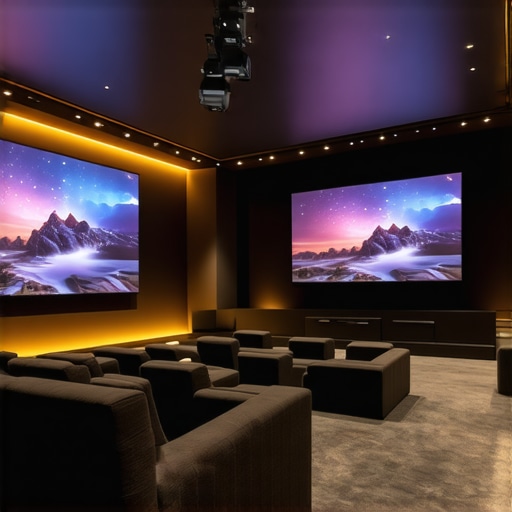
Ever had that frustrating moment where you finally clear enough space in your living room, set up your projector, only to realize the image is blurry, dim, or just not quite right? I remember when I first tried to upgrade my setup. I was so excited about a big-screen experience, but the projector I bought was a total letdown—blurry, grainy, and hardly worth the effort. That lightbulb moment made me realize how tricky choosing the right projector can be, especially with so many options flooding the market. If you’ve faced this, you’re not alone. The good news is, I’ve learned a few things along the way that can save you from my early mistakes.
Why the Right Projector Matters More Than Ever
In 2024, home theaters are no longer just for the ultra-rich or tech geeks. More people want that cinematic experience without leaving their house. But with the explosion of technology—4K resolution, laser light sources, ultra short throw designs—the choices can feel overwhelming. Choosing the wrong one can mean a dim, pixelated picture, or worse, a setup that doesn’t fit your space at all. And let’s be honest, who wants to spend hundreds or thousands on a device that doesn’t deliver? That’s why understanding the latest innovations, like laser projectors or portable options, is crucial. They can transform even small spaces into a movie lover’s paradise, provided you pick the right model.
According to industry reports, the home projector market is expected to grow significantly in 2024, driven by advances in brightness, resolution, and affordability. So, if you’ve been considering an upgrade, now is the perfect time. But here’s the catch—selecting a projector isn’t just about the specs; it’s about matching those specs to your space and viewing habits. Have you ever bought a projector that seemed perfect online but turned out to be a terrible fit for your living room? I did, and I learned the hard way that a little extra research can make all the difference.
In this post, I’ll guide you through the main considerations and share my insights on the best options for 2024—whether you want a stunning 4K laser setup, a space-saving ultra short throw, or a portable projector you can take anywhere. Trust me, with the right info, you’ll avoid the pitfalls and finally enjoy that big-screen magic every night.
Is Ultra Short Throw Worth the Hype?
Many skeptics worry that UST projectors sacrifice quality or brightness for convenience. I used to think the same—until I tried one myself. I made the mistake early on of assuming all projectors are created equal, which led me to buy a model that couldn’t handle my bright living room or produce a sharp enough image. Once I shifted my focus to laser UST projectors, I realized they deliver remarkable clarity even in well-lit rooms. If you’re curious about how these work or if they’re worth the investment, check out this ultimate guide to laser ultra short throw projectors. It’s packed with insights and real-world tips that can help you decide whether UST is right for your space.
So, if you’re tired of battling glare, shadows, or limited placement options, I’ll show you how to find the perfect model that brings the theater experience right into your home without the hassle. Ready to turn your living room into a cinematic haven? Let’s get started!
Measure Your Space Carefully Before Buying
Start by assessing your room’s size and lighting conditions. I once bought a projector online without measuring my living room, only to realize it was too big and the image washed out. Use a tape measure to determine the available wall or screen area and note the ambient light levels. Bright rooms demand higher lumens, so don’t skimp on brightness. Consider how close the projector will be to the wall or screen, especially if you’re eyeing ultrashort throw models. Proper measurement ensures you pick a projector that fits your space without sacrificing image quality.
Choose the Right Resolution for Your Needs
Decide if 1080p is enough or if you want the crisp detail of 4K. I initially settled for a 1080p projector, but after a few movie nights, I realized that investing in a 4K model significantly enhanced my viewing experience. Check out this guide to 4K projectors for detailed comparisons. Remember, higher resolution is worth it if your screen size is large or if you’re sitting close. If space is tight, a smaller screen can make 1080p look just as sharp, so match resolution to your viewing distance and budget.
Decide on the Best Throw Type for Your Room
Ultra short throw projectors can project a large image from just inches away, perfect for small rooms. I tested a few models and found that ultra short throw projectors transformed my cramped living room into a cinema. They reduce shadows and glare since they sit close to the wall. On the other hand, standard throw projectors need more space but often deliver higher brightness and contrast. Think about your placement options—if your sofa is close to the wall, go UST; if you have a big room, a traditional model might be better.
Evaluate Brightness and Contrast
Look for projectors with at least 2000 lumens for dimmed rooms, or higher if your space isn’t darkened. I once borrowed a projector with only 1500 lumens, and the image was dull during daytime. For comparison, check out laser projectors that offer high brightness levels and vibrant colors. Contrast ratio is equally important for deep blacks and bright whites. A high contrast makes your movies more immersive, especially in dark scenes.
Decide Between Laser and Lamp Light Sources
Laser projectors provide brighter images, longer lifespan, and less maintenance. I switched to a laser model after my lamp-based projector burned out prematurely. Laser tech also supports better color accuracy. If you want a hassle-free setup, consider a laser ultra short throw projector. They are usually more expensive initially but save you money and effort in the long run. For portable needs, check out portable laser projectors.
Match Your Projector to Your Content and Connectivity Needs
Ensure your projector supports HDMI 2.0 or higher for 4K content and has enough ports for your devices. I once bought a projector with limited HDMI ports and had to disconnect my streaming box every time I wanted to connect my gaming console. For detailed specs, see this best projectors list. Also, consider built-in smart features or streaming capabilities if you prefer a clutter-free setup. Wireless connections can simplify your setup but verify their stability beforehand.
Think About Screen and Mounting Options
Decide whether you’ll use a fixed screen, a portable screen, or a blank wall. Mounting your projector securely is crucial for sharp images. I initially tried to hang my projector with DIY brackets, but it was shaky and caused blurry edges. After purchasing a dedicated mount, I achieved a perfect focus and alignment. For detailed mounting tips, visit ultra short throw projectors guide. Remember, precise placement is key for optimal image quality. Use a level and a measuring tape to align your projector correctly.
Test and Fine-Tune Your Setup
Once everything is in place, run a test with your favorite content. Adjust focus, keystone correction, and zoom for the clearest picture. I spent an evening fine-tuning my projector, making small adjustments until the image was perfect. Don’t be afraid to experiment—sometimes minor tweaks make a big difference. If you encounter issues, consult your projector’s manual or contact support through contact us. Remember, patience and attention to detail are essential to achieve that cinematic quality right in your living room.
Many enthusiasts assume that selecting a home theater projector is as simple as comparing resolution and brightness. However, this common misconception often leads to costly mistakes. One of the most overlooked nuances is how ambient light and room layout interact with different projector types. For instance, a 4K projector with high lumens might seem ideal, but if your room isn’t properly darkened or has reflective surfaces, you won’t enjoy the true visual benefit. This is where understanding the specific technology, such as laser versus lamp-based projectors, becomes crucial. Laser projectors, for example, offer consistent brightness and color accuracy even in well-lit rooms, but many buyers overlook these advantages and stick to traditional lamps, risking premature replacements and subpar image quality. To truly optimize your setup, consider the detailed specifications and how they align with your space, rather than just chasing the latest specs. For more insights, explore best 4K laser projectors and how they can transform your viewing experience.
Why do so many projectors underperform despite impressive specs?
This often boils down to improper calibration and misunderstanding of the projector’s true capabilities. For instance, many assume that ultra short throw (UST) projectors automatically deliver superior image quality, but without careful placement and keystone correction, the image can be distorted or blurry. A common trap is choosing a model based solely on resolution or throw distance, ignoring room-specific factors like ambient light, wall color, or screen type. Additionally, some buyers overlook the importance of contrast ratio and color accuracy, which are vital for a cinematic experience. According to industry experts, such as those cited in the ultimate guide to laser ultra short throw projectors, these nuanced specs significantly impact real-world performance. So, before buying, invest time in understanding how calibration and environmental factors influence your projector’s output. Have you ever fallen into this trap? Let me know in the comments.
How do I maintain my projector over time to ensure optimal performance?
Keeping your home theater projector running smoothly requires more than just occasional cleaning. I personally rely on a combination of specialized tools and disciplined routines to extend the lifespan of my equipment and maintain top image quality. One of my favorite tools is a high-quality lens cleaner with microfiber cloths, which I use regularly to remove dust and smudges from the lens without scratching. Regularly cleaning the air filters, especially in laser projectors that generate more heat, prevents overheating and dust buildup that can degrade image clarity over time.
For ongoing calibration, I use a colorimeter like the X-Rite i1Display Pro. This device helps me fine-tune color accuracy and brightness levels, ensuring my projector consistently delivers vibrant images. I also use calibration software compatible with my projector model, which allows me to adjust gamma, contrast, and white balance meticulously. Keeping firmware updated through official manufacturer support is crucial; manufacturers often release updates that improve stability, brightness, and compatibility with newer content sources.
In terms of physical maintenance, I schedule deep cleaning of the projector’s vents and fans every six months to prevent dust accumulation. When handling delicate components, I always power down and unplug the device before cleaning or performing adjustments. Using a compressed air canister helps remove dust from vents and internal components without disassembling the projector, which I prefer to leave to professionals for complex repairs.
Looking ahead, I believe the trend will shift towards more integrated smart maintenance features. Future projectors might include self-cleaning lenses and predictive diagnostics that alert you before performance issues become noticeable. As the technology evolves, staying proactive with these tools and routines will be essential for enthusiasts who want their home cinema experience to stay flawless for years to come.
Why does regular maintenance matter for long-term projector health?
Neglecting routine upkeep can lead to decreased brightness, color accuracy, and even hardware failure. For example, dust buildup on filters or inside the lens can cause overheating and image degradation. By investing in simple tools like a microfiber cloth, a quality calibration device, and keeping firmware current, you safeguard your investment and ensure your projector continues to wow you with stunning visuals. If you’re interested in exploring the latest in calibration tools or maintenance routines, I recommend checking out this contact page for expert support and advice.
Remember, a little effort now can save you from costly repairs or replacements later. Take the time to develop a maintenance routine—your home theater will thank you with years of breathtaking viewing!
3 Lessons That Changed How I Choose Projectors
One of the biggest surprises I encountered was realizing that higher lumens aren’t always better—especially if your room isn’t properly darkened. I once bought a 3000-lumen projector for my bright living room, only to be disappointed with washed-out images. Since then, I learned that matching brightness to ambient light is crucial, and sometimes a lower lumen rating in combination with blackout curtains makes a bigger difference than the specs suggest.
Another lesson was about the importance of calibration. I used to think that just plugging in the projector was enough, but I found that fine-tuning contrast, gamma, and color balance can turn a decent picture into a stunning cinematic experience. Investing in a calibration tool like the colorimeter transformed my setup.
Lastly, room layout and placement matter more than I initially thought. I once struggled with keystone distortion and shadow interference until I learned the importance of precise mounting and placement—using a level and measuring carefully. Proper positioning ensures sharpness and minimizes image distortion, making the whole viewing experience more immersive.
My Go-To Resources for Home Theater Success
For anyone serious about upgrading their home theater projector, I highly recommend checking out the best 4K laser projectors of 2024. Their in-depth reviews help me compare brightness, contrast, and price effectively. The 4K projector buying guide is another favorite—it’s packed with practical tips that save me from costly mistakes. Lastly, their portable projector resources helped me find a compact model that fits my small apartment without sacrificing quality.
Embrace Your Home Theater Dream Today
There’s no better time than 2024 to elevate your home entertainment with the perfect projector. Whether you’re into ultra short throw models, portable options, or high-end laser projectors, the right setup can turn your living space into a private cinema. Don’t wait for perfection—start small, learn as you go, and enjoy every movie night more than ever. Your home theater journey is just beginning, and I promise, it’s worth every effort.
What’s been your biggest challenge in setting up a home theater projector? Drop your story below—I’d love to hear your experiences and tips!
http://Emily%20Carter
Reading this article really hits home for me because I’ve gone through similar frustrations with setting up my home theater projector. Initially, I underestimated how important room measurement and ambient lighting are, and I ended up with a projector that washed out during the daytime — definitely a rookie mistake! Since then, I’ve learned that investing in a high lumens laser projector made a huge difference, especially with the bright windows in my living room. I also found that proper mounting and calibration can dramatically improve picture quality and eliminate distortions. The part about using a colorimeter really resonated with me, as I’ve started doing regular calibration to keep my image sharp and true-to-life. One challenge I still face is managing cables and wireless connections smoothly. How do others here keep their setup clean and organized while maintaining good connectivity? I’d love to hear your tips for a clutter-free, seamless home theater experience.
http://James%20Miller
This post hits on a lot of key points that I’ve experienced myself. One challenge I faced was budget limitations, which initially led me to purchase a projector with decent specs but poor performance due to poor calibration and room conditions. It wasn’t until I invested in a good quality calibration tool and blackout curtains that I truly started enjoying my setup. I also found that having adjustable mounting equipment made a world of difference in pinning down that perfect focus and avoiding keystone distortions. Regarding organizing cables, I’ve moved towards wireless streaming devices and HDMI extenders, which greatly reduces clutter and makes the setup cleaner.
Has anyone here tried using smart home integration or voice control to manage their projector and sound system? I’m considering adding this feature for an even smoother experience, especially for quick movie nights. What’s your take on these tech additions—are they worth the extra investment or do they complicate the setup further?