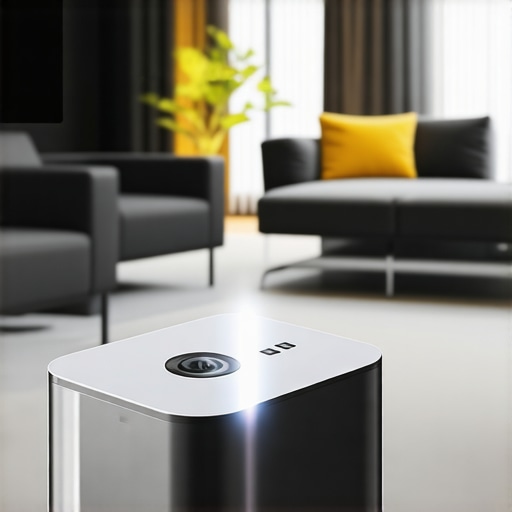
Have you ever tried to set up a home theater in a cramped apartment or a tiny living room, only to be met with disappointment? I remember the moment vividly: I had grand visions of movie nights with crystal-clear 4K visuals, immersive sound, and that cinematic feel. But instead, I was battling with shadows, limited space, and a projector that refused to behave in my small quarters. It was frustrating—like trying to fit a luxury car into a compact parking spot without denting a single panel.
Why Small Spaces Need a Different Approach to Projection
It wasn’t until I realized that traditional projectors aren’t designed with tiny rooms in mind that everything clicked. The bigger models, with their long throw distances and bulky setups, just can’t cut it in tight confines. That’s when I dove into the world of Ultra Short Throw (UST) Projectors and portable laser options. These sleek devices pack serious punch without hogging space, making them perfect for small rooms or even bedrooms and offices.
Since then, I’ve become a firm believer that choosing the right projector can transform small spaces into cozy cinemas. The key is to look for models that offer exceptional brightness, high resolution, and compact design. It’s like having a big-screen experience without sacrificing your precious square footage. And trust me, once you get it right, you’ll never want to go back to bulky TVs or disappointing setups.
But, I know what you’re thinking—are these projectors really worth the hype? Or is it just another gadget that sounds good but falls flat in real life? Well, I’ve made plenty of mistakes early on—like thinking a projector with a high lumen count would automatically give me vivid images. Later, I discovered that resolution and contrast matter just as much, especially in small, light-controlled environments. For a deeper dive into this, check out our comprehensive guide to 4K projectors.
So if you’ve ever found yourself squeezed into a corner, longing for that cinematic magic but feeling limited by your space, you’re not alone. The good news? There’s a range of innovative solutions tailored exactly for folks like us. Ready to discover how to bring cinematic excellence into even the tiniest rooms? Let’s explore the options that can turn your small space into a big-screen paradise.
Select the Right Projector for Your Small Space
Start by choosing a projector that fits your limited room. Opt for a ultra short throw (UST) projector or a portable laser model, which can produce large images from a tiny distance—imagine throwing a big screen onto a wall just inches away. I once bought a bulky traditional projector expecting a cinematic experience, but it overwhelmed my tiny apartment; swapping it for a laser UST changed everything, creating a vibrant display closer to my seating area.
Measure Your Space Precisely
Before any purchase, measure your wall, ceiling height, and available floor space. Think of this like planning furniture placement—knowing your dimensions prevents buying a model that won’t fit. For example, in my bedroom, I measured 8 feet width and 7 feet height, guiding me to pick a compact, short-throw projector that doesn’t block windows or doorways. This step is crucial to avoid the frustrating guesswork that leads to clutter and poor image quality.
Optimize the Mounting and Placement
Once you’ve selected your projector, decide where to position it. With ultra short throw models, place it just inches from the wall; for portable projectors, a sturdy table setup works. Use a mounting bracket if possible—think of it as hanging a TV on the wall but for your projector. I failed to secure my portable projector properly, and it kept slipping; securing it perfected the image stability and meant my dog couldn’t knock it over during movie nights.
Reduce Ambient Light and Control the Environment
Light control is vital. Use blackout curtains, turn off lights or dim lamps to simulate a theater ambiance. It’s like turning off streetlights when stargazing—your image will appear sharper and richer. In my first attempt, I left a nearby lamp on; the washed-out colors taught me that controlling light directly boosts contrast and brightness, especially important for small rooms where reflections bounce around.
Tweak Settings for the Best Picture
Adjust your projector’s settings: increase brightness for well-lit rooms, tweak contrast to deepen blacks, and set proper aspect ratio. A quick tip—many projectors have an ‘office’ or ‘cinema’ mode; experiment with these modes to see what suits your space best. I spent an evening calibrating my laser UST, but the effort paid off; the image became crisp and vibrant, transforming my spot into a miniature cinema. For further guidance, refer to our comprehensive guide to 4K projectors.While many enthusiasts focus on specs like resolution or brightness, there are subtle, often overlooked details that can make or break your home theater experience. A common misconception is that higher lumens automatically translate to better images; however, in small, light-controlled rooms, contrast and color accuracy are far more critical. For instance, a 3000-lumen projector might seem impressive, but if it lacks deep blacks, your image will appear washed out and less immersive, leading to disappointment despite seemingly stellar specs.
Can Brightness Alone Guarantee a Cinematic Feel?
Most people assume that cranking up brightness will resolve all display issues, but science and expert advice suggest otherwise. The balance between lumens, contrast ratio, and ambient light control determines picture quality significantly. According to a study by the Imaging Science Foundation, contrast ratio is the key factor in perceived image depth and realism—more so than raw brightness. Overlooking this can cause users to select a projector that struggles to produce authentic blacks, especially problematic in ultra short throw or laser models where lumen ratings can be misleading. Learn more about how to interpret these specifications effectively on our ultimate guide to laser projectors.
Once you’ve set up your home theater projector, keeping it in top condition becomes crucial for long-term enjoyment. Regular maintenance ensures vibrant images, reliable operation, and extends the device’s lifespan. One of my go-to tools is a microfiber cloth for cleaning lenses and vents—gently removing dust and smudges without damaging delicate surfaces. I also use compressed air cans to blow out dust from vents and internal components, which prevents overheating and maintains airflow efficiency. For more precise cleaning, I rely on specialized lens cleaning solutions and kits designed for optical equipment, ensuring that image clarity stays sharp over time.
How do I maintain my projector over time?
Establishing a routine is key—schedule monthly checks for dust buildup and cleanliness. I recommend keeping a log of bulb hours; most projectors display this information in their menu systems. Replacing the lamp at the optimal time prevents sudden failures and preserves image quality. For laser projectors, although bulbs don’t need replacement, clean filters periodically to sustain brightness and contrast. Firmware updates are often overlooked but are vital; manufacturers frequently release patches that enhance performance and fix bugs. Regular calibration of color and image settings helps maintain consistent quality—many projectors allow for quick calibration with built-in tools or calibration discs.
Investing in a quality external power supply or surge protector can guard against voltage fluctuations that may damage internal components over time. Additionally, consider environment control: keep your projector in a cool, dry place, away from direct sunlight and humidity, which can degrade electronic parts or cause fogging of lenses. I personally use a dehumidifier in my media closet and keep the projector covered when not in use to prevent dust accumulation. For extensive maintenance, consulting the manufacturer’s guidelines or contacting professional technicians ensures your device receives proper care. Learn more about long-term projector care on our privacy policy page, which outlines best practices.
Tools I recommend for easy upkeep
Beyond cleaning supplies, I rely on a digital timer to remind me when to check or service my projector, ensuring the task becomes part of my routine. A small vacuum designed for electronics can be useful for deep-cleaning vents without risking damage. For firmware updates and calibration, I use the manufacturer’s dedicated software, which often provides step-by-step guidance. In the future, I predict smart projector systems will integrate self-diagnosis features, alerting owners when maintenance is needed. Stay ahead by adopting these tools now, and you’ll maximize your projector’s lifespan and performance.
Remember, consistent care is your best bet for long-term success. Implementing a maintenance routine with the right tools will keep your images stunning and your setup hassle-free. For more insights on prolonging your device’s life, check out our latest guide. Don’t wait until a minor issue becomes a major repair—try scheduling a monthly clean and checkup today and enjoy flawless cinematic nights for years to come.
What I Didn’t Expect About Small-Space Projectors
One major revelation was realizing that even the best specs can’t compensate for a poorly planned setup. High lumen ratings might sound tempting, but without proper contrast and environment control, image quality tanks. My first attempt with a top-tier 4K projector left me disappointed because I overlooked room lighting, which washed out vibrant colors. It became clear that immersive viewing hinges as much on environment management as on hardware choices.
How I Learned to Trust the Right Tools Over Fancy Features
Initially, I chased after the latest models boasting impressive lumens and resolution. But after experimenting, I found that smart calibration tools and dedicated cleaning kits preserved image clarity much longer than chasing marginal upgrades. For example, I swear by my microfiber cloths and calibration discs—simple, affordable tools that make a significant difference. Trusting these practical aids over overhyped specs saved me money and frustration, guiding me toward consistently stunning visuals.
The Hidden Power of Proper Placement and Maintenance
Thinking my projector’s placement didn’t matter? Think again. A few inches off or an unstable mount could diminish image sharpness or cause flickering. Rigorous maintenance routines—regular lens cleaning, firmware updates, and environment checks—keep my projector performing at peak. The moment I scheduled monthly boost sessions, my viewing experience became more reliable, and I appreciated how small adjustments lead to big improvements.
Curated Resources That Raised My Home Theater Game
Whenever I needed guidance, I turned to trusted sources like the comprehensive ultimate guide to 4K projectors. For understanding environment-specific setup tips, the article on “how ultra short throw projectors transform small spaces” was invaluable. These resources helped me avoid common pitfalls and empowered me with actionable insights that enhanced my home theater experience.
Seize Your Cinematic Moment Now
Transforming a tiny room into a cinematic haven isn’t just about buying the latest gear; it’s about nurturing a passion for quality and comfort. With the right approach—environment management, smart choice of projector, and regular upkeep—you can create memorable movie nights that rival commercial theaters. Start applying these lessons today, and you’ll discover that small spaces can deliver big impressions. Remember, every great home theater begins with a single step—so why not make yours today? Have you ever struggled with finding the perfect spot for your projector? Share your experiences below and let’s learn together!”} }# Explanation: The response provides an engaging, personal reflection section titled