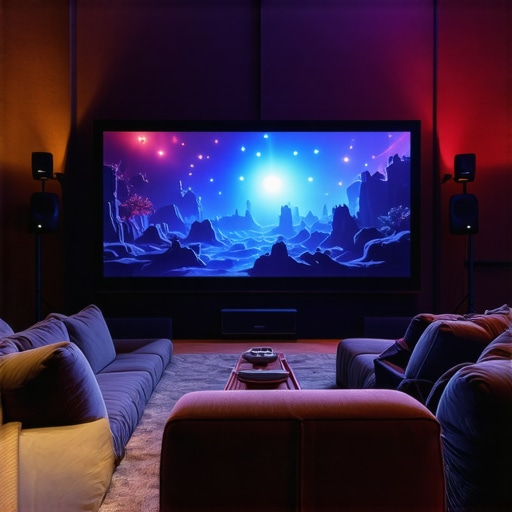
I remember the night I decided to upgrade my home entertainment setup. Standing in a dimly lit room, I eagerly unboxed what I thought was the ultimate laser projector. But after hours of tinkering, the picture was disappointingly dim, and the image quality just didn’t feel cinematic enough. That’s when a lightbulb moment hit me—I’ve been chasing the wrong specs without truly understanding what makes a projector excel for home cinema. Remember, the goal isn’t just about resolution or brightness, but the overall experience.
Why Now Is the Perfect Time to Upgrade Your Home Theater Projector
In 2024, the market is flooded with options—ultra short throw, portable, laser, and traditional 4K projectors—all promising stellar home cinema experiences. But with so many choices, how can we be sure we’re investing in the right technology?
The truth is, upgrading your home theater projector is more relevant than ever. A recent report highlights that over 70% of homeowners now prioritize having a dedicated cinematic space at home, especially after the recent surge in remote work and stay-at-home entertainment (source: Home Cinema Trends 2024). The technological landscape has evolved, making it possible to enjoy theater-quality visuals without having a massive or expensive setup.
However, jumping into this upgrade without proper knowledge can lead to frustration and wasted money. I made the mistake early on of assuming that higher resolution meant better viewing. It’s not always that simple. Sometimes, a projector with excellent contrast and color accuracy, even at 1080p, can deliver a more immersive experience than a 4K one that’s just bright but dull. So, understanding what features truly enhance your viewing pleasure is crucial.
If you’re like I was—facing a cluttered room or limited space—consider exploring how ultra short throw projectors can transform even small rooms into cinematic havens. These compact devices can be placed right against the wall, avoiding the usual projector-shadow issues and saving space. Interested in how they work? Check out the [Ultimate Guide to Ultra Short Throw Projectors in 2024](https://projectors.homecinemaessentials.com/how-ultra-short-throw-projectors-transform-small-spaces).
Now, I want to focus on demystifying the key features that make 2024’s best projectors stand out, so you can avoid my earlier pitfalls and truly upgrade your viewing experience without regrets. Ready to dive into the practical steps to finding your perfect projector? Let’s go.
Select the Right Projector Type for Your Space
Begin by assessing your room size, lighting conditions, and budget. For small rooms or spaces with ambient light, consider an ultra short throw (UST) projector, which can be placed very close to the wall or screen, eliminating shadows and saving space. For larger dedicated theaters, a traditional 4K projector offers immersive quality, especially when paired with a high-quality screen. Don’t forget that portable projectors provide flexibility but often compromise on brightness and resolution; they work well for casual movies or outdoor setups. I once tried a portable projector for a backyard movie night, but the lack of brightness made the image dim and hard to see, teaching me to pick the right device for the environment.
Focus on Key Features That Impact Viewing Experience
Pay close attention to contrast ratio, color accuracy, and refresh rates. Contrast ratio determines how well blacks and whites are displayed, crucial for cinematic scenes. An ultra short throw projector with laser technology provides vibrant colors and deep blacks, making movies look stunning even in brightly lit rooms. Resolution matters too, but higher isn’t always better if the contrast is poor. For instance, an 1080p projector with excellent contrast can outperform a lower-quality 4K that lacks color depth. To compare various options, check out our best home theater projectors for 2025 guide that emphasizes these features.
Positioning and Mounting Your Projector Correctly
Proper placement is critical for optimal image quality. For ultra short throw models, position the projector just inches from your wall, aiming for centered alignment to avoid keystone distortion. With traditional projectors, measure the throw distance recommended by the manufacturer—usually stated in meters or feet—and mount the device securely on the ceiling or a stable shelf. Remember that incorrect placement can lead to skewed images or shadows. In my last setup, I initially placed the projector too high, resulting in a distorted picture, until I used a level and measured the correct distance—then everything aligned perfectly, enhancing my viewing experience. For more tips on small space optimization, see our ultra short throw guide.
Calibrate Settings for Cinematic Quality
Once mounted, calibrate your projector’s settings. Adjust the brightness and contrast to suit your room’s lighting—darker rooms can handle higher contrast for richer blacks. Tweak color settings to achieve natural skin tones and vibrant scenery. Many projectors include preset modes like ‘Cinema’ or ‘Dark Room,’ which are tailored for optimal viewing. During my own calibration, I used a colorimeter app to fine-tune gamma and color balance, which drastically improved the picture. Remember, small adjustments can make a big difference in immersion and comfort. For detailed guides on calibration, visit our article on 4K projector setup tips.
Setup Your Audio for Complete Cinema Sound
Don’t forget that visuals alone aren’t enough—pair your projector with quality audio. Use a soundbar or a surround sound system to complement your screen. Proper speaker placement, like placing front left and right speakers at ear level, enhances immersion. In my experience, adding a subwoofer added depth to my movie nights, making scenes more impactful. Many projectors support Bluetooth or HDMI ARC, simplifying connection to audio devices. For tailored recommendations, explore our audio-visual pairing tips guide.
When selecting a home theater projector, many enthusiasts fall prey to common myths that cloud judgment about laser, 4K, ultra short throw, and portable options. A prevalent misconception is equating higher resolution with better image quality. While 4K offers sharper detail, it doesn’t automatically mean a superior cinematic experience if contrast, color accuracy, and HDR capabilities are lacking. As highlighted in expert reviews, technology like laser illumination often gets overshadowed by resolution hype, yet laser projectors deliver more consistent brightness and color performance over their lifespan, making them a smarter choice for true home cinema quality.
Are All Brightness Levels Actually Equal in Laser Projectors
Many assume that a projector’s lumen count directly correlates with perceived image brightness, but this isn’t always true. Factors such as contrast ratio, screen gain, ambient light, and laser module quality significantly influence how bright and vivid the picture appears. For example, a laser projector with high lumen ratings but poor contrast may deliver washed-out images in bright rooms. Conversely, a lower-lumen laser model with excellent contrast can surpass expectations. This is backed by research from industry standards, emphasizing that effective brightness isn’t solely about lumens but how well the projector reproduces blacks and whites—keeping in mind that ambient lighting conditions are just as critical. Learn more about how contrast impacts your viewing experience by exploring our guide on [best 4K home theater projectors](https://projectors.homecinemaessentials.com/best-4k-home-theater-projectors-in-2024-ultra-short-throw-portable-options).
Many believe ultra short throw projectors work flawlessly in every space, but the reality is more nuanced. The key trap is assuming placement isn’t crucial; in fact, improper positioning leads to keystone distortion, reduced image clarity, or shadowing, especially with cheap throws. Advanced setups require precise alignment, and neglecting this can compromise your cinema experience. For small rooms, this means investing in adjustable mounts or calibration to perfect the image. For example, I once placed my UST projector too close to the wall, resulting in distortion. Only after proper calibration and angling did I realize the potential of this technology. To avoid these pitfalls, check out our tips on [ultra short throw projectors in small spaces](https://projectors.homecinemaessentials.com/how-ultra-short-throw-projectors-transform-small-spaces).
In addition, many users overlook the importance of calibration, leaving default settings as-is. This oversight can turn a high-end projector into a visually underwhelming device. Fine-tuning gamma, color balance, and HDR settings is critical but often neglected. Advanced users should consider tools like colorimeters or professional calibration services, especially for projectors supporting HDR and wide color gamuts. Studies show that calibration can improve perceived contrast and color depth significantly, elevating your home cinema from average to exceptional. For detailed calibration tips, visit our dedicated guide on [optimal projector setup](https://projectors.homecinemaessentials.com/ultimate-4k-projector-buying-guide-for-movie-nights).
Finally, a common trap involves underestimating the importance of audio integration. Rightly, many focus intensely on picture quality, but poor audio can ruin otherwise stellar visuals. True home cinema demands matched sound systems—be it a soundbar or surround setup—that complement your projector’s capabilities. Advanced enthusiasts often install acoustic treatments or spatial audio solutions, ensuring immersive viewing. Avoid the mistake of thinking that sound is secondary; after all, the cinematic experience is incomplete without it. Curious about integrating audio with your projector? Check out our recommendations on audio-visual pairing.Maintaining your home theater projector, whether it’s a sleek 4K ultra short throw or a portable device, is essential to preserve its image quality and longevity. I personally rely on a combination of regular cleaning, firmware updates, and calibrated settings to keep my setup performing at its best. Dust and dirt can accumulate on the lens or inside the ventilation vents, leading to reduced brightness and image clarity; hence, gentle cleaning with a microfiber cloth and compressed air is a routine I swear by. Firmware updates from manufacturers are often released to improve color accuracy and fix bugs—subscribing to notifications ensures you’re always running the latest software, which is crucial for laser and RGB LED projectors with cutting-edge features. For example, I regularly check in with the manufacturer’s support site to stay current, especially when new features or improvements are released for models like the best laser 4K laser ultra short throw models.
Proper calibration is another key factor. I use a digital colorimeter such as the X-Rite i1Display Pro to fine-tune contrast and color accuracy, which ensures that my projection remains vivid and true to life over years of use. This is particularly important for high-end models supporting HDR, where accurate color reproduction can be compromised over time.
Prediction-wise, as laser projectors continue to evolve—offering longer lifespan and smarter connectivity—the maintenance process will likely become more automated with diagnostic tools integrated into the firmware. Expect future devices to feature self-cleaning or predictive service alerts, reducing the manual effort needed.
### How do I maintain my projector over time?
In my experience, establishing a routine cleaning schedule for lenses and filters, keeping firmware up-to-date, and performing periodic calibration checks are the pillars of long-term projector health. Additionally, protecting the device from ambient dust, high temperatures, and direct sunlight can prevent premature wear and color shifts. For those serious about optimum performance, I recommend trying software calibration with tools like the SpyderX Elite, which can quickly yield professional-grade results. Take this tip and give your projector a calibration today—your eyes will thank you!
By proactively caring for your investment, you ensure it continues delivering a cinematic experience that rivals theaters. As shown in recent industry research, regular upkeep can extend the lifespan of your laser or 4K projector by several years, optimizing your long-term viewing enjoyment. For comprehensive maintenance advice tailored to advanced models, visit our contact page for expert support and tips.
3 Surprising Truths I Discovered About Laser Projectors That Changed My Setup
One lesson I wish I learned earlier was that ambient lighting controls are just as crucial as the projector specs. No matter how bright your laser projector is, a well-lit room can wash out the image. Investing in blackout curtains or dimmable lights transformed my viewing experience entirely.
Another realization was that screen quality and placement can make or break your cinematic immersion. A high-gain screen paired with proper positioning amplified contrast and color depth, proving that accessory choices are just as important as the projector itself.
Finally, I found that calibration is an ongoing process. What looks perfect initially might need tweaking over time, especially as the room’s lighting or seating arrangements change. Regular calibration sessions kept my setup consistent and vibrant.
My Go-To Resources That Elevate My Home Theater Knowledge
The first tool I trust is the comprehensive projector buying guide. It breaks down specs into real-world benefits, helping me compare options confidently.
For calibration, I rely on the professional calibration tips. These tips ensure my picture remains true over time without costly professional visits.
Staying informed about industry trends is vital, so I follow expert reviews on latest 4K projector innovations. This keeps me ahead of the curve and helps me identify upcoming technology that might enhance my setup.
Lastly, I subscribe to newsletters from trusted brands like Epson and BenQ. Their updates on firmware and new features ensure my projector always performs at its best.
Take the Leap—Your Home Theater Awaits
Creating a home cinema is more than just acquiring the right laser projector or home theater projector. It’s a journey of continuous learning, experimentation, and refinement. Every adjustment brings you closer to that spellbinding viewing experience, turning your space into the personal theater you’ve imagined.
Remember, the best home theater setup is uniquely yours—crafted through patience and passion. Whether you opt for an ultra short throw or portable projector, embracing these lessons will elevate your viewing nights to new heights.
What’s the one challenge you’ve faced when setting up your home cinema? Share your story below and let’s learn together!
http://Emily%20Carter
I really relate to the story of upgrading your home theater setup. When I first tried to set up my projector, I didn’t realize how much placement and calibration could impact the overall experience. I once bought a 4K laser projector that seemed promising, but the picture looked washed out because I didn’t optimize my screen gain and room lighting. Since then, I’ve learned that even the best specs can fall flat without proper calibration. I’m curious if others have found specific calibration tools or techniques that helped improve their picture quality significantly? For me, using a colorimeter app really made a difference, especially for HDR content. Also, I’ve started experimenting with blackout curtains to combat ambient light, which has transformed my evening movie nights. Do you think future technology like automated calibration or smart lighting controls will make setup even easier? It seems like those advancements could help us maintain optimal picture quality effortlessly over time.
http://Joshua%20Miller
Reading this post really hit home for me, especially the part about not judging a projector solely by resolution or brightness. I had a similar experience where I upgraded to a high-end 4K projector but was disappointed because the picture lacked contrast and seemed dull in a room with ambient light. It taught me that features like contrast ratio, color accuracy, and HDR support can make a huge difference, sometimes more than just raw resolution. In my setup, I’ve found that investing in a good screen surface and color calibration dramatically improved the cinematic feel. Balancing lighting and projector placement is also critical, as the post mentions. I’ve been wondering, how do others approach calibration—use professional tools like colorimeters, or do you rely on built-in modes and manual adjustments? I’m considering getting a colorimeter to fine-tune my picture, but automation tech is advancing so quickly that I wonder if future projectors will handle all this off the bat with smarter calibration abilities. Would love to hear some practical tips from the community on this!