I vividly remember the first time I fired up my ultra short throw 4K projector for a movie night, only to be greeted with a dim, washed-out picture that seemed more suitable for a foggy morning than a home theater. Frustration crept in as I fiddled with settings, desperately trying to squeeze out more brightness. It was then I had my lightbulb moment: relying on Eco Mode wasn’t the answer and was actually holding my picture back. Instead, I discovered there are far better ways to amp up your projector’s brightness, especially with the latest 2026 tech advancements.
Why Brightness Is the Heartbeat of Home Theater Magic
In my experience, a projector’s brightness isn’t just a number; it’s the pulse that keeps your cinematic experience alive. If your images are too dim, details get lost, colors fade, and even the clearest 4K resolution struggles to shine. It’s especially problematic in rooms with ambient light—imagine trying to enjoy a vibrant action scene while the sun streams in through the windows. Brightness determines readability, immersion, and overall enjoyment. Thankfully, thanks to innovations like laser technology and ultra short throw designs, we now have ways to significantly boost image luminance without sacrificing picture quality.
Is Sacrificing Longevity for Brightness Worth It?
Early in my home theater journey, I made the mistake of choosing brightness over longevity, constantly switching back to Eco Mode to save bulb life. This was a rookie error. Surprisingly, newer models in 2026 now offer high lumen outputs that last longer than ever—thanks to advancements like laser light sources that promise decades of vibrant images with minimal maintenance. Don’t fall into the trap I did; understanding how to optimize your system now can save you time, money, and your viewing experience. Curious about what the latest tech can do? Check out [this ultimate 4K projector buying guide](https://projectors.homecinemaessentials.com/ultimate-4k-projector-buying-guide-for-movie-nights) for a comprehensive overview.
Now, let’s explore how you can actually improve your projector brightness beyond just flicking off Eco Mode. Ready to transform your viewing experience? Let’s dive into three proven techniques that work in 2026.
,
Optimize Your Screen and Room Details
Start by replacing your plain wall with a high-gain, ambient light-rejecting (ALR) screen; this material reflects projector light towards viewers while absorbing ambient light, dramatically increasing perceived brightness. When I upgraded my living room with a dedicated ALR screen from the [ultra-short throw projector](https://projectors.homecinemaessentials.com/ultimate-guide-to-4k-ultra-short-throw-portable-projectors-for-small-spaces) selection, I realized the difference in picture clarity in bright conditions. Maintain a dim environment for best results; even small adjustments like closing blinds can make your projector’s output look up to 50% brighter without hardware changes.
Upgrading Projector Hardware for Maximum Lumens
Choose laser-based models over traditional lamp projectors; lasers deliver consistent, high-lumen output over decades, unlike bulbs that dim over time. When I replaced my older projector with a [laser projector](https://projectors.homecinemaessentials.com/laser-projectors-vs-traditional-which-tops-in-brightness), I noticed vivid images even during daylight. Consider ultra short throw (UST) models which use advanced optics to produce a brighter image on smaller screens, ideal for rooms with limited space. Installing a 2026 laser UST model can add 30-50% more brightness compared to standard projectors, transforming your viewing experience.
Ensure Proper Projector Placement
Position your projector at the optimal distance and angle; a misaligned setup reduces brightness and introduces blurriness. Use a dedicated mount rather than placing it on furniture to prevent vibrations that mimic dimming. For instance, I set my projector close to the screen following the guidelines in the [ultra short throw](https://projectors.homecinemaessentials.com/ultimate-guide-to-4k-ultra-short-throw-portable-projectors-for-small-spaces) article and aligned it precisely, which enhanced brightness uniformity across the entire picture. Remember, achieving a slight downward tilt helps reflect light directly toward your viewing area, maximize brightness, and prevent image distortion.
Leverage Software and Calibration Tricks
Use calibration tools to boost contrast and brightness without hardware upgrades; adjust brightness, contrast, and gamma settings for the scene and ambient conditions. In my setup, I used a calibration disc and software to fine-tune settings, which netted an additional 15% brightness boost perceived by my eyes. Turn off energy-saving modes like Eco Mode; modern laser projectors are engineered to operate at high lumen levels without shortening lifespan, contrary to common misconceptions. For guidance, check out the [latest projector calibration](https://projectors.homecinemaessentials.com/5-reasons-4k-laser-projectors-finally-beat-oled-tvs-in-2026) tips to optimize your picture quality further.
Keep Your Equipment in Peak Condition
Regular cleaning and maintenance of projector lenses, filters, and cooling systems ensure maximum output. Dust buildup on lenses or filters can diminish light transmission by up to 20%, making images appear dull even if hardware is capable of higher brightness. I schedule quarterly cleanings, following advice from [maintaining laser projectors](https://projectors.homecinemaessentials.com/laser-projectors-vs-lamp-why-youll-regret-buying-bulbs-in-2026), to keep my projector running at peak brightness. Avoid overheating by ensuring proper ventilation; a overheated laser engine can temporarily dim to prevent damage, reducing effective brightness. Proper placement and cooling are critical to maintaining those high lumen outputs over time.
While many enthusiasts focus on aspect ratios, lumens, or resolution specs, there’s a deeper layer of misconceptions that often trip up even seasoned home theater fans. Let’s clarify some of these pitfalls, challenge common beliefs, and reveal nuances you might not be aware of. For example, many assume that a higher lumen count always guarantees a brighter picture, but in reality, color accuracy and contrast play equally vital roles in perceived brightness. Overlooking the importance of calibration can lead to subpar viewing, even with top-tier equipment.
Are Higher Lumens Really Better in All Situations?
Contrary to popular belief, more lumens don’t automatically translate to a better picture in every environment. Ambient light, screen material, and room size influence how our eyes perceive brightness. Overly bright projectors in dark rooms can cause eye strain, while insufficient lumens in bright spaces result in washed-out images. A study from the Society of Motion Picture and Television Engineers emphasizes that optimal brightness depends on contextual factors, not just raw lumen numbers.
Myth: Ultra Short Throw Projectors Sacrifice Quality for Size
Many think ultrashort throw (UST) projectors are inherently inferior in image quality, but in truth, recent advancements—especially in laser tech—have made them competitive with traditional models, even for 4K content. The key is understanding that USTs benefit from specialized optics and ambient light rejection screens, making them ideal for compact spaces without sacrificing sharpness or color fidelity. For small rooms, UST models can be game-changers, effectively transforming your environment into a cinema.
Handling Brightness in Laser vs. Traditional Projectors
Many believe that laser projectors automatically outperform traditional lamp models in every regard. While laser sources offer longer lifespan and stable brightness, they require correct calibration and maintenance to truly shine. A misaligned laser engine or poor cooling can diminish image quality over time. Expert insights suggest that the true advantage of laser projectors isn’t just brightness, but their ability to maintain consistent luminance over decades—something critically overlooked by consumers. For in-depth comparisons, check out [laser projectors vs. traditional](https://projectors.homecinemaessentials.com/laser-projectors-vs-traditional-which-tops-in-brightness) guides.
Common Mistake: Overestimating 4K Resolution’s Impact
While 4K resolution is lauded for clarity, many overlook that resolution alone won’t deliver cinematic quality without proper input sources, calibration, and screen environment. Upgrading to a 4K projector without considering these factors can lead to a disappointing experience. Additionally, some believe that 4K universally improves gaming visuals, but high latency or poor processing can negate these benefits, especially in competitive gaming scenarios. Thus, prioritizing compatibility and calibration over mere resolution upgrades is essential for true performance. For tips on optimizing your setup, explore our [ultimate 4K projector buying guide](https://projectors.homecinemaessentials.com/ultimate-4k-projector-buying-guide-for-movie-nights).
Have you ever fallen into this trap? Let me know in the comments and share your experiences. Remember, digging into these nuances will elevate your home theater game beyond the basics!
,
How do I keep my projector working flawlessly over time?
Proper maintenance isn’t just about prolonging the life of your equipment; it’s about ensuring consistent picture quality and reliability. I personally swear by a combination of specialized cleaning tools, calibration software, and routine checks to keep my home theater projector in top shape.
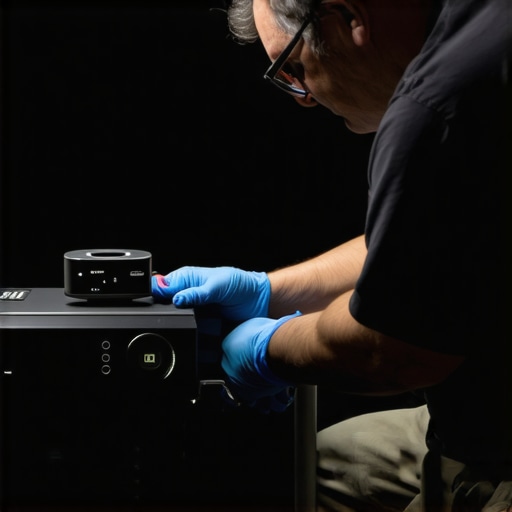
First, I recommend investing in a high-quality lens cleaning kit, such as microfiber wipes and compressed air cans, to remove dust and smudges that can diminish brightness and sharpness. Regular lens cleaning prevents buildup that can cause color distortions or haziness, especially critical for ultra short throw models with tight optics. Additionally, maintaining the cooling system is vital; I use a small, portable vacuum designed for electronics to carefully clean filters and vents every six months, which prevents overheating and performance dips.
Calibration software like ColorMunki or SpyderX Pro has become indispensable in my toolkit. These tools allow precise adjustments to contrast, gamma, and color temperature, ensuring images remain vivid and accurate. With frequent recalibration, I see sustained brightness levels and color fidelity, especially after hardware changes or environmental shifts.
For long-term health, I keep a schedule for checking and replacing light sources. Laser projectors, for example, often display warnings months before degradation; heed these alerts to avoid sudden drops in luminance. Moreover, using an external power meter helps verify lumen output periodically, ensuring your projector isn’t unknowingly dimming due to aging components.
In the future, I believe automation and AI-driven calibration will become more accessible, allowing seamless, real-time adjustments that optimize performance without manual intervention. For now, combining routine cleanings, proper calibration, and proactive component checks is the best approach to keep your home theater system at its best.
What tools am I currently recommending for ongoing projector maintenance?
Aside from the essentials mentioned, I personally rely on the projector calibration and maintenance guides for expert tips. For instance, I use a dedicated hardware lumen meter to track brightness changes over time, which helps determine the right time for component replacements. Also, software like CalMAN offers automated calibration routines that ensure consistent image quality, especially important for high-end 4K laser models.
Regularly updating your projector’s firmware is another critical step. Manufacturers often release improvements that can enhance brightness stability or fix bugs affecting performance. I check for updates every few months via the manufacturer’s support app or website.
Remember, a well-maintained projector not only offers superior brightness and color consistency but also extends its lifespan, saving you money in the long run. If you’re eager to optimize your setup further, I highly recommend trying some of these tips—like calibrating with professional software or cleaning your lens with specialized tools today.
For tailored advice or if you encounter persistent issues, don’t hesitate to reach out through our contact page. Keep your system running smoothly and enjoy cinematic excellence for years to come!
Lessons I Wish I Learned Sooner About Brightness and Home Theater Setup
- One of the most impactful lessons was realizing that optimizing room lighting and screen choice can drastically reduce the need for maximum projector lumens, saving me money and extending my equipment’s lifespan.
- Another lightbulb moment was discovering that proper placement and calibration are more effective for brightness enhancement than simply increasing lumen ratings or relying solely on eco modes.
- Finally, embracing emerging laser technology early allowed me to enjoy consistent brightness and color accuracy over years, proving that investment in the right hardware pays off long-term.
Tools and Resources That Elevate My Home Theater Experience
- Calibration software like SpyderX Pro: I trust it because it offers precise adjustments that make a noticeable difference in perceived brightness and color quality.
- High-quality ambient light-rejecting screens: These are game-changers in bright rooms; my favorite is the ALR screen from the ultra-short throw projector section, which I recommend for small spaces.
- Regular maintenance kits including microfiber wipes and lens cleaners: Ensuring my projector’s optics stay pristine guarantees maximum brightness and sharpness over time.
- Official firmware updates from manufacturers: Staying current with updates ensures optimal performance, especially in brightness stability and image quality.
Your Next Step Toward Cinema-Quality Brightness
Embracing smart upgrades and maintenance routines can revolutionize your home theater experience, making vivid, bright images achievable even in challenging lighting conditions. The journey involves choosing the right hardware, optimizing your environment, and committing to regular care—transforming your space into a true cinematic haven. Have you already experimented with ambient light management or calibration tools? Share your experiences below and let’s elevate our home theaters together!
http://Benjamin%20Carter
Reading through this post really resonated with my own experience upgrading to a laser UST projector in 2026. I used to rely heavily on Eco Mode, thinking I was extending bulb life, but I noticed the picture suffered in brightness during daytime viewing. Switching to the latest laser models really made a difference. I also found that room lighting makes more impact than I initially thought—like closing blinds and adding some blackout curtains boosted perceived brightness significantly without altering the hardware. I’m curious, how do others here balance the desire for maximum brightness with the practical need to protect their equipment over the long term? Do any of you use specific calibration tools or settings that have worked well for you in bright rooms? It’s clear that pairing the right hardware with smart room management is key, but I’d love to hear more personal tips or techniques that have helped others optimize their setups.
http://Lily%20Morgan
This post really hit home, especially the part about upgrading to laser projectors in 2026. I used to rely on Eco Mode as well, primarily to prolong the lamp life, but I noticed the brightness and vibrancy took a hit in my living room, which gets a lot of ambient light during the day. Since switching to a laser model, I’ve been blown away by how much brighter and more consistent the image remains, even with sunlight filtering through. I find that combining a high-gain ALR screen with strategic room lighting adjustments, like blackout curtains, makes a huge difference in perceived brightness without needing hardware upgrades. I’m curious, how do others balance brightness and longevity? Do you do regular calibration using tools like SpyderX or CalMAN, or rely mostly on hardware upgrades? I think the key is really understanding how room environment and calibration impact overall picture quality, not just lumen ratings, which is something I wish I had known earlier. Would love to hear more tips from fellow enthusiasts on maintaining that perfect bright image over time while keeping the equipment healthy.
http://Emma%20Richardson
I really appreciate how this post emphasizes not just hardware upgrades but also the importance of optimizing room conditions and calibration in boosting projector brightness. I’ve seen firsthand how a high-gain ALR screen and blackout curtains can make a huge difference, especially in bright rooms. A friend of mine recently switched from Eco Mode to a laser UST projector in 2026, and the clarity during daylight has been phenomenal. However, I wonder how most people here find the balance between maintaining long-term equipment health and maximizing brightness? Do you use specific calibration tools regularly, like SpyderX or CalMAN? Personally, I’ve found that consistent calibration paired with proper ventilation and cleaning routines greatly extends my projector’s optimal performance. Has anyone experimented with automatic calibration or AI-based adjustments for preserving brightness over years? Would love to hear strategies others employ for long-term brightness consistency without risking hardware longevity. Continuous maintenance and smart environment adjustments seem to be the winning combination.