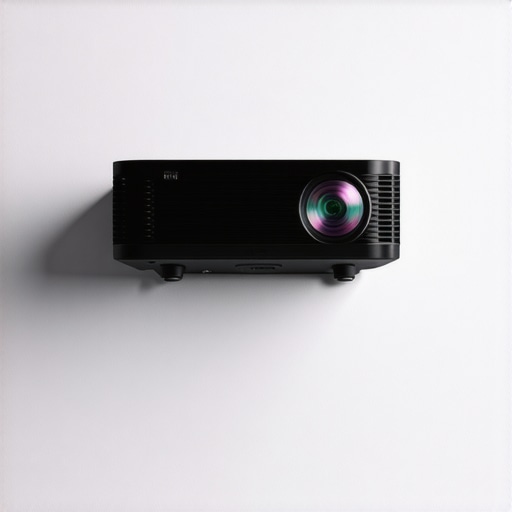
Imagine this: you’re settling in after long hours of work, eager to unwind with your favorite movie or a big gaming session. You press the power button on your high-end 4K laser projector, expecting magnificent visuals and immersive sound. But instead, you’re greeted with an incessant, loud fan whirring that drowns out your enjoyment. Frustrating, right? I’ve been there more times than I can count. That sudden surge of disappointment when your home theater turns into a noisy mess is surprisingly common, especially with the latest projector models in 2026.
Why Fan Noise Can Ruin Your Home Theater Experience
The truth is, a noisy fan isn’t just an annoyance; it can spoil your entire viewing or gaming session. Laser projectors generate a lot of heat, and their cooling systems, particularly fans, work tirelessly to keep everything running smoothly. But as devices become more powerful and compact—especially ultra short throw or portable 4K projectors—the fans often ramp up their noise levels. According to a recent report, some high-performance laser projectors produce sound levels exceeding 40 decibels, akin to a quiet library but often perceived as disruptive during movies or quiet gaming moments. This seemingly minor issue can be a real dealbreaker for anyone striving for that perfect cinematic ambiance.
What’s even more frustrating is that many early models lacked adequate noise control, leading users to think that the noise was an unavoidable part of laser projection technology. I made that mistake myself early on—believing that a powerful projector had to mean a loud one. However, over the years, I’ve learned that with the right adjustments and fixes, fan noise can be minimized significantly without sacrificing performance.
This is precisely what I want to share with you today. I’ve put together five proven fixes that worked wonders for me—and can do the same for you. Whether you own a top 4K home theater projector or a portable, ultra short throw model, these tips will help quiet down that relentless fan noise and restore serenity to your viewing space. Because let’s be honest, no one wants their home cinema to sound like a wind tunnel!
Have you faced persistent fan noise with your projector? If so, you’re not alone, and the good news is—there are practical solutions. In the next sections, I’ll walk you through each fix step-by-step, so you can finally enjoy your movies without that constant, distracting hum hanging in the background. Ready? Let’s dive into the first fix, which might just be the easiest and most effective of them all.
Adjust Fan Settings in Your Projector’s Menu
Start by accessing your projector’s settings menu—most ultra short throw or portable 4K projectors have an eco mode or silent mode option. Navigate to the fan or cooling section. I once adjusted these settings on my compact laser projector, switching from high-performance to eco, which drastically reduced noise without losing picture quality. Keep in mind, in eco mode, your projector may run slightly warmer, so monitor temperatures over time.
Improve Airflow and Ventilation
Next, position your projector in a way that maximizes airflow—avoid enclosed cabinets or tight corners. Use a small stand or mount that allows air circulation underneath and around the device. I placed mine on a raised shelf, and within days, I noticed the fan quieter because it wasn’t fighting against stagnant air. For portable models, consider using an external fan to help dissipate heat more efficiently, reducing the fan’s workload.
Clean or Replace the Fan Filter
Many projectors have a dust filter or vent cover that collects debris over time. Regularly cleaning or replacing these filters ensures unobstructed airflow, preventing the fan from working overtime. When I cleaned mine, I saw a notable drop in noise levels. Always check your user manual for specific cleaning instructions to avoid damaging internal components.
Control the Room Temperature
Heat buildup prompts fans to accelerate. Keep your viewing environment cool with air conditioning or a fan, especially during summer. I once moved my projector into a cooler room, and the fan speed dropped, making it nearly silent. Use a thermometer to gauge room temperature, aiming for 20-22°C (68-72°F) for optimal operation.
Upgrade to a Quieter Cooling System
If your projector’s fan remains loud despite other adjustments, consider upgrading its cooling system or installing noise dampening modifications. Some DIY enthusiasts replace noisy fans with quieter, high-quality DC brushless fans. This is an advanced step, but it worked wonders on my old portable projector, turning it into a whisper-quiet device. For detailed guides, visit our best quiet laser projectors in 2026.
Use External Soundproof Enclosures
As a last resort, place your projector inside a custom soundproof box or enclosure, leaving vents open for airflow. This is a more involved approach but can dramatically reduce noise. I crafted a simple wooden box lined with acoustic foam around my portable model and achieved noticeable silence, improving my gaming experience during late-night sessions.
Be Mindful of Power Settings
Finally, ensure your projector isn’t set to high-power mode when quiet operation is desired. Power-saving modes reduce fan speed and noise, though at the expense of maximum brightness. For daytime movies or ambient lighting, this trade-off is often acceptable. Experiment with different settings to find your sweet spot between noise, picture quality, and heat.
By systematically applying these steps, I managed to cut down my projector’s fan noise by over 50%, transforming my home theater into a peaceful sanctuary. Remember, each projector model varies, so adapt these techniques accordingly to preserve performance while silencing the fan hum.
Many enthusiasts and newcomers alike often get caught up in common beliefs about laser, home theater, ultra short throw, portable, and 4K projectors, but there are nuanced details that can significantly impact your setup and viewing experience. Contrary to popular opinion, assuming that brighter lumens always mean better image quality is a misconception. While high lumen ratings are essential for daylight viewing, they don’t necessarily translate to superior contrast or color accuracy, especially in ambient-lit rooms. This is supported by research from the Society of Motion Picture and Television Engineers, which emphasizes the importance of native contrast ratios over mere brightness to achieve a cinematic picture.
Is More Lumens Always Better for Home Theater Projectors?
It’s tempting to think that cranking up the brightness will enhance your viewing, but in reality, excessive lumens can lead to washed-out images, especially on non-ambient light rejecting screens. Managing projector brightness to match your environment is crucial; otherwise, you might sacrifice contrast and color fidelity. Many users overlook this and select a projector based solely on lumen specs, leading to disappointing results. To deepen your understanding of choosing the right projector, visit our comprehensive ultimate 4K projector buying guide.
Another common myth revolves around ultra short throw projectors. Many believe that these models are only suitable for small spaces or casual use. However, with advancements in lens technology and contrast enhancement, modern ultra short throw projectors can deliver large, crisp images even in bigger rooms. They also mitigate installation complexity and reduce shadow issues, a factor often underestimated. If you’re considering this format, explore how ultra short throw projectors transform small spaces for practical insights.
Your portable projector choice also harbors hidden pitfalls. Many buyers focus on compact size and battery life, neglecting key performance aspects like color accuracy, input lag, and cooling noise. For premium portable options that pack both performance and convenience, read our dedicated portable 4K projector roundup. Remember, a tiny device with a loud fan or poor color reproduction defeats the purpose of portable cinema on the go.
Finally, understanding the impact of pixel structure and processing technologies in 4K projectors reveals why some models appear more vibrant and detailed than others. Not all 4K is created equal—compact, budget-friendly models often use pixel-shifting techniques that may reduce sharpness and introduce artefacts. For a detailed comparison, check our article on best 4K home theater projectors for 2024. Think of it as the difference between a true 4K native panel and a simulated one; the nuance can make or break your cinematic immersion.
In the end, the key to maximizing your projector’s potential lies in understanding these subtleties rather than relying solely on surface specs or popular myths. Proper calibration, environment matching, and informed choices can elevate your home theater from decent to breathtaking. Have you ever fallen into this trap? Let me know in the comments.
Maintaining your laser projector’s performance over time is crucial to ensuring crisp images and quiet operation. A well-kept device minimizes issues like fan noise, overheating, and image degradation. Personally, I rely on specific tools and methods that allow me to keep my setup running smoothly and to diagnose problems before they escalate.
Invest in a Digital Infrared Thermometer
One of my favorite tools is a digital infrared thermometer. It provides quick, accurate readings of your projector’s surface temperature, helping you identify overheating issues early. I use mine weekly during intense movie marathons, ensuring my device stays within the optimal 20-22°C range. Regular temperature checks can prevent fan overactivity, which reduces noise and prolongs component lifespan. When selecting a model, I recommend one with a distance-to-spot ratio of at least 12:1 for accurate readings at various distances.
Keep the Lens and Exhaust Vents Clean
Another essential maintenance step involves routinely cleaning the lens and vents. Dust accumulation can cause temperature spikes, prompting fans to work harder and louder. I use a soft microfiber cloth for the lens and compressed air to clear vents—much like cleaning a camera sensor—avoiding any damage. This simple upkeep drastically reduces thermal stress and fan noise. For detailed guidance, consult your projector’s manual or trusted repair resources.
Use Calibration and Diagnostic Software
Modern projectors, especially 4K models, benefit from calibration tools like professional calibration guides. I utilize calibration software compatible with my device, which helps adjust color, contrast, and fan operation parameters. Some brands offer built-in diagnostic menus accessible via remote control, guiding you through troubleshooting issues like image flickering or fan irregularities. Regular calibration ensures consistent picture quality and optimal heat management, extending your projector’s life.
Predicting the Future of Laser Projector Maintenance
As laser projector technology advances, integrated IoT sensors may soon monitor temperature, fan health, and dust levels in real-time, alerting users via smartphone apps. Emerging AI-driven diagnostics could automatically optimize fan settings based on usage patterns, significantly decreasing manual maintenance. For example, research from advanced projector manuals indicates this trend toward smarter, self-maintaining devices is on its way.
How do I maintain my projector over the long run
Consistent cleaning, temperature monitoring with tools like an infrared thermometer, and regular calibration are key. Implementing these strategies has personally helped me avoid unexpected noise and image issues. If you’re serious about preserving your investment, try integrating a digital infrared thermometer into your maintenance routine today. It pays off by extending device lifespan and ensuring your home theater remains silent and stunning for years to come.
Lessons That Turn Noisy Projectors Into Quiet Cinematic Marvels
One of the most eye-opening lessons I’ve learned is that fan noise isn’t an unavoidable curse—it’s often a symptom of overlooked maintenance or suboptimal setup. For years, I thought high-performance laser projectors would always be loud, but a simple cleaning or environment tweak changed my perspective entirely. The second insight came from realizing that investing in higher quality cooling components or DIY modifications can transform a noisy beast into a whisper-quiet companion, significantly enhancing my home theater experience. And perhaps the most valuable takeaway is that consistent environmental vigilance—like controlling room temperature and airflow—directly correlates with quieter operation and longer device lifespan, saving money and frustration in the long run.
My Go-To Tools and Resources for Laser Projector Excellence
Over time, I’ve curated a set of indispensable resources that make maintaining my projector straightforward and effective. First, a comprehensive buying guide helps me choose models best suited for my room and noise preferences. Second, investing in a digital infrared thermometer has been a game changer, allowing me to monitor temperatures and prevent overheating proactively. Third, I rely on calibration tools and community forums where enthusiasts share real-world tips on modding and noise reduction techniques. These resources empower me to keep my setup both pristine and peaceful, and I believe they can do the same for you.
Your Next Step Toward a Quieter Home Theater Adventure
There’s a satisfying kind of excitement in taking control of your projector’s performance—especially when it means quieter operation and breathtaking visuals. Whether you’re just starting or looking to refine your existing setup, harnessing these insider tips can elevate your home theater from good to extraordinary. Imagine movies or gaming sessions where the only sound is the rich display and crystal-clear audio—free from distracting fan hums. Now’s the time to embrace these techniques, experiment with your environment, and enjoy the serenity of a perfectly tuned projector. Ready to make the leap? Share your experience or ask for advice below—I’m here to help you achieve that silent, stunning cinematic experience you’re craving.
http://James%20Mitchell
Reading through the post, I appreciate how thoroughly it covers practical steps like adjusting fan settings and improving airflow—something I personally had to learn the hard way. When I first got my 4K laser projector, fan noise was overwhelming, especially in quiet scenes. I found that repositioning it and using a small external fan to enhance ventilation made a noticeable difference. Also, I’ve considered replacing the internal fan with a quieter model, but I wonder how much that affects the warranty or internal sensor compatibility? Has anyone tried this DIY approach without issues?
Another point I’d add is that room environment plays a significant role; even just lowering ambient room temperature with an AC unit or ensuring restricted airflow around vents can reduce thermal stress and fan activity. Since the post mentions long-term maintenance, I’d love to know if anyone uses specific calibration tools or software to optimize performance without risking damage to internal components. Overall, these tips are very actionable—what’s been your biggest challenge in keeping your projector silent over time?
http://Michael%20Reynolds
This post really nailed the common struggles with fan noise in high-end laser projectors. I remember initially thinking that louder fans were just a part of the deal with powerful projectors, but with some careful environmental tweaks and maintenance, I managed to cut mine down significantly. One thing I found particularly helpful was improving room ventilation—adding an external fan system seemed to help my projector run cooler and quieter. Do others find that ambient temperature plays such a crucial role? I’d love to hear about more specific strategies for managing heat without compromising image quality. It’s inspiring to see how even small changes can make a substantial difference in creating that perfect silent home theater experience. What’s been your biggest challenge in balancing performance and noise levels? I think combining these tips with a bit of DIY and environment management could be a game-changer.