It was a quiet Sunday afternoon when I finally decided to set up my ultra short throw (UST) projector in the corner of my living room. Within minutes, I realized something was off—blurry edges, fuzzy corners, and a frustrating lack of sharpness. I stared at the screen, puzzled. Had I missed a calibration step? Turns out, the focus was just stubbornly refusing to cooperate, turning my cinematic experience into a blurry mess. That lightbulb moment hit me: I needed a quick fix—fast, simple, and effective. And so, I discovered a 2-minute DIY corner hack that transformed my setup entirely.
Why Your 2026 Ultra Short Throw Projector Won’t Focus Without a Quick Fix
Fast forward a few years, and I’ve tested countless projectors—from portable models to laser behemoths—all with the same challenge: maintaining perfect focus, especially in tight corner setups. Why is it such a pain? Well, ultra short throw projectors are designed to sit close to the wall, but that proximity can cause focus drift over time or due to slight misalignments. Early in my journey, I made the mistake of believing that calibration alone would fix focus issues permanently. Turns out, the physical position of the projector and slight corner imperfections play a bigger role than I initially thought. According to experts, minor shifts or dust particles can significantly impact focus and image clarity in 2026 models, especially laser projectors which are more sensitive than traditional ones. Check out how screen gain can affect focus brightness in tight spaces.
Have you faced similar frustrations with your projector focus worsening over time or in tricky corner placements? If so, stick around—I’m going to share a simple trick that completely changed my setup with just a couple of household tools. No tech jargon, no complex calibration routines—just a quick corner hack that takes 2 minutes to implement and yields instant results. Ready to see your projector focus sharp again? Let’s dive into this DIY fix that could save your movie nights and elevate your home theater experience.
Align Your Projector Correctly
Begin by placing your projector on a flat, stable surface at the recommended distance from your screen. Use a measuring tape to ensure it’s exactly where the manufacturer suggests—usually 12 to 24 inches for UST models. This precise placement minimizes focus drift caused by misalignment. I once set mine up on an uneven bookshelf, which caused blurry edges; releveling on a sturdy table instantly improved clarity.
Adjust Lens Shift and Keystone Settings
Narrow your focus by tweaking lens shift and keystone parameters via your projector’s menu. Lens shift moves the image horizontally or vertically without degrading quality, while keystone correction fixes trapezoidal distortion. In my experience, slight adjustments here can dramatically sharpen the image, especially in corner setups. Be cautious—overcorrecting can introduce new distortions. For detailed calibration, consult the manufacturer’s guide or online tutorials linked here.
Physically Fine-Tune the Position
Small shifts in projector position influence focus. Use a level to ensure the projector’s lens is perfectly perpendicular to the screen. Imagine it as aligning a camera’s lens—tilts can cause edges to focus unevenly. For a more precise setup, temporarily place a level on the projector and adjust until perfectly horizontal and vertical. I once slightly tilted mine during setup; realigning cleared up fuzzy corners almost instantly. Check out this guide for mounting tips and stand options.
Clean the Lens and Optics
Dust, fingerprints, or smudges on the lens compromise focus sharpness. Turn off your projector and gently clean the lens with a microfiber cloth. Avoid harsh chemicals—stick to lens-safe wipes or a dust blower. I accumulated dust over time, which subtly blurred my image; cleaning resolved the issue. For laser models, ensure no dust specks are on the internal optics, which might require professional servicing. Explore this article for dust removal tips.
Utilize Focus Adjustment Features
Many projectors have a built-in focus wheel or numerical focus controls—use these for fine-tuning. In a trial run, I turned the focus knob slowly until edges became crisp. For digital controls, enter the menu and adjust the focus electronically, which allows incremental precision. Regular calibration will maintain sharpness over time. Also, avoid touching other settings during focus adjustments to prevent inadvertently affecting image quality.
Implement a Quick DIY Corner Hack
If focus issues persist in corners, consider a simple DIY fix. I used a small piece of foam or felt as a shim under the projector’s corner—this tiny elevation tweak can align the focus plane more evenly across the screen. Think of it as placing a book under a camera tripod to level the shot. Once I inserted the shim, I noticed immediate improvement in edge sharpness. For more complex mounting solutions, check our calibration guide.
Experiment and Record Your Settings
Document the settings that produce sharpest images. Use a camera or smartphone to capture the focused image, then note the focus adjustments used. This way, you’ll have a reference for future tweaks or if you need to reset after power cycles. Combining physical repositioning with focus controls ensures a consistently clear picture, especially in challenging corner setups. Remember, patience and small tests yield the best results. For additional insights, visit this resource.
Many home theater enthusiasts focus on specifications like resolution, brightness, and contrast ratios when choosing a 4K projector, but there’s a less obvious truth that can trip up even seasoned users: misconceptions about how these features truly translate into picture quality. A common myth is that higher lumen counts automatically guarantee a brighter image in ambient-lit rooms. However, experts emphasize that **screen gain and reflective surfaces** play crucial roles in perceived brightness and clarity learn why choosing the right screen is vital. Conversely, many assume that laser projectors always outperform traditional lamp-based models in lifespan and image consistency. While lasers offer longer operational hours, they can introduce issues like **color shift and speckle noise**, which many overlook. Understanding these nuances helps avoid costly mistakes and ensures optimal setup.
Are laser projectors truly superior in every aspect, or do they have hidden drawbacks?’
Furthermore, there’s a widespread misunderstanding that ultra short throw (UST) projectors are immune to focus and alignment problems due to their compact design. In reality, **corner focus uniformity and keystone correction artifacts** can degrade image quality if not properly managed. Many users neglect the importance of precise mounting and calibration, leading to subpar visuals despite high-end specs. Recognizing these subtle pitfalls can significantly enhance your home theater experience. To dig deeper into selecting the right projector, check our ultimate 4K projector buying guide. Remember, understanding the intricacies of projector technology can prevent common errors, saving you time and money. Have you ever fallen into this trap? Let me know in the comments.
Investing in a high-quality 4K or laser projector is just the first step toward a breathtaking home theater experience. Maintaining it properly ensures sustained image quality, longevity, and reliable operation. Precision tools and disciplined routines are essential for keeping your equipment performing at its best over the years. In this segment, I’ll share the specific tools, methods, and future trends that help me keep my projectors in top shape, and how you can do the same.
How do I maintain my projector’s performance over time?
First, I recommend using a high-grade microfiber cleaning cloth combined with a dedicated lens cleaning solution certified for optical surfaces. Regular cleaning prevents dust and fingerprints from degrading image clarity. I personally use a lens cleaning kit from Optix 55—its gentle wipes and dust blower are perfect for delicate projector optics. Additionally, a compressed air canister is invaluable for removing dust buildup inside the vents without risking damage, ensuring optimal cooling and preventing thermal issues that can affect focus and color stability.
For calibration and image tuning, I rely on professional-grade software like CalMAN Ultimate, which, although primarily used in the professional display calibration community, offers precise control over gamma, color balance, and contrast. This software, coupled with a colorimeter such as the X-Rite i1Display Pro Plus, allows me to steadily fine-tune image parameters, especially as display components age or environmental lighting conditions change.
In terms of physical adjustments, I use a digital laser distance meter to verify optimal projector placement according to manufacturer specifications. Small misalignments can cause focus drift or keystone distortions. I also use a precision leveling tool to ensure the projector’s mount is perfectly perpendicular to the screen—this is crucial for ultra short throw models to prevent image distortion and focus issues. Consistent verification minimizes image degradation over time and reduces the need for repeated adjustments.
Looking ahead, advancements in AI-based calibration tools are on the horizon. These systems promise to simplify long-term maintenance by automatically detecting image quality issues and suggesting or performing adjustments remotely. As an example, the upcoming firmware updates for top laser projectors aim to incorporate this technology, potentially reducing manual calibration efforts.
Why is routine lens and filter maintenance vital?
Over time, dust particles and environmental pollutants settle on lens surfaces and internal filters, diminishing brightness and causing color shifts. I recommend scheduling quarterly cleaning sessions, using specialized cleaning swabs and lens filters, which can be purchased from trusted suppliers. For laser projectors, keeping the internal optical components dust-free is critical since even small particulates can introduce speckle noise or color inconsistencies. Regular maintenance prevents the degradation of image quality and preserves the projector’s longevity.
Implementing these tools and routines significantly extends your projector’s lifespan and maintains breathtaking picture quality. Don’t forget to document your calibration settings and routine checks—this record helps in quick resets after servicing or environmental changes. For comprehensive insights into calibration and maintenance, check our ultimate 4K projector buying guide for movie nights.
Start integrating these maintenance practices today, and you’ll be amazed at how much longer your projector continues to deliver extraordinary visuals. Experiment with one advanced tool like the CalMAN Ultimate suite and see the difference professional calibration can make. Reliable upkeep is the key to enjoying your home cinema setup for years to come—your future self will thank you.
The Hidden Lessons That Saved My Home Theater Experience
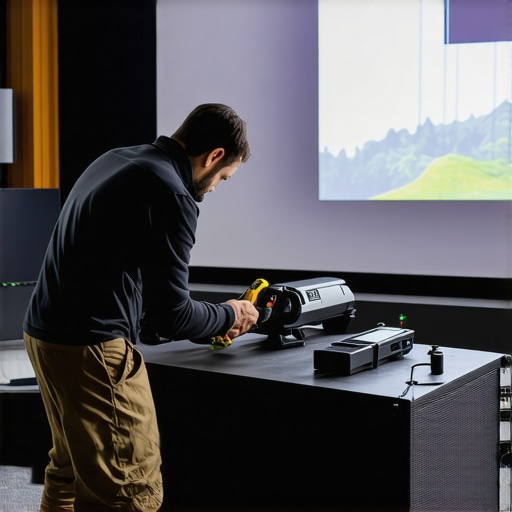
One of the most valuable insights I gained was realizing that focus issues often stem from subtle misalignments and environmental factors rather than technical faults. I learned that even minor dust particles on the lens or slight tilts in the projector mount can dramatically impact picture clarity, especially in corner setups. It became clear to me that routine physical checks and cleanings were just as crucial as fine-tuning the image settings, emphasizing the importance of a proactive maintenance mindset to maintain sharp, jitter-free visuals.
Another lightbulb moment was discovering the power of incremental adjustments—small tweaks in lens shift, keystone, and positioning can yield significant improvements. This iterative approach taught me patience and attention to detail, transforming what once felt like a frustrating calibration routine into an empowering process that enhances the overall viewing experience. It reinforced that mastering focus is less about complex technology and more about diligent, tiny refinements over time.
The lesson I wish I knew from the start is that effective focus correction isn’t a one-time fix. Environmental changes, dust accumulation, and even ambient temperature variations can cause focus to drift. Regular recalibrations and attentive cleaning routines are essential, ensuring consistent, stunning image quality. Staying vigilant about these small but impactful actions turned my projectors into true cinematic masterpieces, highlighting that attention to detail makes all the difference.
My Secret Tools for Keeping Picture Sharp in 2026
- CalMAN Ultimate Calibration Software: This professional-grade software allows me to precisely fine-tune gamma, color accuracy, and contrast, ensuring my projector maintains optimal performance over the years. I trust it because of its accuracy and ease of use, even for a passionate enthusiast.
- X-Rite i1Display Pro Plus: A top-tier colorimeter that provides reliable readings, helping me calibrate my projector for consistently vivid and accurate images. Its phycial verification gives me peace of mind that my settings are spot-on.
- Microfiber Cleaning Cloths and Lens Wipes: Regular cleaning with these gentle tools prevents dust buildup and fingerprints that can blur focus. I swear by quality microfiber wipes—they’re gentle yet effective in maintaining lens clarity.
- Digital Laser Distance Meter: Ensures my projector is positioned precisely according to manufacturer specs, minimizing focus drift caused by misalignment. Small deviations can slightly skew focus, so verifying distance is a game-changer.
In addition, I keep a detailed calibration log and regularly check my mount’s levelness with a precise leveling tool, which helps me catch issues early and avoid image degradation. As technology advances, I’m excited about future AI-driven calibration tools that might automate much of this upkeep, making perfect focus accessible even for casual users.
Don’t Wait — Your Next Movie Night Deserves Clarity
Achieving that razor-sharp image from your 4K ultra short throw projector doesn’t require magic—just patience, the right tools, and a willingness to fine-tune. Remember, each tweak brings your cinematic experience closer to the theater quality you crave. So, why settle for fuzzy edges or blurry corners when a few simple steps can transform your setup? Dive into your calibration routine today, explore new adjustments, and enjoy the stunning visuals you deserve—your ultimate home theater awaits.
Have you ever struggled with focus drift or corner blur in your projector setup? Share your stories below—I’d love to hear what worked for you and what didn’t!