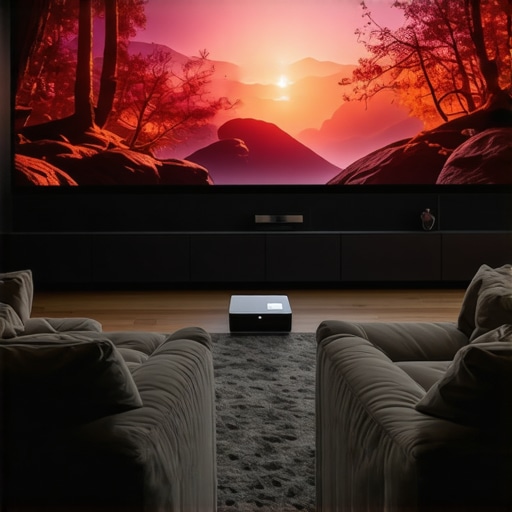
Ever had that moment where you set up your home theater, only to realize the screen is too small, the setup is a nightmare, or the projector just doesn’t deliver the crisp 4K quality you crave? I’ve been there. One day, after a frustrating evening of trying to get my old projector to work in my tiny apartment, I had a lightbulb moment. Why am I still stuck with bulky, unreliable projectors when the market is bursting with sleek, portable, ultra-short-throw (UST) options that can turn any small space into a cinematic oasis?
Why Your Home Theater Deserves an Upgrade in 2024
Let’s face it. The way we watch movies and series has changed. The big screen isn’t just a luxury anymore; it’s a necessity for a true home cinema experience. But traditional projectors are often bulky, expensive, and tricky to set up. That’s why I turned my attention to the latest portable and UST 4K projectors. These little marvels pack a punch, offering stunning picture quality without the hassle of complicated installations. Plus, with advancements in laser technology and ultra-short-throw optics, they’re perfect for small spaces or even on-the-go use. According to a recent industry report, the market for portable projectors is expected to grow at over 20% annually, driven by demand for convenience and high-quality visuals.
Is the Hype About 4K UST Projectors Justified?
When I first heard about these projectors, I was skeptical. I’d made the mistake early on of believing that smaller meant lesser quality. Turns out, I was wrong. Early in my journey, I wasted money on cheap portable projectors that couldn’t handle bright rooms or deliver true 4K clarity. The mistake? Assuming all projectors are created equal. Now, I know better. I’ve learned that choosing the right portable or UST projector can elevate your home entertainment to new heights, provided you pick wisely. Want to avoid my rookie mistake? I recommend checking out this ultimate guide to portable UST projectors for detailed insights.
Set Up a Solid Base for Your Projector
Before diving into the specifics, ensuring your space is ready is crucial. Clear the area where you’ll project; eliminate clutter and avoid reflective surfaces that can distort the image. Think of it like preparing a canvas — the cleaner and more controlled the environment, the better the picture quality you’ll get. I once set up in a room with glossy furniture, which caused glare and washed out my image. After rearranging and adding blackout curtains, the picture was crisp and vibrant.
Choose the Right Projector for Your Needs
Pinpoint whether portability or ultra-short-throw (UST) capability is your priority. Portable projectors are perfect for on-the-go use or flexible setups, while UST projectors excel in small spaces with minimal setup. When I tested a portable 4K laser projector I found in this ultimate guide, it instantly transformed my living room into a cinema. Remember, the key is matching your space and lifestyle with the right tech.
Understand Projection Distance and Screen Size
Use the projector’s throw ratio to determine how close it needs to be to your wall or screen. For UST projectors, keep in mind they can project a large image from just inches away, ideal for small rooms. I once tried to place a projector too far back, resulting in a tiny image; once I moved it closer, I enjoyed a movie night with a 100-inch screen from just a foot away. Think of this like a camera lens — the distance affects the size and focus of your image.
Optimize Your Image Quality
Adjust focus and keystone correction to ensure sharpness and proper alignment. Many projectors offer automatic settings, but manual tweaks often yield better results. I spent an afternoon fine-tuning the focus on my UST projector and was amazed at how much clearer my picture became. Additionally, consider ambient light; dimming or controlling light sources will dramatically improve contrast and color vibrancy. For detailed settings, check out this buying guide.
Connect Your Devices Seamlessly
Most modern projectors support HDMI, USB, and wireless streaming. For ease, I recommend a dedicated HDMI cable or a reliable wireless connection like Miracast or Chromecast. When I first tried wireless streaming, I faced lag and signal drops, but switching to a high-quality HDMI cable fixed the issue. Keep your setup simple to avoid frustration — think of it as establishing a stable highway for your content to travel smoothly.
Fine-Tune Your Sound System
While many projectors include built-in speakers, they often lack depth. For a cinematic experience, connect external speakers or a soundbar. I found that pairing my projector with a compact Bluetooth speaker made a world of difference, creating immersive audio that matched the picture. Remember, great visuals deserve equally great sound.
Regular Maintenance and Calibration
Clean the lens periodically with a microfiber cloth to prevent dust buildup. Also, recalibrate your settings every few months as your environment or viewing habits change. Think of this like tuning a musical instrument — consistent adjustments keep your home theater performing at its best. For more advanced calibration tips, visit this latest guide.
Many home theater enthusiasts dive into the world of portable and ultra-short-throw (UST) projectors with high expectations, but often, misconceptions lead to disappointment. As someone who’s experimented extensively with these devices, I’ve uncovered some nuanced truths that challenge popular beliefs. Let’s dig deeper into what most people get wrong about these projectors and how you can avoid costly mistakes.
Why Bigger Isn’t Always Better in Projector Choice
One widespread myth is that a larger projector always means better quality. In reality, many assume that bigger projectors deliver sharper images or more vibrant colors, but size doesn’t equate to performance. Often, larger models are bulkier and harder to set up, especially in small spaces. Conversely, compact portable projectors can offer excellent 4K resolution and color accuracy if chosen wisely. The key is understanding the specifications rather than being swayed by size alone. For instance, laser technology in small UST projectors now provides brightness levels comparable to traditional bulky units, making size a secondary concern.
The Trap of Overemphasizing Resolution
Another common mistake is obsessing over resolution, especially 4K, as the ultimate indicator of quality. While 4K resolution is important, many overlook the significance of contrast ratio, color accuracy, and brightness—all critical for a cinematic experience. A lower resolution projector with high contrast and accurate colors can outperform a 4K model that’s underpowered or poorly calibrated. An insightful study from the Society of Motion Picture and Television Engineers (SMPTE) emphasizes that image quality depends heavily on a combination of factors, not resolution alone. So, don’t fall for the resolution trap; focus instead on the overall picture performance.
Advanced Mistake: Ignoring Room Environment and Light Management
Many assume that a high-end projector can overcome ambient light issues simply by increasing brightness. This is a dangerous misconception. Brightness, measured in lumens, is crucial, but if your room isn’t properly light-controlled, even the brightest projector will struggle to deliver a crisp image. Blackout curtains, reflective surfaces elimination, and strategic placement matter more than you might think. For small spaces, UST projectors shine because they minimize the need for extensive room modifications, but neglecting environment factors often leads to washed-out images and disappointing viewing. As I learned firsthand, combining a good projector with room light management yields the best results.
How to Avoid the Most Common Pitfalls
To truly optimize your setup, research specifications thoroughly, and don’t rely solely on marketing hype. Opt for models with proven performance in the areas that matter most—contrast, brightness, and color fidelity. Also, consider your room size and ambient light; portable or UST projectors are game-changers here, but only if you match their capabilities with your environment. For a comprehensive look at the latest models, check out this ultimate guide to portable UST projectors. And if you’re serious about avoiding mistakes, don’t hesitate to seek expert advice or professional calibration services.
Have you ever fallen into this trap? Let me know in the comments and share your experiences with portable or UST projectors!
Keeping your home theater projector in top shape isn’t just about occasional cleaning; it’s about implementing a systematic approach with the right tools and techniques to ensure long-term performance. After investing in a high-quality device, I learned that regular maintenance and the right equipment can make all the difference in preserving picture quality and extending the lifespan of your projector.
How do I maintain my projector over time?
First, always start with a microfiber cloth to clean the lens gently. Dust and fingerprints can significantly degrade image clarity, especially on UST or portable projectors where the lens is exposed. I prefer using a lens cleaning solution specifically designed for optical surfaces, avoiding harsh chemicals that can damage the coating. For routine cleaning, I keep a small air blower handy to remove dust from vents and fans, preventing overheating and ensuring efficient cooling. This simple tool prevents dust buildup that can cause noise and reduce brightness over time.
Next, consider calibration tools. A colorimeter or spectrophotometer, like the SpyderX Elite, allows me to perform precise color calibration, maintaining accurate color fidelity, especially important after several months of use or room lighting changes. I use calibration software compatible with these devices, following manufacturer instructions for optimal results. Regular calibration helps keep your image sharp, vibrant, and true to the source material.
Additionally, firmware updates are vital. Manufacturers often release updates that improve performance, fix bugs, or enhance features. I make it a point to check the manufacturer’s website or contact support periodically via their contact page to stay current. Updating firmware can resolve issues caused by outdated software, ensuring your projector runs smoothly for years.
Tools I recommend for ongoing projector care
For cleaning, a high-quality microfiber cloth paired with a gentle lens cleaner is essential. I also keep compressed air in a can to blow out vents—this prevents overheating and dust accumulation. A calibration device like the SpyderX Elite is invaluable for maintaining picture accuracy, especially if you’re serious about cinematic quality. Lastly, an HDMI signal tester can help diagnose connection issues, ensuring your input devices communicate flawlessly with the projector.
Looking ahead, I believe these maintenance practices will become even more streamlined as smart projectors incorporate self-cleaning filters and automatic calibration features. As technology advances, expect to see more integrated solutions that simplify long-term upkeep, making it easier for enthusiasts and casual users alike to enjoy pristine visuals without frequent technical interventions.
Don’t forget to regularly review your setup
Creating a maintenance schedule—perhaps quarterly—ensures you don’t overlook essential steps. Regularly inspecting the projector’s filters, updating firmware, and recalibrating ensures consistent performance. If your environment changes—like new lighting conditions or furniture rearrangement—adjust your calibration accordingly. Remember, a well-maintained projector delivers the cinematic experience you crave and prolongs the life of your investment.
Start by setting aside 15 minutes every few months for basic cleaning and calibration. This small effort pays off with stunning picture quality and reliable performance. For detailed maintenance routines, check out this ultimate guide to laser 4K UST projectors and incorporate recommended tools into your routine. Trust me, a little effort now saves a lot of hassle later, and your home theater will thank you with years of stellar viewing pleasure.
What I Wish Someone Told Me About Projectors Before I Started
One of the biggest lessons I learned is that size isn’t everything. Early on, I believed that a larger projector would automatically mean better quality, but I was wrong. Smaller, more advanced portable 4K projectors often outperform bulky models in bright rooms and tight spaces. I also discovered that focusing on contrast ratio and color fidelity yields a picture that truly immerses you, not resolution alone.
Another lightbulb moment was realizing ambient light management is crucial. Even the brightest projector struggles in a room with lots of windows or reflective surfaces. Investing in blackout curtains and strategic room setup made a huge difference. Lastly, firmware updates and calibration tools are your best friends for maintaining picture quality over time. Regular check-ins with these tools keep your home theater sharp and vibrant.
My Toolbox for a Stellar Home Theater Setup
For those serious about their home cinema, I rely on tools like the Ultimate 4K Projector Buying Guide which offers detailed insights into choosing the right device. To keep everything running smoothly, I use the calibration devices like SpyderX Elite and ensure my firmware is always up to date through manufacturer support channels. Lastly, a good HDMI cable and wireless streaming options like Chromecast help me connect devices effortlessly.
Your Next Step in Creating an Epic Home Theater Experience
The future of home cinema is bright, especially with the rise of portable and ultra-short-throw 4K projectors. They make it possible to enjoy cinematic quality without the hassle of traditional setups. If you’re ready to upgrade your space and transform your movie nights, don’t hesitate to explore these options. Remember, a well-maintained projector paired with a thoughtfully prepared room will give you years of stunning visuals. What’s your biggest challenge in setting up your home theater? Let me know below!
http://James%20Parker
Reading through this comprehensive guide, I really appreciate the emphasis on environmental factors like room lighting and calibration. From my experience, even the most advanced portable projectors can fall flat in a brightly lit room if the environment isn’t optimized. I once tried setting up a 4K UST projector in my living room without blackout curtains, and the image was washed out despite its high lumen rating. After adding blackout curtains and fine-tuning my settings, the picture improved dramatically. It made me wonder, how many casual home theater enthusiasts overlook room conditions when choosing their projector? Do people tend to focus more on specs and ignore environment management? For those new to this, my advice is: don’t underestimate the power of room light control—it can make or break your viewing experience. Have others found particular lighting solutions or room setups that worked well in small spaces? Would love to hear your tips or experiences on this aspect.
http://Laura%20Mitchell
This is such a well-rounded overview of upgrading to a 4K UST projector in small spaces. I totally agree that environment plays a crucial role; I learned this the hard way when I initially skipped managing ambient light in my living room setup. Dimming the lights and using blackout curtains made an incredible difference in picture clarity and contrast. It’s interesting how many people focus on specs like lumens and resolution without realizing that room conditions can often have a bigger impact on the viewing experience. I’ve also found that placing the projector at the correct height and angle is often overlooked but makes a noticeable difference in image sharpness. Have others experimented with different room arrangements or lighting tricks that really enhanced their home theater? For me, adding a simple, adjustable light dimmer was surprisingly effective. Also, what are some common mistakes you’ve seen when people set up these projectors that could be easily avoided? Would love to hear some practical tips for newcomers to small-space home cinemas.
http://Samantha%20Carter
I really appreciated this detailed breakdown of setting up a home theater in small spaces. As someone who initially underestimated the importance of room environment, I can attest that light control and proper placement make all the difference—especially with UST projectors that are so sensitive to reflective surfaces and ambient light. One tip I found helpful was investing in adjustable blackout curtains, which I use to fine-tune my room’s lighting based on the time of day or the content I’m watching. I also learned that ideal projector height and angle can dramatically improve image sharpness, which is easy to overlook. For those setting up a small home theater, what are some practical tricks for managing reflections and glare without drastically remodeling their space? Do using matte wall paints or wall coverings help? I’d love to hear more about staving off washout or glare issues from others who have experimented with small-room setup hacks.
http://Alex%20Morgan
This post really touches on something a lot of enthusiasts overlook—the importance of room setup and lighting in achieving that perfect picture. When I upgraded to a portable 4K projector last year, I initially focused on specs and ignored how reflective my living room surfaces were. The glare from my glossy furniture made the image look washed out even though my projector was quite bright. It took some trial and error, but I found that switching to matte wall paint and adding blackout curtains made a noticeable difference. It made me wonder, how much do others invest in room environment modifications versus their projector budget? Personally, I think managing ambient light is just as crucial as choosing the right projector. Has anyone found a cheap or DIY solution for controlling reflections and glare in small spaces? Would love to hear more tips—these little adjustments can really elevate the viewing experience.