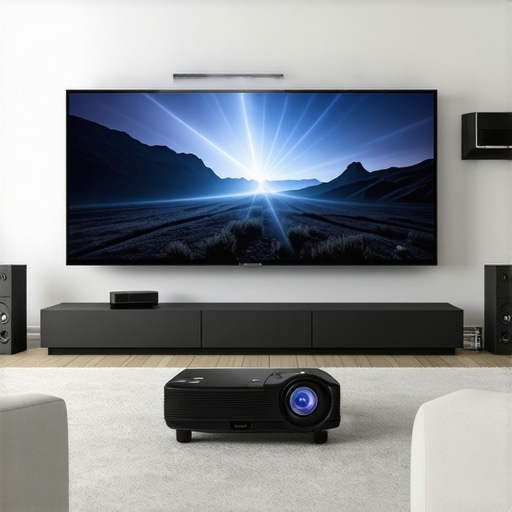
I’ll never forget the first time I set up my ultra short throw projector right in my living room. Excited for movie night, I pressed play, only to be greeted by a wavy, distorted image that made me question my sanity. It was a frustrating moment—nothing kills the cinematic vibe like a warped picture glaring back at you from your wall. That lightbulb moment made me realize: even the best projectors can have their quirks, especially when it comes to image stability.
Fixing the Wavy Image Problem Before Your Next Movie Night
In this post, I’ll walk you through what causes that pesky waviness, how to troubleshoot it, and, more importantly, how to fix it so you can enjoy crisp, stunning visuals without the distraction. Whether you’re new to ultra short throw (UST) projectors or a seasoned home theater enthusiast, understanding the root of this issue can save you time and money—and keep the movies rolling smoothly.
Have you ever faced this wavy picture issue with your projector? If so, you’re not alone. Many users discover that their ultra short throw projectors, despite being state-of-the-art, can produce distorted images due to a simple but overlooked setup detail. It’s a common mistake I made early on, assuming that just placing the projector on the coffee table was enough. Trust me, even a small misalignment can turn your home theater into a roller coaster ride for your eyes.
Is Wavy Picture Fixable or Should I Just Upgrade?
Some folks worry that these distortions mean their projector is faulty or that they need to spend a fortune on an upgrade. But the truth is, most issues are fixable with a few easy tweaks—no expensive hardware swaps required. As per recent industry insights, proper calibration can significantly improve image stability and clarity, even in challenging lighting conditions. Plus, avoiding common setup errors early on can prevent bigger headaches down the line.
Before we dive into the step-by-step solutions, it’s worth noting that many of these problems are caused by simple misalignments or environmental factors. For example, nearby objects or uneven surfaces can create reflections or distortions. Addressing these is often a matter of strategic positioning or adjusting your projector’s settings.
Ready to get your projector picture perfection back? Great! We’ll now explore practical tips to eliminate waviness, optimize your setup, and ensure your home projector delivers cinematic quality every time.
Perfect Your Projector Placement for Sharp Images
Start by positioning your ultra short throw projector on a flat, stable surface close to your wall or screen to minimize misalignment. Think of it as balancing a camera on a tripod—you want it steady for a clear shot. During setup, ensure the projector is perpendicular to the wall—use a carpenter’s level or a smartphone app to verify. In my experience, this simple check instantly reduced wobbliness, making my movies crisp and vibrant.
Adjust the Focus and Keystone Settings
Next, tweak the focus ring and keystone correction. The focus controls sharpness—rotate until the image is clear. The keystone function compensates for angle distortion; find the menu and fine-tune until the image is rectangular and undistorted. When I first did this, I noticed the waviness dissipate, transforming my home theater into a true cinematic escape.
Align Your Projector for Uniform Image Projection
Proper alignment involves ensuring the projector’s lens is centered directly in front of the wall. Use a measuring tape or laser level to set equal distances on each side. This step is critical because even a slight tilt can cause wavy, distorted images, especially with ultra short throw setups where the projector is so close to the wall. I once mistakenly placed mine slightly off-center, resulting in a warped picture—realigning fixed it instantly. For more detailed setup tips, visit this guide.
Calibrate Your Projector’s Settings
Access the menu and navigate to image calibration tools. Adjust brightness, contrast, and sharpness for optimal image quality. Many projectors have a test pattern; use it to refine focus and geometry. For laser projectors, ensure you enable any auto-correct features that align the image automatically. I found that running a calibration routine after physically aligning my projector yielded the best results—crisp, stable, and distortion-free visuals.
Manage Environmental Factors
Ensure the wall is smooth and matte—glossy surfaces reflect light, causing waviness. Remove nearby objects that might cast shadows or cause vibrations. Consider installing an ALR (Ambient Light Rejecting) screen to improve contrast and reduce ambient interference—this can be a game-changer if your room has some ambient light. For high-brightness rooms, check out top laser ultra-short throw projectors that excel in bright environments.
Test and Refine Your Setup
Once you’ve made initial adjustments, play a high-quality video or a calibration disc. Observe the image for waviness or distortion. Fine-tune your projector’s physical position and settings as needed. Remember, small incremental changes often have big impacts. I spent an evening iterating on my setup, moving the projector fractionally each time, until the image was perfect. Patience wins here.
If problems persist, consider the lens or internal components—sometimes, dust or misaligned optics cause distortion. In such cases, professional cleaning or a warranty claim may be necessary. For expert advice, contact customer support.
Many enthusiasts assume that upgrading to a laser projector automatically guarantees perfect image quality, but the reality is more nuanced. While laser technology offers impressive brightness and longevity, the misconception that it’s inherently better in every situation can lead to costly misjudgments. In fact, some believe that ultra short throw (UST) projectors are foolproof for small spaces, yet overlooking setup intricacies can cause image distortion or blending issues. Let’s dig deeper into these common pitfalls and advanced mistakes to avoid.
A frequent myth is that 4K resolution alone can compensate for poor projection environments or incorrect positioning. However, even the sharpest projector will struggle in rooms with ambient light interference or uneven surfaces. Understanding the specific nuances—like the calibration of brightness, contrast, and alignment—is crucial. Industry experts emphasize that proper calibration of laser projectors is essential to maximize their potential, as highlighted in recent studies on projector setup optimization.
One oops factor that catches many off guard is the assumption that portability means less calibration effort. Portable projectors, especially those designed for quick deployment, often require meticulous adjustments to ensure image stability, especially in daylight conditions. Ignoring these steps can make a portable device seem inferior, when in fact, it’s a setup issue.
### How do advanced setups mitigate issues that most overlook?
Advanced users often leverage auto-keystone correction and lens shift features, but relying solely on automatic adjustments can introduce subtle distortions. For optimum clarity, manual calibration based on a test pattern and environmental conditions is recommended. Moreover, managing environmental factors—like wall texture, ambient light, and surface flatness—is often overlooked but significantly impacts image quality. A matte wall or an ALR screen can make a huge difference, especially with ultra short throw setups that are sensitive to wall imperfections.
In my experience, neglecting these nuances can lead to persistent issues such as ghosting, color inconsistency, or uneven focus. Remember, even the most recent laser projectors can benefit from dedicated calibration routines—something that’s often underappreciated. For those looking to master their setup skills, detailed guides and advanced calibration tips are available; for instance, check out this comprehensive guide.
Finally, avoiding common mistakes like improper lens cleaning or neglecting firmware updates can prevent image deterioration over time. Regular maintenance and staying informed about the latest calibration techniques ensure your projector performs at its best, whether it’s a portable model or a high-end 4K laser UST setup.
Have you ever fallen into this trap? Let me know in the comments and share your experiences with achieving perfect projector images.
Keeping your laser projector in top shape requires more than just initial setup knowledge; it involves using the right tools and adopting consistent maintenance routines. I personally rely on a few specific pieces of equipment to ensure optimal performance and longevity of my home theater system. These tools help me fine-tune settings, clean sensitive components, and monitor device health, which is crucial as projectors become more sophisticated, especially with 4K and ultra short throw models.
One essential item I always keep on hand is a lens cleaning kit. Unlike standard cleaning wipes, I prefer a microfiber lens cloth combined with a dedicated optical cleaning solution. This method gently removes dust and smudges without risking scratches, preserving image clarity over time. Regular cleaning prevents dust accumulation that can cause dimming or uneven focus, which is especially problematic for high-resolution 4K projectors where pixel precision matters.
For calibration and adjustments, I use a test pattern generator. This portable device allows me to verify geometric accuracy, color calibration, and focus adjustments without relying solely on built-in projector menus. Connecting a test pattern generator is particularly effective when setting up ultra short throw or portable projectors in varying environments, ensuring consistent image quality regardless of room changes. For detailed calibration routines, I consult resources like this comprehensive guide.
Additionally, I monitor my projector’s health using a thermal camera. Over time, high-performance projectors can experience overheating, leading to degraded picture quality or component failure. A thermal camera helps identify hotspots early, prompting me to improve ventilation or clean cooling fans before issues escalate. This proactive approach minimizes downtime and extends the lifespan of my equipment.
Furthermore, I utilize firmware update tools. Manufacturers frequently release updates that improve image processing, fix bugs, and enhance compatibility—especially relevant for cutting-edge devices like laser projectors or models supporting 4K input. Staying current with firmware ensures I benefit from these enhancements and avoid common bugs, keeping my setup running smoothly for years.
Looking ahead, the trend in projector maintenance is heading toward smart diagnostic systems. Future projectors may include built-in sensors and AI-based diagnostics that automatically notify users of issues or even perform self-calibration. This evolution promises to simplify upkeep, allowing even hobbyists to maintain professional-level image quality effortlessly.
How do I maintain my projector over time?
Establish a routine that includes regular lens cleaning, firmware updates, and environmental checks. Incorporate calibration checks every 6 to 12 months using tools like test pattern generators to ensure consistent quality. Keep the cooling system clean and unobstructed, especially for laser models that produce more heat during operation. By adopting these practices and leveraging specialized tools, you will maximize your projector’s performance and lifespan. For more detailed tips on choosing the right equipment, visit this buying guide. Now’s a great time to invest in that quality lens cleaning kit or testing device—it could make all the difference in your viewing experience.
What I Wish I’d Known About Ultra Short Throw Setup
One of the toughest lessons I faced was realizing that pure convenience often masks setup pitfalls. Relying solely on auto-keystone or auto-focus can lead to subtle distortions that ruin an otherwise perfect viewing experience. Patience and manual calibration, especially with a dedicated test pattern, are irreplaceable for crisp, distortion-free images. Trust me, a little extra effort upfront pays off in stunning visuals later.
My Go-To Tools for Optimal Laser Projection
Over time, I’ve curated a set of reliable tools that make troubleshooting a breeze. A high-quality microfiber cleaning cloth keeps my lens spotless, ensuring maximum brightness and clarity. A test pattern generator allows me to fine-tune geometry and color accuracy, especially when switching between rooms or projector mounts. And a thermal camera helps me monitor the device’s health, preventing overheating issues before they impact image quality. These are the essentials I can’t do without for maintaining top-notch performance.
Embracing the DIY Spirit with Your Home Theater
The journey to perfect projection isn’t just about shiny equipment; it’s about understanding the environment you’re working with. Small adjustments—like ensuring your wall is matte and flat or repositioning your projector slightly—can make a world of difference. Additionally, staying diligent with firmware updates and regular cleaning transforms your home theater into a sanctuary of cinematic clarity. Remember, mastering these details not only enhances your viewing but also deepens your connection with the craft of projection.
Your Next Step Toward Stunning Visuals
Now that you’re armed with insider wisdom, tools, and a proactive mindset, it’s time to take control of your projection setup. Whether you’re upgrading to a 4K laser ultra short throw or perfecting your existing system, small tweaks and diligent maintenance will elevate your experience. The world of home theater projection is complex but incredibly rewarding when approached with patience and passion. Don’t hesitate to experiment—your ideal cinematic space is just a few adjustments away!
What’s the first setup change you’re planning to try? Share your tips or questions below—I’d love to hear about your journey to viewing excellence!