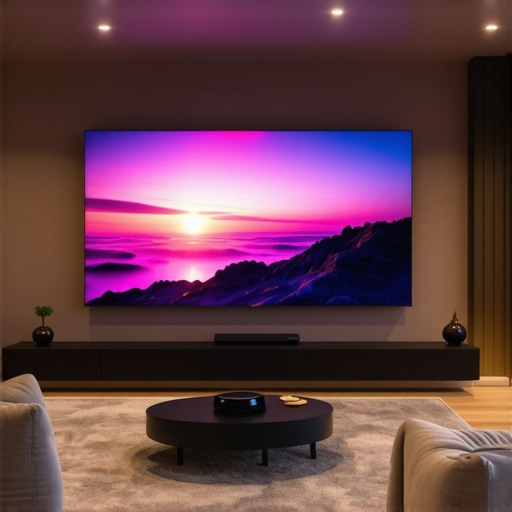
Ever sat down in front of a traditional projector, only to realize the image is washed out or the setup feels like a chore? I’ve been there. I remember the frustration of trying to get that perfect cinematic experience, only to be left with a dim, blurry screen on my living room wall. It hit me one night—why am I wrestling with my projector when there are better options out there? That lightbulb moment led me down a rabbit hole of research, testing, and eventually transforming my space with the right projector technology. Today, I want to share that journey and help you avoid the mistakes I made early on.
Why Now is the Perfect Time to Upgrade Your Home Theater Projector
With the rapid advancements in projector tech, especially in 4K laser and ultra short throw models, it’s never been easier—or more affordable—to create a stunning home cinema. The days of bulky, complicated setups are fading fast. Instead, sleek, high-resolution, laser-powered projectors can deliver breathtaking images without the hassle of traditional screens or complicated installations. If you’re tired of the dim, washed-out images, or if your current projector simply doesn’t cut it anymore, this is the moment to invest in a device that redefines your viewing experience. According to recent industry insights, the market for 4K laser projectors is expected to grow significantly in the next few years, driven by demand for high-quality home entertainment. What’s more, ultra short throw (UST) projectors allow you to place them just inches from your wall or screen, making them perfect for small spaces or minimalist setups. So, if you’ve faced the frustration of trying to fit a projector into a cozy room or struggled with poor image quality, I promise that upgrading with the right model can change everything.
Have you struggled with poor picture quality or complicated setups?
Early on, I made the mistake of choosing a budget projector that promised 4K but delivered a dull, pixelated image. I learned the hard way that not all projectors are created equal—especially when it comes to laser and ultra short throw models. My advice? Don’t fall for the hype without doing your homework. Check out comprehensive guides like this ultimate 4K projector buying guide to understand what features truly matter. In the sections that follow, I’ll walk you through the key features, common pitfalls, and how to pick a model that will turn your living room into a cinematic paradise. Ready to ditch the old, blurry projector and step into a sharper, brighter future? Let’s dive in and get started!
Choose the Right Projector Technology for Your Space
Start by assessing your room size and lighting conditions. If you have a small, bright room, a portable 4K laser projector can deliver stunning clarity without the need for darkening the space. For larger or dedicated home theaters, consider a high-end 4K laser model with a dedicated screen. Think of it like selecting the perfect camera lens: the environment dictates whether you need a wide-angle or zoom lens for optimal shots.
Measure Your Space and Decide on Placement
Measure the distance between where you want your projector and the wall or screen. Ultra short throw (UST) projectors sit just inches away, making them ideal for limited spaces. If you’re working with a larger room, a standard throw projector might need several feet of clearance. Use this measurement to narrow down your options by consulting the product specifications—most manufacturers provide recommended setup distances.
Pick a Model with the Features You Need
Focus on key features like resolution, brightness, and connectivity. For crisp images, prioritize models with true 4K resolution—don’t settle for 1080p scaled up. Brightness is crucial: laser projectors typically offer higher lumen output, which means brighter images even in ambient light. For convenience, look for models with multiple HDMI ports and smart features like app support. Check out the comprehensive Ultimate 4K projector buying guide to compare options.
Set Up Your Projector for Maximum Impact
Position the projector at the recommended distance, then secure it on a stable surface or ceiling mount. Use a level to ensure perfect alignment, which is essential for avoiding keystone distortion—imagine trying to take a photo with a crooked horizon. For ultra short throw models, simply place the device close to the wall, then adjust the zoom or focus as needed. Remember, a clean, dark environment enhances contrast—consider blackout curtains if daylight disrupts your viewing.
Calibrate for Sharp, Bright Images
Once set up, calibrate your projector by adjusting settings like contrast, color temperature, and sharpness. Many models include automatic keystone correction, but manual tweaks often yield better results. Test with a favorite movie or game, and fine-tune until the picture looks natural and vibrant. If you’re unsure, refer to detailed guides like discover the best home theater projectors for 2025.
Enhance Your Space with Proper Screen and Audio
While many projectors have built-in speakers, for a true cinematic experience, pair your projector with a quality sound system—think of it as adding surround sound to a movie theater. Use a dedicated screen for the best image quality, especially if your room has ambient light. If portability is a priority, explore options like portable projectors that combine ease of setup with excellent picture quality.
Test and Tweak Regularly
Once everything is in place, watch a variety of content and make small adjustments as needed. Over time, you might find that changing the position slightly or updating firmware improves performance. Remember, creating the perfect home theater setup is an ongoing process—think of it as fine-tuning a musical instrument for the best sound.
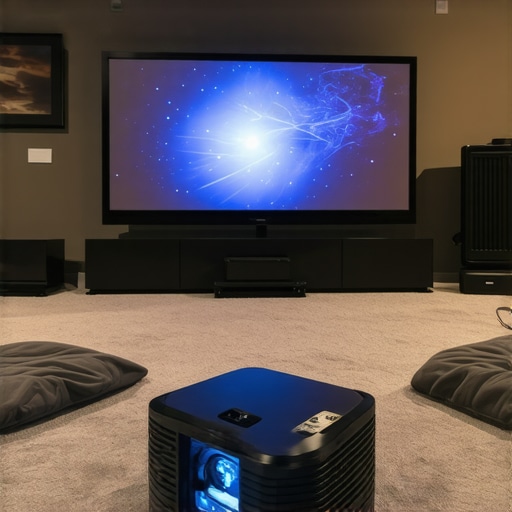 Many enthusiasts believe that upgrading to a higher resolution or a more expensive projector guarantees better performance. However, this is a misconception that can lead you astray. One of the most overlooked nuances is understanding the difference between **laser projectors** and traditional lamp-based models. While lasers boast longer lifespan and higher brightness, they can also introduce issues like color uniformity and blooming if not properly calibrated. According to industry experts, laser projectors require meticulous setup to truly shine, especially in small or bright rooms.
Another frequent mistake is assuming all **4K projectors** are created equal. In reality, the term “4K” often varies in actual resolution quality, especially with pixel-shift or pixel-doubled models. For a truly immersive experience, opt for native 4K panels that deliver crisp, detailed images without interpolation artifacts. You can find more insights on this topic in the Ultimate 4K projector buying guide.
When it comes to **ultra short throw** (UST) projectors, many people underestimate the importance of proper placement and calibration. They often place the device too close or too far from the wall, resulting in distorted or blurry images. The key is understanding your space and choosing a model with the right throw ratio. For small rooms, a UST can provide stunning images without needing a dedicated screen, but only if set up correctly. For a detailed overview, check out this guide on ultra short throw projectors.
Many assume that **portable projectors** are inherently inferior in image quality. This is a misconception that can cause you to overlook excellent options. Modern portable models with **4K laser tech** now deliver impressive clarity and brightness, perfect for on-the-go entertainment. The challenge is selecting a portable device with appropriate lumens and connectivity options. Remember, portability should not compromise your viewing quality. You can explore top portable options in this curated list of portable 4K laser projectors.
### How can I optimize my projector setup for the best image quality?
Achieving the perfect picture involves more than just choosing the right model. It requires fine-tuning your projector’s settings—contrast, color balance, and keystone correction—to fit your room environment. Many advanced users overlook the importance of calibration, which can significantly enhance image sharpness and color accuracy. Investing in a calibration disc or professional service can be worthwhile. Moreover, understanding ambient light’s impact is crucial; even the brightest laser projectors struggle in well-lit rooms. For in-depth calibration strategies, visit this expert guide. Have you ever fallen into this trap? Let me know in the comments.
Once you’ve set up your dream home theater with a top-tier projector—be it a 4K laser model, ultra short throw, or portable device—the next step is ensuring it continues to deliver stunning images for years to come. Proper maintenance and the right tools can significantly extend your projector’s lifespan, maintain optimal image quality, and simplify troubleshooting. In this guide, I’ll share the exact tools I rely on and the best practices I follow for long-term performance.
How do I maintain my projector over time?
Regular cleaning is crucial. Dust accumulation on the lens, air filters, or vents can cause overheating and image degradation. I use a microfiber cloth paired with a gentle lens cleaner—specifically, a solution formulated for optical surfaces—to keep the lens crystal clear without scratches. For the vents, compressed air is a game-changer; I carefully blow out dust from the intake and exhaust ports using a can of compressed air, which I keep handy in my maintenance toolkit. This not only prevents overheating but also keeps the laser or lamp running efficiently. Additionally, I schedule a bi-annual calibration check—adjusting focus, keystone, and color balance—to ensure the picture remains crisp and vibrant.
For laser projectors, firmware updates are essential. Manufacturers often release updates that improve color accuracy, brightness stability, and even fix bugs. I subscribe to the manufacturer’s newsletter or check their support page regularly, making updates a part of my maintenance routine.
Tools I recommend for ongoing upkeep
My first go-to tool is a sensor cleaning kit, which includes a blower, microfiber cloths, and lens cleaning solution. This kit is designed to safely remove dust and smudges without damaging delicate components. For more precise adjustments, I use a colorimeter or calibration disc—these allow me to fine-tune my projector’s color settings, especially important for 4K laser models where color fidelity makes or breaks the experience. When I want to verify the image geometry or test keystone correction, I turn to test patterns available online or built into calibration tools. Additionally, a small torque screwdriver helps in tightening ceiling mounts or adjusting internal screws if needed.
Lastly, I rely on a dedicated calibration software that connects to my projector via HDMI or USB. This software offers advanced controls over gamma, color temperature, and contrast, ensuring my projector is always performing at its peak.
The future of projector maintenance
Looking ahead, I predict that AI-powered calibration tools and remote diagnostics will become standard, making upkeep even easier. Manufacturers are increasingly integrating smart sensors that automatically alert you to dust buildup or performance drops, enabling proactive maintenance. As these tools become more affordable and user-friendly, maintaining high-performance projectors will be less about manual tweaks and more about smart automation. This means your ultra short throw or portable projector will stay pristine with minimal effort, allowing you more time to enjoy your cinematic adventures.
Don’t wait until performance declines—start incorporating these maintenance routines and tools today. If you haven’t yet, try using a calibration disc or software to fine-tune your image. The small investment pays dividends in picture quality and device longevity, ensuring your home theater remains a source of joy for years to come.

Image showing a projector being cleaned with a microfiber cloth and compressed air, highlighting essential maintenance tools.
The Hardest Lesson I Learned About Home Theater Projectors
One of the most eye-opening lessons I encountered was realizing that not all projectors labeled as 4K deliver the same quality. Early on, I assumed a higher price or brand name guaranteed a stunning picture, but I was disappointed when my budget 4K projector looked pixelated and dull. It taught me the importance of native 4K panels and genuine laser illumination, which truly enhance clarity and brightness. This experience pushed me to dive deeper into specs and user reviews, understanding that true performance comes from the right combination of resolution, brightness, and calibration.
3 Myths About Ultra Short Throw Projectors That Held Me Back
I used to believe that ultra short throw (UST) projectors were limited to small, low-quality images. Turns out, with proper placement and calibration, UST models can produce cinematic quality even in compact spaces. I also thought they were only suitable for small rooms, but after exploring the latest models, I discovered they can handle larger screens and deliver immersive visuals. The third misconception was about setup complexity—many UST projectors now feature automatic keystone correction and easy focus, making installation straightforward and rewarding.
What Industry Experts Won’t Tell You About Laser Projectors
One insight I gained from professionals is that laser projectors, while long-lasting and bright, require precise calibration to avoid issues like blooming and uneven color. They also need regular firmware updates, which many overlook. The key is understanding that laser tech isn’t just plug-and-play; it demands a bit more attention to detail but pays off with vibrant, consistent images. Industry insiders recommend investing in calibration tools and following manufacturer guidelines for optimal results, especially in rooms with ambient light.
My Essential Toolkit for Home Theater Setup and Maintenance
Over the years, I’ve curated a set of tools that keep my projector performing at its best. A microfiber cloth and optical lens cleaner are must-haves for regular cleaning. Compressed air helps me clear dust from vents and filters, preventing overheating. For color calibration, I rely on a colorimeter, which ensures accurate, vibrant images. Test patterns and calibration software are also invaluable for fine-tuning the picture after setup. These tools have become my secret weapons for maintaining a cinematic experience that rivals commercial theaters.
Don’t Wait to Elevate Your Viewing Experience
The future of home theater projectors looks brighter and smarter, with AI-driven calibration and remote diagnostics on the horizon. Now is the perfect time to upgrade your setup, whether you’re considering a sleek ultra short throw, portable 4K laser, or a high-end home theater model. Taking the leap not only transforms your space but also deepens your appreciation for the art of visual storytelling. So, why settle for less when you can enjoy stunning, crisp images in your own home? Dive into the options, equip yourself with the right tools, and start creating your cinematic paradise today.
http://Evelyn%20Carter
This guide really resonates with my experience of upgrading to a 4K laser projector. I used to struggle with ambient light washing out images, but switching to a high-lumen laser model made a huge difference, especially with blackout curtains. I agree that calibration is often overlooked—I’ve found that even small tweaks in contrast and color temperature significantly enhance picture quality. The part about ultra short throw projectors being suitable for larger screens is interesting; I initially thought they were only for small spaces, but recent models have certainly come a long way.
One thing I’ve learned is how crucial regular maintenance and firmware updates are to keep the projector performing at its best. I’ve started using calibration discs and a colorimeter, which has really improved color accuracy. Does anyone have tips on how often to recalibrate once everything is set up? Also, with the rise of AI-powered calibration tools, do you think they will truly replace manual calibration for the average home user? Would love to hear others’ insights or experiences with these new tech advancements.
http://Jason%20Nguyen
Your detailed journey with upgrading to a 4K laser projector really hits home. I’ve also found that ambient light can be a persistent challenge, even with high-lumen models, so investing in blackout curtains made a noticeable difference for me as well. Calibration indeed plays a crucial role; I usually recalibrate after a firmware update or anytime I notice color shifts or brightness issues. I’d say doing it every 6 to 12 months is a good rule of thumb, but it depends heavily on usage and environmental factors.
As for AI calibration tools, I think they’re promising and can serve as a solid starting point, especially for less tech-savvy users. However, I believe manual calibration still holds an edge when it comes to fine-tuning for absolute perfection, especially with high-end projectors where subtle adjustments significantly impact image fidelity. Has anyone experimented with hybrid approaches—using AI tools initially then fine-tuning manually? Would love to hear how others are balancing these methods.