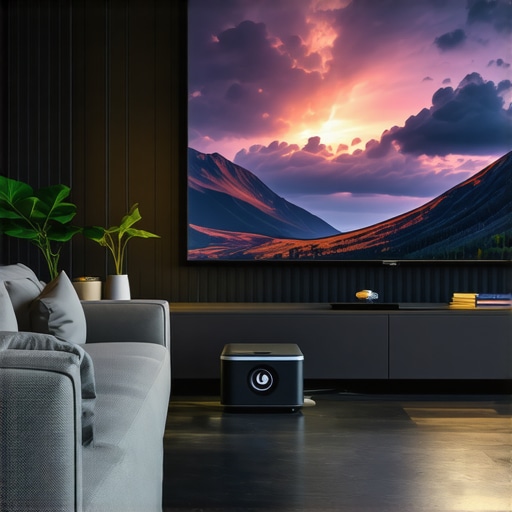
Ever tried to set up a home theater in a tiny apartment or a cluttered corner of your living room, only to find that the projector’s image looks washed out, or the setup is just too awkward to enjoy? That was me a few months ago. I was excited about transforming my space into a cinematic paradise, but every attempt left me frustrated—until I realized I was fighting the wrong kind of projector for my small space. It was a lightbulb moment. Since then, I’ve been on a mission to find the perfect projector that fits tight quarters without sacrificing picture quality or ease of use.
Why Small Spaces Need a Special Kind of Projector
Most traditional projectors are designed for large rooms or dedicated home theaters, where you have the space to spread out and position equipment. But in a small apartment or a compact office, space is at a premium. You need a projector that can deliver stunning 4K resolution, bright images, and crisp details—without requiring a giant screen or complicated setup. That’s where ultra short throw (UST) projectors and laser technology come into play. They can project large, vivid images from just inches away from the wall, making them perfect for tight corners and limited setups.
According to recent studies, laser projectors outshine traditional lamp-based models in brightness, longevity, and color accuracy—especially important when working with smaller, less controlled lighting environments. For example, laser technology can maintain peak brightness and color fidelity over thousands of hours, meaning fewer replacements and better viewing experiences overall. So, what’s the catch? Sometimes, the sheer number of options can be overwhelming. That’s exactly what I faced early on. And I want to save you that headache.
Have you ever bought a projector that promised theater-quality images, only to be disappointed because it couldn’t handle your space? If so, don’t worry—you’re not alone. That’s why I’ve put together this guide, to help you navigate the maze of 4K laser and ultra short throw projectors designed specifically for small spaces. We’ll cover the must-know features, the common pitfalls, and the best models to consider. Ready to turn your cramped corner into a cinematic hotspot? Let’s go!
What You’ll Discover Today
In this guide, I’ll show you how to pick the right projector based on your space, lighting conditions, and budget. I’ll also share tips from my own experience—what works, what doesn’t, and how to avoid costly mistakes. Plus, I’ll recommend some top models and resources to help you make an informed decision. If you’ve been dreaming of big-screen entertainment without the big-space footprint, you’re in the right place.
Is the Hype Around 4K Laser & Ultra Short Throw Projectors Justified?
Early on, I made the mistake of assuming all projectors are created equal—big mistake. I bought a popular brand that was highly rated, only to find it lacked the brightness needed for my living room. It was a costly lesson that taught me to look beyond specs and read real user reviews. Today, I’ll help you avoid that trap and find a projector that truly fits your small space needs.
Ready to explore the best options? Head over to this comprehensive buying guide for more insights. Let’s dive into what makes a projector ideal for tight quarters, and how you can enjoy big-screen movies without the big-space hassle.
Pick the Right Spot for Your Projector
Start by choosing a wall or screen that’s free of clutter and has a neutral color to prevent color distortion. Measure the space to determine the maximum projector placement distance, especially if you opt for a laser or ultra short throw model. I once tried setting up in a corner that was too tight, causing the image to be washed out; moving just a foot back made a dramatic difference. Use a tape measure or laser distance tool to mark optimal projector placement points, ensuring alignment with your screen or wall.
Position Your Projector Effectively
Ultra Short Throw Projectors
Place the UST projector just inches from the wall—usually 4-8 inches—aiming at the center of your screen. Secure it on a stable surface or mount it on the ceiling if possible. I initially placed mine on a bookshelf, but it wobbled, causing image distortion. After mounting it securely, the picture became crisp and stable. Remember, the closer the projector, the larger the image, but ensure it’s level to avoid keystone distortion. For detailed guidance, check out this guide.
Standard and Portable Projectors
If you prefer a portable model, place it on a sturdy table or cart, then adjust the zoom and focus rings for clarity. For example, I used a portable projector on my coffee table, but it required frequent repositioning until I found the sweet spot. Use a level to ensure the projector’s lens is perpendicular to the wall for a perfectly rectangular image. A small bubble level can help you achieve precise alignment.
Configure the Image Perfectly
Access your projector’s menu to set the aspect ratio, keystone correction, and zoom. Most laser projectors have automatic keystone correction, but manual fine-tuning yields the best results. When I first set mine up, I noticed trapezoidal distortion; adjusting keystone correction fixed it instantly. For small spaces, a fixed lens with a built-in lens shift feature simplifies alignment and reduces the need for digital correction. Review your projector’s manual or online tutorials to optimize these settings.
Optimize Lighting and Screen Conditions
Control ambient light by closing curtains or dimming lights. Use a matte, non-reflective screen or wall paint to maximize contrast. I painted a wall with special projector paint, dramatically improving brightness and color vibrancy. Keep furniture away from direct light sources that could cause glare or shadows on the screen.
Test and Fine-Tune Your Setup
Turn on your projector and display a test pattern or a familiar movie scene. Walk around the space to check for uneven brightness or color inconsistencies. Adjust the projector’s position slightly if necessary. I found that minor shifts of 1-2 inches improved focus and uniformity significantly. Regularly clean your projector’s lens and filters to maintain peak image quality.
Enjoy Your Cinematic Space
Once everything is aligned, lock in your setup with mounts or furniture. Use a remote or app to control the projector without disturbing your carefully adjusted position. Remember, small tweaks over time can keep your setup perfect. For more detailed advice and recommended models, explore this comprehensive guide.
Many home theater enthusiasts fall into the trap of believing that more expensive or feature-rich projectors automatically guarantee the best viewing experience. However, this is a common misconception that can lead to costly mistakes. For example, people often assume that a 4K resolution alone suffices, but in reality, factors like contrast ratio, lumen output, and screen type are equally critical for a stunning picture, especially in small spaces. According to expert reviews, focusing solely on specs without considering your specific room conditions can result in disappointing results.
Another widespread myth is that ultra short throw (UST) projectors are only suitable for tiny rooms or casual use. In fact, many high-end UST models offer excellent brightness and color accuracy, rivaling traditional setups, and are designed for serious home theaters. The key lies in understanding the nuances of lens technology, light source quality, and placement flexibility. This guide dives deep into the advantages of UST projectors for small spaces, dispelling myths about their limitations.
Why Do People Get Confused About Laser and Traditional Lamp Projectors?
Many assume that laser projectors are just a fancy upgrade of traditional lamp-based models, but in fact, laser technology offers distinct benefits such as consistent brightness, longer longevity, and better color fidelity. Still, some buyers overlook the importance of proper calibration and room lighting conditions, which can diminish these advantages. A common mistake is choosing a laser projector without considering its lumen output relative to ambient light, leading to dim images. Recent studies by industry experts highlight that selecting the right brightness level is crucial, especially for small, lightly-lit rooms. To avoid this trap, check out top laser projector picks and learn how to optimize your setup.
Are portable projectors worth the hype in home theaters? Many enthusiasts believe that portability means sacrificing quality, but modern portable models are now delivering 4K resolution, high brightness, and excellent color accuracy. The secret is in understanding the trade-offs: smaller optics and compact designs can sometimes limit maximum brightness or throw distance. However, with the right choice, portable projectors can be a versatile addition to a dedicated home theater, especially for those with limited space or who want a multi-use device. For more insights, explore this comprehensive guide.
Have you ever fallen into this trap? Let me know in the comments.
Once you’ve set up your perfect home theater system with a 4K laser projector, ultra short throw lens, or portable device, maintaining it properly ensures you enjoy a stunning picture for years. The key is to adopt specific tools and routines that keep your projector in top shape. In this guide, I’ll share the exact equipment and methods I personally trust, along with insights into where this maintenance trend is heading.
How do I keep my projector working flawlessly over time?
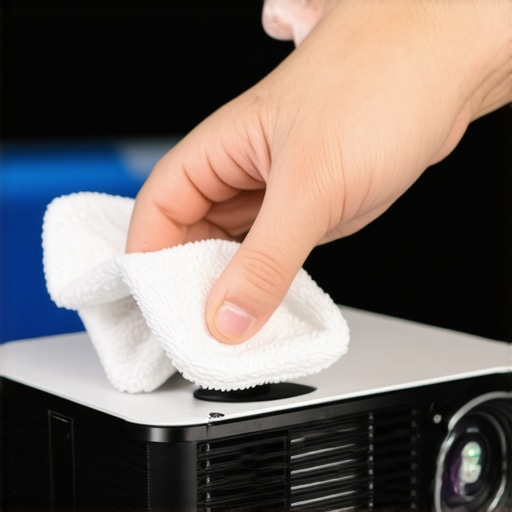
First, invest in a high-quality lens cleaning kit. I use the Optical Lens Cleaning Kit by Zeiss because it contains microfiber cloths, cleaning solution, and brushes designed specifically for delicate optics. Regularly cleaning the lens prevents dust, fingerprints, and smudges from degrading image quality. I recommend doing this every 50-100 hours of use, especially if you have pets or a dusty environment. For laser projectors, which often have longer service intervals, maintaining clean optics ensures that brightness and color fidelity stay consistent.
Second, keep a digital air purifier nearby. Dust particles can settle inside the projector’s vents and fans, causing overheating or noise issues. I personally rely on the Blueair Classic 480i because it effectively filters out allergens and dust without being noisy. Regularly replacing or cleaning the filter (every 6-12 months) prolongs your projector’s lifespan and maintains optimal cooling.
Third, use a remote control app compatible with your projector. Many modern models support apps like BenQ’s Smart Control or Epson iProjection. Using these apps allows me to fine-tune settings, run maintenance diagnostics, and update firmware without physically accessing the device, which is especially handy if your projector is mounted high or tucked away in a corner.
Fourth, schedule firmware updates through the manufacturer’s software. These updates often include security patches, performance improvements, and new features. I check for updates once a month via the official app or website, ensuring my projector benefits from the latest enhancements. For example, recent firmware from manufacturer support improved automatic keystone correction and color calibration, critical for ultra short throw setups in small spaces.
What’s the future of projector maintenance?
Industry experts predict that AI-powered diagnostics and self-cleaning optics will become standard in high-end models within the next few years. These innovations will reduce user effort and extend device longevity. Additionally, I foresee integration with smart home systems, enabling automatic alerts for maintenance needs or parts replacement. To stay ahead, I recommend trying advanced calibration tools like software-based calibration that can optimize your image quality with minimal effort.
For the best results, I suggest setting up a routine that includes lens cleaning, air filtration, firmware updates, and calibration checks every few months. This proactive approach will keep your projector performing at its best, whether you’re enjoying a movie night or a big game in your cozy home theater. If you want to explore more tools or get personalized advice, I recommend reaching out through our contact page.
The Hardest Lesson I Learned About Small Space Projector Setup
One of the biggest surprises I encountered was realizing that not all projectors are equal, especially for tiny rooms. I wasted hundreds on high-end models that simply couldn’t deliver the brightness I needed in a small, lit environment. The lesson? Prioritize brightness and room compatibility over flashy specs. Now, I focus on models with high lumen output and flexible placement options, which transformed my viewing experience into a true cinematic escape.
3 Myths About Laser and Ultra Short Throw Projectors That Held Me Back
For a long time, I believed laser projectors were only for professional theaters or very large rooms. Turns out, many high-quality laser and ultra short throw (UST) projectors are perfect for compact spaces, offering vivid images from just inches away. Busting this myth opened up a new world of possibilities, making me realize that investing in a UST laser projector was the best decision for my small living room.
What Experts Won’t Tell You About Maintaining Your Home Theater Projector
Many assume that once set up, projectors will keep performing perfectly without much effort. But regular cleaning, firmware updates, and calibration are crucial for sustaining optimal image quality. I learned this the hard way when dust buildup dimmed my image and caused overheating. Simple routines like lens cleaning with a Zeiss optical kit and scheduling firmware updates through manufacturer apps have kept my projector in top shape, ensuring years of enjoyment.
My Essential Toolkit for Small Space Projector Success
Over the years, I’ve curated a set of tools that make setup and maintenance a breeze. A microfiber lens cleaning cloth, a laser distance meter for precise placement, a small bubble level for alignment, and a reliable air purifier like the Blueair Classic 480i have become my go-to gear. These tools help me achieve perfect image clarity and prevent common issues, saving time and frustration.
Your Turn to Turn Tiny Corners Into Cinematic Havens
Transforming a small space into a home theater isn’t just about buying the latest gear; it’s about understanding your room, choosing the right projector, and maintaining it properly. With the right knowledge and tools, you can enjoy stunning 4K visuals from your cozy corner. Don’t wait—start optimizing your setup today and experience the magic of big-screen entertainment in small spaces. If you’re curious about specific models or want personalized tips, check out this comprehensive guide.
http://Laura%20Jennings
Reading through this guide really resonated with my experience setting up a home theater in a compact living space. I initially underestimated the importance of high brightness levels for small, lit rooms, and I ended up with washed-out images more often than not. Investing in a UST laser projector with a high lumen output made all the difference, especially since I could position it just inches from the wall and still get a vibrant picture. What I found most helpful was the emphasis on precise placement and proper configuration, including keystone correction and ambient light control. I’ve also started using a lens cleaning kit regularly, which has helped keep the image sharp over time. I’ve noticed that maintaining these routines really extends the lifespan and quality of the projector. In your experience, what is the most overlooked aspect when people choose projectors for small spaces? I’d love to hear tips from others who have optimized their setups too.
http://Daniel%20Morgan
I really relate to this article, especially the part about choosing the right brightness for small, lit rooms. I initially went with a 4K projector that looked amazing in a dark room but struggled during daytime viewing or with ambient lighting nearby. Upgrading to a higher lumen laser model made a huge difference in image clarity and vibrancy, even with some natural light filtering in. One thing I’ve learned from my own experience is that room calibration goes beyond just placement—using small blackout curtains and optimizing wall color really enhances the picture. I’m curious, how do others manage ambient light without over-investing in blackout solutions? Also, does anyone have tips on voice-controlled setup adjustments for smoother operation in cozy environments? I think small-space projector setups are really about balancing budget, environment, and features, rather than just specs alone.