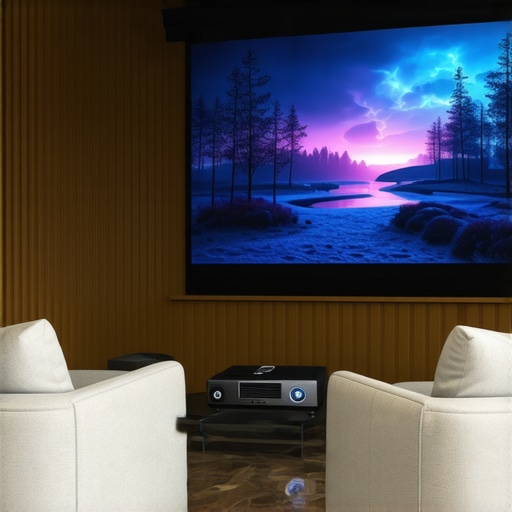
I vividly remember the moment I realized my living room was too tiny for the massive TV setup I dreamed of. The screen felt cramped, the glare was relentless, and I kept bumping into furniture trying to get a better view. It was a classic case of just not having enough space, but my desire for a cinematic experience was just as big. That lightbulb moment led me down a rabbit hole of researching projectors that could turn even a small room into a home theater oasis.
Why Small Spaces Need a Different Approach to Home Cinema
Most people assume that creating a home theater requires a dedicated, spacious room. But in reality, many of us live in apartments or cozy houses where square footage is limited. The good news? Advances in projector technology—particularly laser and ultra-short throw (UST) models—make it possible to enjoy big-screen entertainment without sacrificing your living space. These projectors can project a stunning image onto your wall from just inches away, transforming small rooms into cinematic havens. Learn how ultra-short throw projectors are revolutionizing small-space home theaters.
Have you ever been frustrated by the size limitations of traditional projectors?
Trust me, I’ve been there. Early in my journey, I made the mistake of buying a standard projector that required a long distance from wall to screen—guess what? It barely fit in my tiny living room. I overlooked the importance of choosing the right type of projector for small spaces, which cost me time, money, and a lot of frustration. That early mistake made me realize the value of specialized technology designed for compact environments and helped me avoid repeating it. I want to help you skip those pitfalls and make smarter choices right from the start.
So, what’s next? In this guide, I’ll walk you through everything you need to know about laser and UST projectors, from choosing the best model to setting up your mini home cinema. Whether you’re craving a cinematic experience in a studio apartment or a cozy den, I’ve got you covered. Ready to dive into the world of compact, powerful projectors that pack a punch? Let’s go!
Select the Perfect Projector for Your Space
Start by identifying what you need from your projector. For small rooms, ultra-short throw (UST) models are game-changers because they can project a large image from just inches away. When I first set up my tiny apartment, I chose a compact laser UST projector that could sit right next to the wall, eliminating the need for a long throw distance. This setup not only saved space but also delivered sharp, vibrant images. Check out the ultimate guide to portable ultra-short throw projectors for small spaces for the best options in 2024.
Measure Your Space and Choose the Right Model
Accurately measure your room’s dimensions. For example, my living room is only 8 feet wide, so I needed a projector that could produce a 100-inch image from less than 2 feet away. Use a tape measure and note the maximum projection distance. Based on this, select a laser UST projector that fits those parameters. Many models are designed specifically for tight spaces, offering 4K resolution and high brightness, making your images pop even in ambient light. For a comprehensive comparison, explore the best 4K laser projectors for home theater in 2024.
Position Your Projector Correctly
Place your projector close to the wall or screen, ideally on a sturdy surface or mounted. Use a level to ensure it’s straight, preventing distorted images. When I first tried positioning my projector on a shelf, I realized it was slightly tilted, causing keystone distortion. I adjusted the feet and used the projector’s keystone correction feature—most modern models have this—to straighten the image. Avoid placing the projector too high or low, as this can affect focus and image shape. For tips on optimal placement, see the ultimate guide to portable ultra-short throw 4K projectors.
Configure Your Image Settings
Adjust brightness, contrast, and sharpness for the best picture. For small rooms with ambient light, increase brightness and contrast. Use the projector’s menu to fine-tune these settings; I spent some time tweaking mine and achieved a cinema-quality picture. Enable any wall calibration features to correct for keystone or trapezoidal distortion—most UST projectors have smart correction tools that make setup easier. For detailed calibration techniques, visit the best 4K home theater projectors in 2024.
Connect Your Devices Seamlessly
Most projectors support HDMI, USB, or wireless streaming. For simplicity, I connected my streaming device via HDMI. Make sure your projector has the ports you need and that your device is compatible. Wireless options like Chromecast or AirPlay allow for quick streaming without clutter. I recommend checking the ultimate guide to portable ultra-short throw projectors for 2024 for the latest connection features and compatibility tips.
Fine-Tune and Enjoy Your Cinema
Once everything is set up, sit back and enjoy. Small adjustments in focus, color, and sound levels can dramatically improve your viewing experience. I found that dimming the lights and adjusting the projector’s settings made a huge difference. Remember, the key is to experiment with positioning and settings until the image looks perfect. Your small space can become a big-screen paradise with just a few tweaks. For more expert advice, visit the best 4K laser projectors for home theater in 2024.
Many enthusiasts believe that choosing the right projector is all about specs like resolution or brightness. However, what most people overlook are the subtle nuances that can make or break your small-space home theater experience. For instance, a common myth is that ultra-short throw (UST) projectors automatically deliver perfect images without calibration. In reality, even the best UST models can produce distorted images if not properly aligned or calibrated, which is a mistake many make during setup. Proper placement, keystone correction, and understanding your room’s unique lighting conditions are crucial for achieving cinematic quality. Discover the best home theater projectors for 2025 to avoid these pitfalls.
Why do so many still fall for the resolution trap?
It’s tempting to think that higher resolution always equals better picture quality. While 4K is ideal, many overlook the importance of native contrast ratio and color accuracy, especially in small rooms where ambient light can wash out the image. An overly bright, high-resolution projector with poor contrast can look worse than a lower-resolution model with better color and contrast handling. Experts recommend prioritizing contrast ratio and color fidelity over resolution alone for a more immersive experience. For advanced setup tips, check out the ultimate 4K projector buying guide.
Another common mistake involves ignoring the room’s acoustics. Sound quality is often underrated, but in small spaces, poor acoustics can diminish your viewing pleasure dramatically. Investing in good soundproofing or a quality soundbar can complement your projector setup perfectly. Keep in mind, a complete home theater experience depends on both picture and sound—don’t neglect either. For portable solutions that excel in small rooms, explore portable projectors for on-the-go cinema.
Finally, many enthusiasts underestimate the importance of ambient light control. Small rooms are often filled with windows or light-colored walls that reflect ambient light, washing out the projected image. Blackout curtains, wall paint choices, and strategic lighting can dramatically enhance image quality. Remember, a dark environment maximizes contrast and color vibrancy, turning even modest projectors into cinematic powerhouses. For detailed room calibration techniques, visit the ultimate guide to 4K projectors.
Have you ever fallen into this trap? Let me know in the comments. The key to mastering small-space home theaters lies in understanding these hidden nuances. By paying attention to calibration, room conditions, and a balanced focus on picture and sound, you can create an immersive cinematic experience in even the tiniest of rooms.
Once you’ve set up your compact home cinema with a high-quality projector, the journey doesn’t end there. To keep everything running smoothly and ensure your investment stands the test of time, adopting the right tools and maintenance routines is crucial. Over the years, I’ve found that a few specific gadgets and habits make a significant difference in maintaining picture quality, device longevity, and ease of troubleshooting.
How do I maintain my projector over time?
Regular cleaning is the cornerstone of projector maintenance. Dust and debris can accumulate in vents and filters, leading to overheating and reduced image clarity. Personally, I use a canned compressed air duster to carefully blow out the vents every few months, preventing dust build-up without risking damage. For the lens, a microfiber cloth and a gentle lens cleaner are all you need—avoid harsh chemicals that can scratch or degrade the lens coating. Many projectors have dedicated air filters, so check your model’s manual and replace these filters at least once a year to sustain optimal airflow and cooling.
Another essential tool is a remote control with programmable buttons. I recommend setting up macros for common functions like switching inputs, adjusting brightness, or toggling keystone correction. This streamlines your setup process, especially if you use multiple devices. If your projector supports firmware updates, keep it current. Manufacturers often release updates that improve performance, fix bugs, and sometimes even add new features. I subscribe to the manufacturer’s newsletter or check their support pages periodically to stay informed about these updates.
What tools do I swear by for calibration?
Color calibration tools are game-changers for ensuring your small space home theater looks its best. I use a colorimeter like the X-Rite i1Display Pro, which connects via USB and pairs with calibration software. With it, I can precisely adjust the projector’s color balance and gamma settings, ensuring vibrant, true-to-life images. This step is especially important in small rooms where ambient light can skew perceptions of contrast and color accuracy. For the best results, I follow calibration guides from trusted sources like the ultimate 4K projector buying guide, which detail calibration techniques tailored for different projector types.
In addition, ambient light meters help me measure and control the light levels in my room. Proper lighting management can prevent washed-out images and enhance contrast. Simple light meters or smartphone apps can do the trick, guiding me in adjusting curtains, wall colors, or supplemental lighting to maximize picture quality.
Future Trends in Maintenance and Tools
Looking ahead, I predict that AI-powered calibration and smart maintenance alerts will become more integrated into projector firmware. Imagine a projector that automatically detects dust buildup or color drift and suggests or performs adjustments in real-time. This will make upkeep even easier for casual users while maintaining professional-grade image quality. As these innovations emerge, I encourage you to try advanced calibration tools and routines—your small space cinema will thank you for it.
Remember, consistent maintenance and the right tools are essential to enjoying your small-space home theater for years to come. For more detailed tips on device selection and setup, explore the ultimate guide to portable ultra-short throw projectors. And if you’re ready to upgrade or troubleshoot, don’t hesitate to reach out via the contact page.
The Hardest Lesson I Learned About Small Space Projectors
One of my biggest surprises was realizing that even the most advanced projector can fall flat if not positioned correctly. I once thought I could place my ultra-short throw projector anywhere, but I ended up with distorted images and annoying keystone effects. The lightbulb moment was understanding that proper placement isn’t just about distance but about aligning the projector to avoid distortion. Now I always double-check my setup with a level and calibration tools, saving myself hours of frustration.
3 Myths About Small Space Projectors That Held Me Back
For years, I believed that bigger resolution automatically meant better viewing — a myth that nearly made me overlook contrast and color accuracy. I also thought that ambient light didn’t matter in small rooms, which led to washed-out images. The third myth was that any laser projector would be perfect for small spaces; in reality, some models require careful calibration for optimal picture quality. Dispelling these myths helped me choose the right model and tweak it for perfect results.
What Experts Won’t Tell You About Compact Home Theaters
Many professionals keep quiet about the importance of room lighting and acoustics in small-space setups. I learned the hard way that controlling ambient light and soundproofing significantly enhances picture quality. Experts also emphasize calibration beyond factory settings, using tools like colorimeters to fine-tune the image. These insights transformed my tiny living room into a true cinematic escape, proving that small spaces can deliver big experiences when you pay attention to the details.
My Essential Toolkit for Small Space Projectors
Over time, I’ve curated a set of tools that keep my home theater running smoothly. A quality microfiber cloth and gentle lens cleaner keep my projector’s lens spotless. A compact air duster prevents dust buildup, which can cause overheating. I rely on a colorimeter like the X-Rite i1Display Pro for precise calibration, ensuring vibrant, accurate colors. Additionally, a light meter helps me balance room lighting for optimal contrast and color vibrancy. These tools are worth every penny for maintaining cinematic quality in small rooms.
Where to Go from Here
If you’re serious about transforming your small space into a home theater, start with the right projector and calibration tools. Dive into detailed guides like the ultimate 4K projector buying guide to choose a model that fits your room and budget. Experiment with placement and lighting, and don’t be afraid to fine-tune settings until your image looks perfect. Remember, small spaces can pack a cinematic punch when you pay attention to these lesser-known but crucial details. For the latest models and setup tips, visit the best home theater projectors in 2024.