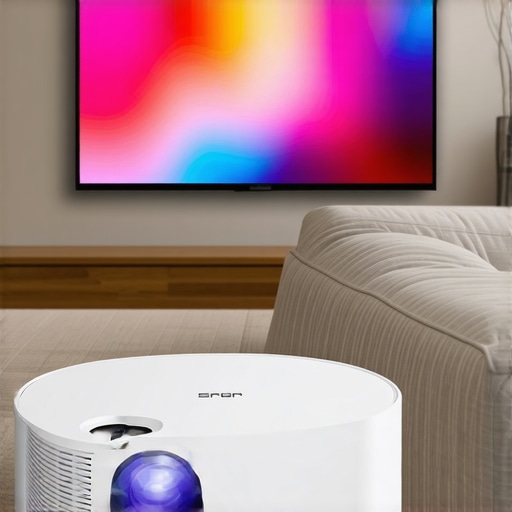
Ever set up a movie night only to realize your bulky projector doesn’t fit in your tiny apartment or office space? That moment of frustration is all too real for me. I remember dragging around my old projector, trying to find a spot that wouldn’t block the door or clash with my furniture. It felt like a never-ending puzzle—until I discovered the magic of portable and ultra short throw projectors. Since then, my movie nights have become smoother, and my space feels bigger than it actually is.
Why You Need a Projector That Fits Your Small Space
Let’s face it—most of us don’t have a dedicated home theater room. We’re living in apartments, small condos, or even dorms. The idea of installing a traditional projector with long throw distances sounds like a nightmare. That’s where ultra short throw (UST) projectors step in. They can produce a large, vibrant image from just inches away from the wall or screen. No more fumbling for the perfect distance or worrying about shadows from your seating arrangement. These projectors are revolutionizing small space entertainment.
But choosing the right one isn’t just about size. It’s about clarity, brightness, and ease of use—especially for someone like me who just wants to kick back without fussing over tech. In this guide, I’ll share my experience, tips, and what to look for to pick the perfect portable or ultra short throw projector for 2024.
Is the Hype About Ultra Short Throw Projectors Justified?
When I first heard about UST projectors, I thought it was just another tech trend. But I made a rookie mistake early on—thinking all projectors are created equal. I bought a budget model that promised to be compact but ended up with a blurry, dim image. It was a waste of money, and I learned the hard way. Since then, I’ve tested several models, and I can confidently say that not all projectors live up to their promises. That’s why I want to help you avoid my mistakes and find a device that truly delivers.
By the end of this post, you’ll know how to select a portable or ultra short throw projector that fits your space, budget, and entertainment needs. Ready to ditch the old TV and embrace a new way of watching? Let’s dive in!
,
Select the Right Model for Your Space
Start by measuring your available space. Use a tape measure to determine how close you can place the projector to your wall or screen. Remember, ultra short throw projectors can sit just inches away and still produce a large image. When I set up my first UST projector, I cleared a shelf just 4 inches from the wall, which turned out perfect. For detailed comparisons of laser versus traditional projectors, check out this guide.
Identify Your Brightness Needs
Brightness is crucial, especially if your room has ambient light. Aim for at least 2,000 lumens for daytime use. I initially bought a dim projector with only 1,500 lumens, which made my movies look washed out. Upgrading to a 3,000-lumen model transformed my viewing experience. For an in-depth look at brightness differences, see this comparison.
Focus on Resolution and Image Quality
Resolution determines the sharpness of your image. For crisp 4K content, choose a projector with native 4K or at least pixel-shift technology. I tested a 1080p model, but the lack of detail was noticeable on a large screen. When I upgraded to a 4K laser projector, my movie nights felt like cinema. To find the best options, explore top 4K projectors for 2024.
Ease of Setup and Portability
Look for models with automatic keystone correction and simple HDMI connections. I once spent an hour adjusting my projector’s angle, but a model with auto-adjustment saved me time. Also, consider weight and carrying case if you plan to move it around. For portable options, review portable 4K projectors.
Connectivity and Features
Ensure your projector supports your devices—smartphone, streaming sticks, or gaming consoles. Built-in Wi-Fi and Bluetooth are a bonus. I connected my projector wirelessly to avoid clutter, which made setup quicker. For more on how to choose the perfect home theater projector, see this buying guide.
Investing in the Right Screen or Surface
A smooth, matte wall can work, but for better contrast and color accuracy, consider a dedicated screen. I initially projected onto my painted wall, but a matte screen improved brightness and clarity. If you want to explore options, visit this resource.
Final Tips for Success
Test your setup multiple times before your movie night. Adjust the projector’s position, focus, and keystone correction. Keep your space dim or dark for the best picture. Remember, small adjustments can make a big difference in image quality and viewing comfort. For comprehensive reviews of the latest models, check out this review.
Many enthusiasts believe that simply selecting the smallest or most affordable projector will solve all their space and budget issues. However, this is a misconception that can lead to subpar viewing experiences. As an expert in home cinema setups, I’ve seen countless cases where overlooked nuances and common myths trip up even seasoned tech lovers. Let’s dig deeper into what most people get wrong about choosing a projector for small spaces and how to avoid these pitfalls.
Myth of the ‘Cheapest’ Always Being Best
Everyone wants to save money, but opting for the lowest-priced projector often backfires. Budget models tend to compromise on essential features such as brightness, resolution, and build quality. For small spaces, a dim projector with poor contrast can make your content look washed out, especially if ambient light is present. Instead, focus on models that offer at least 2,000 lumens for daytime viewing and native 4K resolution for crisp images. Check out this comparison to understand why investing a bit more pays off in clarity and durability.
Beware of the Size-Only Mindset
It’s tempting to think that the smaller the projector, the better—especially for tight spaces. But compactness shouldn’t come at the expense of image quality or connectivity options. Many tiny projectors lack sufficient brightness or throw a limited image size, defeating the purpose of a projector in the first place. The key is to balance size with performance, ensuring your device can produce a vibrant image from just inches away without sacrificing resolution or color accuracy. For more insights, explore this guide on ultra short throw projectors.
Ignoring Advanced Setup Nuances
Many overlook the importance of proper setup, especially keystone correction and focus calibration. Auto keystone correction can save time, but manual fine-tuning often yields sharper images. Failing to calibrate correctly can result in distorted or blurry images, reducing your enjoyment significantly. Additionally, consider the placement angle; a slight misalignment may seem trivial but can cause significant image degradation. Remember, small adjustments can make a big difference—so take your time during setup. You might find this review of laser UST projectors helpful for understanding setup intricacies.
How Can Advanced Features Save Your Experience
Beyond basic specs, features like lens shift, HDR support, and built-in streaming apps are often underappreciated. For example, lens shift allows you to reposition the image without moving the projector physically, which is invaluable in small or awkward spaces. HDR support enhances contrast and color depth, making your movies pop. Built-in Wi-Fi and Bluetooth facilitate seamless device connections, reducing clutter and setup time. Ignoring these can limit your projector’s potential and force you into cumbersome workarounds. For top-tier models with these features, review this list of 2024’s best projectors.
Have you ever fallen into this trap? Let me know in the comments how you’ve avoided common pitfalls and what worked best for your small space setup!
Investing in a high-quality projector is just the beginning; maintaining it properly ensures you get the most out of your device over time. From cleaning routines to software updates, I’ve developed a set of reliable methods and tools that keep my projectors performing at peak levels, especially for ultra short throw and portable models. In this post, I’ll share exactly what I use and how I approach long-term upkeep, plus a glimpse into where this trend is headed in the future.
How do I maintain my projector to ensure longevity?
First and foremost, regular cleaning is vital. Dust and debris can accumulate on the lens, filters, and vents, leading to reduced image quality and overheating. I recommend using a microfiber cloth for the lens—gently wipe in a circular motion to avoid scratches—and compressed air to clear out vents and internal dust. I personally rely on a dedicated optical cleaning kit, which includes lens cleaner and brushes designed specifically for delicate surfaces. These tools help maintain clarity without damaging sensitive components.
For software maintenance, I always keep my projector’s firmware updated. Manufacturers frequently release updates that improve compatibility, add features, or fix bugs. I check the official support site regularly—often once a quarter—and follow their instructions for safe updates. This simple practice prevents glitches and ensures access to new functionalities, like enhanced HDR support or better wireless connectivity.
Calibrating your projector’s settings periodically also makes a noticeable difference. I use calibration tools like a colorimeter, which I connect via USB to my laptop. Software such as CalMAN or HCFR allows me to fine-tune color accuracy and gamma curves, ensuring vibrant images that don’t look washed out or overly saturated. For those who don’t want to invest in hardware, many projectors have built-in calibration presets you can adjust manually, which still yields good results.
Tools I recommend for ongoing maintenance
- Microfiber cloths and lens cleaning kits: Essential for keeping lenses spotless without scratches.
- Compressed air cans: Perfect for clearing vents and internal dust. Just make sure to hold the can upright to avoid propellant spray.
- Firmware update software: Always use the official app or support site to keep your projector’s firmware current. This prevents bugs and unlocks new features, aligning with the trend towards smarter home cinema setups.
- Colorimeter or calibration discs: Devices like the i1Display Pro help me maintain accurate color reproduction, vital for cinematic quality.
Looking ahead, I predict that projector maintenance will become more automated. Future models will likely feature self-cleaning lenses, AI-driven calibration, and remote diagnostics that alert you when service is needed. This evolution will make upkeep less time-consuming and more accessible for enthusiasts and casual users alike.
If you haven’t already, try incorporating a regular cleaning routine with tools like microfiber cloths and compressed air. It’s simple but effective, and it guarantees your projector continues delivering stunning images for years to come. Remember, a well-maintained projector isn’t just about clarity—it’s about preserving your investment and enhancing your home cinema experience.
Choosing the right projector for small spaces transformed my home entertainment experience, and I want to share the insider lessons I learned along the way. These lessons will help you avoid common pitfalls and maximize your setup’s potential.
The Hardest Lesson I Learned About Ultra Short Throw Projectors
Initially, I believed that size was everything. I bought the smallest projector I could find, thinking it would fit perfectly in my tiny apartment. However, I soon discovered that a tiny device often meant compromised brightness and resolution, which made my movies look dull and washed out. The key takeaway? Never sacrifice image quality for portability. Focus on models that balance size with performance, like those featured in this guide.
3 Myths About Small Space Projectors That Held Me Back
One myth was that all projectors are created equal and that cheaper models will suffice. I learned the hard way that budget models often lack the brightness and clarity needed for small spaces with ambient light. Another myth was that longer throw projectors could work just as well in tight spots. The reality? Ultra short throw projectors are designed specifically for close-up placement, producing larger images without shadows or glare. Lastly, I thought setup was complicated; auto keystone correction and user-friendly menus made it surprisingly simple. For more insights, check this resource.
What Experts Won’t Tell You About Maintaining Your Projector
One thing I wish I knew earlier is how crucial regular cleaning and calibration are. Dust accumulation and misaligned settings can diminish image quality over time. I use a microfiber cloth and compressed air regularly, along with firmware updates from the manufacturer, to keep my projector in top shape. Investing in tools like a colorimeter for calibration ensures vivid, accurate images. Future models will likely feature self-cleaning lenses and AI-powered calibration, making maintenance even easier. For the best long-term results, incorporate these practices into your routine, as outlined in this review.
Curated Recommendations for Small Space Projectors
My Essential Toolkit for Home Cinema includes a microfiber cloth, compressed air, and the latest firmware update software from the manufacturer. These tools are vital for keeping the device pristine and functioning smoothly. I also rely on calibration devices like the i1Display Pro for precise color tuning, which elevates the cinematic quality of my viewing experience. For finding a reliable projector, I recommend exploring top 2024 models that combine performance with compact design. Lastly, don’t forget to check out dedicated online communities where enthusiasts share setup tips and troubleshooting advice — they’ve been invaluable in refining my home theater setup.
Don’t Wait to Elevate Your Home Entertainment
Now is the perfect moment to embrace the future of small space entertainment with ultra short throw projectors. With the right setup, you can enjoy cinema-quality visuals without sacrificing your limited space. Take the plunge, experiment with placement, and enjoy the immersive experience that a well-chosen projector provides. Your home theater dreams are within reach — start today and see the difference it makes in your movie nights.
What’s been your biggest challenge in setting up a projector in a small space? Share your story below and let’s learn from each other!
,
http://Emily%20Johnson
I completely relate to the frustration of trying to set up a traditional projector in a small space. When I first switched to an ultra short throw model, it was a game-changer—especially because I only had a tiny corner to work with. The advantage of placing it just inches from the wall eliminated shadows and made installation so much simpler. I’ve also noticed that investing in a projector with good brightness makes a big difference during daytime viewing, especially with ambient light filtering in. Has anyone tried using a portable screen or a dedicated surface for even better picture quality? I’m curious how much that enhances the overall experience compared to just projecting on a matte wall.
http://James%20Carter
Reading this post really resonated with my own experience of trying to fit a projector in a very limited space. I used to struggle with positioning and shadows, especially when I had guests over. Upgrading to an ultra short throw model made a huge difference—it’s amazing how sitting just inches from the wall can still produce a large, clear image. I’ve also found that investing in a good-screen surface, like a dedicated matte screen, greatly enhances picture quality compared to just using a painted wall. Has anyone here experimented with different surfaces or screens? I noticed a real boost in brightness and contrast when I switched to a proper screen, especially during daytime viewing. Also, for those concerned about setup, models with auto keystone correction and quick focus features really simplify the process. I’d love to hear what others think about combining these tech features with different projection surfaces for the best home theater experience.
http://Benjamin%20Harris
This post really underscores the value of selecting a projector that fits the unique constraints of small spaces. I had a similar experience when I upgraded to an ultra short throw model last year—placing it just inches from my wall made setup a breeze and eliminated those annoying shadows. One tip I found helpful was investing in a good quality portable screen, which dramatically improved brightness and contrast, especially during daytime. It’s interesting how such small tweaks can enhance the overall viewing experience so much. Has anyone here experimented with different screen materials or even DIY solutions to boost image quality? I’m curious about how much impact surface type really makes in small rooms, beyond just the projector’s specs. For anyone considering a new setup, I’d say focusing on brightness and surface quality alongside resolution is key to the best experience. What are your go-to tricks for optimizing picture quality in tight spaces?
http://Laura%20Bennett
I absolutely agree with the importance of choosing the right size and quality when it comes to projectors for small spaces. I’ve been using an ultra short throw projector for a couple of months now, and it has truly transformed my tiny apartment movie nights. One thing I learned the hard way is that investing in a model with good brightness—at least 2500 lumens—really makes a difference, especially during the day or with light coming from windows. It’s also worth mentioning that I added a dedicated matte screen, which significantly improved image clarity and contrast compared to just projecting onto a painted wall. Have others found that upgrading their projection surface makes as much difference as choosing a higher-end projector? I’d love to hear if any of you have tried different surfaces or even portable screens, and how that affected your viewing experience. Sometimes, small tweaks like these can take your home theater to the next level without breaking the bank.