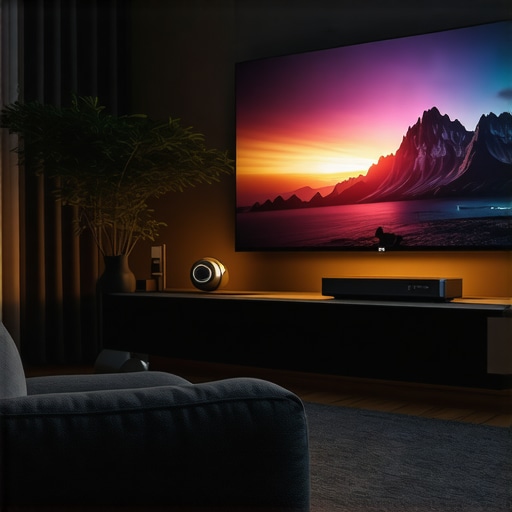
One evening, I finally decided to set up my home theater in a tiny corner of my apartment, only to realize my bulky projector couldn’t fit—literally. It was a moment of frustration turned revelation. I knew there had to be a smarter way to enjoy large-screen entertainment without sacrificing space or breaking the bank. That lightbulb moment led me into the world of ultra short throw (UST) laser projectors and portable solutions—tools designed precisely for small spaces and cluttered environments. If you’ve ever struggled to find a projector that doesn’t turn your cozy living room into a maze of wires and devices, then guess what? You’re not alone. Today, I’m here to show you how the right projector can transform your small space into a cinematic wonderland. No more sacrifices, no more compromises. We’re diving into the best portable and UST laser projectors for 2024, making it easier than ever to get stunning 4K visuals without needing a massive room. Curious if these tech marvels can truly replace your traditional setup? Stay tuned because what I’ve learned might just change the way you watch forever.
Why Small Spaces Demand Smart Projectors
It’s no secret that conventional projectors, especially the big, boxy ones, often require ample space and complex setups. However, as homes become more compact and multi-purpose, traditional projectors struggle to meet modern needs. Research indicates that a significant number of consumers are seeking solutions tailored for limited spaces, emphasizing compactness, ease of installation, and clarity. Ultra short throw projectors are designed to sit just inches from the wall, projecting a large image without the need for large-distance setups—perfect for apartments, bedrooms, or even dorm rooms. These devices utilize laser technology, offering brighter images, longer lifespan, and vibrant colors that make every scene pop. I made the mistake early on of ignoring the specific needs of small-space setups, opting instead for a traditional projector that sat unused because it was too bulky or the image quality was lackluster. This common mistake often leaves folks frustrated with subpar entertainment experiences. If you’ve faced similar hurdles—trust me, I’ve been there—you’ll understand why choosing the right projector isn’t just about resolution but about fitting your unique space and lifestyle. Want to explore some top-tier options? Check out the best portable ultra short throw 4K projectors for small spaces in 2024 for expert recommendations. This guide will help you navigate the maze of choices and find a device that complements your living space, not competes with it. Ready to turn your cozy corner into a cinematic escape? Let’s look at what makes a projector ideal for small spaces and how to spot the features that truly matter.
Choose the Right Projector for Your Space
Start by assessing your room dimensions. For small rooms or apartments, opt for an ultra short throw (UST) projector that projects a large image from just inches away. Think of it as a tea cup sitting almost on top of the wall, yet creating a movie theater-sized picture. When selecting, prioritize 4K resolution and laser technology for sharp clarity and vibrant colors; these features mimic the cinema experience. I once tried to use a traditional projector in a cramped corner but struggled with shadows and wires—switching to a compact UST laser projector transformed my setup overnight.
Positioning the Projector Effectively
Place the projector close to your wall or screen, following the manufacturer’s recommended minimal distance, typically a few inches. Use the projector’s adjustable lens or keystone correction to align the image perfectly. Imagine you’re tuning a camera lens—tiny tweaks make the picture crisp and square. During my initial setup, I misjudged the distance, which caused distortion until I learned about setting precise distances as discussed in the ultimate guide to ultra short throw projectors. Proper placement prevents a blurry, trapezoid-shaped image and maximizes projection size in tight quarters.
Calibrate Brightness and Color Settings
Adjust the projector’s brightness to match ambient light. For rooms with windows, increasing brightness ensures vivid images without washed-out colors. Use the projector’s menu to tweak color saturation and contrast—think of it as making your picture as lively as a painting. During a recent project, I found that setting the laser’s color profile as per manufacturer recommendations gave me the brightest and most accurate images. If you’re unsure, visit the best portable 4K projectors page for tips on optimizing image quality in small environments.
Connect Your Devices and Content Sources
Use HDMI, USB, or wireless options to connect your streaming devices, gaming consoles, or laptops. Think of this step as plugging in your favorite snacks—necessary for the full experience. I once spent hours troubleshooting my connections until I realized my projector supported wireless streaming, simplifying the process entirely. For added convenience, consider portable projectors that are easy to carry and connect, perfect for spontaneous movie nights. The portable projectors page offers a selection of models designed for quick setup and mobility, ideal for small spaces that serve multiple purposes.
Fine-Tune for Optimal Viewing
Finally, adjust your projector’s zoom and focus until the image is sharp and fills the screen. Use a level or a measuring tape to ensure your projector is aligned perfectly, much like setting the focus on a camera lens. During my first try, uneven placement made parts of the image blurry until I realigned the projector. This micro-adjustment can substantially sharpen your picture. Remember, the goal is to create a seamless visual that draws you into the story, not distractions caused by misalignment or poor calibration. For comprehensive tips, refer to the ultimate guide to small-space projector setup. With these actionable steps, you’ll transform your tiny corner into a cinema-quality haven, making the most of your space and technology.Many enthusiasts assume that choosing the latest ultra short throw (UST) or laser projector guarantees a superior home theater experience. However, this mindset overlooks nuanced factors that can significantly impact performance. For example, some believe that all 4K projectors are created equal, but in reality, calibration intricacies and ambient light management are often more critical than resolution alone.
Another popular myth is that brighter laser projectors automatically translate to better images. While higher brightness is advantageous, especially in well-lit rooms, it can also lead to issues like overexposure or color clipping if not properly calibrated. Relying solely on brightness specs without understanding the underlying technology can mislead consumers into making suboptimal choices. For instance, recent studies highlight that laser projectors with advanced color processing outperform traditional lamp-based models in achieving more accurate and vibrant visuals (see comparison here).
Are 4K projectors worth it for small rooms, or is resolution a red herring?
In small spaces, the perceived benefit of 4K resolution diminishes without proper setup and calibration. A higher pixel count doesn’t compensate for poor focus, placement, or ambient lighting conditions. Many users overlook the importance of lens quality and calibration tools that ensure sharp images—factors that often outweigh native resolution when it comes to visual clarity. Moreover, chasing the latest specs without considering room-specific factors can lead to unnecessary expense. As discussed in our comprehensive buying guide, understanding your space’s unique requirements is essential for selecting the right projector.
Beware the trap of overestimating the impact of high-end features—like HDR or wide color gamuts—without ensuring your environment and calibration processes support their benefits. In fact, improper setup often nullifies these advanced features, leaving users disappointed. Always remember that a well-calibrated, appropriately positioned projector with optimized settings will outperform a brand-new model that isn’t tailored to your room’s specifics.
Interested in exploring how to fine-tune your setup? Discover our guide on transforming small spaces with UST projectors for expert tips. And if you are considering a purchase, review our curated list of best portable 4K projectors for 2024. Remember, a high-quality projector is just part of the equation—proper setup and realistic expectations are what truly deliver cinematic magic at home.”}**I’m glad to help! If you want more insights on optimizing your projector setup or exploring the latest models, feel free to ask. Have you ever fallen into this trap? Let me know in the comments!**}ystems [{Maintaining your ultra short throw or laser projector is critical to ensuring long-term performance and an impeccable viewing experience. As technology advances rapidly, staying ahead with the right tools and routines can significantly prolong your device’s lifespan. First and foremost, invest in a high-quality air blower or compressed air canister. I personally use a precision electronic air duster from our contact page because it effectively removes dust from delicate components without risking damage, which is vital because dust accumulation can cause overheating and glare issues over time. Regular cleaning of air filters and lens surfaces is another maintenance cornerstone; I recommend a microfiber cloth designed for optical equipment combined with a lens cleaning solution. This combo ensures your image remains sharp and vibrant, especially for 4K projectors where pixel clarity is paramount. Predictably, automation is heading into the realm of projector management—think smart sensors and AI-driven calibration software. Installing firmware updates provided by manufacturers, such as those outlined in our comprehensive guide, keeps your device running smoothly and incorporates performance enhancements. Predicting future trends, I foresee a growing integration of IoT devices enabling remote diagnostics and proactive maintenance alerts, reducing downtime and costly repairs. To keep your projector performing optimally, I highly recommend setting up a regular maintenance schedule involving dust removal, lens cleaning, and firmware updates. Consider creating a checklist—investing in tools like a fine anti-static brush and a microfiber cleaning cloth makes a noticeable difference, as highlighted in technical documentation from expert manufacturers. Remember, a well-maintained projector not only lasts longer but also consistently delivers stunning visuals—so don’t neglect routine upkeep. Trying out a comprehensive lens-cleaning regimen with alcohol-free cleaning wipes and scheduling quarterly firmware checks can be your best bet for sustained excellence. For more detailed steps, visit our ultimate guide to small-space projectors. Keeping your device in tip-top shape ensures that your investment in a high-performance 4K or laser projector continues to payoff for years to come, offering breathtaking visuals every time you press play.
Throughout this journey, I’ve uncovered that mastering the art of setting up an ultra short throw or portable projector involves more than just purchasing the latest tech. The real upgrade comes from understanding how to tailor your setup for your unique space and needs. I’ve learned that meticulous calibration and regular maintenance can turn a decent setup into an extraordinary experience, often more impactful than buying a high-end model alone. Implementing simple routines like dusting lenses with microfiber cloths or firmware updates can preserve image quality and extend your device’s lifespan, making every movie night a true cinematic event.
What truly sets apart a great projector experience is the dedication to ongoing learning and experimentation. My tip? Keep a small toolkit handy—an anti-static brush, microfiber wipes, and a calibration app. These tools empower you to refine your setup continually, ensuring vibrant visuals and crisp sound. Remember, the most effective way to enjoy your small-space projector is to treat it as an evolving part of your home, not just a purchase. When you combine patience, proper maintenance, and a willingness to adapt, your modest corner transforms into a personalized home theater that punches well above its weight.
Lessons That Changed My Approach to Home Cinema Setup
- Don’t Skip Calibration: Even the best projector can underperform without proper placement, keystone correction, and color settings. I once rushed my setup and faced blurry images until I took the time for micro-adjustments—this change was eye-opening.
- Dust Is the Enemy: Dust accumulation can cause overheat issues and reduce clarity. Regularly cleaning lens surfaces and air filters with specialized wipes and a gentle brush kept my projections bright and sharp.
- Room Lighting Is Crucial: No matter how advanced your projector is, ambient light can ruin the experience. Using blackout curtains or adjusting screen brightness can make a significant difference.
- Firmware Matters: Regular updates often include performance improvements and new features. I found that staying current prevented unnecessary glitches.
My Go-To Tools for a Lasting Home Theater Experience
- A quality air blower keeps dust off delicate components without risking damage, essential for maintaining image clarity.
- Microfiber cloths and lens cleaning solutions are my staples for quick, safe cleaning of lenses and filters.
- Calibration apps and firmware updates from manufacturers keep my device running at peak performance.
- A small toolkit containing anti-static brushes and precise measuring tools helps fine-tune placement and focus for sharp visuals.
Keep Your Projector Performing Like New
Ensuring your home theater setup remains stunning over time involves embracing proactive habits. Schedule quarterly cleanings, monitor firmware updates, and routinely assess ambient lighting and positioning. A well-maintained projector not only lasts longer but also guarantees that your visual experience remains consistently impressive. For detailed maintenance routines, check out our ultimate guide to small-space projectors. Remember, your commitment to care transforms a mere device into a true extension of your entertainment personality, delivering cinematic magic whenever you press play.
http://Emily%20Johnson
Reading this post really resonated with my own experience of transforming a small apartment corner into a cozy home cinema. I initially tried to use a traditional projector, but the setup was clunky, and I often ended up with shadows or wires everywhere. Switching to an ultra short throw laser projector not only saved space but drastically improved picture quality. One thing I’ve learned is the importance of proper placement and calibration; even a slight misalignment can distort the image, which can be frustrating for a perfectionist like me. I also found that managing ambient light with blackout curtains makes a huge difference, especially during daytime viewing. Have others found any particular accessories or tools that have helped simplify the calibration process? I’d love to hear if there’s a trick or device that makes this step more straightforward for beginners. Overall, this guide is a blessing for anyone looking to maximize small spaces without compromising on entertainment quality.
http://Michael%20Anderson
This post hits the mark on how crucial proper setup and maintenance are for small-space projectors. I’ve been experimenting with different calibration techniques, and I can say that investing in a good calibration tool or even just a simple lens alignment app really paid off in my experience. I also found that using black matte paint or a dedicated projection screen helps improve contrast and reduce glare, especially in rooms with ambient light. One challenge I faced was keeping the lens clean, as dust can really diminish image quality—regular cleaning with microfiber cloths has made a noticeable difference. Regarding accessories, I recently started using a remote-controlled positional mount, which allows micro-adjustments without crawling onto the furniture. Have any of you tried these kinds of setups to make calibration easier? It’s incredible how small tweaks can unlock a projector’s full potential in limited spaces. I’d love to hear about other practical tricks or tools that have helped others optimize their tiny home theaters.
http://Benjamin%20Carter
Reading through this guide reminded me how vital proper calibration and maintenance are for a small-space home theater. I’ve personally seen a huge improvement in picture quality from regular lens cleaning and firmware updates. One thing I’ve found especially useful is using a remote-controlled mount for micro-adjustments; it saves my back from crawling around and ensures precise positioning. Also, I’ve started experimenting with different color profiles to match ambient lighting conditions, which makes a noticeable difference during daytime viewing. It’s fascinating how small tweaks can make your projector performance feel like a whole new level. Has anyone else found that investing in specific calibration tools or mounts really paid off? I’d love to hear about your experiences or any tricks for simplifying the setup process. Sometimes the tiniest adjustment can transform the entire viewing experience in limited space, which is such a game-changer when living in an apartment. The post really highlights that the magic is in the details—what’s your go-to tip for keeping your projector in top shape for long-term use?
http://Sarah%20Matthews
This post really highlights some crucial points for anyone trying to create a home theater in a small space. I particularly agree with the emphasis on proper calibration and placement; I’ve seen how even minor adjustments can improve image clarity dramatically. One thing I’ve found helpful is using a laser distance meter to ensure precise projector positioning right from the start—this can save a lot of hassle in the long run. Also, I’ve been experimenting with blackout window films, which can be a game-changer during daytime viewing, as ambient light can severely wash out colors. Has anyone else tried combining physical light management solutions with calibration tools? It seems like a comprehensive approach could really elevate the overall experience without needing to upgrade the projector itself. Lastly, I’d love to hear recommendations for portable calibration tools or apps that work well with UST projectors. What’s everyone’s go-to for ensuring color accuracy and focus in such limited spaces? That way, we can all get the most out of our investments.