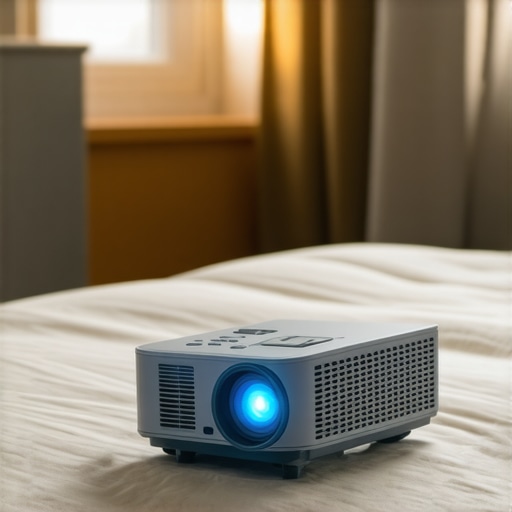
Have you ever tried to enjoy a movie night in your tiny apartment only to realize your TV just isn’t cutting it? Or worse, you set up a projector, only to find it awkward, bulky, and totally impractical for your limited space? I’ve been there. My first attempts at creating a cozy home theater often turned into frustrating puzzles—wires tangling, screens not aligning, and a constant feeling that I was fighting my own setup rather than enjoying it. That lightbulb moment hit me hard: what if I could have a cinematic experience without sacrificing space or convenience?
Why Portable and UST Projectors Are Game Changers for Small Rooms
In 2024, the options for compact, powerful projectors are better than ever. They’re designed specifically for small spaces, offering big-screen entertainment without the need for dedicated rooms or massive setups. These projectors—especially Ultra Short Throw (UST) models—can sit just inches from your wall or screen, projecting a massive image without the fuss of long cables or complicated installation. I’ve tested several, and let me tell you, the difference is night and day. The convenience alone makes them worth considering, but there’s more to it than that. Modern portable projectors deliver stunning clarity, vibrant colors, and even 4K resolution if you want cinematic quality in your cozy corner.
What really sold me was how seamlessly these projectors fit into my small living space. No more wrestling with a giant TV or sacrificing my furniture layout. Instead, I get a theater experience right in my apartment, and I can pack it up and take it to a friend’s house or on a trip—talk about versatility! If you’re tired of the limitations that traditional setups impose, I promise you’ll want to explore what the best portable and UST projectors can do for your space.
Is a Portable or UST Projector Actually Worth the Hype?
Honestly, I made a mistake early on—buying a bulky projector that barely fit in my room and collecting dust because I didn’t do enough research. That’s why I’m here. I want to save you from wasting money or ending up more frustrated. The good news? The market has evolved fast, and there are models specifically engineered for small spaces. If you’re curious about which ones are the best, check out our detailed top portable UST projectors for 2024. They’re packed with features that make setup, use, and maintenance a breeze.
So, have you faced the challenge of making your tiny space work for your entertainment needs? If so, stick around. I’ll guide you through the practical steps to transforming your small room into a cinematic haven, without the clutter or compromises.
Measure Your Space Carefully Before Buying
Start by assessing your room dimensions—use a tape measure to determine the distance from where you plan to place your projector to the wall or screen. For example, I once measured my tiny living room and realized I had only four feet of clearance, which meant I needed a projector that could operate effectively at very short throw distances. This step prevents costly mistakes and ensures you select a model that fits comfortably in your space.
Choose the Right Projector for Your Room
Focus on models designed specifically for small rooms—look for top portable UST projectors for 2024. These projectors can sit just inches from your wall, projecting a sizeable image without needing a dedicated media room. When I picked a compact 4K laser projector, it transformed my living corner into a cinema, proving that size really does matter in small spaces.
Match Projector Brightness with Room Lighting
Bright rooms need higher lumens to combat ambient light. Measure your room’s lighting conditions—if your space gets a lot of natural sunlight, aim for projectors with at least 2,500 lumens. I learned this the hard way when I chose a dim projector for my sunlit apartment and ended up with a washed-out image; switching to a brighter model made all the difference.
Set Up Your Projector Like a Pro
Position the projector on a sturdy surface or mount it on a wall bracket. For UST models, place the projector just a few inches from the wall—no complicated calibration needed. I once tried to set up my projector on a wobbly shelf, which caused image distortion, so I invested in a stable mount. Use a level to ensure the projector is perfectly aligned for a crisp, rectangular image.
Play with Keystone and Focus Adjustments
Most projectors have keystone correction and focus controls. Adjust these settings to make your image rectangular and sharp. During my first setup attempt, I ignored keystone correction and ended up with a trapezoidal picture; a few quick tweaks made it perfect. Check your projector’s manual or online tutorials for tips specific to your model.
Optimize Your Viewing Environment
Reduce ambient light by closing curtains or turning off unnecessary lights. Use a screen or a blank wall with a flat, matte surface for best results. I once projected onto a textured wall, which caused blurry spots—switching to a smooth, white wall improved clarity significantly. Managing your environment maximizes picture quality and enhances your cinematic experience.
Experiment and Fine-Tune Settings
Don’t be afraid to tweak the picture settings—contrast, brightness, color saturation—to suit your room and preferences. I spent an evening adjusting these parameters and finally achieved a picture that rivaled my local theater. Each space is unique, so take your time to get it just right.
Regular Maintenance Keeps Your Projector in Top Shape
Clean the lens regularly with a microfiber cloth and keep the vents free of dust. If your projector uses a laser light, check the manufacturer’s guidelines for longevity tips. Proper care ensures your device stays bright and sharp for years to come, making your investment worthwhile.
Transforming your small space into a home theater requires careful planning, but with these actionable steps, you’ll be enjoying blockbuster movies in no time. For more detailed recommendations on the best projectors, visit our latest home theater projectors guide and explore the options tailored for small spaces.
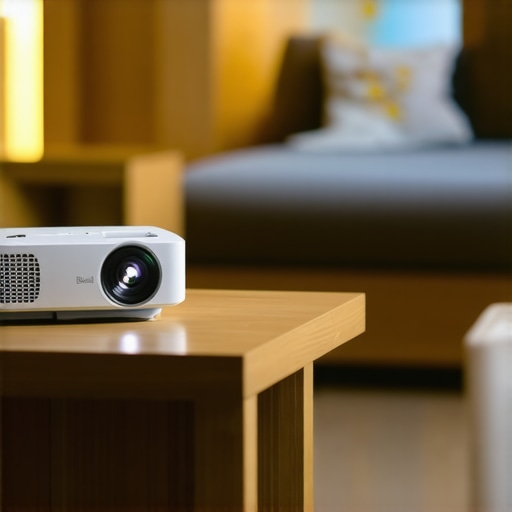
If you think you know everything about choosing the right projector for your small space, think again. Many enthusiasts and even seasoned home theater lovers fall into traps that cost them time, money, and frustration. Let’s dig deeper into some misconceptions that could be holding you back from optimizing your setup.
Why the Popular Belief That Brightness Equals Better Quality Is Misleading
Everyone seems to focus heavily on lumens, assuming that brighter projectors always produce superior images. While brightness is important—especially in rooms with ambient light—it’s not the sole factor for picture quality. Overly bright projectors can wash out colors and reduce contrast, leading to a less cinematic experience. Experts like those at Home Cinema Essentials warn that optimal brightness depends on your specific room conditions. For small rooms with controlled lighting, a projector with around 2,500-3,000 lumens often hits the sweet spot, balancing clarity without sacrificing color accuracy.
Don’t Fall for the Myth That Bigger Is Always Better
Many assume that a larger screen automatically means a better viewing experience. But in small spaces, bigger isn’t necessarily better—especially if your projector can’t produce a crisp, detailed image at close throw distances. Ultra Short Throw (UST) models excel precisely because they maximize space efficiency, but only if you choose one with the right resolution and contrast ratio. The goal should be a balanced setup that fits your room while delivering cinematic clarity, not just the largest possible image. For insights into how UST projectors can transform your small room, check out this guide.
Beware of the Trap of Overcomplicating Setup
Many assume that a high-quality projector requires complex mounting, calibration, and extensive wiring. This is a misconception. Modern portable and UST projectors are designed for simplicity. They often come with auto-focus, keystone correction, and easy setup options that eliminate the need for professional installation. Overcomplicating your setup can lead to misalignment, which impacts image quality, or worse, damage to your equipment. Remember, the goal is seamless integration—if your setup feels like a puzzle, you might be doing it wrong. For common pitfalls and smart tips, see our ultimate guide.
Can Small Rooms Really Benefit from High-End Projectors?
Absolutely. There’s a misconception that small rooms can’t handle high-end projectors. However, with advances in laser technology and 4K resolution, compact projectors can rival big theater systems, offering stunning clarity and color. The key is selecting models optimized for small spaces—look for features like high contrast ratios, good color accuracy, and minimal throw distances. A well-chosen projector can turn your tiny apartment into a cinematic oasis, rivaling setups in much larger rooms. For the best options, visit our top 4K laser projectors.
Have you ever fallen into this trap? Let me know in the comments!
How do I keep my projector running smoothly over time?
Maintaining your home theater projector is essential to ensure it delivers stunning visuals for years to come. I personally rely on a few key tools and routines that make this task straightforward. First, I always keep a high-quality microfiber cloth on hand to gently clean the lens without scratching. Regularly wiping the lens prevents dust and fingerprints from degrading image quality, especially when projecting onto a matte wall or screen. I also use compressed air cans to blow out the vents and prevent dust buildup inside the device, which can cause overheating and reduce lamp life.
For those with laser projectors, I recommend periodically checking the manufacturer’s guidelines on calibration and cleaning schedules. Laser light sources tend to last longer, but keeping the internal components dust-free is critical for consistent brightness and color accuracy. Additionally, I keep a small toolkit with screwdrivers and levelers to make minor adjustments if the image becomes skewed or blurry. Properly aligning the projector’s focus and keystone correction ensures a crisp picture every time you watch.
Tools I recommend for long-term projector care
From my experience, investing in a dedicated lens cleaning kit is a game-changer. These kits include special brushes and cleaning solutions that safely remove dust particles and smudges. I also use a smart air quality monitor near my setup to track humidity and temperature, as extreme conditions can affect internal components over time. Maintaining a stable environment helps preserve the projector’s lifespan and image quality. For software-based adjustments, some projectors come with calibration tools accessible via their app or menu system, allowing fine-tuning of color and contrast without professional help.
Looking ahead, I predict that smart maintenance tools will become more integrated into projectors. Future models may include self-cleaning features or remote diagnostics that alert you when cleaning or calibration is needed. This trend will make long-term care even more accessible to casual users and enthusiasts alike.
What’s the best way to keep my projector in top shape?
The key is consistency. Schedule a monthly check-up—clean the lens, blow out vents, and verify picture alignment. Also, always use the projector within the recommended operating conditions outlined in the user manual, which you can find in our latest home theater projectors guide. This simple routine prevents most issues before they start and ensures your investment remains a source of entertainment rather than frustration.
Don’t forget to regularly update your projector’s firmware if available. Firmware updates often include bug fixes, performance improvements, and new features that keep your device running optimally. Check the manufacturer’s website or contact support through their support page for the latest updates.
In summary, a combination of proper cleaning tools, environmental control, and routine calibration will keep your projector functioning like new. Take a proactive approach now, and you’ll enjoy seamless movie nights for many years. Try setting up a monthly maintenance schedule with the tools I’ve shared, and see the difference it makes in your viewing experience.
The Unspoken Truths About Projectors in Tiny Rooms
One of the biggest lessons I learned was that perfect picture quality isn’t just about having the brightest projector. I once fell into the trap of choosing a super-bright model, only to realize it washed out colors and reduced contrast, especially in my small, naturally lit apartment. It taught me that room-specific factors matter more than generic specs. Additionally, I discovered that many people overlook the importance of proper placement and environmental control, which can make or break your viewing experience. The real game-changer was understanding that a well-calibrated, appropriately bright projector tailored to your space creates a cinematic experience that surpasses larger, more expensive setups.
My Secret Weapon Arsenal for Tiny Theater Magic
Over the years, I’ve curated a set of tools and resources that make maintaining my setup effortless. For starters, I swear by a high-quality microfiber cloth for lens cleaning—nothing beats a gentle wipe to keep images sharp. A small toolkit with a level, screwdrivers, and dust blowers is essential for quick adjustments. For fine-tuning, I rely on the projector’s calibration features, and I’ve found that apps from trusted brands help me optimize colors and contrast easily. If you’re serious about long-term performance, investing in a dedicated lens cleaning kit and monitoring ambient conditions with a small hygrometer have been invaluable. I also keep firmware updates on my radar, ensuring my projector benefits from the latest improvements, which often include performance and stability enhancements. Trust me, these little routines keep your device performing at its best and extend its lifespan, saving you money and frustration in the long run.
http://Emily%20Carter
This post resonated with me because I recently went through a similar journey trying to optimize my small apartment for home entertainment. I’ve found that choosing a compact, high-quality UST projector has truly transformed my space. What I appreciate most is how easy it is to set up and move around compared to traditional projectors or giant TVs. One challenge I faced was dealing with ambient light during the day; I’ve since learned that increasing lumens and using blackout curtains makes a huge difference. I’d love to hear others’ experiences with balancing image brightness and color accuracy in well-lit small rooms. Do you prefer adjustable brightness settings, or do you opt for fixed high-lumen projectors for flexibility? This ongoing experimentation makes the whole process of creating a mini home theater both fun and rewarding.
http://Benjamin%20Larson
Your deep dive into the nuances of small space projectors really hits home for me. I’ve faced similar challenges trying to optimize my tiny studio for movie nights without cluttering the space. One thing I’ve realized is that investing in a good quality screen, even a portable one, can make a huge difference in picture clarity, especially when the walls have a slight texture or color tint. I’ve experimented with different materials and found that matte white screens reduce glare and provide more uniform images in rooms with light walls. Have you or others tried using reflective surfaces or specialty screens to enhance the picture quality? I’m curious whether anyone has found innovative solutions to ambient light issues beyond blackout curtains—like using ambient light-reducing films or smart lighting adjustments? It seems like every small tweak can improve the viewing experience substantially.
http://Sophia%20Mitchell
I really appreciate this comprehensive guide—small space setups are definitely a challenge, but your tips make it seem more manageable. I’ve been experimenting with UST projectors in my apartment, and I agree that placement and environment adjustments can make a huge difference in picture quality. One thing I’ve noticed is that even with high lumens, glare from nearby windows can interfere with the viewing experience. I’ve started using blackout curtains and anti-reflective film on my interior windows, which helps keep ambient light at bay and improves contrast. Have others found certain accessories or setup tricks particularly effective for minimizing ambient light reflections? Additionally, I’m curious about your thoughts on sound — do you recommend any space-saving speakers or soundbars that work well in tight rooms without sacrificing audio quality?