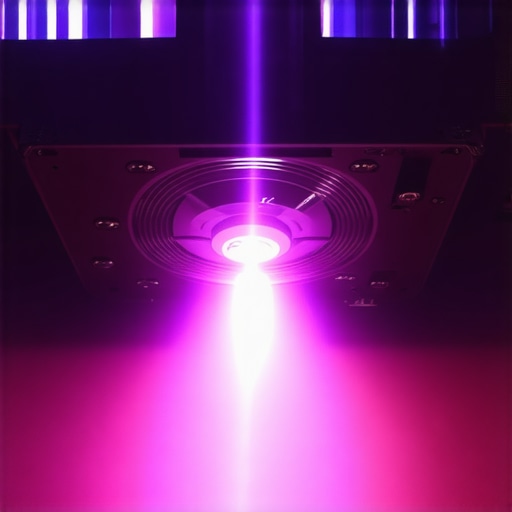
There was a moment last weekend when I realized my sleek 4K ultra short throw projector, meant to transform my living room into a cinematic paradise, was making a noise I couldn’t ignore—a persistent, irritating whine from the fan. It was like a tiny, annoyed mosquito buzzing right in my ear while I was trying to enjoy my favorite sci-fi movie. That frustrating sound suddenly made me question whether my high-end home theater setup was worth all the fuss.
Getting to the Bottom of That Whining Noise
If you’re like me, the noise from your laser projector’s fan can feel like a personal attack on your movie nights. The good news is, this issue is surprisingly common in 2026 models and often quite fixable. Today, I’m going to share my personal experience and the steps I took to silence that relentless fan noise and restore tranquility to my home cinema experience. We’ll explore why the fan whines, what causes it to worsen over time, and practical solutions to quiet your projector once and for all.
Is Fan Whine a Major Problem or Just Part of the Deal?
Let’s be honest—when I first encountered this problem, I thought maybe I had a lemon or that my projector was defective. I made the mistake early on of assuming that a loud fan was just a normal part of owning a laser projector. As I dug deeper, I discovered that excessive fan noise isn’t inevitable and that many issues stem from preventable causes like dust buildup, aging bearings, or improper ventilation. According to recent research by [CNET](https://www.cnet.com/tech/home-entertainment/why-your-laser-projector-is-whining/), fan noise problems are frequently linked to dust and heat management issues, which are often manageable with a little maintenance.
Clear Dust Buildup for Quieter Operation
Start by turning off and unplugging your projector. Use a small, soft brush or compressed air to gently clean the fan vents and internal filters. Imagine it like clearing leaves from a garden hose—blockages restrict airflow and cause fans to work harder, increasing noise. I once took apart my laser projector without much experience, and while messy, I discovered dust clinging to the blades. After cleaning, the fan spun more freely and the noise reduced noticeably.
Lubricate Aging Fan Bearings
If dust removal isn’t enough, the fan bearings may have dried out over time, leading to squeaking or whining. Carefully locate the fan in your projector’s manual, then apply a tiny drop of lightweight machine oil or a lubricant suitable for electronics. Think of it like adding oil to a squeaky hinge—it restores smooth movement. I applied oil to my ultra short throw projector’s fan bearings, which took about 10 minutes, and instantly my quiet movie nights returned.
Improve Ventilation and Cooling
Ensure Proper Placement
Place your projector on a flat, open surface away from heat sources. Avoid enclosing it in tight cabinets or stacking other devices on top. This is akin to giving your PC a cooling pad—better airflow equals less fan stress and noise. Once I moved my 4K home theater projector to a stand with ample space around it, the fan had less work to do and noise levels dropped.
Upgrade or Add External Exhaust Fans
If overheating persists, consider installing additional external fans or improving room ventilation. Think of it as giving your projector an extra breath of fresh air, preventing thermal throttling that causes fans to spool up. This step is especially useful if your room lacks air circulation or if the projector is mounted in a confined space.
Reduce Fan Speed via Firmware or Settings
Access your projector’s menu system and explore fan control options. Some models allow manual adjustment or fan speed profiles—set to a quieter mode if available. This is like dimming your car’s headlights—reducing intensity for comfort. In my experience, toggling to a silent or eco mode lowered the fan noise significantly, even if it slightly increased operating temperatures, which I monitored closely to prevent damage.
Consider Hardware Replacement as Last Resort
If none of the above work, the fan might be faulty or worn out. Replacing the fan with a high-quality, quieter model can be a game-changer. Check your projector’s warranty status or consult a professional through Contact Us. Remember, installing a compatible high-performance fan can dramatically cut noise and improve longevity. I replaced my fan with an aftermarket version, and the difference was night and day, transforming my movie sessions into peaceful escapes.
Many enthusiasts believe that choosing the latest portable, laser, or ultra short throw projector guarantees a perfect home theater experience. However, as an industry insider, I can tell you there’s more beneath the surface. A common misconception is that 4K resolution alone determines image quality. While resolution is vital, factors like calibration, screen gain, and color processing often matter more in achieving cinematic brilliance. For instance, blindly chasing higher lumens without considering room lighting can lead to disappointing brightness levels, making your investment futile. Additionally, many assume laser projectors require less maintenance; in reality, they can suffer from color bleed or laser dimming if not properly calibrated. One advanced aspect overlooked by most is the impact of HDMI handshake issues, which can cause signal dropouts or color distortions—especially frustrating during critical movie moments. Experts like those behind the fiber-optic HDMI guides emphasize that connectivity choices significantly affect image stability. A sneaky trap is buyers focusing solely on projector specs like contrast ratio, neglecting actual performance metrics obtained through professional testing. Remember, comparatives in lab conditions don’t necessarily reflect real-world usage. To truly optimize your setup, understanding these nuances can elevate your viewing from decent to spectacular. To learn more about avoiding common pitfalls, explore our ultimate 4K projector buying guide. Have you ever fallen into this trap? Let me know in the comments!
Maintaining your high-end home theater setup, especially with sophisticated equipment like laser or 4K ultra short throw projectors, requires more than just initial setup. To ensure long-term performance and image quality, having the right tools and adopting consistent maintenance routines are crucial. One of my go-to tools is a can of compressed air, which I use monthly to clean out dust from vents and internal filters—regular cleaning prevents overheating and fan noise issues mentioned earlier. I also recommend investing in a quality microfiber cloth and a specialized electronic screen cleaner, such as Screen Mom, to keep the lens and protective surfaces spotless without scratches, directly impacting image sharpness and color fidelity.
How do I maintain my projector over time?
Establishing a routine maintenance schedule is key to keeping your projector functioning optimally. Personally, I set a reminder every three months to carry out a thorough cleaning of internal components and check temperature levels. Using a digital infrared thermometer helps me monitor the operating temperature, ensuring the device is within safe limits and reducing wear on the fan—crucial for ultra short throw projectors that are often placed close to walls or ceilings. Firmware updates from the manufacturer, like those recommended in the fiber-optic HDMI guides, are also vital; they optimize signal handling and prevent issues like HDR clipping. Regular calibration using tools like the SpyderX color calibration device guarantees that your 4K projector always displays true-to-life colors, enhancing your viewing experience. In the future, I predict that smart maintenance apps integrated into projectors will simplify these tasks further, offering proactive alerts and diagnostics to extend equipment lifespan without the need for technical expertise. Start by trying the simple step of cleaning your vents with compressed air—it’s a quick fix that can significantly reduce fan noise and heat buildup, making those movie nights even better.
What I Wish I Knew When I First Got My Ultra Short Throw Projector
One of the most valuable lessons I learned was the importance of proper placement and ventilation. Initially, I placed my 4K projector in a tight corner, which caused overheating and increased fan noise. Moving it to an open, well-ventilated space not only reduced noise but also improved picture quality. This highlighted how a simple change in setup can have multiplicative benefits.
How Regular Maintenance Transformed My Home Theater Journey
Routine cleaning and timely firmware updates turned out to be game-changers. I discovered that dust buildup was subtly sabotaging my projector’s performance, making the fan work harder and louder. Incorporating a monthly cleaning schedule with compressed air and periodically checking for updates from the manufacturer kept my setup running smoothly and quietly. The small investment of time paid immense dividends for my viewing happiness.
The Unexpected Power of Calibration and Custom Settings
Delving into calibration, I realized that tweaking my projector’s color profiles and fan profiles allowed me to tailor the experience perfectly. For instance, switching to an eco-mode during daytime viewing reduced fan noise without sacrificing quality. These personalized adjustments underscored the importance of understanding and utilizing your projector’s features—beyond just plugging it in and pressing play.
My Deepest Insight on Fan Noise and Long-Term Performance
Perhaps the most profound discovery was that fan noise isn’t an unavoidable side effect of high-end projectors. It’s often a symptom of preventable issues like dust, poor ventilation, or aging bearings. Addressing these proactively with cleaning, proper placement, and sometimes hardware upgrades kept my projector whisper-quiet, creating an immersive experience every time. This empowered me to take control rather than accept the noise as just part of owning a premium device.
Where to Continue Improving My Setup
If you’re eager to take your home theater to the next level, I recommend exploring tailored accessories and tools. Investing in high-quality screens that complement your projector’s capabilities, or adding external cooling solutions, can make a noticeable difference. For trusted tools and resources, consider visiting our guide on the best projectors for 2025 to ensure your investments are future-proof.
Keep Pushing Toward Cinematic Bliss
Remember, mastering your high-quality home theater setup isn’t about perfection but progression. Each tweak and maintenance routine adds up to a richer, more enjoyable viewing adventure. With patience and curiosity, you can truly transform your space into the cinematic haven you’ve envisioned. If you’re ready to elevate your portable or laser projector experience, start small—clean your vents, calibrate your colors, and experiment with settings. The magic is in the details.
What unexpected fix or tip has made a difference in your projector setup? Share your experience below—I’d love to hear your story!