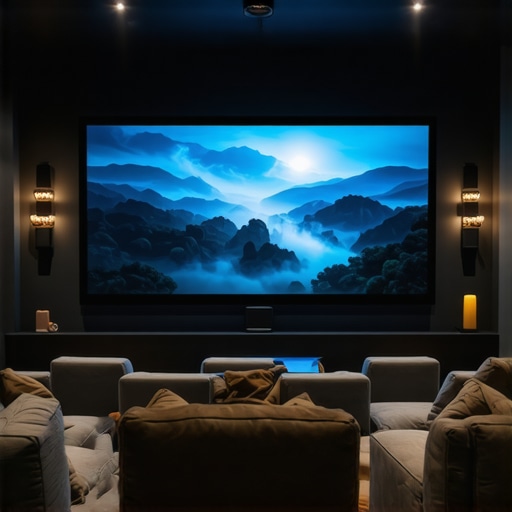
It was late at night, the room was dark, and I finally decided to set up my new ultra short throw projector. As I fired it up, expecting a cinematic masterpiece, I was met with a washed-out image and blurry edges. Frustration bubbled up—had I wasted my money on a hype-filled gadget? That moment made me realize I was falling prey to common myths circulating about home theater projectors, myths that cost many enthusiasts and casual viewers alike hundreds, sometimes thousands, of dollars.
Unmasking the illusions that drain your wallet
In today’s market, the promise of crystal-clear 4K resolution, portable convenience, and laser brightness is tempting. But not all that glitters is gold. Over the years, I’ve learned how to avoid the typical traps—those persistent misconceptions that lead you to buy the wrong equipment or settle for subpar performance. Whether it’s believing that ultra short throw projectors are always bright enough, or thinking that a high lumen count guarantees perfect image quality, these myths are widespread. Luckily, with a bit of insight, you can sidestep these costly mistakes and make smarter choices for your home theater setup.
Is the latest projector hype actually worth it?
Early in my journey, I made the mistake of prioritizing specs over real-world results. I bought what seemed to be the best on paper—the shiny 4K laser projector with all the bells and whistles. But in practice, it underperformed in my room’s unique environment. That experience taught me to dig deeper—comparing real user reviews and understanding actual performance against room conditions. A startling fact I discovered was that many high-l lumen projectors don’t deliver a better picture in typical rooms because brightness alone isn’t enough; ambient light control and screen quality matter just as much. An informative piece on this is found here.
So, if you’ve ever felt overwhelmed or duped by the latest projector advertisements, you’re not alone. My goal is to help you cut through the noise and avoid the pitfalls that turn your home theater dreams into costly disappointments. Let’s dive into the common myths and reveal what really works in 2026, to get you watching your favorite movies without breaking the bank or settling for second best.
Assess Your Room Before Buying
Start by evaluating your space’s lighting, size, and wall color. Use a simple light meter app to measure ambient light levels; low ambient light allows for brighter projectors, while brighter rooms require higher lumen models. Take measurements and note potential mounting locations—this prevents purchasing equipment that won’t fit or perform well. I once measured my living room and realized I needed a projector with higher brightness due to large windows, saving me from disappointment after purchase.
Learn About Throw Ratios and Screen Size
Understand your projector’s throw ratio—it’s the distance to screen size relationship. For ultra short throw (UST) projectors, check how close they can sit to the wall; for standard projectors, measure room length. Use an online calculator to determine optimal projector placement for your preferred screen size. I experimented with my space, setting up a 120-inch screen, and found that a projector with a 0.25:1 throw ratio gave the perfect proximity. This ensures you get a large image without cumbersome placement.
Select the Right Brightness and Resolution
Demand more than just labeled lumens—consider ambient light and screen gain. For dimmer rooms, 2,000-2,500 lumens may suffice; bright rooms need 3,000 or more. When choosing a 4K projector, verify if it displays true native resolution or relies on pixel-shifting, which can cause artifacts. I once prioritized high lumens, but after trying out different screens, realized that a grey screen enhanced contrast more than brightness alone, illustrating the importance of proper surface choice here.
Prioritize Connectivity and Compatibility
Ensure your projector supports the latest HDMI standards, including HDMI 2.1 for higher bandwidth, especially if gaming or streaming 4K HDR content. Check for features like built-in wireless, Ethernet, and multiple HDMI ports. I once bought a projector without sufficient ports, forcing me to disconnect devices mid-movie, which was frustrating. Investing in models with versatile connectivity prevents such issues and keeps your setup seamless.
Understand Laser vs. Traditional Lamp Projectors
Laser projectors offer consistent brightness, longer lifespan, and lower maintenance, much like a reliable LED flashlight that never needs replacing. Traditional lamps may be brighter initially but require bulb changes every 2,000 hours. For instance, I switched to a laser projector after managing lamp replacements in the past, which saved me money and downtime. To see the differences, read about laser projectors’ advantages here.
Manage Brightness and Contrast for the Best Picture
Adjust contrast and brightness settings to match your environment. Use calibration tools or test patterns to optimize display levels. For ambient light control, consider adding blackout curtains—that’s akin to putting sunglasses on your projector for better viewing. I’ve used simple calibration discs to fine-tune my projector, resulting in deeper blacks and clearer colors—crucial for high-quality home cinema.
Optimize Positioning and Mounting
Secure your projector using mounts or stands that prevent shifting or wobbling. For UST models, ensure they are installed with the correct keystone and lens shift adjustments to avoid distortion. I learned this the hard way when my first setup was skewed, causing a trapezoidal image; since then, I’ve used dedicated mounts here to keep my image perfectly aligned.
While many enthusiasts focus on specs like lumens or resolution, true expertise comes from understanding the subtle nuances that often trip up even seasoned users. One common misconception is that a 4K projector automatically guarantees a stunning image, but in reality, advanced issues like pixel-shifting artifacts or HDR tone-mapping challenges can diminish quality if you don’t choose carefully. For instance, some high-end 4K models rely on pixel-shifting techniques, which can introduce visual artifacts, especially during fast-moving scenes here. Moreover, ultra short throw projectors aren’t just about placing the device close to the wall; they require precise calibration and understanding of throw ratios to prevent image distortion and blur. Overlooking these details leads to disappointing performance in small or irregularly shaped rooms. Additionally, many assume laser projectors are maintenance-free—while they do have advantages, neglecting factors like thermal management or the need for calibration can impact longevity and picture quality. According to the experts at Home Cinema Essentials, mastering these subtle distinctions can save you hundreds and elevate your viewing experience. Don’t fall into the trap of focusing solely on headline specs; instead, explore the real-world factors that determine a projector’s true performance. Have you ever fallen into this trap? Let me know in the comments.
After investing in a top-tier ultra short throw or 4K laser projector, maintaining its performance over time is essential to preserve image quality and reliability. I personally rely on a few specialized tools and disciplined routines that help me keep my setup running flawlessly. One invaluable device is a calibration disc, such as the Murideo SIX-G or the AVPro Edge Patterns Generator, which allows precise adjustment of contrast, color, and gamma profiles. Regular calibration ensures your projector maintains optimal picture quality despite environmental changes or component aging, especially critical for high-contrast HDR content.
Alongside physical calibration tools, I utilize software solutions like Calman Home, which interfaces with test patterns and colorimeters to automate calibration adjustments. This combination of hardware and software empowers me to fine-tune settings like white balance and color gamut with pinpoint accuracy, extending the lifespan of lamps and laser sources by avoiding unnecessary overuse of brightness modes or eco settings. Consistent calibration can delay the need for costly repairs or replacements, ensuring long-term visual excellence.
Regarding routine maintenance, I schedule periodic cleaning of the projector’s lens with a lint-free, microfiber cloth, and I inspect air filters for dust buildup, replacing or cleaning them as recommended by the manufacturer. For laser projectors, I also monitor thermal performance; keeping vents unobstructed helps prevent thermal throttling, which could degrade brightness and color fidelity over time. It’s also worthwhile to keep firmware updated—latest updates often include improvements in image processing and stability. Visit this contact page for direct support or firmware updates.
How do I maintain a projector’s long-term performance and prevent costly failures?
Looking ahead, I predict that future trends will include smarter calibration tools integrated directly into projectors, making maintenance even more straightforward and accessible. Automated health diagnostics and remote troubleshooting will become standard, reducing downtime and technician costs. Until then, using advanced calibration tools like colorimeters and test patterns is the best practice to keep your projector performing at its peak for years. I highly recommend trying the calibration techniques discussed here to achieve superior image fidelity and longevity in your home theater experience.
Remember, a well-maintained projector not only delivers stunning visuals but also enhances its lifespan and value—so invest a little time regularly, and your home cinema will reward you with flawless images for many movie nights to come.
What I Wish I Knew When I First Chose My Ultra Short Throw Projector
The biggest lesson I learned was that specs alone won’t guarantee a great picture. Focusing on real-world performance, room compatibility, and calibration makes all the difference. I once believed a higher lumen count meant brighter images, but I overlooked ambient light control. Now, I know that thoughtful setup beats raw numbers every time.
Tools and Resources That Elevated My Setup
Investing in calibration discs like the Murideo SIX-G and software such as Calman Home transformed my viewing experience. These tools helped me achieve perfect contrast and color accuracy, ensuring my projector performed optimally over time. Trustworthy sources like Home Cinema Essentials provide invaluable insights that keep me ahead of the tech curve.
Your Turn to Elevate Your Home Theater Experience
Remember, every home theater is unique, and mastering the nuances can be costly in the long run. With the right knowledge and tools, you can maximize your projector’s lifespan and picture quality. Don’t settle for less—take charge of your cinematic journey today. What’s the biggest challenge you’ve faced when setting up your home theater? Share below and let’s learn together!
,