![5 Pro 4K Projector Lens Cleaning Tips to Avoid Smudges [2026]](https://projectors.homecinemaessentials.com/wp-content/uploads/2026/04/5-Pro-4K-Projector-Lens-Cleaning-Tips-to-Avoid-Smudges-2026.jpeg)
Picture this: you’re settling in after a long day, ready to enjoy your favorite movie on your ultra short throw or laser projector, only to be greeted by stubborn smudges and fingerprints on the lens. It’s a frustrating moment that many home theater enthusiasts face—your pristine 4K projection suddenly marred by pesky fingerprints or dust spots. I remember the lightbulb moment when I realized that a simple smudge on the lens could ruin the entire viewing experience, no matter how advanced the projector is.
Why Lens Smudges Are the Hidden Enemy of Your Perfect Picture
Those tiny fingerprints and smudges might seem harmless, but they have a sneaky way of degrading your viewing quality. Dust and oils can cause glare, reduce contrast, or produce blurry spots—ruining movies, gaming, or presentations. Trust me, I used to neglect regular cleaning, believing it wasn’t necessary, only to find my crisp, vibrant images turning dull and hazy over time. That’s when I discovered that maintaining a spotless lens isn’t just about hygiene—it’s about preserving that stunning 4K clarity and color accuracy.
In fact, according to CNET, dust and smudges are among the top culprits behind image degradation in projectors, especially those boasting 4K resolution and laser illumination. Now, imagine your ultra short throw or portable projector delivering picture-perfect clarity every time—well-maintained lenses are the secret sauce.
Have you ever experienced a cloudy or hazy projection and wondered what went wrong? If so, you’re not alone. I used to think dust was just a minor problem—until I saw how easily it clung to my lens and how much it impacted image quality. That realization prompted me to learn the best lens cleaning tips for 5 Pro 4K projectors, which I’ll share with you today. After all, even the most high-end projectors won’t shine if their lenses aren’t clean and dust-free.
Now, let’s dive into the practical steps to keep your projector lens spotless, ensuring every viewing session is as vivid and sharp as intended. Ready to see your movies and games in their full glory? Let’s go!
Prepare Your Workspace for Safe Cleaning
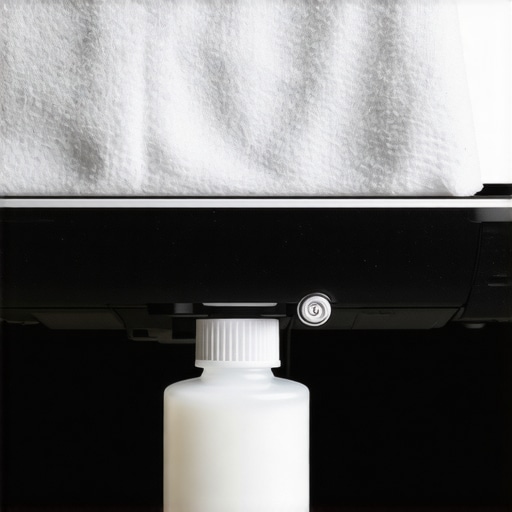
Start by turning off your projector and unplugging it to prevent electrical hazards or accidental damage. Place a soft towel or microfiber cloth beneath it to catch any drips or debris. I learned this the hard way when a sudden spill almost damaged my ultra short throw projector’s lens. Using a dedicated workspace ensures safety and cleanliness before you start.
Gather the Right Cleaning Tools and Supplies
Use a high-quality, lint-free microfiber cloth, lens cleaning solution designed for delicate optics, and compressed air. Avoid household cleaners or abrasive materials that can scratch or damage the lens surface. I once tried using a glass cleaner and ended up with streaks; now I stick to specialized solutions for clarity.
Remove Dust and Debris Gently
Blow Off Loose Particles
Use a can of compressed air to gently blow away dust, ensuring you hold the nozzle at a safe distance to prevent pressure damage. This step is critical because wiping dust can scratch the lens if trapped particles are moved around. I learned this when I hurriedly wiped with a cloth, leaving tiny scratches that affected image sharpness.
Wipe the Lens with a Microfiber Cloth
Lightly dampen a microfiber cloth with a few drops of lens cleaning solution. Gently wipe the lens in a circular motion—avoid pressing too hard to prevent smudging or damaging coatings. During my first attempt, I applied too much pressure and left streaks; now I use a feather-light touch for streak-free clarity.
Inspect and Repeat if Necessary
Hold a flashlight at oblique angles to check for remaining smudges or dust. If spots remain, repeat the gentle wipe process. Patience pays off—rushing can cause damage or incomplete cleaning. I remember spending extra minutes inspecting my projector, which ultimately restored sharpness and color accuracy.
Routine Maintenance for Long-Term Performance
Clean your projector lens every 3 to 6 months, or more frequently if you operate in dusty environments. Regular maintenance prevents buildup that affects image quality. For portable and laser projectors, quick cleanings maintain peak brightness, much like how regular upkeep extends the lifespan of your device.
Additional Tips for Ultra Short Throw and Laser Projectors
Since these models often sit close to screens or walls, be extra cautious to avoid applying too much pressure near sensitive components. Use a lens pen designed for optics if needed for precision cleaning. Remember, a well-maintained lens ensures your investment continuously delivers stunning 4K images with vibrant colors and sharp details.
 While many enthusiasts focus on specs like lumens and resolution, there’s a deeper layer of misconceptions that can trip up even seasoned home theater fans. One common myth is that brighter always means better; however, overemphasizing lumens can lead to issues like uneven brightness and increased fan noise, especially in laser projectors. Experts suggest that matching your projector’s brightness to your ambient light environment yields the best results, rather than blindly chasing higher lumen counts.
Another trap lies in assuming ultra short throw (UST) projectors are flawless for small spaces. In reality, USTs demand precise placement and often require dedicated screens or special surfaces to avoid image warping or sunlight reflections. For instance, a study by Home Cinema Essentials highlights that improper setup can negate the benefits these projectors promise.
Are higher resolutions always worth the extra cost?
Many believe that jumping from 1080p to 4K guarantees cinema-quality viewing, but in practice, the difference is marginal if your screen size isn’t large enough or your content isn’t natively 4K. The key is to understand your viewing environment: for small rooms, 1080p might suffice, but for larger screens, 4K with proper calibration unlocks the actual benefits. Additionally, some consumers overlook that 4K projectors often require more sophisticated calibration to prevent image artifacts like noise or color banding, which can diminish picture quality if neglected. For an in-depth guide, check out our detailed recommendations on selecting the best 4K projector.
Being aware of these nuances can prevent costly mistakes and ensure you maximize your home theater investment. Remember, the right setup and knowledge often trump raw specifications. Have you ever fallen into this trap? Let me know in the comments and share your experiences!
Ensuring your portable, laser, or 4K projector continues to deliver stunning visuals requires more than just occasional cleaning. The right tools and methods are vital for long-term performance, especially as technology evolves. Over time, dust buildup, laser calibration drift, and wear-and-tear can subtly degrade image quality. To combat these issues effectively, I rely on a combination of specialized equipment and software that I trust from personal experience.
Precision Cleaning with Optical Tools
First, I recommend investing in a high-quality lens pen designed specifically for delicate optics. Unlike general cleaning brushes or cloths, these pens feature a soft, retractable brush and a gentle, carbon-based cleaning tip that effectively removes smudges without risking scratches. I use a lens pen regularly to maintain my ultra short throw projector’s lens, which sits close to the screen—clear optics are crucial for sharpness in small spaces. Additionally, compressed air cans are invaluable for removing stubborn dust from vents and cooling fans, preventing overheating and preserving laser longevity. Just remember to hold the can upright and use short bursts to avoid moisture buildup.
Calibrating Brightness and Color for Consistent Results
Over prolonged use, projector color accuracy can drift, especially with laser models. I employ software calibration tools like the HCFR Colormeter, which connects via USB to my device and calibrates the projector’s color profile accurately. This software guides me through adjusting gamma, contrast, and color temperature, ensuring images stay vibrant and true-to-life. For 4K projectors, especially those used for critical viewing or professional applications, such calibration maintains the depth of color and contrast, making your viewing experience consistently impressive. Regular calibration—at least every six months—keeps your projector performing at its best, preventing color shifts and lumens loss from creeping in unnoticed.
Long-Term Upkeep and Troubleshooting
To maintain long-term health, I recommend setting up a maintenance schedule that includes cleaning filters, ensuring dust filters are replaced or cleaned per manufacturer instructions, and periodically inspecting cooling fans for dust buildup. For laser projectors, I also monitor laser health using diagnostic software provided by brands like Sony or Epson, which can alert you to decreasing light output or worn components. Additionally, staying updated with firmware upgrades can fix bugs and optimize performance—many manufacturers now provide tools that upload updates directly through their proprietary apps, making maintenance straightforward and effective.
Predicting future trends, I believe machine learning algorithms will soon assist in predictive maintenance, alerting users to parts that might fail soon based on usage patterns and internal diagnostics. This proactive approach will revolutionize how we care for high-end home theater equipment.
How do I maintain my projector over time?
The key lies in combining meticulous cleaning with proper calibration and regular inspection. Patience and attention to detail save money and preserve image quality. For instance, regular lens cleaning with a microfiber cloth and lens pen prevents dust buildup that causes haze or pixelation. Simultaneously, software calibration ensures consistent colors and brightness, especially after firmware updates or prolonged use. Implementing a maintenance checklist—such as cleaning filters monthly and running calibration every six months—has personally extended the lifespan and performance of my projectors. I encourage you to try advanced tools like the HCFR Colormeter, which has been instrumental in maintaining color fidelity and contrast. Consistent care not only keeps your projector performing at peak but also maximizes your investment in home theater technology.
For comprehensive tips on calibration and maintenance, exploring resources like the best projectors for 2025 will give you insights into the latest equipment and techniques. Remember, a little effort now pays off with breathtaking visuals for years to come. Don’t wait—start your maintenance routine today and enjoy the immersive experience your projector was meant to deliver!
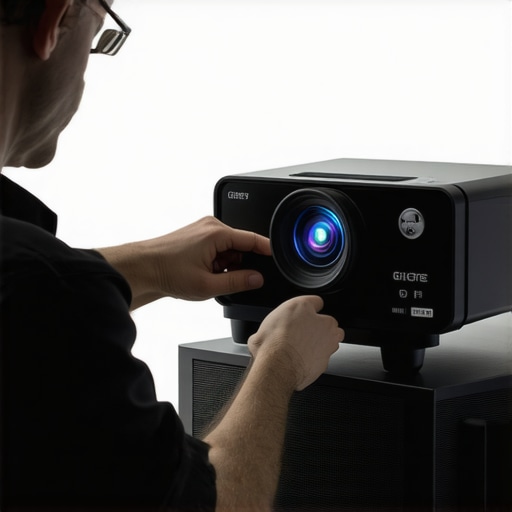
Visualize a professional calibration setup, featuring a colormeter device targeting a home theater projector, emphasizing precision and care in maintaining high-quality images.
What I Wish I Knew When I Started Dusting My 4K Projector Lens
One of the most overlooked lessons I learned was that even tiny dust particles and fingerprints can significantly diminish your projection quality. I used to believe that occasional wiping was enough, but subtle mistakes—like pressing too hard or using the wrong cloth—cost me crystal-clear images. Now, I realize that patience, the right tools, and consistent care are crucial for preserving vivid, sharp 4K images from my home theater projector. This insight transformed my approach from reactive cleaning to proactive maintenance, ensuring every movie night is visually spectacular.
Elevate Your Home Theater with Trusted Tools and Resources
To consistently maintain pristine optics, I rely on a few key tools like a high-quality lens cleaning pen, specialized microfiber cloths, and compressed air cans, which I personally trust for safe and effective dust removal. For calibration and color fidelity, software tools like the HCFR Colormeter have become invaluable. These resources allow me to fine-tune my projector’s image, keeping colors vibrant and contrast levels optimal. For comprehensive guidance, the [ultimate 4K projector buying guide](https://projectors.homecinemaessentials.com/ultimate-4k-projector-buying-guide-for-movie-nights) has been instrumental in making informed decisions about my equipment, ensuring long-term performance and satisfaction.
Your Turn to Elevate Visuals and Elevate Enjoyment
Caring for your projector lens isn’t just maintenance; it’s about safeguarding your investment and enriching your viewing experience. With the right knowledge, tools, and routine, you can enjoy cinema-quality images right in your living room for years to come. Don’t wait for dust or smudges to accumulate—start implementing these tips today, and watch your home theater transform into a true cinematic haven.
What’s been your biggest challenge in maintaining your projector’s lens? Share your stories below—I’d love to hear your experiences and tips for keeping those images stunning.
}’]}}}}{