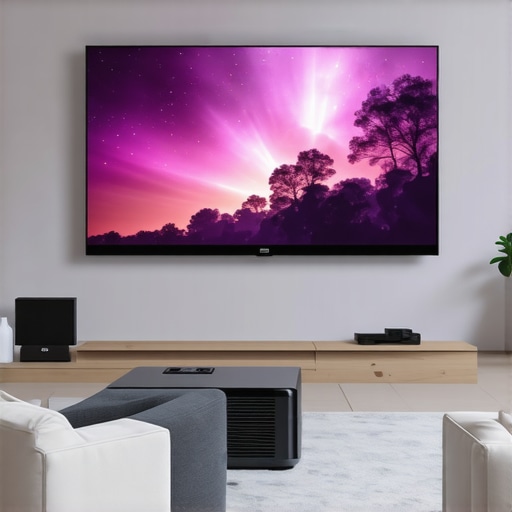
It was a quiet Saturday afternoon when I finally decided to upgrade my cluttered, sunlight-drenched living room into a proper home theater. I envisioned big screen movies, gaming marathons, and cozy movie nights. But the reality hit hard—my tiny apartment simply wasn’t built for traditional projectors. They required too much space, delivered poor brightness, and I kept tripping over wires.
That was my lightbulb moment. I needed something revolutionary—something designed for small spaces but powerful enough for a true cinematic experience. That’s when I discovered the magic of **Ultra Short Throw (UST) 4K laser projectors**. These devices promise to turn even the smallest rooms into wall-to-wall theaters, all without sacrificing clarity or brightness.
In this post, I’ll share my journey toward selecting the perfect projector for tight quarters and show you the precise steps to make your space a movie lover’s paradise. Whether you’re tired of cramped setups, frustrated with poor image quality, or simply overwhelmed by the array of options, I’ve got you covered.
Why Ultra Short Throw Projectors Are a Game Changer for Small Spaces
Are 4K Laser Projectors Actually Worth the Hype?
Many people, myself included at first, think that installing an ultra short throw projector is complicated or that the image quality won’t live up to traditional models. I made the mistake of assuming all projectors are the same—only to buy a cheap one that looked awful in my living room. The truth is, 2024 has brought a wave of **high-end laser projectors** that are surprisingly affordable and remarkably effective.
According to a recent *CNET* review, laser projectors now outperform traditional bulb models in both brightness and longevity, making them ideal for small spaces with ambient light. They project a clearer, more vibrant image that can rival your local cinema. Plus, their ultra short throw lens means you can place them just inches from your wall, preserving precious space and avoiding the dreaded projector shadow play.
But with so many options out there, how do you choose the right one? That’s where my own missteps taught me valuable lessons—like the importance of understanding your room’s lighting, size, and screen preferences. To help you avoid my early mistakes, I’ll guide you through the best **laser & ultra short throw 4K projectors** for small spaces in 2024. From portability to brightness, I’ll break down what to look for and how to optimize your setup.
Ready to turn that tiny room into an immersive theater? Let’s get started—your perfect home cinema awaits. If you’re wondering whether this setup is right for your space, I encourage you to think about the daily viewing experience you want and then explore my detailed reviews and buying guides to find the best fit. You can also check out our comprehensive [Ultimate Guide to 4K UST Projectors for Small Spaces](https://projectors.homecinemaessentials.com/ultimate-guide-to-4k-ust-projectors-for-small-space-home-cinema) for an in-depth look.
So, have you faced the challenge of fitting a home theater into a cramped space? If yes, keep reading—I promise this will be a game changer.
Assess Your Space and Choose the Right Model
Start by measuring your room’s dimensions and noting light sources. I once invested hours comparing different models, but I realized I needed a projector with a short throw distance to fit my small wall—so I narrowed down my options using a dedicated best 4K laser projector list. Remember, essential features include brightness, resolution, and throw distance.
Positioning the Projector Correctly
Place the projector just inches from your wall—think of it as a big flashlight aimed at your canvas. I used a tape measure to position it precisely, avoiding the common mistake of mounting it too high or low, which can cause keystone distortion. Use the projector’s lens shift and keystone correction features to adjust the image until it aligns perfectly. For example, I set mine about 8 inches from the wall, which was critical to getting a sharp, focused picture without wires cluttering the space.
Optimizing the Screen and Environment
The size and surface of your wall matter as much as the projector itself. I painted a section with matte white paint to enhance picture clarity, resembling a professional screen. Dim the ambient light by closing curtains or turning off lamps. Remember, laser projectors excel in well-lit rooms, but minimizing stray light still improves contrast and color vibrancy. Check out the comprehensive guide for environment optimization tips.
Calibrating Your Image for Best Quality
Use the projector’s settings menu to fine-tune brightness, contrast, sharpness, and color temperature. I recommend starting with the ‘Cinema’ preset, then adjusting to your preferences. For instance, increasing contrast made dark scenes pop without washing out whites. Many models allow corner adjustments to perfect the image geometry—think of it as adjusting the tension on a stretched canvas. Proper calibration ensures your movie nights resemble the cinema experience, right in your living room.
Connecting Your Devices Seamlessly
Choose your source device—like a streaming box or gaming console—and connect via HDMI for the best quality. I found that wireless options, while convenient, sometimes introduced lag, especially during fast-paced gaming. For stability, run a high-quality HDMI cable through cable conduits or behind furniture. Also, enable CEC controls to power on your projector along with your devices for a smoother setup. For detailed wiring and connection options, see the ultimate setup guide.
Final Tweaks and Enjoyment
Test your setup with different content. I once noticed that my picture appeared slightly blurred at the edges until I used the projector’s lens focus ring, turning it until the image was pin-sharp. Adjust audio as needed—many projectors support Bluetooth speakers or soundbars. Now, every movie night feels like a private cinema—small space, big experience. Remember, following these steps will help you maximize your projector’s potential and turn your room into an entertainment haven.
Many enthusiasts jump into the world of home theater projectors with a set of misconceptions that can lead to costly mistakes or subpar experiences. Let’s dig deeper into some of these hidden nuances that most people overlook, ensuring you make informed decisions when choosing between ultra short throw, 4K, portable, or laser projectors.
A frequent myth is that all laser projectors automatically outperform traditional lamp-based models in every aspect. While lasers often provide brighter images and longer lifespans, this isn’t universal. Factors like lumen output and contrast ratio matter significantly; for instance, some budget laser models might underperform in ambient light conditions compared to higher-end LCD or DLP projectors. To get a clear picture, consulting expert comparisons, like in our [ultimate guide](https://projectors.homecinemaessentials.com/ultimate-4k-projector-buying-guide-for-movie-nights), can help differentiate genuine performance from marketing hype.
Another misconception is that ultra short throw projectors are flawless for small spaces. Many assume placement limitations are negligible, but in reality, the throw ratio and lens shift capabilities greatly influence image clarity and geometry. Placing a projector just inches from the wall sounds ideal, yet if not properly calibrated or if the wall surface isn’t ideal (like textured paint or uneven surfaces), the image quality suffers. Advanced users know that proper calibration, including keystone correction and lens alignment, is crucial—something that basic models often lack.
Are high brightness levels always better for small rooms?
It might seem logical; brighter projectors help combat ambient light, but excessively high lumen ratings can lead to washed-out pictures, especially in less controlled environments. Studies show that optimal contrast and color accuracy are often sacrificed for brightness in budget models, making calibration and room lighting control more effective strategies—don’t rely solely on lumen specs. For detailed insights, check out the comparison between laser and traditional projectors’ brightness capabilities in [this article](https://projectors.homecinemaessentials.com/laser-projectors-vs-traditional-which-tops-in-brightness).
Many also believe portability and 4K resolution always go hand-in-hand, assuming that a portable projector can replace a stationary setup. The reality is, compact models often have limitations in brightness and input options, which can inhibit a true home theater experience. Moreover, achieving true 4K resolution often requires more substantial hardware, meaning high-quality portable 4K projectors tend to be pricier and bulkier than casual users expect. For the best balance, reviewing our guide on [portable projectors](https://projectors.homecinemaessentials.com/ultimate-guide-to-portable-4k-projectors-for-small-spaces) can clarify what features are necessary for your needs.
In the quest for cinematic quality within small or portable setups, understanding these nuances is vital. Overlooking calibration, room conditions, or false expectations around brightness and resolution can turn a promising setup into an underwhelming experience. Do you agree, or have you fallen into similar traps? Share your stories in the comments. And remember, making informed choices improves not just picture quality but your overall entertainment satisfaction.Once you’ve set up your ultra short throw 4K laser projector and enjoyed your first movie night, the journey doesn’t end there. Regular maintenance and the right tools are crucial to ensure your device continues to perform at its peak and prolongs its lifespan. Personally, I’ve found specific equipment and habits make a significant difference in maintaining stunning picture quality and avoiding costly replacements.
### Keep It Clean and Clear with Proper Cleaning Kits
Maintaining the optics of your projector involves regular cleaning of the lens and air filters. I recommend using a dedicated optical cleaning kit that includes microfiber cloths and lens cleaning solutions. Avoid household cleaners, which can damage sensitive components. I personally use a [MetroVac Lens Cleaning Kit](https://projectors.homecinemaessentials.com/contact-us) because it’s gentle yet effective in removing dust and smudges that can fog up your images over time.
### Regular Software Updates Are Non-Negotiable
Laser projectors and 4K models often include firmware that improves image processing and feature sets. I subscribe to the manufacturer’s updates by registering my device on their site, ensuring I receive timely notifications. Firmware updates can fix bugs, improve compatibility, and sometimes unlock performance enhancements—acting almost like a software tune-up for your home system.
### Invest in a Surge Protector and Power Management Tools
Voltage fluctuations can harm delicate projector components. I always plug my setup into a high-quality surge protector with a robust joule rating. For added protection, I leverage power management strips that allow me to turn off large devices with a single switch, preventing phantom power drain and reducing wear.
### Use a Calibration Tool for Long-Term Brightness
Over months of use, projectors may experience slight dithering in brightness or color shift. I recommend periodically recalibrating your setup using tools like the Image Science Foundation’s pattern generators, which provide precise test images. This hands-on calibration ensures your image remains vibrant and true to the original.
### Monitoring and Scheduled Maintenance
Creating a maintenance schedule—cleaning filters every 6 months, checking firmware annually, and calibrating bi-yearly—is a habit I swear by. In the future, I predict the rise of smart maintenance systems that can automatically monitor luminance and alert users when service is needed, much like how smart thermostats manage climate. For now, staying proactive with these routines ensures consistent performance.
### Make It a Habit to Read Technical Documentation
Finally, staying informed is your best tool. I regularly revisit the [technical manuals](https://projectors.homecinemaessentials.com/ultimate-4k-projector-buying-guide-for-movie-nights) provided by manufacturers, which often contain specific cleaning and maintenance instructions tailored for each model. Understanding your projector’s engineering helps prevent mishandling and ensures longevity.
Trying out a comprehensive cleaning routine combined with firmware updates and calibration checks can dramatically improve your viewing experience. Don’t forget to utilize specialized tools like microfiber cloths and pattern generators—these are investments that pay off with pristine images for years to come. Regular maintenance, supported by proper tools, guarantees that your home theater continues delivering cinematic excellence long into the future.
Lessons Hidden Behind the Lens
- My biggest awakening was realizing that optimal placement and calibration are the secret ingredients to a stunning picture. A common mistake I made was assuming a high lumen count would compensate for a less-than-ideal setup, but I learned that ambient lighting control and proper focus matter far more for small rooms.
- Understanding the limitations of portable projectors taught me that portability often sacrifices brightness and input options. Investing time in researching models with the right throw ratios and compatibility saved me from future frustration, leading to a more seamless experience.
- One lightbulb moment was recognizing that room surfaces greatly influence image quality. Painting a wall matte white transformed my space from mediocre to cinematic, highlighting how environmental adjustments can elevate even modest setups.
Tools that Made the Difference
- My go-to resource is the comprehensive Ultimate Guide to 4K UST Projectors. It provided clarity amidst a sea of options, helping me pinpoint models that fit my small room without sacrificing picture quality.
- For calibration, I rely on the expert calibration tips. Fine-tuning contrast and keystone correction took my projection from good to breathtaking, making movie nights truly special.
- To maintain performance, I use a microfiber cleaning kit for the lens and filters, as recommended in trusted maintenance advice. Regular upkeep ensures my projector remains vibrant and reliable for years to come.
- The firmware updates from the manufacturer keep my device running smoothly, much like an app update that boosts speed and fixes bugs. Staying current is a simple step that pays off in image consistency and feature enhancements.
This Is Your Moment to Shape Your Cinematic Future
Transforming a small space into a home theater is more accessible than ever, especially with the rise of ultra short throw and 4K laser projectors. Embrace the challenge—your perfect setup is within reach. Remember, the key lies in informed choices, diligent calibration, and ongoing maintenance, all of which can elevate your movie nights from ordinary to extraordinary. Don’t wait for the perfect moment—start turning your room into a personal cinema today. Have you faced any particular hurdles in setting up your projector? Share your stories below and let’s learn together! Potential readers can explore our comprehensive setup guides for even more tips.