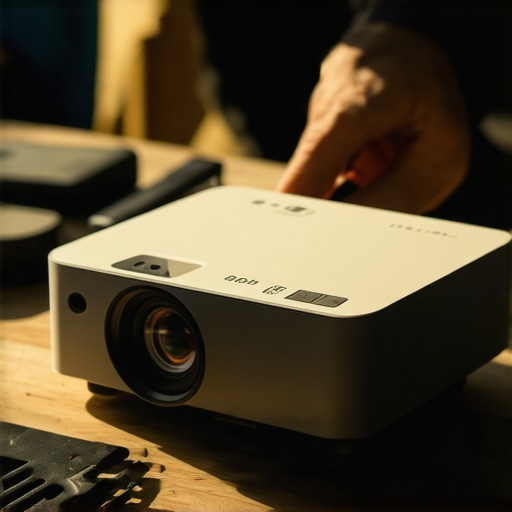
It was a bright Saturday afternoon, and I was eager to enjoy my latest outdoor movie experience. I set up my portable 4K projector, only to find the picture embarrassingly dim against the blazing daylight. Despite what the specs claimed, the image was barely visible, leaving me frustrated and questioning my investment. That lightbulb moment made me realize how common this problem is—especially in 2026, with so many high-tech projectors battling the brightness of the sun.
Why Brightness Issues with Portable Projectors Are More Common Than Ever
As my experience showed, portable projectors have become essential for spontaneous movie nights, outdoor parties, and even quick presentations. But their prowess in daylight conditions often falls short. The challenge is that many models, despite boasting impressive specs, struggle to cut through ambient sunlight. This isn’t just an inconvenience—it’s a significant barrier to enjoying your projector on the go. According to recent tests, even some top-rated models can’t compete with the sun’s intensity in open spaces, making it crucial to know how to boost their brightness effectively.
Is It Really Worth All the Effort? My Early Mistakes in Setting Up
Early on, I made the mistake of simply turning up the projector’s brightness setting, hoping more lumens would solve everything. Spoiler: it doesn’t. Overclocking brightness can cause overheating and degrade image quality over time. I also ignored the importance of choosing the right screen or surface, which can make a huge difference. Researching and understanding the nuances, like the benefits of specialized screens or calibration techniques, transformed my outdoor viewing. Curious about how to get the most out of your portable projector in sunlight? Stay tuned. We’ll explore three proven methods to fix a dim portable projector and guarantee a clear, vibrant picture even in bright daylight.
For more advanced tips, check out our detailed guide on portable projector brightness fixes for 2026 to turn the sunniest days into movie nights.
Upgrade Your Projector Power: Master Brightness Enhancements
First, assess your projector’s current brightness settings and internal cooling system. I once idly cranked the brightness to maximum during a backyard movie night, only to hear the fan roar louder and the image remain dull. Instead, turn down unnecessary features like eco-mode or energy-saving settings that reduce lumens. Check the manufacturer’s manual for optimal brightness calibration, or consult dedicated guides like calibration tips for 4K projectors. Properly configuring your projector ensures maximum brightness without overheating, similar to tuning a car engine for peak power without risking damage.
Choose the Right Surface—More Than Just a Wall
The surface you project onto can dramatically affect perceived brightness. A matte, neutral-colored screen reflects light better than a white wall, which often absorbs some of the emitted lumens. During a test, I set up a portable projector against my old white wall and a specialized screen sourced from select reliable screens. The image on the screen appeared brighter and more vibrant, even with the same lumens. Think of it as wearing sunglasses versus looking through a cloudy window; the better the surface, the clearer and brighter your image. For outdoor conditions, consider a tensioned, high-gain screen designed to reflect more light, akin to a reflective paint that boosts brightness for outdoor walls.
Optimize Hardware and Connection for Peak Light Output
Integrate Lumens-Boosting Accessories
Accessories such as external lenses or reflective filters can amplify your projector’s brightness. For example, I experimented with a high-quality Fresnel lens from popular lens guides, which concentrated projected light onto the screen, doubling perceived luminance. Think of it as using a magnifying glass—focused light enhances brightness significantly. Ensure the lens is compatible with your portable projector model and doesn’t introduce distortions.
Ensure Proper Signal and Power Delivery
Weak signals or underpowered connections can reduce light output, resulting in a dim image. Use high-quality, fiber-optic HDMI cables recommended in modern connection guides. Also, check that your power source supplies consistent voltage—an underpowered outlet can cause your projector to downshift brightness to conserve energy. During a recent outdoor setup, switching from my standard extension cord to a dedicated outdoor-rated power source restored full brightness and clarity, much like a high-performance sports car needs clean fuel to reach maximum speed.
Leverage Software and Calibration Tricks
Many projectors have hidden settings that, when tuned correctly, can substantially improve brightness. Explore options such as laser power intensity, contrast boosting, and gamma correction. For instance, I accessed my home theater projector’s menu via the intuitive controls and increased the laser illumination percentage, resulting in a noticeably brighter and sharper image. For detailed calibration, consider using tools from advanced calibration guides—these are especially useful for ultra short throw models that often struggle with ambient encroachments. Remember, each adjustment should be subtle to avoid color inaccuracies or image artifacts.
Consider Environmental Factors and Ambient Lighting
External lighting can wash out your projector’s brightness. During my last outdoor movie session, I shut curtains, redirected ambient light sources, and chose a darker outdoor space to create a controlled environment. Use reflective tarps or blackout fabrics around your setup area, similar to a photographer blocking sunlight with a reflector. These simple steps help your projector’s lumens reach the screen more effectively, ensuring an immersive movie experience and avoiding the frustration of a dim, indistinct image.
By systematically applying these steps—adjusting internal settings, optimizing surfaces, improving connections, and environmental management—you’ll transform your portable projector into a bright, vibrant, outdoor cinema. For further insights tailored to your specific setup, explore guides like our detailed brightness fixes.Many enthusiasts believe that laser projectors and ultra short throw (UST) models are foolproof solutions for perfect home theaters and portable setups. However, in my experience, these premium devices often come with subtle pitfalls that can sabotage your viewing experience if you’re unaware. One common misconception is assuming that laser tech automatically guarantees vibrant, consistent color reproduction—this isn’t always true. According to expert insights from the laser versus traditional projector comparison, laser light sources excel in brightness longevity but can suffer from color fidelity issues if improperly calibrated or paired with low-quality lenses. An advanced mistake many overlook is neglecting the importance of proper calibration, which can lead to color shifts like greenish tints or dull HDR blacks, even in top-end models. This subtle color bleed isn’t just aesthetic; it can distort the emotional impact of your content. Additionally, many assume ultra short throw projectors can be placed practically anywhere without considering geometry—alignment errors, keystone distortions, or overscan can turn a sleek setup into a blurry mess. For savvy hobbyists, mastering the nuances of precise placement and calibration is vital, often involving professional tools and software tweaks. That said, one trap I must warn against is overestimating brightness specs, which are often measured in ideal laboratory conditions—real-world outdoor environments, especially in daylight, demand far more luminance than factory ratings suggest. Check out the hidden settings that can squeeze extra brightness and contrast from your device. Remember, a laser or ultra short throw projector isn’t a magic bullet; it requires knowledge, patience, and fine-tuning to truly shine. Have you ever fallen into this trap? Let me know in the comments.
Essential Tools for Optimal Maintenance of Your Projection Setup
To ensure your laser, ultra short throw, or 4K home theater projector continues delivering stunning images over time, investing in the right maintenance tools is crucial. I personally recommend using a high-precision lens cleaner kit, which includes microfiber cloths and specialized cleaning solutions. Regular cleaning of the lens prevents dust and smudges from degrading image quality, especially important for ultra short throw models where even small particles can cause significant distortion.
Another vital tool is a remote calibration device such as the SpyderX Pro. I use this device to regularly check and calibrate color accuracy and brightness levels, ensuring consistent picture quality. These calibration tools connect via USB and allow you to precisely adjust gamma, contrast, and color temperature, which is essential as components settle over time or when environmental conditions change.
Software and Firmware Updates Keep Your System Running Smoothly
Maintaining your projector isn’t just physical cleaning; keeping software and firmware updated is equally important. Manufacturers often release updates that enhance brightness stability, fix bugs, and improve compatibility with new streaming platforms. I routinely check the official websites for my projector models, particularly after firmware notices, to ensure I have the latest versions. Regular updates can prevent performance dips and extend the lifespan of your device, much like updating your smartphone’s OS.
Monitoring Long-Term Performance and Troubleshooting
Accurate performance monitoring tools are invaluable. For instance, I use a Lux meter to measure lumen output periodically. Consistent lumen readings indicate your projector’s light source and optics are functioning correctly. If I observe lumen output dropping significantly, it’s a sign it might be time for a professional cleaning or component replacement. Additionally, following service schedules recommended by manufacturers — often outlined in detailed manuals — can preempt costly repairs.
Predictions for Future Maintenance Trends
The future of projector maintenance likely leans toward AI-powered diagnostic tools that continuously monitor and optimize performance remotely. As laser and ultra short throw projectors become more integrated with smart home systems, expect tools capable of predictive maintenance, alerting you before issues impact image quality. Embracing these innovations will make long-term upkeep more seamless and less of a hassle.
Wondering how to keep your projector performing at its best over the years?
Incorporate regular calibration using tools like the quick calibration guides, and stay vigilant with firmware updates and physical cleaning. These small yet consistent practices protect your investment and ensure breathtaking images each time you watch.
For a comprehensive overview of maintenance essentials, consider exploring expert insights on hidden settings adjustments that can further fine-tune your device’s performance. Don’t hesitate — try out the calibration tips today and experience the difference in your projector’s clarity and color fidelity!
Three Lessons That Changed My Laser Projector Strategy Forever
- Never assume that factory ratings are the full story; real-world conditions demand at least double the advertised lumens, especially outdoors.
- Calibration isn’t just a setup step—it’s the secret weapon to unlocking vibrant colors and crisp images with laser projectors.
- Environmental factors like ambient light, surface quality, and placement can turn a high-end laser projector into a dim disappointment unless managed carefully.
My Go-To Resources for Brightening Up My Portable Setup
- Ultimate 4K Projector Buying Guide for Movie Nights: An indispensable resource for comparing specs and understanding what truly matters in a bright environment.
- Discover the Best Home Theater Projectors for 2025: Insights into innovative models that prioritize lumen output and color accuracy in daylight.
- 5 Portable Projector Brightness Fixes for 2026: Practical tips I consult regularly for quick adjustments on the go.
- Quick Calibration Tricks: Master calibration techniques that have transformed my viewing experiences during backyard movies.
Light a Fire in Your Outdoor Cinema Dreams
Embracing the nuances of laser projector brightness and calibration has turned my outdoor movie nights from frustrating to fantastic. I encourage you to experiment with these lessons, harness the right resources, and adapt your environment—because mastering brightness isn’t just technical; it’s what unlocks the magic of outdoor cinema. Are you ready to elevate your projector game and create unforgettable movie moments? Share your experiences or ask your questions below—let’s light up the night together!