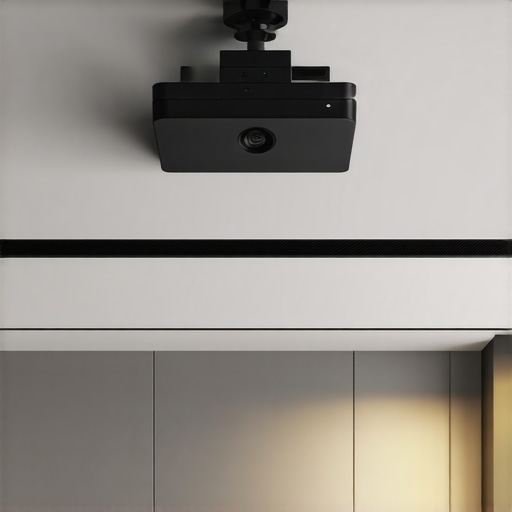
Last week, I found myself scrambling behind my entertainment cabinet, unplugging and re-plugging wires just to move my sleek 4K home theater projector an inch to the left. That tangled mess of cables always feels like a nuisance, especially in my small rental apartment where aesthetics matter almost as much as the picture quality. It finally hit me—there’s got to be a better way to keep those wires out of sight without drilling holes or wrestling with sticky tape every time I want to reposition my setup.
Why Wire Management Is More Than Just Clean Looks
For many of us, especially renters, creating a tidy and safe space for our tech gear can feel like an uphill battle. When dealing with high-end projectors—like ultra short throw or portable models—wires are unavoidable. But leaving them exposed isn’t just a cosmetic issue; it can be a safety hazard, a magnet for dust, and a nightmare if you need to troubleshoot or upgrade. Plus, a cluttered setup diminishes the cinematic vibe we’re after, undermining the immersive experience we crave.
Did you know that improper cable management can reduce your projector’s lifespan by causing wear and tear? According to experts in home theater design, wires left hanging or tangled can lead to connection issues or even damage to ports over time (source). That’s why investing a little effort into hiding those wires isn’t just about looks—it’s about preserving your tech investment.
Now, I know what you’re thinking. “That sounds complicated—I rent, after all.” Believe me, I’ve made that mistake early on: drilling holes in my rented wall to run wires is a no-go and can cost you your deposit. The good news? There are several practical and non-invasive methods that work like a charm, turning a chaotic tangle of cables into a sleek, invisible network.
In this post, I’m going to share three tried-and-true ways to hide your 4K projector wires effortlessly. Whether you’re setting up a compact ultra short throw projector in a small apartment or trying to keep a portable projector neat for quick moves, these strategies will make your space look polished without risking your rental agreement.
Are you tired of stumbling over exposed wires or dealing with flimsy tape that peels right off? Keep reading—I’ll walk you through solutions that are simple, affordable, and effective, so your home theater looks professional and stays safe. Ready to elevate your setup and finally conquer those cable cables? Let’s dive into the first method that transformed my own viewing area.
Start by Planning Your Cable Pathways
Before touching any wires, visualize your setup. Identify the shortest, most concealed routes from your projector to power outlets and media sources. Think of it like plotting a maze—aim for clean, direct lines that stay hidden behind furniture or along the wall edges. I once laid out a mental map, which helped me decide where to run cable channels, leading to a neater appearance and less clutter during my movie nights.
Utilize Non-Invasive Cable Clips and Velcro Straps
Secure your cables with adhesive-backed clips placed along the back of furniture or along baseboards. They keep wires aligned and prevent tangling. For a portable setup—like my recent move with my ultra short throw projector—I used reusable Velcro straps to bundle cables, making adjustments quick and damage-free. This method is perfect for renters because it avoids drilling holes and leaves walls intact. I found that adjustable straps provided flexibility for future tweaks without mess.
Invest in a Cable Cover or Raceway
For hiding wires along walls, a low-profile cable cover is a game-changer. It’s like an armor for your cables, blending seamlessly with your decor. I popped a beige raceway along my wall to conceal the power cord from my 4K projector and streaming devices. At first, I was worried about installation, but most come with simple adhesive strips that hold firmly without damage. This approach resembles building a tunnel—hiding wires where they can’t be seen but remain accessible for maintenance.
Employ Furniture and Decor to Conceal Cables
Use existing furniture or decorative elements to hide cables naturally. For instance, run wires behind entertainment centers or under rugs. In my apartment, I tucked wires behind my media stand, which served as a natural barrier. As I adjusted the projector’s position, I secured the cables along the back using adhesive clips, minimizing visual clutter and reducing trip hazards. Think of it like camouflaging wires—integrating them into your space rather than letting them stand out.
Opt for Wireless Connection Options When Possible
If your projector supports it, switch to Wi-Fi streaming or wireless HDMI transmitters. This reduces cable clutter altogether. For my portable projector setup, I used a wireless HDMI dongle, which meant only a power cable was needed. This not only cleaned up the space but also increased flexibility. Wireless solutions are especially useful in tight quarters or temporary setups, making your space look tidy without complex wiring.
Regularly Inspect and Adjust Your Setup
Over time, cables may shift or sag—adjustments keep everything looking sharp. I recommend periodically checking all secure points and replacing any worn adhesive or straps. When I moved my setup for a different room, I re-positioned some cables to maintain concealment, which was straightforward thanks to the modularity of cable clips and straps. Maintaining neatness is an ongoing process, but it pays off with a clutter-free environment that clearly enhances your home theater experience.
Many enthusiasts believe that choosing a laser projector automatically ensures a bright, vivid image, but this isn’t always the case. While laser technology offers significant advantages over traditional lamps, such as longer lifespan and lower maintenance, a common misconception persists: that all laser projectors are created equal in brightness and performance. In reality, many assume that “laser” equals “high brightness,” but as experts point out, the actual lumen output can vary widely among models (source). This nuance is critical for those setting up home theaters in rooms with ambient light, where high lumen count is essential to maintain picture clarity.
Furthermore, a prevalent myth is that ultra short throw (UST) projectors eliminate the need for meticulous placement and calibration. However, in my experience, UST models demand precise alignment and often require fine-tuning to prevent keystone distortion, especially in small or uneven spaces. Many overlook that proper calibration can significantly enhance image quality—something not always highlighted in marketing materials. For instance, advanced image adjustments like geometric correction and contrast calibration can be the difference between a decent picture and cinema-quality visuals. To get the best out of your UST setup, I recommend exploring detailed calibration guides tailored to your specific model (source).
A common pitfall with 4K projectors is assuming that higher resolution alone guarantees a spectacular experience. Resolution is vital, but factors like contrast ratio, HDR capability, and light source quality play crucial roles. A low contrast ratio or poor HDR implementation can make a high-resolution projector look washed out or overly bright, especially in lively scenes. For example, I’ve seen many ignore the importance of dynamic tone mapping, leading to blown highlights or crushed shadows. Investing in a model that offers comprehensive image processing options and understanding how to optimize them is essential for home theater enthusiasts eager to maximize their investment (source).
Now, for the advanced readers, consider this question: How does ambient light adaptation impact the perceived quality of laser and ultra short throw projectors during daytime use? This involves understanding the nuanced interplay between projector brightness, screen gain, and room lighting conditions. For instance, a high-brightness laser projector paired with a high-gain screen can significantly reduce washout during daylight, but many overlook how room modification and screen choice can synergize with projector specs to enhance image clarity. According to recent studies on visual perception, ambient light management is often more impactful than raw lumen figures alone (source). So, don’t just focus on specs—consider your entire viewing environment.
Finally, I caution against over-reliance on the marketing hype surrounding the latest laser or ultra short throw models. Many manufacturers emphasize features like “instant startup” or “high lumen output” without addressing real-world performance factors such as color accuracy, screen reflectivity, or calibration potential. Before making a purchase, I suggest diving into detailed reviews and calibration guides to understand how these projectors perform beyond their technical specs. Remember, a well-placed and calibrated projector consistently outperforms a brand-new unit straight out of the box. If you’ve ever fallen into this trap of chasing specs, let me know in the comments. Your experience might help others avoid costly mistakes.Maintaining your high-quality home theater setup, especially laser and ultra short throw projectors, requires more than just initial setup. I personally rely on a few specialized tools and methods to ensure consistent performance and longevity of my equipment. One essential tool I use is a compressed air blower, like the Hakko 808, which effectively removes dust from vents and internal components without risking damage. Dust accumulation is a primary culprit behind fan noise and heat buildup, so regular cleaning with such tools is indispensable.
In addition, I swear by a calibration software such as CalMAN Studio, which allows me to fine-tune color accuracy over time. Even after extensive calibration at setup, the projector’s internal optics and light engine can shift slightly due to temperature fluctuations or usage hours. Periodic recalibration, scheduled every six months, keeps the image crisp and vibrant. For projectors with auto-keystone or geometry correction features, I also leverage dedicated calibration charts and test patterns, which I print or display via secondary devices, to verify uniformity and alignment accurately.
Future Trends in Equipment Maintenance
As projector technology evolves, expect integrated sensors that monitor dust levels and predict component wear, notifying you via companion apps. Such innovations will make long-term maintenance more proactive and less disruptive. Moreover, wireless firmware updates are increasingly common, simplifying the process of keeping software up-to-date without complicated setups. Staying ahead of firmware improvements, especially those enhancing color calibration and noise reduction, will be crucial for maintaining peak performance.
How do I maintain my projector over time
In my experience, establishing a regular cleaning schedule combined with software-based calibration is the secret to long-term success. I dedicate 10 minutes every few months to gently cleaning dust filters and vents, and I revisit calibration preferences provided by manufacturer updates, ensuring consistent image quality. Always refer to your device’s specifications and the manufacturer’s recommendations; some models require specific cleaning fluids or methods. If you’re serious about preserving your investment in a 4K or laser projector, consider setting calendar reminders for inspections and updates—preventative care saves money and frustration down the line.
For example, dust accumulation can significantly impact brightness and color fidelity, which I addressed by regularly cleaning with an air blower designed for delicate electronics (source). Incorporate these practices, and you’ll enjoy stunning visuals year after year. Don’t hesitate to try scheduling bi-annual calibration checks, especially if your projector supports advanced color management; it can make a noticeable difference in your viewing experience.
Over the journey of setting up my home theater with a laser projector and ultra short throw technology, I’ve uncovered lessons that go beyond the manual. The most impactful insight? Small tweaks in cable management can transform your space from a cluttered eyesore into an immersive cinema sanctuary. And here’s the thing—these aren’t just tips; they’re game-changers that I wish I had embraced from the start.
Hidden Lessons From My Home Theater Reinventions
- Prioritize Flexibility Over Rigidity: I learned that permanent installations can limit your ability to adapt. Instead, using non-invasive mounts and cable clips allowed me to reconfigure my setup effortlessly, ensuring my tech evolves with my space.
- Close Attention to Room Dynamics: Ambient light influences projector performance more than most realize. I started experimenting with different screen gains and ceiling mount heights, discovering subtle adjustments that made daytime viewing a joy.
- Calibration Is an Ongoing Process: Achieving perfect image quality isn’t a one-and-done deal. Regular recalibration, especially after firmware updates or ambient changes, keeps my image crisp and colors vibrant—trust me, it’s worth the extra effort.
- Quality Over Quantity in Accessories: Cheap cable organizers quickly fall apart. Investing in durable, purpose-built raceways and high-quality connector management saved me headaches and maintained a sleek aesthetic.
- Embrace Wireless Where Possible: Transitioning to wireless HDMI and streaming options significantly reduced visible clutter. This simple switch enhanced both the aesthetic appeal and functional flexibility of my home theater.
This Is the Toolkit That Took My Setup to the Next Level
- Cable management tools: Reusable Velcro straps and adhesive cable clips became my best friends, allowing quick adjustments without wall damage.
- Calibration software like CalMAN: Fine-tuning color and contrast over time preserves the visual fidelity of my projector, making every movie feel fresh and immersive.
- Dust removal kits: Regular cleaning keeps internal components functioning optimally, prolonging the lifespan of high-end laser projectors.
- High-quality screens: Pairing a good screen with my projector ensures vibrant picture quality, even in challenging room conditions.
Light a Fire in Your Creativity and Connectivity
The path to an unobtrusive yet powerful home theater begins with a mindset shift. Focus on adaptable, quality, and thoughtful integration. That drive to optimize will not only elevate your viewing experience but also empower your confidence in crafting spaces tailored perfectly to your lifestyle. Remember, a well-managed setup isn’t just about aesthetics; it’s about creating an environment where technology seamlessly enhances your daily life.
So, are you ready to ditch the cable chaos and embrace a sleek, functional, and immersive home theater? Start with small steps—adjust your cable pathways, try out some new tools, and recalibrate regularly. Your future self will thank you every time you settle in for a stunning movie night.
Your Next Move to Supreme Home Theater Creativity
Take action today—what’s the one cable or calibration tweak you’ve been avoiding? Share your plans or questions below, and let’s elevate your setup together!