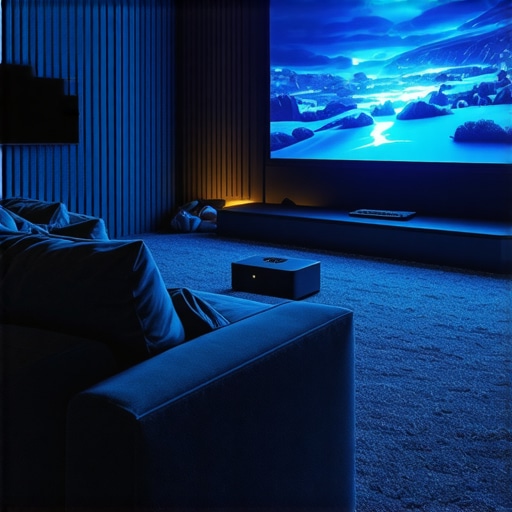
One evening, I settled into my living room ready for a movie night, only to be met with glaring reflections, a flickering image, and a screen that felt more like a source of frustration than entertainment. That moment was a lightbulb going off in my head: I needed a better way to bring the cinema experience home without sacrificing space or breaking the bank. Have you ever faced a similar dilemma—desiring a stunning home theater but feeling overwhelmed by bulky equipment and complicated setups? Well, you’re not alone, and the good news is that there’s now a whole world of portable laser and 4K projectors designed to fit small spaces and busy lifestyles.
Why Portable and 4K Projectors Are a Game-Changer for Home Entertainment
Over the past few years, technology has dramatically changed the way we enjoy movies, sports, and gaming at home. The shift towards ultra-short throw (UST) projectors and laser technology means you can now create a home theater experience that’s sleek, flexible, and high-quality. Unlike traditional bulky projectors, portable models can be moved easily from room to room or even taken outdoors for spontaneous movie nights in the yard. Moreover, the advent of 4K resolution ensures crisp, stunning visuals that rival the best cinema screens, all in a compact form factor.
According to a recent industry report, the global projector market is expected to grow significantly, with portable laser models leading the charge due to their convenience and impressive brightness levels—a critical factor for bright rooms. This evolution makes it more feasible than ever for someone like me (and maybe you) to set up a home theater that doesn’t take up our entire living space or require professional installation.
Still, with so many options out there, it’s understandable if you’re skeptical about whether these innovations truly deliver on their promises. I made a common mistake early on: believing that a larger, more expensive projector was always better. Instead, I discovered that the right portable laser or 4K projector can offer both exceptional image quality and convenience, making it a worthwhile investment for any home entertainment setup. Want to learn how to choose the perfect projector that suits your living space and viewing habits? I’ll walk you through the practical steps next.
Does the Promise of Portable Laser & 4K Projectors Live Up to the Hype?
Assessing Your Space for a Portable Projector
Begin by measuring your available wall or screen area to determine the appropriate projection size. For small rooms, aim for a 100-120 inch display, which is achievable with ultra-short throw (UST) projectors. Clear the area of obstructions to ensure unobstructed light paths and optimal image quality. When I set up my first portable projector, I used a tape measure and a mirror to visualize the projected image size, avoiding surprises later.
Choosing the Right Spot and Positioning
Identify a flat, stable surface or ceiling mount location that allows the projector to sit within the recommended distance for the desired image size. Portable models are flexible— I placed mine on a sturdy coffee table near the wall. For ultra-short throw units, positioning just a few inches from the wall is sufficient, thanks to their special lens design. Practice placing the device a few times to find the perfect spot— I initially positioned mine too far back, resulting in a smaller image, but adjusting the distance improved clarity.
Connecting Content Sources
Most portable projectors support multiple inputs: HDMI, USB, or wireless streaming. Connect your laptop, gaming console, or streaming device via HDMI for the best quality. I kept an HDMI cable handy and also set up a wireless connection with my phone to stream content seamlessly. Before finalizing, turn on the projector and check if your source device is recognized; this quick test prevented playback issues later.
Adjusting Focus and Keystoning
Once positioned, power on the projector and fine-tune the focus using the built-in focus ring or wheel. For proper image shape, use keystone correction— either manually or automatically— especially if your projector isn’t perfectly aligned. During my first attempt, I forgot to focus, resulting in a blurry picture, which I corrected within minutes. For best results, set the projector so the image fills the screen without distortion.
Calibrating Image Settings for Sharpness and Color
Access the projector’s menu to adjust brightness, contrast, sharpness, and color saturation. Proper calibration ensures vibrant images and deep blacks. I used a moving landscape scene as a test, increasing contrast and adjusting color balance until it looked natural. Some projectors also support automatic calibration, which saves time. If you want expert advice on optimal settings, explore the [ultimate 4K projector buying guide](https://projectors.homecinemaessentials.com/ultimate-4k-projector-buying-guide-for-movie-nights) for detailed tips.
Sealing the Space for Better Image Clarity
Reduce ambient light contamination by dimming or turning off lights. Using blackout curtains or placing a dark cloth behind the screen enhances perceived contrast. During my setup, I temporarily darkened the room to see the true picture quality, which improved dramatically. For outdoor setups, consider portable light-blocking accessories to maximize brightness and contrast.
Testing and Fine-Tuning
Before settling in, play a variety of content— movies, sports, or games— to evaluate image quality and noise levels. Adjust settings as needed. On my first test run, I noticed some color inconsistency, which I corrected by resetting color profiles. Keep a checklist to ensure you’ve covered focus, alignment, connectivity, and picture settings. Once satisfied, your portable projector is ready for movies— and all it took was a series of deliberate steps and a touch of patience.
Many enthusiasts believe that ultra-short throw (UST) and laser projectors are foolproof solutions for creating a perfect home theater, but beneath the shiny exterior lie nuanced pitfalls that can sabotage your setup. Let’s dig deeper into the common myths and advanced mistakes often overlooked.
Is Brightness Always Better? Why a High Lumen Count Might Mislead You
One of the most pervasive misconceptions is that brighter projectors invariably deliver superior image quality. While high lumen ratings seem attractive, they can actually hinder color accuracy and contrast if not balanced correctly—especially in small, controlled environments where ambient light is minimal. For example, laser projectors advertised with 3000 lumens may appear dazzling in a showroom, but in a dark room, this excess brightness can wash out details rather than enhance them. Expert sources, like the Society of Motion Picture and Television Engineers (SMPTE), recommend tuning brightness to the specific environment to prevent loss of detail and preserve color fidelity, rather than chasing the highest lumen numbers.
Furthermore, people often assume that ultra-short throw models are immune to image distortion. However, without proper placement and keystone correction, even the most sophisticated UST projectors can produce skewed, blurry images that require expert calibration. A common trap is neglecting to test and fine-tune the lens settings, leading to subpar viewing experiences. Remember, the latest models with auto-keystone functions help, but manual adjustments still matter for precision. For comprehensive guidance, consider exploring detailed setup tutorials or the [ultimate guide to ultra-short throw projectors](https://projectors.homecinemaessentials.com/how-ultra-short-throw-projectors-transform-small-spaces).
Now, for the advanced question—
Will upgrading your projector’s resolution always improve your viewing experience?
While 4K resolution promises stunning detail, it isn’t always the best choice for every environment or content type. Factors like screen size, viewing distance, and source quality influence whether 4K delivers a tangible difference. For small rooms, the benefits of extra pixels may be negligible if your eyes can’t distinguish the finer details, making other features like contrast and color performance more crucial. Industry experts suggest that optimizing these aspects with a high-quality laser or LED projector can often yield a more noticeable upgrade than simply shifting from 1080p to 4K. To find the perfect balance, review our recommendations in the [best 4K home theater projectors](https://projectors.homecinemaessentials.com/best-4k-home-theater-projectors-in-2024-compact-ultra-short-throw).
In conclusion, understanding these nuanced aspects helps you avoid costly mistakes and truly maximize your home entertainment setup. Have you ever fallen into this trap? Let me know in the comments! Remember, the devil is in the details when it comes to creating your ideal home theater environment.Maintaining your home theater projector, especially advanced models like 4K, laser, or ultra-short throw projectors, is essential to ensure consistent performance and longevity. One of my go-to tools is a compressed air canister, which helps keep the vents and lens clean without risking scratches or damage. I use a microfiber cloth specifically designed for optics to gently wipe the lens and prevent dust buildup that can cause image degradation over time. Regularly inspecting and cleaning the air filters—many projectors have easily accessible filters—can prevent overheating and maintain optimal brightness and color accuracy.
To monitor and calibrate color accuracy, I rely on software like CalMAN Home Video GCC, which I connect via USB or HDMI. This software guides me through precise adjustments, ensuring my projector delivers cinema-quality visuals over the long haul. For firmware updates, I always visit the manufacturer’s official site or contact support—keeping firmware current can fix bugs and improve performance, an especially relevant practice given the rapid evolution of laser and 4K projectors.
Looking ahead, I predict that smart maintenance features integrated into future projectors will simplify upkeep, such as auto-cleaning or remote diagnostics—saving time and reducing user error. As technology advances, these built-in tools will become increasingly sophisticated, making maintenance more accessible even for casual users.
**How do I maintain my projector over time?** The key is establishing a routine: schedule quarterly cleanings of vents and filters, update firmware when prompted, and calibrate color settings biannually with reliable software tools. It’s also wise to avoid exposing your device to extreme temperatures or direct sunlight, which can harm the internal components.
I highly recommend trying out an air compressor with a nozzle designed for electronics—not only does this method remove dust effectively, but it also prolongs the life of your projector’s cooling system. Remember, caring for your equipment isn’t just about preservation; it’s about ensuring your home theater consistently delivers that stunning visual experience you desire. For hands-on guidance, check out our detailed maintenance tips in the [ultimate guide to ultra-short throw projectors](https://projectors.homecinemaessentials.com/how-ultra-short-throw-projectors-transform-small-spaces). Regular upkeep is your best investment in long-term performance—so start today and enjoy your cinematic picture for years to come.
The Hardest Lesson I Learned About Ultra Short Throw and 4K Projectors
One of the most significant realizations in my home theater journey was understanding that bigger isn’t always better—especially when it comes to lumen ratings. I once believed that a high lumen count equated to better picture quality, but I soon discovered that optimal brightness depends heavily on room lighting and size. Excessive brightness can wash out colors, diminishing the vibrant experience I craved. This taught me to focus on balanced settings tailored to my space, a lesson I wish more enthusiasts understood before investing in a projector.
How I Transformed My Small Space Into a Cinema Sanctuary
With the right ultra-short throw (UST) projector, I learned that dedicated room setup isn’t necessary to enjoy cinematic visuals. I used a sleek, portable 4K laser projector placed just inches from the wall, creating an immersive experience without sacrificing precious space. The key was measuring my wall, practicing positioning, and calibrating settings for crisp clarity. This approach proved that small rooms can deliver big-screen impact when you choose the right portable projector with auto-keystone correction and high contrast ratios. Want more tips? Explore our ultimate guide to transforming tight spaces.
What No One Tells You About Maintaining Visual Quality Over Time
Keeping my projector performing at peak levels meant regular cleaning and firmware updates. I quickly learned that dust on the lens or vents can cause dimming and color fading, which is why I keep a microfiber cloth and compressed air handy. Firmware updates from the manufacturer often improve image processing and introduce new features, so I schedule quarterly check-ins. This proactive maintenance extends the lifespan of my laser projector and ensures a consistently stunning image. Remember, a well-maintained device is the cornerstone of home theater excellence.
Where to Find the Best Tools for Your Home Cinema Quest
Over time, I curated a toolkit that made setup and calibration much easier. For precise color calibration, I rely on software like CalMAN Home Video GCC—it’s a game-changer that helps achieve cinema-grade visuals. Also, reputable brands like Epson and Optoma offer firmware updater tools that keep my projector current. For enhancing room setup, blackout curtains and ambient light control accessories from trusted online retailers have been invaluable. For detailed recommendations, I recommend browsing our latest buying guides.
Embrace the Learning Curve and Start Your Home Theater Adventure Today
Creating an ultra-spectacular home theater with portable 4K or laser projectors is more accessible than ever. The key is patience, curiosity, and the willingness to learn from early missteps. Every setup becomes unique, reflecting your space and tastes. Don’t wait for perfection—begin experimenting with placement, calibration, and content sources. The joy of cinematic magic is just a few adjustments away. Are you ready to turn your living space into your personal cinema? Share your setup stories or questions below—let’s elevate our home theater experiences together!
,