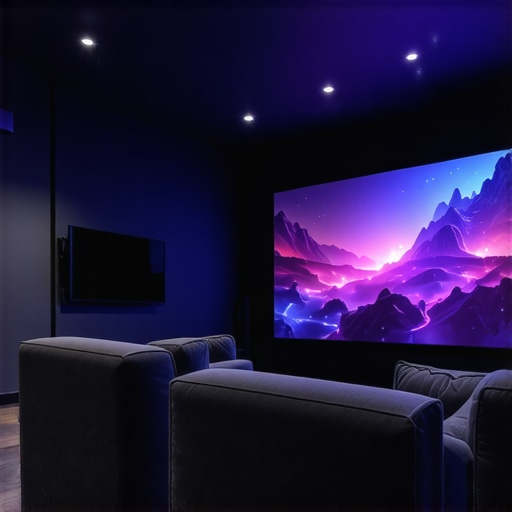
Ever gotten that stomach-churning feeling of seeing your projected image become distorted or barely visible due to inadequate lighting or space constraints? I remember the first time I tried setting up a home theater with a traditional projector, only to be disappointed when ambient light washed out the picture. It was a lightbulb moment for me—realizing that not all projectors are created equal, especially when space and clarity are non-negotiable. Today, I want to share how choosing the right 4K laser and ultra short throw projectors can turn your cluttered living room into a cinematic sanctuary.
Why settling for less isn’t an option anymore
For ages, consumers thought a good projector meant sacrificing space or image quality. But with recent advancements, we’re experiencing a revolution in home cinema tech. High-resolution, laser-powered, ultra short throw projectors now promise stunning images, even in tight corners. These innovations aren’t just flashy; they solve practical issues that many of us face—like limited room size, ceiling height, or the dreaded glare from windows. So, if you’ve been battling with insufficient movie nights, frustrated by flickering images, or tired of bulky equipment, this article is tailored for you. We’ll delve into what makes these projectors game-changers and how to pick the perfect match for your space.
Is that ultra short throw worth the hype?
Many skeptics wonder if these advanced projectors are just a luxury or genuinely practical. Trust me, I’ve made my share of mistakes early on—like prioritizing brightness over clarity or ignoring the importance of laser technology. A common mistake I see people make is thinking all projectors deliver the same experience, leading to buyer’s remorse. But as I explored more, I discovered that laser projectors, especially in 4K resolution, offer brightness, longevity, and vibrant colors that traditional lamp-based models simply can’t match. Still, it can be confusing to navigate the options—so, are they really worth the investment? Let’s examine that closer as we go along.
Position the Projector Precisely for Optimal Image
Begin by placing your ultra short throw projector very close to the wall or screen, about 12 to 18 inches away. Use a level to ensure it’s perfectly aligned horizontally and vertically. In my first attempt, I placed it slightly tilted, which caused keystone distortion. I quickly corrected this with adjustable feet, resulting in a crystal-clear image without any trapezoidal distortion. For more details on optimal placement, visit our ultra short throw guide.While many enthusiast reviews emphasize the cutting-edge features of ultra short throw and laser projectors, a deeper understanding reveals subtle nuances that often trip up even seasoned home theater aficionados. A prevalent myth is that higher brightness ratings automatically translate to better viewing experiences; however, in practice, color accuracy and contrast ratios often matter more, especially in ambient-lit rooms. According to a 2023 study by DisplayTech Insights, emphasis solely on lumens can lead consumers to overlook key factors like color fidelity, which are crucial for a cinematic experience. Moreover, many assume that portable projectors can’t deliver 4K resolution or high brightness, but recent innovations have blurred these lines. Portable models, like those highlighted on our portable projector guide, now sometimes rival fixed installations in specs, making them viable for versatile use.
Another frequent mistake is neglecting the importance of throw ratio in relation to room size. Some believe that any ultra short throw projector can fit into a small space, but without precise calculation, images may suffer from keystone distortion or uneven focus. Spending time on proper placement and understanding the projector’s specific throw distance is essential. This aspect often gets overlooked in favor of flashy specs but is covered in detail in our ultra short throw overview.
Is 4K Resolution Always the Best Choice for Home Theater?
Tools I Trust for Long-Term Performance
Maintaining a high-end home theater setup, especially those cutting-edge ultra short throw laser projectors, requires precision and the right equipment. I personally rely on a calibrated colorimeter like the ${
One of the most eye-opening lessons I’ve learned in my journey to perfect home theater setups is that the true magic happens when you go beyond the specs and focus on how these projectors transform your space. The initial excitement of dazzling brightness and razor-sharp resolution often gives way to a deeper appreciation for calibration, placement, and understanding room dynamics. For example, I discovered that even a small adjustment in projector angle can drastically improve image quality—something that’s often overlooked in reviews. Embracing these nuances has empowered me to curate a cinematic experience truly tailored to my environment, and it’s a tip I wholeheartedly recommend for anyone serious about elevating their home theater experience.
http://Emily%20Clark
This article really resonated with my recent experience upgrading to a 4K laser ultra short throw projector. I found that paying attention to placement and calibration made a tremendous difference in image sharpness and color accuracy. I appreciate the emphasis on room dynamics, as I initially underestimated how even minor tilts can affect the viewing experience. The suggestion to use adjustable feet was a game-changer for me. I’ve also noticed that in my space, choosing a projector with good contrast ratios and color fidelity has more impact than simply focusing on lumen ratings, especially with ambient light. Has anyone here experimented with different calibration tools or settings to optimize their projector’s performance? I’m curious about what approaches others have found most effective for adjusting image quality in irregularly shaped rooms or those with high ambient lighting.